Securing cloud data has become a real concern for businesses that rely on cloud access security brokers, data loss prevention tools, and zero-trust network access solutions. If you have been using Netskope and wondering whether better cloud security platforms exist, you are not alone. Many teams are actively exploring options that offer stronger threat protection, smarter CASB features, and more flexible secure web gateway capabilities. This article walks you through 7 solid Netskope alternatives so you can make a confident decision in about 20 minutes.
Speaking of making faster, smarter decisions, using AI to categorize data is exactly where Numerous' spreadsheet AI tools give you a real edge. Instead of manually sorting through vendor comparisons and security feature lists, numerous tools help you organize, label, and analyze information directly inside your spreadsheet, so you spend less time on busywork and more time choosing the right cloud security solution for your team.
Table of Contents
Why Cloud Security Teams Look for Netskope Alternatives
The Hidden Cost of Choosing the Wrong Cloud Security Platform
7 Netskope Alternatives to Secure Cloud Data in 20 Minutes
The 20-Minute Workflow to Evaluate Netskope Alternatives
Compare Netskope Alternatives Faster With Numerous
Summary
Organizations that experience cloud security incidents often trace the root cause back to a requirements gap rather than a platform failure. According to AppSecure's Cloud Security Statistics 2025, 80% of organizations experienced at least one cloud security incident in the past year due to inadequate security tools, suggesting the problem is less about awareness and more about the distance between what a platform promises and what it delivers under real operational conditions.
Compliance pressure is one of the most common triggers for evaluating cloud security alternatives. IBM's Cost of a Data Breach Report found that organizations with mature cloud security controls identified breaches 74 days faster than those without such controls. When audit cycles expand or regulatory scope shifts, security teams need reporting and governance capabilities that match current requirements, not the ones that existed when they first selected their platform.
The hidden cost of a mismatched cloud security platform rarely shows up as a single failure. It accumulates from recurring policy adjustments, false positives due to misconfigured DLP rules, and time spent correlating logs across disconnected dashboards. NTT DATA's 2025 cloud security research puts the average cost of a data breach at $4.88 million, reframing administrative inefficiency as a direct contributor to breach escalation rather than a separate operational concern.
Most cloud security evaluations fail because teams compare platforms against each other instead of against their own requirements. A platform that excels at SaaS visibility but lacks strong ZTNA controls is the wrong choice for a Zero Trust migration, regardless of how it benchmarks on a feature grid. According to Perimeters.io, 94% of organizations use cloud services that expose sensitive data without proper security controls, a figure that points to requirements mapping as the missing step in most deployment decisions.
The sequence of evaluation matters as much as the criteria used. Organizations that define compliance requirements as filters (rather than features to compare) shrink their shortlist faster and avoid expensive post-deployment surprises. Perimeters.io also notes that organizations evaluate an average of 3 to 5 SASE vendors before making a final decision, a range that becomes costly when full pilots are run on platforms that a requirements-first filter would have removed in the first ten minutes.
Operational fit is where many cloud security evaluations quietly break down. A platform that requires three times the administrative overhead to manage at the same policy scale will not show that cost during a demo. It shows up six months after deployment, when the security team spends more time maintaining the tool than using it to monitor the environment it was deployed to protect.
Numerous' spreadsheet AI tools address this by letting security teams classify vendor capabilities, flag compliance gaps across frameworks such as GDPR, HIPAA, and PCI DSS, and run structured comparisons directly in Google Sheets or Excel without switching tools or rebuilding evaluation frameworks each cycle.
Why Cloud Security Teams Look for Netskope Alternatives
Cloud security requirements don't stay still. As organizations add cloud applications, expand remote workforces, and absorb new compliance obligations, the platform that once fit their needs starts to show gaps. That's not a failure of the platform. It's the natural consequence of growth outpacing configuration.
The pattern surfaces consistently across industries: a security team deploys a cloud access security broker (CASB) or secure web gateway solution, it works well for 18 months, and then the environment shifts. More SaaS applications get added. A merger brings in a new identity provider. A regulatory audit reveals gaps in data loss prevention (DLP) coverage. Suddenly, the team is managing exceptions instead of policies, and the platform feels like it's working against them rather than with them.
Why Multi-Cloud Complexity Changes the Equation
When business data lives across Microsoft 365, Google Workspace, AWS, Salesforce, and dozens of other SaaS platforms simultaneously, consistent policy enforcement becomes the real challenge. A zero trust network access (ZTNA) strategy that works cleanly in a single-cloud environment becomes harder to maintain when user access spans five or six platforms with different APIs, permission models, and audit log formats. Security teams evaluating Netskope alternatives often aren't looking for a different philosophy. They're looking for a platform whose architecture maps more directly to the specific cloud infrastructure they're actually running today.
AI-Powered Vendor Comparison
Most security teams handle vendor comparisons the familiar way:
Spreadsheets
Side-by-side feature lists
Hours of manual categorization across cloud security posture management (CSPM)
Endpoint security, and threat protection capabilities
The hidden cost is the time spent organizing that information rather than analyzing it. Teams using the spreadsheet AI tool find they can classify feature sets, tag compliance coverage gaps, and surface vendor differences across GDPR, HIPAA, and PCI DSS requirements directly inside their existing spreadsheet, cutting the comparison process from days to a focused afternoon.
How Compliance Pressure Accelerates the Search
Compliance requirements don't wait for convenient timing. When a new HIPAA audit cycle starts, or PCI DSS scope expands to include cloud-hosted payment data, security teams need reporting and governance capabilities that align with the current regulatory standard, not the one in place when they first selected their platform.
Organizations with mature cloud security controls identified breaches 74 days faster than those without. That gap isn't just technical. It's the difference between a manageable incident and a regulatory disclosure event. Teams evaluating alternatives to Netskope are often responding to exactly that kind of pressure, seeking stronger inline inspection, better shadow IT visibility, or more granular user activity monitoring across cloud environments.
The Cost of Choosing Wrong
The search for a Netskope alternative is rarely impulsive. It's the result of operational friction accumulating quietly over time, until the gap between what the platform does and what the organization actually needs becomes impossible to ignore. And once teams start looking seriously at alternatives, they quickly discover that the real cost isn't the platform they choose. It's the cost of choosing the wrong replacement.
Related Reading
The Hidden Cost of Choosing the Wrong Cloud Security Platform

Choosing the wrong cloud security platform doesn't announce itself with a single catastrophic failure. It shows up quietly:
In the hours your team spends reconfiguring policies that should have worked the first time.
In the alerts that pile up without context.
In the compliance reports that take days to assemble instead of minutes.
The real cost isn't the licensing fee. It's the operational drag that compounds every week until your security posture is weaker than it looks on paper.
Why Feature Lists Don't Tell the Whole Story
The failure point is usually visible in hindsight. Security teams evaluate CASB capabilities, ZTNA coverage, DLP policies, and SWG performance during demos, and everything looks comparable. But demos are controlled environments. They don't show you what happens when your team needs to enforce granular data classification across a hybrid Microsoft 365 and AWS environment while simultaneously managing shadow IT alerts and preparing for a SOC 2 audit.
That's where platform fit separates from platform features. According to AppSecure's Cloud Security Statistics 2025, 80% of organizations experienced at least one cloud security incident in the past year due to inadequate security tools, suggesting the problem isn't a lack of awareness of risk. It's the gap between what a platform promises and what it actually delivers under real operational conditions.
Smarter Security Vendor Evaluation
Most teams handle the evaluation process by manually building comparison spreadsheets, pulling feature lists from vendor websites, and cross-referencing them against internal requirements. That approach works when the variables are simple. When you're comparing inline proxy architecture against API-based CASB coverage, or evaluating how different platforms handle unmanaged device policies in a BYOD environment, the complexity grows faster than a static spreadsheet can track.
Numerous let security analysts run AI directly inside Google Sheets or Excel, using a simple =AI function to classify requirements, flag coverage gaps, and generate structured comparisons without needing a data engineer or a separate workflow tool. It keeps the evaluation within the familiar interface your team already uses, reducing friction and speeding up decisions.
Where Operational Overload Actually Comes From
The mechanism is straightforward, even if the consequences aren't obvious at first. When a cloud access security broker requires manual policy adjustments every time a new SaaS application is added to your environment, that's not a one-time cost. It's a recurring tax on your team's attention. Add in false positives from misconfigured DLP rules, integration maintenance for third-party identity providers, and the time spent correlating user activity logs across disconnected dashboards, and you have a workload problem disguised as a security problem.
NTT DATA's 2025 cloud security research puts the average cost of a data breach at $4.88 million, a figure that makes administrative inefficiency look like a small problem until you realize that slow incident response and reduced visibility are exactly the conditions that allow breaches to escalate.
The Visibility Gap No One Budgets For
The critical difference between a well-fitted platform and a mismatched one isn't processing speed or the number of supported cloud applications. It's how clearly your team can see what's happening across your cloud environment at any given moment. Reduced visibility:
It means longer investigation times when anomalous behavior surfaces.
It means compliance gaps that don't appear until an auditor finds them.
It means sensitive data is moving through unsanctioned channels while your team is occupied managing the platform itself rather than monitoring what it's supposed to protect.
Choosing a Netskope alternative without stress-testing that visibility layer against your actual cloud infrastructure is where most organizations make their most expensive mistake. But knowing where the hidden costs live is only half the equation, and the other half is far more actionable than most teams expect.
7 Netskope Alternatives to Secure Cloud Data in 20 Minutes
The best Netskope alternative is not the one with the longest feature list. It is the one that fits the specific shape of your cloud environment, your compliance obligations, and the way your security team actually operates day-to-day. Knowing where hidden costs live gets you halfway there. The other half is understanding which platforms solve which problems, and why that distinction matters more than vendor marketing ever lets on.
1. Microsoft Defender for Cloud Apps
The most natural fit for organizations already running Microsoft 365 is Microsoft Defender for Cloud Apps. It delivers Cloud App Discovery, Data Loss Prevention, Conditional Access, and Threat Detection inside an ecosystem your team already manages. When your identity layer, your endpoint controls, and your cloud visibility all live in one place, policy enforcement stops being a coordination problem and becomes a configuration decision. The critical difference here is integration depth. A standalone CASB solution requires your team to build connectors, maintain API links, and reconcile alert formats across platforms. Defender for Cloud Apps eliminates most of that overhead in Microsoft-centric environments, which is why security teams with heavy Microsoft footprints consistently rank it as their first stop for evaluation when moving away from Netskope.
2. Zscaler

The failure point for many cloud security deployments is the assumption that perimeter-based controls can stretch to cover a workforce that no longer has a perimeter. Zscaler was built specifically to solve that problem. Its Zero Trust Network Access architecture means users connect directly to applications, not to the network, removing the lateral movement risk associated with traditional VPN-dependent setups. Zscaler's Cloud Firewall and Cloud Sandbox capabilities also address a gap left by pure CASB tools: real-time threat inspection for traffic that never touches your on-premises infrastructure. If your organization is midway through a Zero Trust migration, Zscaler provides a platform that accelerates the journey rather than running in parallel.
3. Palo Alto Networks Prisma Access

Large enterprises with distributed workforces face a specific problem that smaller platforms underestimate. Security policy needs to be consistent whether a user is in Singapore, São Paulo, or a home office in Manchester. Prisma Access delivers that consistency through a cloud-delivered SASE architecture that combines networking and security into a single control plane. What separates Prisma Access from simpler SSE tools is its Threat Prevention layer, which operates alongside Zero Trust Access and Data Security controls without requiring separate policy sets for each. For enterprises managing thousands of endpoints across multiple regions, that unified policy model is not a convenience. It is a compliance necessity.
4. Cisco Secure Access
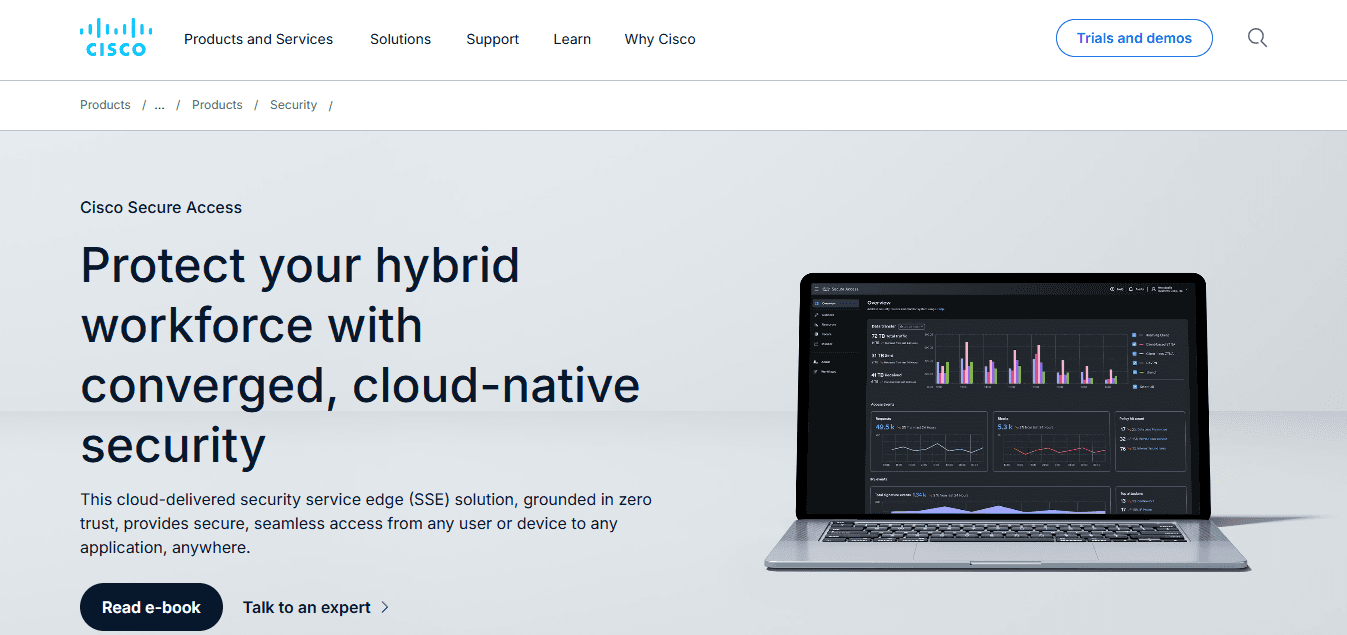
When your network infrastructure already runs on Cisco, layering a third-party cloud security platform on top creates friction at the integration layer. Cisco Secure Access solves that by combining Secure Web Gateway, ZTNA, CASB, and DNS Security inside the Cisco ecosystem. The result is fewer handoff points between tools and faster incident response when something goes wrong. DNS Security deserves specific attention here. Most cloud security evaluations focus on application-layer controls and overlook DNS as an early-stage threat vector. Cisco's DNS protection layer catches threats before they reach the application level, significantly compressing the detection-to-response window for teams already running Cisco networking gear.
5. Forcepoint ONE
Most teams handle multi-tool cloud security by purchasing separate CASB, SWG, and DLP licenses and then spending months building integrations between them. As cloud environments grow, those integrations become brittle, and policy gaps appear exactly where the tools hand off to each other. Forcepoint ONE was designed to eliminate that handoff problem by delivering all three capabilities through a single cloud-native platform.
That unified architecture also simplifies compliance reporting. When your DLP policies, web gateway rules, and cloud application controls share a common data model, generating audit-ready reports no longer requires manual reconciliation across three different dashboards. For compliance-heavy industries like financial services or healthcare, that operational efficiency translates directly into reduced audit preparation time.
AI-Driven Comparison Matrices
Security teams evaluating multiple platforms simultaneously often rely on spreadsheets to track feature gaps, compliance requirements, and vendor responses side by side. The familiar approach of building those comparison grids manually works until the evaluation spans seven platforms across four compliance frameworks. Numerous let teams run AI-powered analysis directly in Google Sheets or Excel with a simple =AI function, so your comparison matrix can surface pattern-level insights across vendor documentation without requiring a separate analytics workflow or technical setup.
6. Skyhigh Security
The truth is that SaaS security and cloud infrastructure security are not the same problem, and platforms that treat them as identical tend to underperform in both. Skyhigh Security was built with SaaS visibility as its primary focus. Its Cloud Access Security Broker capabilities give security teams granular insight into which cloud applications employees use, what data moves through those applications, and where compliance exposure exists.
According to dope.security's 2026 comparison of seven Netskope alternatives for SSE buyers, the evaluation criteria that matter most for SSE platform selection center on data protection depth, cloud application visibility, and operational fit rather than raw feature count. Skyhigh's Compliance Monitoring and Threat Prevention capabilities align directly with those criteria, particularly for organizations where SaaS sprawl is the primary risk driver.
7. Lookout

Remote and mobile workforces create a security surface that most cloud platforms were not designed to protect. Lookout addresses that gap by extending cloud security controls to mobile devices, covering Mobile Threat Defense, phishing protection, and risk monitoring alongside its Cloud Access Security capabilities. When a significant portion of your workforce accesses sensitive data from personal or unmanaged mobile devices, a platform without mobile-native controls leaves a structural gap in your protection model.
The risk monitoring layer in Lookout also provides continuous behavioral signals rather than point-in-time snapshots. That distinction matters because mobile threat patterns shift faster than policy review cycles. A platform that continuously monitors risk and dynamically adjusts access decisions is fundamentally different from one that enforces static rules set at deployment.
Choosing the Platform That Actually Fits
The same issue arises in every cloud security evaluation: organizations compare platforms against each other rather than against their own requirements. The result is a selection process that optimizes for feature overlap rather than operational fit. A platform that excels at SaaS visibility but lacks strong ZTNA controls is the wrong choice for a Zero Trust migration, regardless of how it benchmarks against Netskope on a feature grid.
Define your cloud security requirements first. Then compare platforms against those requirements, not against each other. That sequence change alone eliminates most of the post-deployment surprises that make cloud security platform migrations so expensive. The hardest part of this evaluation is not finding the right platform. It is knowing whether your evaluation process itself is rigorous enough to surface the right answer before you commit.
Related Reading
The 20-Minute Workflow to Evaluate Netskope Alternatives

A rigorous evaluation process is the foundation, but a process without structure is just organized confusion. The 20-minute workflow below gives that structure a spine.
Minute 0–3: Define What You Are Actually Protecting
Start with the data, not the vendor. Before any platform name enters the conversation, write down what cloud data your organization handles:
Customer records
Financial data
Employee information
Source code
Regulated health data
Then identify where it lives.
SaaS applications
Cloud storage
Hybrid environments
Then identify who touches it and under what conditions.
Define Protection Requirements First
This sounds obvious. It rarely gets done. Security teams often jump straight to feature-comparison grids without first answering the question that makes those grids meaningful: what, specifically, are we trying to protect? That gap is where post-deployment surprises are born, not in the vendor selection itself. According to the Perimeters.io Blog, 94% of organizations use cloud services that expose sensitive data without proper security controls. That number is not a vendor failure. It is a requirements failure. Organizations deploy cloud security platforms without first mapping the data those platforms are supposed to protect.
Minutes 3–6: Translate Needs Into Compliance and Data Protection Requirements
Once you know what data you are protecting, you can identify what compliance obligations shape your platform selection.
CASB coverage requirements
DLP policy scope
Zero Trust access controls
Audit logging depth
GDPR or HIPAA reporting support
These are not features to compare. They are filters that remove non-compliant platforms before deeper evaluation begins. The difference matters. When compliance requirements are treated as features, every platform appears to qualify. When they are treated as filters, the list shrinks fast. A cloud access security broker that lacks granular DLP for regulated data does not belong on your shortlist, regardless of how strong its threat detection is in other areas.
Minutes 6–10: Compare Core Capabilities Against Your Specific Gaps
Now you can look at platforms. Not all platforms are equal, but specifically against the gaps your requirements revealed.
Cloud app discovery depth
User activity monitoring
Policy enforcement granularity
Inline proxy versus API-based CASB architecture
SWG integration
ZTNA scope
Each capability should map back to a requirement you already defined. The strongest cloud security platform for your organization is not the one with the most features. It is the one that closes the specific gaps your requirements identified. A SASE platform with comprehensive Zero Trust network access may be exactly right for a distributed workforce and completely wrong for an organization whose primary risk is unmanaged SaaS data exposure in Microsoft 365.
Scalable Requirements Comparison
Most teams handle requirements comparison by building manual feature grids in documents or spreadsheets, copying vendor claims row by row and hoping the comparison holds up under scrutiny. As the list of platforms grows, that process breaks down: cells get outdated, vendor language gets inconsistent, and the person maintaining the grid becomes the bottleneck. Teams using Numerous run AI directly inside Google Sheets or Excel to classify vendor capabilities, flag gaps against defined requirements, and generate structured comparisons at scale without switching tools or waiting on a single analyst to manually process each data point.
Minutes 10–15: Evaluate Deployment and Operational Fit
A platform that is technically capable but operationally difficult creates its own category of risk. Evaluate how each shortlisted platform integrates with your existing environment.
Microsoft 365 depth
Google Workspace coverage
SaaS application breadth
Hybrid environment support
Administrative workload per policy change
And whether the platform requires dedicated headcount to maintain effectively
Operational fit is where many cloud security evaluations quietly fail. Security teams evaluate Netskope alternatives on feature parity and miss the fact that one platform requires three times the administrative overhead to manage at the same policy scale. That overhead does not show up in a feature grid. It shows up six months after deployment when your team is spending more time managing the tool than using it.
Minutes 15–20: Shortlist, Not Select
The goal of this final phase is not a winner. It is a focused shortlist of two or three platforms worth deeper evaluation. Score each remaining option against:
Security coverage
Compliance fit
Integration depth
Management complexity
Vendor support quality
Remove any platform that fails on a filter requirement. What remains is worth a proof of concept or a pilot. Organizations evaluate an average of 3 to 5 SASE vendors before making a final decision. That range is not a problem if each evaluation is structured. It becomes expensive when organizations run full pilots on platforms that a requirements-first filter would have eliminated in the first ten minutes.
Before vs. After: What the Workflow Actually Changes
Without this structure, cloud security evaluations tend to drift. Teams review vendor websites in parallel, compare features without a defined baseline, and treat every platform as equally worth evaluating. The result is slow decisions, inconsistent comparisons, and shortlists built on marketing language rather than operational fit. With the workflow, the sequence changes everything.
Requirements come first.
Compliance filters come second.
Capability comparison comes third.
Deployment fit comes fourth.
Shortlisting comes last.
Each phase eliminates options, so the final comparison is between platforms that have already passed your most important tests. The time reduction does not come from rushing. It comes from spending zero time evaluating platforms that were never going to fit your environment in the first place.
Compare Netskope Alternatives Faster With Numerous
Knowing which platform fits is only half the problem. The harder part is building an evaluation process that does not have to be rebuilt from scratch every time your cloud security requirements shift or a new vendor enters your shortlist.
Most security teams handle this by maintaining separate documents, browser tabs, and comparison notes across different tools. That approach works until the vendor list grows past three or four platforms, at which point the comparison becomes harder to trust than the decision itself. Teams using Numerous pull vendor feature lists, compliance criteria, and evaluation notes into a single spreadsheet and use AI prompts to organize and compare platforms without switching tools or rebuilding frameworks each cycle.
The evaluation workflow covered earlier already defines what good looks like. Turning that into a repeatable system is what separates teams that choose confidently from teams that revisit the same decision six months later.
Related Reading
Netskope Alternatives
Symantec DLP Alternative
Varonis Alternatives
Code42 Alternatives