
If your financial reports feel messy or hard to trust, the problem often starts before the numbers even reach a spreadsheet. Proper accounting data categorization, sorting transactions into clear groups like revenue, expenses, assets, and liabilities, is what separates a report you can act on from one that just creates more questions. In the next few minutes, you will learn 7 key accounting data categories that can sharpen your reports fast, and using AI to categorize data makes that process even more accurate and less time-consuming.
That is where Numerous spreadsheet AI tools come in. Instead of manually sorting through rows of financial data and second-guessing every ledger entry, this tool helps you organize your chart of accounts, flag miscategorized transactions, and structure your general ledger in a way that actually makes sense for reporting. Think of it as having a sharp second set of eyes on your books, one that works at scale and does not get tired.
Table of Contents
Why Businesses Struggle to Organize Accounting Data Consistently
The Hidden Cost of Poor Accounting Data Organization
7 Accounting Data Categories for Better Reports in 30 Minutes
The 30-Minute Workflow to Organize Accounting Data Faster
Create Better Financial Reports Faster With Numerous
Summary
Accounting data categorization is one of the most overlooked drivers of reporting quality. When transactions are consistently sorted into structured groups like revenue, expenses, assets, and liabilities, reports become actionable rather than ambiguous. Without that structure, every reporting cycle starts with cleanup instead of analysis.
Finance teams spend a disproportionate amount of their time on organizational problems rather than analytical work. According to research cited from thegroove.io, finance teams spend up to 80% of their time gathering and reconciling data rather than analyzing it. That imbalance is a direct result of inconsistent classification at the entry level, not a lack of analytical skill.
The financial cost of disorganized accounting data is rarely calculated directly, but it is substantial. Poor data quality costs organizations an average of $12.9 million per year, according to research from Manchester Digital and VE3. Most of that cost traces back to misclassified transactions, inconsistent expense codes, and the downstream correction work those errors generate across every reporting cycle.
Manual classification workflows do not scale with transaction volume. Research from Anchor Computer found that data workers spend up to 50% of their time hunting for, finding, and preparing data rather than using it. As transaction counts grow into the hundreds per month, the manual review phase consumes more time than the analysis it was meant to support.
Month-end close is where categorization problems become most visible and most costly. Thegroove.io reports that 82% of finance teams spend more than three days closing the books each month, with a significant portion of that time spent correcting organizational inconsistencies accumulated during the period. The close becomes a cleanup exercise, which means insights arrive too late to act on.
Workflow sequencing matters more than most teams realize. Separating data collection from categorization and categorization from reporting compresses the entire process. According to a comparison of automated financial reporting platforms from US Tech Automations, report preparation time can be reduced from hours to just 5 minutes when classification is handled upstream and review is scoped to exceptions only.
Numerous spreadsheet AI tools address this by embedding AI-powered classification directly in Google Sheets and Excel, so categorization logic applied in one reporting cycle carries over automatically, without requiring custom engineering or a separate platform.
Why Businesses Struggle to Organize Accounting Data Consistently

Accounting records do not grow slowly. They accumulate in bursts, during busy quarters, after new hires, following system migrations, and the organizational structure meant to contain them rarely keeps pace. The result is a chart of accounts that starts clean and becomes cluttered, not because anyone made a careless decision, but because volume outran process.
The Compound Effect of Entry-Level Errors
The failure point is usually inconsistency at the entry level. When two people classify the same type of transaction differently, the error does not announce itself. It hides inside the ledger, quietly distorting expense reports, skewing budget comparisons, and creating reconciliation work that compounds every month. A software subscription filed under "Administrative Expense" by one team member and "Software Expense" by another is not a big mistake in isolation. Multiplied across hundreds of transactions over a fiscal year, it becomes a structural problem that no pivot table can cleanly fix.
Squeezing Analysis to the Margins
According to thegroove.io, finance teams spend up to 80% of their time gathering and reconciling data rather than analyzing it. That number is striking, but it makes sense once you understand the mechanics.
Every inconsistently labeled transaction creates a downstream review task.
Every duplicate category creates a merge decision.
Every misclassified expense creates a correction loop.
The actual analysis, the part that informs real business decisions, gets pushed to the margins of the reporting cycle.
Replacing Person-Dependent Systems With AI
Most teams handle this by building informal rules:
A shared spreadsheet with category guidelines
A Slack message reminding people to use specific account codes
A manager who manually reviews entries before close
The familiar approach works at a small scale. But as transaction volume grows and more people touch the books, those informal guardrails erode. The system becomes person-dependent, and person-dependent systems break whenever someone is out, overwhelmed, or new. This is where embedding AI directly into the spreadsheet workflow changes the equation.
Spreadsheet AI tool allows teams to apply consistent classification logic across thousands of rows in Google Sheets or Excel using a simple formula, without custom engineering or API configuration, so the categorization standard travels with the data rather than living in someone's memory.
The Invisible Cost of Manual Classification
The same issue surfaces in transaction volume and reporting cadence. 82% of finance teams spend more than three days closing the books each month, and a significant portion of that time is not spent on analysis. It is spent correcting the organizational inconsistencies that accumulated during the period. The close becomes a cleanup exercise rather than a reporting one, so the insights that should drive next month's decisions arrive late, after the window to act has already narrowed.
The core problem is not that businesses lack good accountants. It is that manual classification workflows do not scale, and the cost of that limitation remains invisible until reporting time, when everything due at once reveals exactly how fragile the underlying structure really is. And that fragility has a price that most businesses never actually calculate.
Related Reading
Spreadsheet Data Organization Best Practices
The Hidden Cost of Poor Accounting Data Organization

Poorly organized accounting data does not announce itself as a crisis. It accumulates quietly, and by the time the cost becomes visible, it has already been paid many times over.
What Does Disorganization Actually Cost
The price is not just time. According to Manchester Digital / VE3's analysis of data quality in business, poor data quality costs organizations an average of $12.9 million per year. That number feels abstract until you trace it back to its source:
Transactions sitting in the wrong category
Expense codes applied inconsistently across departments
Revenue streams that look healthy in one report and murky in another
The financial record exists, but the signal inside it is noise.
The failure point is usually not the accounting software. It is the gap between capturing a transaction and classifying it correctly the first time. When that classification step gets skipped or deferred, every downstream process, reconciliation, variance analysis, cash flow forecasting, pays a compounding tax. Teams spend hours rebuilding context that should have been embedded at the point of entry. That is not a reporting problem. It is a structural one.
The Scaling Bottleneck of Manual Reclassification
Most teams handle this by building manual review into the reporting cycle, treating reclassification as a normal cost of doing business. The familiar approach feels reasonable because it works, until the transaction volume grows and the review queue stretches from an afternoon into a week. Anchor Computer's research on data management reports that data workers spend up to 50% of their time hunting for, finding, and preparing data. That is not a productivity inefficiency. That is half a working week consumed by a problem that structured classification could have prevented upstream.
Streamlining Caches and Queries via Spreadsheet AI
This is where the spreadsheet environment becomes worth reconsidering. Teams that already live in Google Sheets or Excel often find that embedding AI categorization directly into their existing workflow, using tools like Numerous, removes the classification backlog without requiring a new system or custom engineering.
When an AI function can assign expense categories, flag ambiguous transactions, and cache results so the same query never runs twice, the manual review queue shrinks before the reporting week even begins.
Where the Real Decision-Making Cost Hides
Slower reports are frustrating. But the deeper cost is the decisions that never get made cleanly because the underlying transaction data is too messy to trust. A business cannot confidently cut a vendor contract, shift a budget line, or evaluate a revenue stream when the numbers feeding that judgment were organized under pressure and by hand during the same week the report was due.
The financial decision arrives late, or it arrives on shaky ground. Neither outcome is acceptable when margins are tight and timing matters. The structure you build around your accounting data is not an administrative detail. It is the foundation on which every financial decision stands, and the categories you choose to use are more consequential than most people realize.
7 Accounting Data Categories for Better Reports in 30 Minutes

Organizing existing accounting data into the right categories is what separates a report that takes 30 minutes from one that takes three days. The categories themselves are not complicated. What matters is that they exist before reporting begins, not after.
1. Revenue Data
Product sales
Service revenue
Subscription income
Consulting fees
Commission earnings
These are not interchangeable. When revenue records are structured by source, you can see which income streams are growing and which are quietly shrinking. Without that separation, your revenue looks like a single number when it is actually several stories happening at once.
2. Expense Data
The failure point is usually inconsistency at the entry level. Marketing expenses logged under three different labels across six months do not tell you what you spent on marketing. They tell you what someone happened to type on a given Tuesday. Structured expense categories, applied consistently, turn scattered entries into spending patterns you can actually act on.
Most teams handle expense tracking through a mix of accounting software exports and manual cleanup in spreadsheets. That works at low volume. When transaction counts climb into the hundreds per month, the manual cleanup phase starts consuming more time than the analysis it was supposed to enable. Numerous tools let you apply AI-powered categorization directly inside Google Sheets or Excel, using a simple formula to classify expenses in bulk without switching platforms or writing a single line of code.
3. Accounts Receivable
Unpaid invoices
Outstanding customer balances
Pending payments
When these records are organized by customer, age, and status, cash flow visibility becomes concrete rather than estimated. The businesses that consistently know what cash is coming and when are not better at predicting the future. They are better at reading organized data in the present.
4. Accounts Payable
Payment obligations become easier to manage when supplier invoices, vendor balances, and outstanding bills are tracked as a structured category rather than a pile of documents. The risk of a missed payment is almost never about forgetting. It is about not being able to see clearly what is due and when.
5. Payroll Data
Salaries
Bonuses
Allowances
Payroll taxes
Benefits
These belong in their own category because employee compensation is both a compliance obligation and a significant expense line. When payroll data is merged with general operating costs, the numbers blur. Separating it gives you cleaner expense reporting and makes audit documentation faster to produce.
6. Asset Data
Equipment
Vehicles
Computers
Property
Inventory assets
According to Basis 365 Accounting, there are 7 essential financial reports recommended for smarter business decisions in 2025, and accurate asset tracking feeds directly into several of them. When asset records are structured, depreciation schedules and capital expense reviews stop being research projects and start being routine pulls.
7. Tax and Compliance Data
VAT records
Tax payments
Compliance filings
Audit documentation
This category carries the highest consequence for disorganization. Regulators do not accept "we were busy" as an explanation for missing documentation. Structured compliance records reduce that risk by making every relevant entry retrievable without a manual search through months of transactions.
Why do These Categories Change the Reporting Workflow
The old workflow looks like this: collect everything, search for what you need, organize it under pressure, then report. That sequence puts the hardest cognitive work at the worst possible moment.
The new workflow inverts it: categorize at entry, verify before reporting, analyze with clean data, then report. The difference in time is real. The difference in accuracy is the part that matters more.
What most people miss is that better financial reports do not come from better reporting tools. They come from a cleaner general ledger organization, a consistent chart of accounts structure, and disciplined transaction classification prior to the reporting cycle. The tool at the end of the process can only work with what the structure at the beginning produced.
Related Reading
The 30-Minute Workflow to Organize Accounting Data Faster
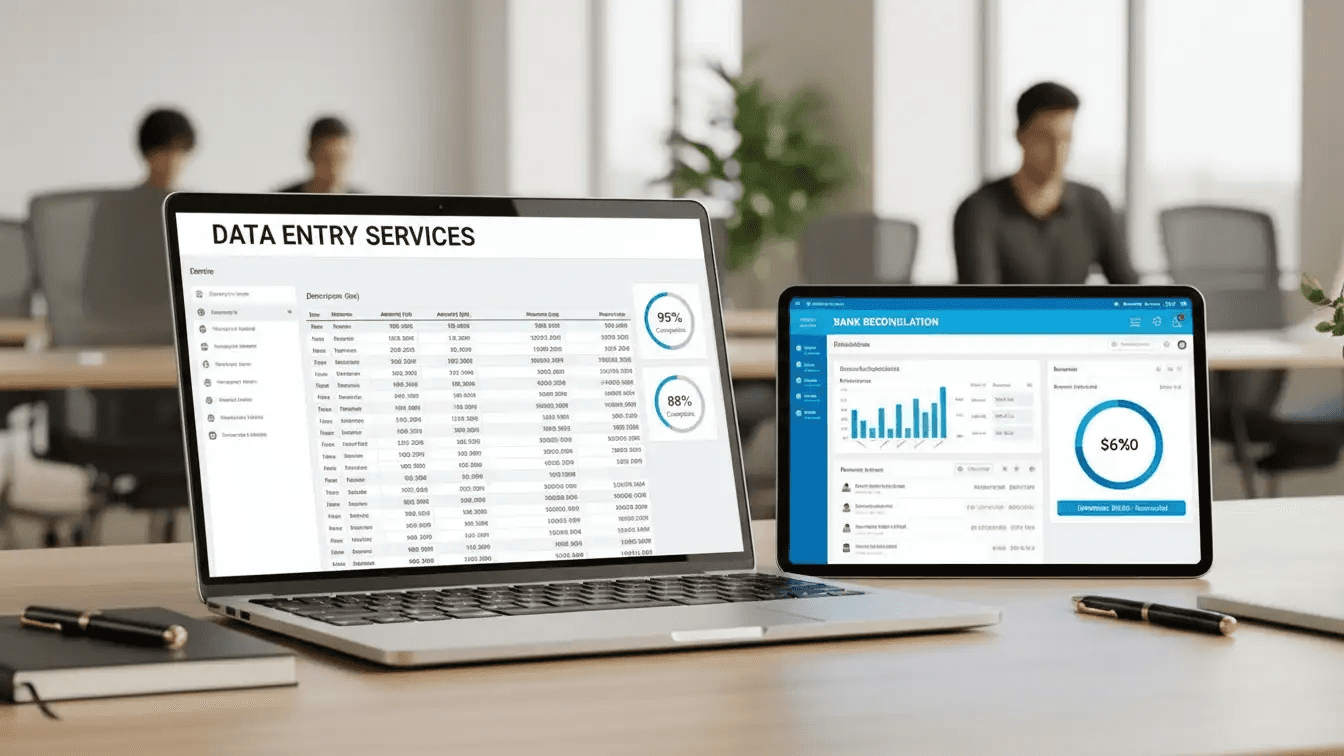
Separation is the discipline that makes speed possible. When you stop mixing data collection with categorization, and categorization with reporting, the entire process compresses. Not because you are working harder, but because each step has a single job.
Minute 0–5: Define the Reporting Objective First
Before opening a single spreadsheet or transaction log, decide what the report needs to prove. A profitability analysis requires a different category structure than a cash flow report or a budget variance review. Unclear objectives force you to reorganize mid-process, which is where most of the wasted time actually lives. The failure point is usually not the data. It is the absence of a decision about what the data should answer. Spending five minutes defining the reporting goal eliminates the backtracking that turns a 30-minute task into a three-hour one.
Minutes 5–10: Gather and Standardize Before you Sort
Collect everything before touching the structure:
Transaction logs
Invoices
Payroll records
Vendor statements
Standardizing formats at this stage, before any classification begins, removes friction from every step that follows. Raw data that enters a categorization system in inconsistent formats creates exceptions that you will have to resolve manually later. The same issue surfaces across industries where data enters from multiple sources: inconsistent naming conventions, mismatched date formats, and duplicate entries compound downstream. Cleaning accounting datasets before categorization is not extra work. It is the work that makes categorization reliable.
Minutes 10–15: Build the Category Structure, Not the Report
Most teams handle this by jumping straight into report templates, pulling transactions as they go. The familiar approach feels productive because something visible is being built. But the hidden cost is that the report structure ends up driving the categorization, which means every future reporting cycle starts from scratch. The category structure should come first and stay fixed.
Revenue data
Expense data
Accounts receivable
Accounts payable
Payroll data
Asset data
Tax
Compliance data
They are not reporting labels. They are the permanent organizational layer that makes reporting fast every time, not just once.
Minutes 15–20: Assign Records to Categories in Bulk
This is where raw accounting information becomes reporting-ready data. Assign transactions, invoices, payroll records, and asset entries to their appropriate categories in a single focused pass. The goal is not perfection on the first pass. The goal is to get 90% of records classified correctly so the exception review stays small.
When categorization happens at scale, manual assignment becomes the bottleneck. Most teams handle bulk transaction classification by scrolling through entries one at a time, applying judgment to each row. That approach works for 50 records. It breaks down at 500.
Numerous addresses this directly by embedding AI classification inside Google Sheets and Excel through a simple =AI() function, so you can categorize hundreds of accounting entries in a single column fill without switching tools, writing code, or managing API connections.
Minutes 20–25: Review Exceptions, Not Everything
The review step should only touch:
Uncategorized records
Duplicate entries
Inconsistent classifications
Missing information
Reviewing every record repeatedly is the manual workflow you are trying to replace. According to US Tech Automations' Automated Financial Reporting Platform Comparison, report preparation time can be reduced from hours to just 5 minutes with automated financial reporting platforms. That compression only occurs when the review phase is tightly scoped. Broad review cycles are what keep report prep measured in hours instead of minutes.
Minutes 25–30: Build the System, Not Just the Report
Create the financial summaries, expense reports, cash flow reports, and performance dashboards.
Then save the category structure, the classification rules, and the workflow itself.
The output of this session is not one clean report. It is a repeatable system that makes the next reporting cycle faster than this one. According to a survey of 816 accountants, bookkeepers, and tax professionals by Financial Cents, workflow and automation are among the top operational priorities in accounting practices today. That priority makes sense when you consider what gets saved: not just time on a single report, but cumulative hours across every future reporting cycle that uses the same structure.
What the Before and After Actually Look Like
Before this workflow, the pattern was familiar: repeatedly searching through transactions, rebuilding report structures from memory, and reorganizing records that were never consistently classified. Each reporting cycle inherits the disorder of the previous one.
After, the structure does the work. Organized financial records feed into fixed categories. Fixed categories feed into consistent reports. Consistent reports are produced faster because the classification decisions have already been made. The time reduction does not come from speed. It comes from not repeating decisions that should have been permanent.
The workflow is not about doing more in 30 minutes. It is about doing the right things in the right sequence so that nothing has to be undone. And once you see what a structured reporting system actually produces, the question of which tool helps you build it fastest becomes a lot more interesting than you might expect.
Create Better Financial Reports Faster With Numerous
If accounting reporting still feels slow after structuring your categories and separating your workflow steps, the bottleneck is usually the same thing: rebuilding classification logic from scratch every cycle. The structure you build once should work every time after that. Most teams handle this by exporting data, opening a fresh spreadsheet, and manually sorting transactions before any real reporting begins. That repetition compounds quietly. Each cycle adds another hour of reclassification, another round of inconsistent expense codes, another reconciliation that takes longer than it should.
Numerous lets you embed AI categorization directly inside Google Sheets or Excel using a simple =AI function, so the classification decisions you made last cycle carry forward automatically, without custom engineering or separate tools pulling your data in different directions. The businesses producing clean, consistent financial reports are not working harder. They built a categorization framework once, and now they let that structure do the work.