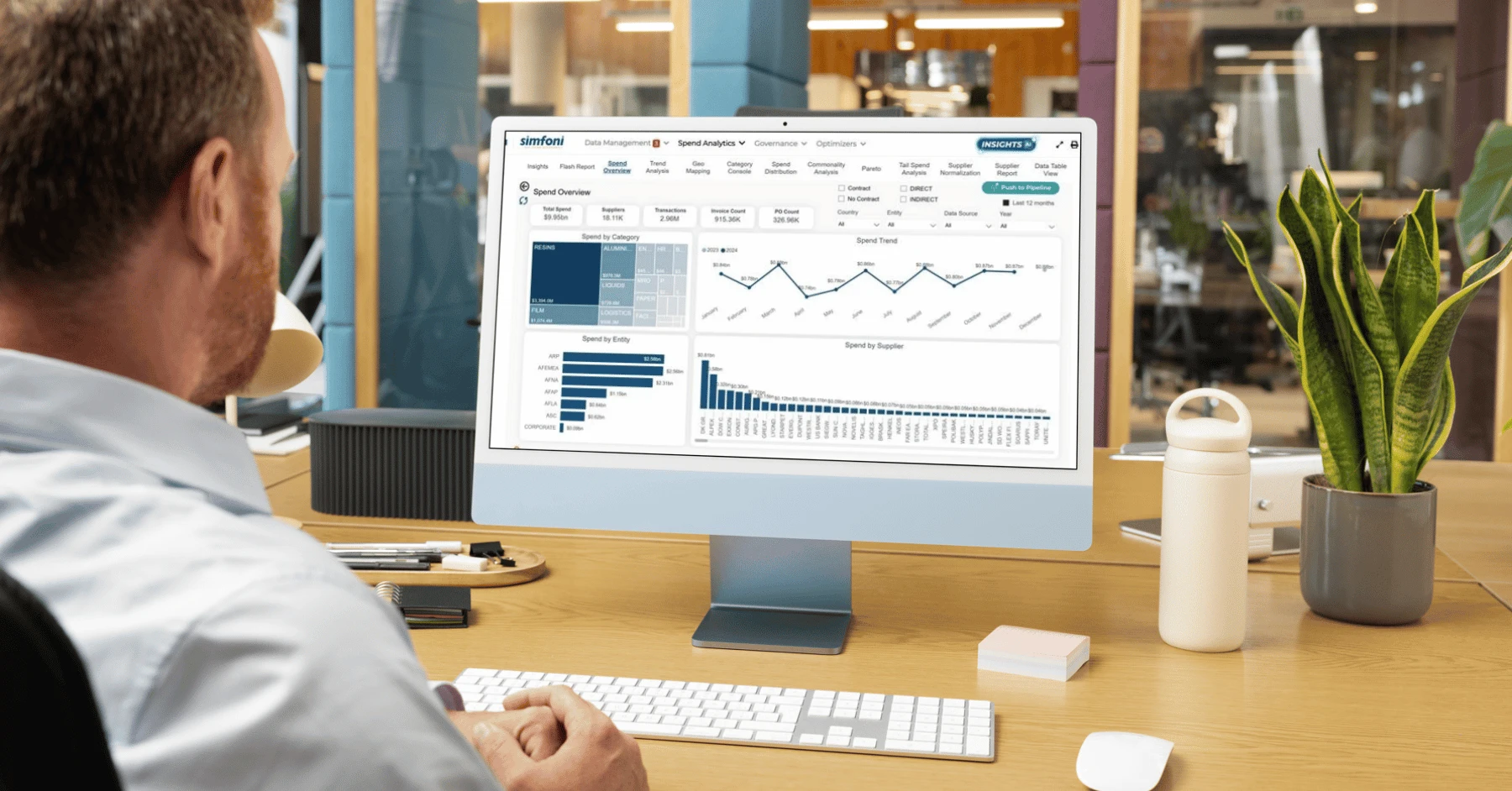
Every finance team knows the frustration of staring at thousands of unorganized transactions, wondering which vendor belongs to which category and whether last month's report actually reflected reality. When your spend data sits in messy spreadsheets with inconsistent labels, poor vendor classifications, and duplicate entries, creating accurate financial reports becomes a guessing game rather than a strategic advantage. This article shows you practical approaches to transforming chaotic expense records into clean, categorized data that powers better reporting, and you'll discover how using AI to categorize data can accomplish in minutes what used to take hours of manual sorting and classification.
The good news? You don't need a data science degree or expensive enterprise software to get started. Numerous's spreadsheet AI tools bring intelligent categorization directly into the familiar environment where your spend data already lives, automatically recognizing patterns across vendor names, transaction descriptions, and amounts to suggest accurate category assignments.
Summary
Most businesses struggle to categorize spend data accurately because spending records grow faster than the systems that organize them, creating workflow overload from inconsistent categorization. According to Gainfront, 80% of procurement teams struggle with inconsistent or incomplete spend data, which compounds as transaction volume increases.
Poor spend categorization creates financial blind spots that distort budget decisions and hide cost-saving opportunities. When categorization systems lack structure, small inconsistencies compound across reporting cycles, causing a single vendor to appear in three different budget lines and fragmenting the view of actual software spending. Gartner's 2023 research shows that poor data quality costs organizations an average of $12.9 million per year, much of it stemming from decisions made on inaccurate or inconsistent financial data.
Organizations that use reference tables for vendor categorization reduce classification errors by 67% compared with manual assignment methods, according to a 2023 Deloitte study on enterprise data management. Creating a simple two-column table with vendor name and assigned category becomes a categorization rulebook that grows over time, where new vendors get added as they appear and categories stay consistent because the decision was made once and applied everywhere.
The 30-minute workflow for spend categorization separates cleaning, categorization, verification, and reporting into distinct phases rather than mixing them. Organizations with standardized categorization frameworks report 58% faster financial close cycles and 43% fewer budget variance disputes, according to Gartner's 2024 Data Quality Market Guide.
Research shows companies save an average of 30 hours per week through workflow automation, and 73% of finance teams use automation to categorize and process spend data, according to Workflow Automation Statistics 2025. The time savings doesn't come from working faster but from building systems that eliminate repetitive work, where next month's workflow becomes a 15-minute process because the foundation is already in place.
Numerous's spreadsheet AI tools address this by bringing AI-powered categorization directly into Google Sheets and Excel through a simple function that standardizes vendor names, assigns categories based on existing rules, and processes thousands of transactions in minutes rather than hours.
Why Businesses Struggle to Categorize Spend Data Correctly

Most businesses struggle to categorize spend data correctly because spending records grow faster than the systems used to organize them. The problem isn't the spending data itself. It's workflow overload created by inconsistent categorization.
The Same Transaction Gets Different Labels
When similar transactions are assigned to different categories, reporting becomes unreliable.
A Google Ads payment may land under "Marketing" one month and "Advertising" the next.
A Zoom subscription might appear as "Software" in January and "Operations" in February.
According to Gainfront, 80% of procurement teams struggle with inconsistent or incomplete spend data, which compounds as transaction volume increases. Without consistent rules, each person reviewing expenses makes independent judgment calls, creating category drift that silently spreads across months of records.
Context Switching Multiplies the Work
Categorizing spend data requires constant mental reloading.
You review a transaction description
Check the vendor name
Assign a category
Verify against past entries
Then move to the next line
That's five distinct cognitive tasks per transaction. When you're processing 5,000 transactions monthly, you're not just categorizing data.
You're switching contexts 25,000 times. The brain burns energy reloading each task, which is why spend categorization feels exhausting even when the individual decisions seem simple.
Manual Reviews Expand Through Repetition
Small tasks feel harmless until you multiply them. Checking one vendor name takes seconds. Renaming one category takes seconds. Moving one record between groups takes seconds. But repeat those actions across thousands of transactions, and what should take 20 minutes stretches into three hours. The expansion happens through repetition, not complexity. You're not solving hard problems. You're solving the same easy problem hundreds of times, and that repetition quietly consumes your reporting window.
Numerous.ai compresses this workflow by bringing AI categorization directly into spreadsheets where spend data already lives. Instead of reviewing each transaction manually, you can apply pattern recognition to vendor names and descriptions, allowing the system to suggest accurate category assignments based on your existing rules. The AI learns from how you've classified transactions before, then applies that logic consistently across thousands of rows, turning hours of manual work into roughly 30 minutes of review and refinement.
The Hidden Expansion Effect
Most finance teams assume that once spending data exists, reporting should be straightforward. But reporting quality depends entirely on the spend organization's quality. The real-time drain comes from reviewing transactions individually, rebuilding categories each cycle, manually correcting vendor labels, and repeating the same categorization decisions every month.
That overlap between data collection and data preparation is where hours disappear. You think you're analyzing spending patterns, but you're actually still organizing them. But the time you lose organizing and spending data is only part of what poor categorization actually costs.
Related Reading
Spreadsheet Data Organization Best Practices
Excel Formula To Categorize Data
Abc Inventory Classification
Excel Data Organization Best Practices
The Hidden Cost of Poor Spend Data Categorization

Poor spend categorization doesn't just slow down reporting.
It creates financial blind spots that distort budget decisions
Hide cost-saving opportunities
Erode confidence in the numbers leadership uses to steer the business
When spending patterns remain invisible because categories shift month to month, you're not making informed decisions. You're guessing with formatted data.
Why Reporting Errors Multiply
When your categorization system lacks structure, small inconsistencies compound across reporting cycles. A vendor payment labeled "Software" in January becomes "IT Services" in February and "Cloud Infrastructure" in March. That single vendor now appears in three different budget lines, fragmenting your view of actual software spending.
According to Gartner's 2023 research, poor data quality costs organizations an average of $12.9 million per year, much of it stemming from decisions made on inaccurate or inconsistent financial data. When finance teams present quarterly reports showing marketing spend decreased 15% while "consulting fees" mysteriously increased by the same amount, the problem isn't the numbers themselves. It's that identical transactions received different labels, making real spending patterns invisible.
The Visibility Problem No One Discusses
Most businesses track spending. Few actually see it clearly. When your categorization changes depending on who enters the transaction or which month it occurs in, you lose the ability to identify trends, compare periods, or spot anomalies. Department heads ask why their budget is overrun when they "haven't changed anything," but the truth is, your system counted the same recurring expense under three different categories across six months.
That's not budget variance. That's categorization failure masking as financial analysis. You can't optimize spending you can't consistently measure, and you can't measure what you categorize differently each cycle.
How Spreadsheets Became AI Collaboration Tools
Teams managing spend data in spreadsheets often assume AI categorization requires expensive enterprise software or complex API integrations. The reality is simpler. Numerous bring AI-powered categorization directly into Google Sheets and Excel through a simple formula, letting finance teams prototype, test, and scale categorization rules without leaving the tools they already use daily.
Instead of exporting data to external systems or waiting for IT implementations, teams apply consistent AI categorization across thousands of transactions in minutes, then refine rules collaboratively as spending patterns evolve. The spreadsheet serves as both the testing ground and the production environment.
The Decision Cost
When leadership asks which departments are overspending or where to cut costs next quarter, weak categorization turns straightforward questions into research projects. Finance teams spend days reconciling categories, cross-referencing vendor names, and manually rebuilding reports because the underlying data can't reliably answer basic questions. That delay doesn't just waste time. It pushes decisions into narrower windows with less context, increasing the likelihood that budget cuts hit the wrong areas or cost-saving opportunities remain hidden until the next review cycle.
The cost isn't the hours spent fixing categories. It's the strategic decisions made without accurate visibility into spending. But fixing poor categorization isn't about working harder or reviewing transactions more carefully. There's a structured approach that takes 30 minutes, not 30 hours.
Related Reading
Appraisal Data Categorization
Excel Categorize Data By Range
Categorize Esg Data
Automated Expense Categorization Methods
Data Categorization Methods
How To Categorize Data Based On Values In Excel
Automate Financial Data Categorization
How To Categorize Data In Google Sheets
Effective Methods For Categorizing Spend Data
How to Categorize Spend Data for Better Reporting in 30 Minutes

You categorize spend data in 30 minutes by treating it as a structured workflow with four distinct phases:
Cleaning
Classification
Verification
Reporting
Not by manually reviewing every transaction and assigning categories one by one.
The difference lies in how you approach the task. Manual categorization forces you to make thousands of individual decisions. A structured workflow automates repetitive tasks and reserves your judgment for the exceptions that truly need it.
Separate Data Cleaning From Categorization
Most teams try to clean and categorize simultaneously.
They open a spreadsheet
Spot a vendor-name inconsistency
Fix it
Assign a category
Then move to the next transaction
This approach combines two distinct cognitive tasks into a single exhausting process.
Clean Data Before Categorizing
Clean first. Standardize vendor names, remove duplicates, and fix formatting errors before you start assigning categories. When vendor names appear as "Google Inc.", "Google LLC", and "Google Ads", consolidate them into a single identifier. This single cleaning pass eliminates hundreds of future categorization decisions.
After cleaning, your data becomes predictable. The same vendor always appears the same way. That consistency is what makes the next phase possible.
Build a Vendor-to-Category Reference Table
Create a simple two-column table: vendor name in one column, assigned category in the other. This becomes your categorization rulebook.
Start with your most frequent vendors. If Microsoft appears 200 times in your spend data, assign it once to "Software" in your reference table. Every future Microsoft transaction automatically inherits that category. The same principle applies whether you have 50 vendors or 5,000.
This reference table grows over time. New vendors get added as they appear. Categories stay consistent because the decision was made once and applied everywhere. According to a 2023 Deloitte study on enterprise data management, organizations that use reference tables for vendor categorization reduce classification errors by 67% compared with manual assignment methods.
Use Conditional Logic for Automated Assignment
Once your reference table is in place, use lookup functions to automatically match transactions to categories. In spreadsheets, a VLOOKUP or INDEX-MATCH formula connects each transaction to its assigned category based on the vendor name.
If Vendor = "Zoom", then Category = "Communication Tools".
If Vendor = "FedEx", then Category = "Logistics".
The formula handles the repetitive matching. You handle the exceptions. This is where most teams save 90% of their categorization time. A formula processes 5,000 transactions in seconds. Manual review of those same transactions takes days.
Create Business Function Groupings
Functional categories make reports useful. Finance teams need to see spending by department. Operations teams need to see spending by cost type. Both views require different category structures.
Group vendors by what they support inside your business.
Marketing
Sales
Operation
Human Resources
Technology
Administration
These functional groupings answer the question: "What does this spending enable us to do?"
Map Spending by Business Function
When you assign Salesforce to "Sales" and HubSpot to "Marketing", you're building a map of how money flows through your organization. That map becomes the foundation for budget planning, cost allocation, and resource optimization. The mechanism works because functional grouping aligns spending data with how your business actually operates.
Separate Fixed From Variable Costs
Cost behavior matters as much as cost category. The same $10,000 means different things depending on whether it's a recurring software subscription or a one-time consulting project.
Tag each transaction by cost type:
Fixed
Variable
One-time
Recurring
Fixed costs like software licenses and rent stay constant regardless of business activity. Variable costs, such as advertising spend and shipping fees, fluctuate with volume.
This separation reveals spending patterns that category labels alone miss. Marketing spend might look stable at $50,000 per month, but if $40,000 is fixed and $10,000 is variable, you have only $10,000 in spending flexibility. That distinction changes budget conversations entirely.
Build Value-Based Spend Buckets
Transaction size determines where attention should go. A $15 office supply purchase and a $15,000 software contract both count as transactions, but they don't deserve equal scrutiny.
Create spend tiers:
Small ($0 to $100)
Medium ($101 to $500)
Large ($501 to $1,000)
Major ($1,000+)
These buckets help you focus verification efforts where they matter most.
Prioritize High-Value Reviews
Major spend transactions get manual review. Small transactions get spot-checked. This tiered approach balances accuracy with efficiency. You're not ignoring small transactions; you're acknowledging that a 5% error on a $20 purchase costs you $1, while a 5% error on a $20,000 purchase costs you $1,000.
Automate Category Assignment With AI
Manual categorization assumes every transaction needs human judgment. Most don't. Patterns exist in spending data, and AI tools can recognize those patterns faster than any manual process.
Numerous tools work directly inside spreadsheets, using AI to categorize vendor payments, group similar transactions, and standardize category labels without requiring API keys or complex setup. The simple =AI function processes bulk categorization tasks in minutes, not hours. Long-term caching prevents duplicate queries, which means you're not paying to re-categorize the same vendors every reporting cycle.
The practical advantage is speed at scale. A team using spreadsheets for spend tracking can prototype categorization rules, test them against real data, and refine the logic before rolling it out across thousands of transactions. That iterative approach works because spreadsheets are collaboration tools everyone already understands, not specialized platforms that require training.
Verify Categories Before Reporting
Automated categorization handles the bulk work. Verification catches the edge cases. Review a sample of categorized transactions to confirm the logic worked as expected.
Look for obvious errors first. If "Amazon Web Services" were categorized as "Office Supplies" instead of "Cloud Infrastructure", your reference table needs an update. If multiple vendors in the same industry received different categories, your rules lack consistency.
Verification doesn't mean reviewing every transaction. A 5% to 10% sample catches most systemic errors.
If your sample looks clean, the full dataset probably is too.
If errors appear, fix the root cause in your reference table or categorization rules, then re-run the automated assignment.
Build Reports From Structured Categories
Once data is categorized, reporting becomes straightforward. Pivot tables, summary dashboards, and trend charts all depend on clean category assignments.
Create department spend reports by filtering on functional categories. Build vendor spend summaries by grouping transactions by vendor name. Track budget performance by comparing actual spending to planned allocations within each category.
The quality of these reports depends entirely on the quality of your categorization. Inconsistent categories produce unreliable reports. Structured categories produce insights you can trust. According to Gartner's 2024 Data Quality Market Guide, organizations with standardized categorization frameworks report 58% faster financial close cycles and 43% fewer budget variance disputes.
Why This Workflow Compresses Time
The old approach treats every transaction as a unique decision. Review the vendor, check the description, assign a category, and move to the next one. That process doesn't scale because decision-making is the bottleneck.
The structured approach front-loads decisions into reusable rules. Clean once, categorize once, apply everywhere. The time investment shifts from repetitive execution to upfront design. You spend 10 minutes building a reference table and 20 minutes running automated assignments instead of spending hours on manual review.
Automate Spend Reporting Workflows
The improvement isn't about working faster. It's about structuring the work so most of it happens automatically. Fewer manual decisions, more consistent categories, better spending visibility, cleaner reporting outputs.
Better spend reporting doesn't come from reviewing more transactions. It comes from organizing spending data into structured categories first, then letting automation handle the repetitive matching. The 30-minute workflow works because it separates the parts that require judgment from those that don't.
But knowing the workflow and actually implementing it are different challenges.
The 30-Minute Workflow to Categorize Spend Data Faster

You don't categorize transactions while building reports. You don't analyze spending while cleaning records. You separate cleaning, categorization, verification, and reporting. That separation is what compresses the time for spend analysis.
The workflow itself is simple. What makes it work is the discipline to keep each phase distinct.
Minute 0 to 5: Define the Reporting Goal First
Before opening the spreadsheet, decide what spending insight you're trying to find.
What decision should this report support?
What categories matter most?
Examples include departmental spending, vendor analysis, budget monitoring, cost-reduction opportunities, and expense trend reporting. Undefined spend categories create unnecessary analysis. And unnecessary analysis creates reporting overload.
When you start categorizing without a clear reporting goal, you end up building categories that feel comprehensive but serve no actual decision-making. I've watched finance teams create 40 different expense categories because they wanted to capture everything, only to realize they needed only 7 to answer their actual business questions. The extra 33 categories didn't improve visibility. They just made the spreadsheet harder to maintain.
Match Categories to Decisions
The reporting goal determines which categories you need.
If you're monitoring marketing spend across channels, you need categories like:
Paid Search
Social Advertising
Content Production
If you're tracking operational costs, you need:
Facilities
Equipment
Utilities
The categories exist to serve the decision, not to document every possible expense type.
Minutes 5 to 10: Clean and Standardize Spend Data
Before categorizing transactions;
Remove duplicates
Standardize vendor names
Fix inconsistent descriptions
Clean missing values
You can also use tools to standardize transaction labels, clean vendor records, and prepare spending data for reporting.
Clean data before categorization reduces reporting friction. When vendor names appear as "Amazon.com," "Amazon Web Services," "AWS," and "Amazon AWS" across different transactions, you can't categorize consistently. The same vendor looks like four different entities.
Standardize Vendor Data First
Standardization means choosing a single canonical name per vendor and applying it consistently across the board. Amazon Web Services becomes the standard. Every variant gets converted to that format. This isn't about perfection. It's about consistency.
Missing values and duplicate entries break categorization rules.
If a transaction has no vendor name, your lookup table can't match it.
If the same transaction appears twice because of a data export error, your spending totals become unreliable.
Cleaning happens now, so categorization can work later.
Minutes 10 to 15: Build the Spend Categories
Now create the category structure. Examples include Marketing, Software, Payroll, Travel, Operations, and Administration.
Do not build dashboards yet.
Do not analyze spending trends yet.
Do not create reports yet.
Undefined categories create inconsistent reporting. Structured categories create cleaner reporting. The difference is specificity. "Technology" is too broad. "Software Subscriptions," "Hardware Purchases," and "IT Services" are sufficiently specific to support decision-making.
Define Clear Spending Categories
Each category should represent a distinct spending type that matters to your reporting goal.
If you're monitoring software costs, "SaaS Tools" and "Infrastructure Services" are different categories because they serve different business functions and have different budget owners.
If you're tracking travel expenses, "Airfare," "Lodging," and "Ground Transportation" are separate categories because they require different cost-control strategies.
The category list becomes your classification framework. Every transaction will eventually map to one of these categories. If you realize later that a category is too broad or too narrow, you can adjust it. But starting with a clear structure prevents the ad hoc categorization that creates reporting chaos.
Minutes 15 to 20: Categorize Transactions
Now focus only on classification. Assign transactions to the categories you created. You can use;
Categorization rules
Lookup tables
Excel formulas
Automation tools
This is where raw transaction data becomes reporting-ready information. A $299 charge from "Adobe Inc." is listed as "Software Subscriptions." A $1,450 payment to "Delta Airlines" is recorded as "Travel – Airfare." A $3,200 invoice from "WeWork" is renamed to "Facilities – Office Space."
Scale Spend Categorization With Automation
According to Workflow Automation Statistics 2025, 73% of finance teams use automation to categorize and process spend data. The reason is simple. Manual categorization works for 50 transactions. It breaks down at 500. It becomes impossible at 5,000.
Automation doesn't mean replacing judgment. It means encoding judgment into rules that can scale. When you decide that all transactions from Microsoft should be categorized as "Software Subscriptions," you're making a judgment call. The automation applies that judgment consistently across all Microsoft transactions without requiring you to review each one individually.
Automate Transaction Categorization
Most finance teams still handle categorization by opening the transaction file, scanning vendor names, and manually typing category labels into a new column. As complexity grows (more vendors, more transaction types, more reporting requirements), the familiar approach creates friction. What worked for monthly reconciliation becomes a multi-day project when you need to categorize quarterly spending across departments.
Numerous let teams categorize transactions directly inside spreadsheets using AI-powered functions. Instead of building complex VLOOKUP formulas or manually reviewing thousands of rows, you can write a simple prompt ("Categorize this vendor into Marketing, Software, Payroll, Travel, Operations, or Administration") and apply it across entire columns. The categorization happens in seconds, and the results stay in the same spreadsheet environment where you're already working.
Minutes 20 to 25: Review Exceptions Only
Do not review every transaction.
Only review uncategorized records
Unmatched vendors
Duplicate categories
Unexpected outputs
Most transactions already follow the categorization rules. Reviewing everything recreates the manual workflow you are trying to eliminate. The goal is to find the 3% of transactions that don't fit the rules, not to verify the 97% that do.
Fix Category Rule Exceptions
Exception review is pattern recognition. If ten transactions from the same vendor are uncategorized, the problem isn't those ten transactions. The problem is a missing rule. Add the vendor to your lookup table, assign it a category, and rerun the categorization. All ten transactions resolve at once.
Unexpected output signal rule conflicts or ambiguous vendor names. If "Consulting Services Inc." is categorized as both "Professional Services" and "Marketing," you need to decide which category is correct and update the rule accordingly. If "Google" appears in both "Advertising" and "Software Subscriptions," you might need to split it into "Google Ads" and "Google Workspace" based on transaction descriptions.
Minutes 25 to 30: Build and Save the Reporting System
Create spend summaries, vendor reports, department reports, and budget tracking views.
Then save the category definitions, categorization rules, reporting structure, and workflow.
That way, future spending data can use the same system. The goal is not one clean report. It is a repeatable reporting speed.
Research shows companies save an average of 30 hours per week through workflow automation. That time savings doesn't come from working faster. It comes from building systems that eliminate repetitive work.
Save a Reusable Reporting Template
When you save the reporting system, you're creating a template for next month's spending analysis. The categories are already defined. The rules are already documented. The report structure is already built. Next month, you import new transaction data, run the categorization process, review exceptions, and generate reports. The 30-minute workflow becomes a 15-minute workflow because the foundation is already in place.
The reporting system includes the category list, the vendor-to-category mapping table, any custom formulas or automation scripts, and the final report layouts. Store these components in a shared location so other team members can use the same system. Consistent categorization across people and time periods is what makes spending trends visible.
Before and After Snapshot
Before this workflow: You were reviewing transactions individually, repeatedly renaming categories, rebuilding reports each cycle, and experiencing slow spend analysis.
After implementing this workflow: You have structured spend categories, clean reporting datasets, faster reporting workflows, and repeatable financial systems.
The time reduction does not come from working faster. It comes from organizing spending data before reporting begins. Most teams assume faster reporting means processing transactions more quickly. The real speed comes from designing a system where most transactions process themselves. You only intervene when something doesn't fit the pattern.
Separate Categorization From Analysis
The workflow works because it treats categorization as a classification problem, not an analysis problem. You're not interpreting spending behavior during categorization. You're applying predefined rules to sort transactions into buckets. The interpretation happens later, during reporting, when you can see patterns across categories.
When categorization and analysis happen simultaneously, both suffer. You make inconsistent category decisions because you're distracted by spending trends. You miss important trends because you're focused on individual transaction details. Separating the two activities makes each one faster and more accurate.
But knowing the workflow and implementing it consistently are different challenges, especially when transaction volume grows faster than your team's capacity to process them.
Categorize Spend Data Faster With Numerous
The businesses that categorize spend data fastest are not spending more hours inside spreadsheets. They're using systems that organize spending before analysis starts. When the workflow is structured correctly, the bottleneck shifts from manual categorization to implementation consistency, and that's where tools like Numerous.ai change how spend reporting actually happens.
Most teams handle spend categorization by opening each new data file and rebuilding their cleaning process from scratch. Vendor names get standardized manually. Categories get reassigned one transaction at a time. It works for small datasets, but when monthly spending involves thousands of transactions, the familiar approach becomes the slowest part of the reporting process. Hours disappear into tasks that should take minutes.
Categorize Spend Faster With AI
Numerous brings AI-powered categorization directly into Google Sheets and Excel, where your spend data already lives. No API keys. No complex setup. Just a simple =AI function that standardizes vendor names, assigns categories based on your rules, and processes thousands of transactions in the time it would take to manually review fifty. The categorization system you built once becomes reusable across every reporting cycle, and the workflow that took hours compresses into minutes.
Open your spreadsheet in Numerous. Import your spend data. Use the AI function to standardize vendor names first, then apply your category rules to every transaction. Review exceptions, not every line item. Build reports from categorized data instead of raw transactions. Within minutes, you'll have consistent spend categories, cleaner datasets, faster workflows, and better visibility into where money is being spent.
Build a Self-Improving Reporting System
The goal is not perfection on the first pass. It's building a system that improves with each cycle instead of starting over. When you stop rebuilding the same categorization process every month, you create capacity to analyze spending trends, identify optimization opportunities, and make decisions based on clean data instead of guesswork.
That separation between data preparation and analysis is what creates better reporting. Not spending more hours reviewing transactions. Not manually correcting the same vendor names across multiple files. The businesses that spend fastest understand are using structured systems that organize spend data before analysis starts. Numerous tools help you build that system inside the tools you already use.