
Managing your small business finances shouldn't require an accounting degree or expensive software. Google Sheets offers a powerful, free platform for bookkeeping, expense tracking, and financial statement creation that can transform how you manage your money. While many business owners search for the best AI for financial modeling to automate their number crunching, the truth is that Google Sheets already provides the foundation you need to build solid accounting systems. This article will show you 7 practical ways to use Google Sheets for accounting, and you can implement them in just 30 minutes.
What if you could combine the flexibility of spreadsheets with intelligent automation that actually understands your accounting needs? Numerous's spreadsheet AI tool bridges that gap by letting you automate repetitive tasks such as categorizing transactions, generating financial reports, and forecasting cash flow directly in Google Sheets.
Table of Contents
Why Small Business Owners Struggle to Manage Accounting in Google Sheets
The Hidden Cost of Managing Accounting Without a Clear System
The 30-Minute Workflow to Manage Accounting Faster in Google Sheets
Summary
Small business owners report spending more than 5 hours per week on manual bookkeeping tasks, according to Bank to Sheets research, yet most of that time goes to catching up on delayed entries rather than staying current. The real problem isn't the time spent; it's that outdated numbers drive business decisions based on last week's reality rather than today's cash position.
Mid-sized firms spend 15 to 20 hours per week on data re-entry, but that effort doesn't translate into better insights. Without proper categorization, expense tracking becomes archeological work: you know money left the account, but can't identify spending patterns without filtering and cross-referencing.
The separation between income and expense columns transforms transaction logs into instant financial dashboards. When revenue and costs live in distinct columns rather than mixed entries, totals become visible at a glance without filtering or manual calculation.
Research from Sage indicates that 40% of accountants spend meaningful portions of their week on tasks that could be automated, yet many small businesses haven't built systems that eliminate that redundancy. The cost isn't just time spent on maintenance work; it's the compounding effect of working harder to maintain a tool that should be delivering financial insights.
Consistency beats perfection when managing accounting under time pressure. Recording transactions the same way every time reduces cognitive load from "how should I record this?" to "what are the transaction details?" This shift sounds minor, but it's the difference between sustainable and exhausting, building muscle memory through repetition instead of improvising structure with each entry.
Numerous spreadsheet AI tools address this by processing bulk categorization and transaction cleanup inside Google Sheets, compressing hours of manual sorting into minutes while maintaining the familiar spreadsheet environment.
Why Small Business Owners Struggle to Manage Accounting in Google Sheets

Small business owners struggle because financial data arrives from everywhere at once, entries happen inconsistently, and most sheets start as simple lists that never evolve into structured systems. The result isn't just messy data. It's a tool that demands constant fixing rather than delivering clarity on whether the business is actually making money.
Financial Data Lives in Too Many Places
Income flows through bank transfers, cash payments, Stripe, Square, and customer deposits. Expenses scatter across supplier invoices, subscription charges, rent payments, and daily purchases that may or may not get recorded. When you're pulling transactions from five different sources, completeness becomes nearly impossible. You think you've captured everything, then discover three weeks of cash sales sitting in a notebook or a recurring charge you forgot to log. The sheet becomes a best guess instead of a reliable record. You're not managing accounts anymore. You're managing the gaps between what happened and what you remembered to write down.
Delayed Entry Creates Invisible Gaps
According to research from Bank to Sheets, 82% of small business owners report spending more than 5 hours per week on manual bookkeeping tasks, yet most of that time goes to catching up rather than staying current. Entries pile up at week's end. Small expenses get skipped. Cash transactions disappear entirely because they feel too minor to track in the moment. At first, a few days' delay seems manageable. But when you finally sit down to update the sheet, you're reconstructing history from memory and receipts. The numbers look right, but they reflect last week's reality rather than today's. When someone asks if you can afford a new purchase, you're guessing based on outdated totals.
Structure Breaks Down Under Real Use
Most sheets begin as a single tab where everything gets logged in order:
Sales
Expenses
Transfers
Personal spending
Business costs
No categories. No separation between income types. Just a running list that grows longer and harder to parse. You know the data exists somewhere in those rows, but finding patterns requires scrolling, filtering, and mental math that shouldn't be necessary.
Strategic Structure and Actionable Insights
The issue isn't that Google Sheets lacks power. It's that the sheet was built for recording, not for answering the questions that actually matter:
Which expense category is growing fastest?
Is this month more profitable than last?
Where is cash actually going?
Without intentional structure, the spreadsheet becomes a storage file instead of a decision-making tool. Teams often report spending hours reformatting data just to generate a single useful report, time that could have been spent understanding the business instead of wrestling with the tool.
Small Errors Compound Quickly
A misplaced decimal.
A forgotten transaction.
A formula that breaks when you insert a new row.
These mistakes don't announce themselves. They hide in totals that look plausible until you reconcile against bank statements and discover a $400 gap you can't explain. Manual entry means every number depends on attention and accuracy in the moment, and when you're managing a business, that attention gets split across a dozen other urgent tasks. The sheet stops being trustworthy. You start double-checking everything, which defeats the purpose of having a system in the first place. But the real cost isn't the time spent fixing errors or hunting for missing transactions.
Related Reading
How To Use Google Sheets For Accounting
Best Google Sheets Budget Template
How To Create A Financial Model In Google Sheets
Best Excel Budget Template
How To Keep Track Of Business Expenses And Income In Excel
Building A Cash Flow Forecast Model In Excel
The Hidden Cost of Managing Accounting Without a Clear System

It's the decision paralysis that quietly drains profitability. When your sheet can't quickly answer whether you can afford a new hire, whether last month was actually profitable, or why cash feels tight despite decent sales numbers, you're not running your business from data. You're running it from instinct shaped by incomplete information, and every strategic choice carries unnecessary risk.
The Visibility Gap Compounds Over Time
Mid-sized firms report spending 15 to 20 hours per week on data re-entry, but that time investment doesn't translate to better insight. It translates to cleaner data that still requires interpretation. Without proper categorization, expense tracking becomes archaeological work. You know money left the account, but understanding patterns requires filtering, cross-referencing, and reconstructing in your mind what each transaction actually represented.
The sheet shows activity without revealing behavior. You see $8,000 in expenses but can't immediately identify whether that's normal, whether it's concentrated in one area, or whether it represents a trend worth addressing. Strategic questions get answered with "let me check and get back to you," which means the answer arrives too late to inform the decision at hand.
Cash Flow Becomes a Mystery Instead of a Metric
Profitability and cash position are different stories, but most basic sheets conflate them. Revenue recorded doesn't mean cash received. Expenses logged don't always match when payments actually clear. When your sheet tracks transactions by entry date rather than cash movement, you're looking at accounting fiction instead of financial reality.
This gap surfaces when you need to make a payment and discover insufficient funds despite what looked like a profitable month on paper. The sheet told you one story. Your bank account tells another. Reconciling the two requires forensic analysis that should have been built into the system from the start, not performed retroactively when cash runs short.
Decision Speed Drops When Answers Require Assembly
Can you afford to hire someone?
Should you invest in new equipment?
Is it safe to take a distribution?
These questions demand immediate answers grounded in the current financial position, but answering them from an unstructured sheet means pausing to calculate, verify, and second-guess. Tools like Numerous help teams process bulk categorization and pattern analysis inside Google Sheets using AI, compressing hours of manual sorting into minutes while maintaining the familiar spreadsheet environment. That acceleration matters most when decisions can't wait for weekend bookkeeping sessions.
Every delayed answer costs an opportunity. The vendor is offering a discount for immediate payment. The qualified candidate who needs a hiring decision this week. The equipment deal expires Friday. When your accounting system can't provide fast confidence, you either make uninformed choices or watch opportunities pass while you reconstruct your financial position from scattered data.
The Trust Erosion No One Discusses
Unreliable numbers create a subtler problem than inaccuracy. They create doubt. When you've discovered errors before, you start questioning every total, every trend, every conclusion drawn from the data. That doubt spreads to anyone else who needs to use the numbers: your accountant, your business partner, your lender. They stop trusting the sheet, which means they stop trusting the financial picture you're presenting, which means every conversation starts with credibility repair instead of strategic planning.
40% of accountants spend a meaningful chunk of their week on tasks that could be automated, yet many small businesses haven't built systems that eliminate that redundancy. The cost isn't just time. It's the compounding effect of working harder to maintain a tool that should be working for you, while the actual financial insights that drive growth remain buried under maintenance work.
7 Ways to Use Google Sheets for Accounting in 30 Minutes
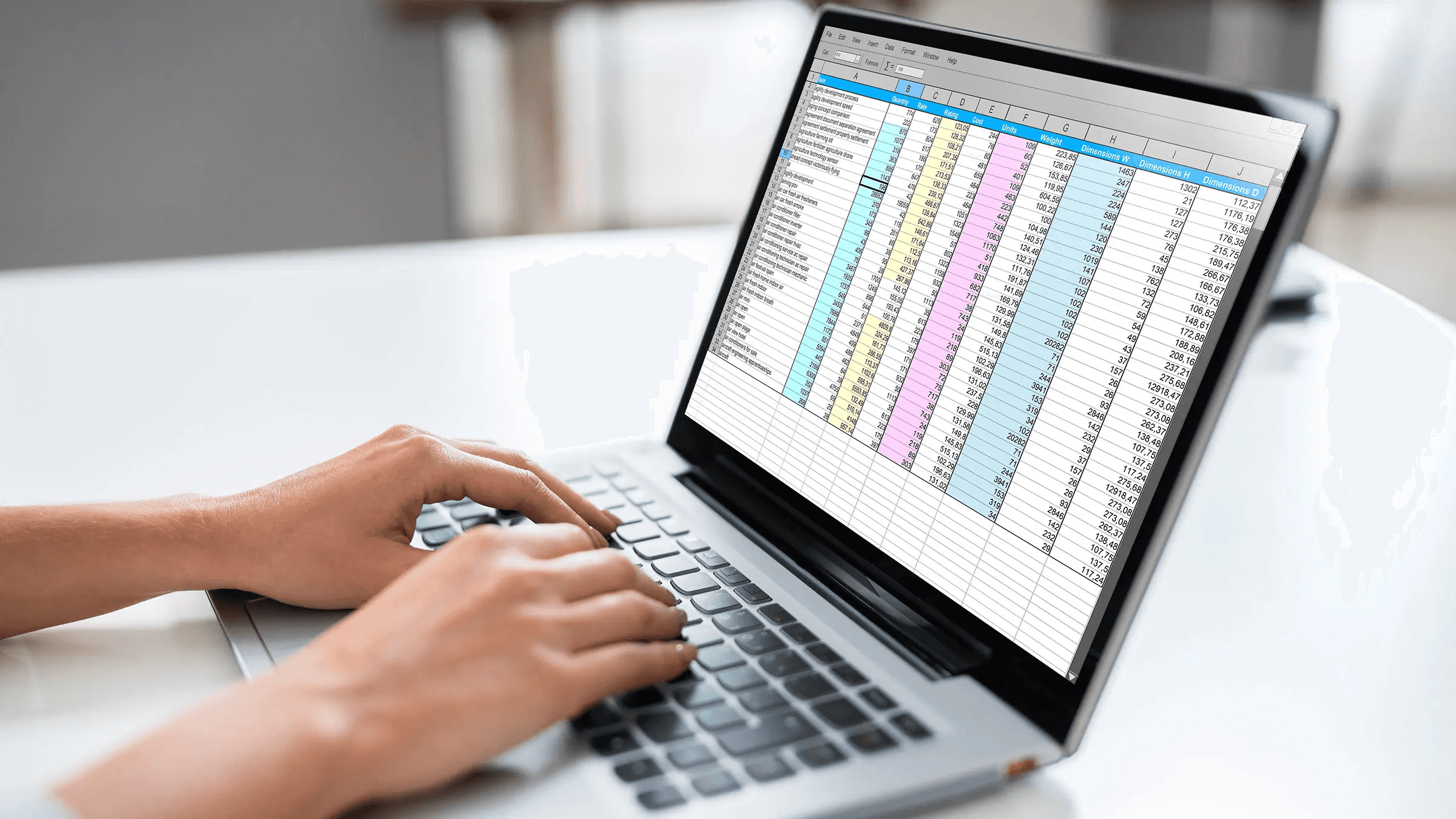
1. Start With One Transaction Sheet That Holds Everything
Create a single tab for every business transaction. Include columns for:
Date
Description
Category
Income
Expense
Payment method
Notes
This structure forces consistency from the first entry, which means you're not hunting across multiple tabs or trying to remember which sheet holds which type of transaction. When everything flows into one place, completeness becomes visible. Missing entries stand out. Patterns emerge faster because you're not mentally stitching together fragments from different locations. The sheet becomes a single source of truth instead of a collection of partial records that require cross-referencing.
2. Separate Income and Expenses Into Distinct Columns
Track money coming in and money going out as separate columns, not mixed entries that require mental math to parse. This separation makes totals instant. You can see at a glance whether revenue exceeded costs this week without filtering, sorting, or calculating manually. The clarity compounds when you need to answer time-sensitive questions.
Can you afford this purchase today?
How much cash came in this month?
The answers sit right there in the column totals, rather than requiring reconstruction from a chronological list that treats all transactions identically.
3. Assign a Category to Every Single Transaction
Use consistent labels like:
Sales
Services
Rent
Transport
Utilities
Subscriptions
Categories transform a transaction log into a spending map. You stop seeing individual line items and start seeing behavior patterns:
Where is cash concentrated?
Which expenses grow month over month?
What categories consume more than expected?
Without categorization, analysis means reading every entry. With it, you filter once and understand instantly. That speed matters when you're deciding whether to cut costs, where to cut them, and how much impact the cut will actually have. The pattern shows you the answer before you finish asking the question.
4. Build Simple Formulas for Total Income, Total Expenses, and Net Balance
Use SUM formulas to calculate totals automatically. Net balance equals income minus expenses. These three numbers convert raw transaction data into a financial position. The sheet stops being a record of what happened and becomes a tool that tells you where you stand right now. Manual calculation invites error and delays insight. Formulas update instantly as you add entries, which means your financial position stays current without extra effort. When someone asks about profitability or cash availability, you're reading a number instead of calculating one.
5. Group Transactions by Time Period for Trend Visibility
Add a column that tags each transaction by week or month. This grouping lets you compare performance across time without building complex reports. You see immediately whether this month outperformed last month, whether expenses are climbing, and whether revenue shows consistent growth or erratic spikes. Trends reveal what single transactions hide. A $500 expense looks manageable until you realize it recurs weekly. A strong sales day feels encouraging until you see that most weeks fall short. Time-based grouping surfaces those patterns in minutes, not hours of manual analysis.
6. Keep Business and Personal Transactions Completely Separate
Record only business activity, or label personal entries clearly if separation isn't possible yet. Mixing the two destroys trust in your numbers. You can't confidently answer whether the business is profitable when personal spending sits mixed into expense totals, creating ambiguity about what the numbers actually represent. Clean data from the start prevents the need for forensic work to untangle transactions later. When your accountant, lender, or business partner reviews the sheet, they see business performance, not a hybrid record that requires explanation and adjustment before it means anything useful.
Automated Categorization and Data Integrity
Many professionals find that tools like Numerous help maintain this separation by using AI to categorize transactions in bulk and automatically flag personal entries or miscategorized items across hundreds of rows in seconds. That automation keeps the sheet clean without requiring constant manual review, compressing what used to take an hour of filtering into a few prompts inside the familiar spreadsheet environment.
7. Use Clean Formatting and Consistent Structure Throughout
Apply clear column headers
Simple fonts
Logical row organization
A cluttered sheet slows comprehension. When you open the file, you should immediately understand what each column represents, where totals live, and how to add new entries without breaking existing formulas or disrupting structure. Maintenance effort drops when the system is intuitive. New team members can contribute without extensive training. Your accountant can review without asking clarifying questions. Clean structure isn't an aesthetic preference. It's a functional design that reduces friction every time someone interacts with the sheet, saving hours over weeks and months that would otherwise go to explaining, fixing, or reformatting.
The 30-Minute Workflow to Manage Accounting Faster in Google Sheets

Set up the transaction table first
Define categories second
Enter high-impact transactions third
Calculate totals fourth
Review for errors fifth
Format for readability last
This sequence prioritizes structure over completeness because a clean framework with partial data answers more questions than a complete mess.
Minutes 0 to 5: Build the Core Transaction Table
Open a new sheet and create columns for:
Date
Description
Category
Income
Expense
Payment method
Notes
Label them clearly. Freeze the header row so it stays visible as you scroll. This takes three minutes if you're deliberate. The remaining two minutes go to setting up data validation for the category column. Create a dropdown list even if you haven't finalized every category yet. Forcing yourself to choose from a list instead of typing freely prevents the category drift that makes analysis impossible three weeks later. A transaction labeled "office supplies" in week one and "supplies - office" in week three breaks every filter you'll ever build.
Minutes 5 to 10: Define Your Category System
Write down eight to twelve categories that cover 90% of your business activity.
Sales
Services
Cost of goods sold
Rent
Utilities
Payroll
Software
Marketing
Transport
Professional fees
Keep it simple enough that categorizing a transaction takes two seconds, not two minutes of deliberation.
Category Simplification and Guided Entry
Resist the urge to create subcategories right now. "Marketing" works better than splitting it into "Marketing - Social," "Marketing - Print," "Marketing - Events" when you're building speed. You can always add granularity later. What you can't do is recover from a system so detailed that using it feels like filling out a tax form every time you record a $12 expense. Add these categories to your data validation dropdown. Test it by selecting a few to confirm the list appears correctly. This step converts your transaction table from a blank form into a guided system that enforces consistency without requiring memory or discipline.
Minutes 10 to 18: Enter High-Impact Transactions First
Start with this month's largest income sources.
Client payments
Product sales
Major invoices received
Then move on to significant recurring expenses such as rent, payroll, loan payments, and subscription services. Skip the $8 coffee purchase and the $15 parking fee for now.
Prioritization and Chronological Accuracy
This prioritization matters because your goal at minute 18 isn't completeness. It's having enough data to answer whether the business generated positive cash flow this month. Three major client payments and five significant expenses tell that story. Forty small transactions don't change the answer; they just delay getting to it. Enter transactions in chronological order within each batch. Date accuracy matters more than you think. When you're reconciling against bank statements later, chronological order is the only way to make mismatches findable. A transaction dated three days too early becomes invisible in a list of fifty entries.
Minutes 18 to 23: Calculate Totals and Net Position
At the bottom of your income column, add a SUM formula that captures all entries above it. Do the same for expenses. In a third cell, calculate net balance by subtracting total expenses from total income.
Label these cells clearly:
Total Income
Total Expenses
Net Balance.
These three numbers convert your transaction log into a financial dashboard. You now know whether operations are cash-positive or cash-negative this period without scrolling, filtering, or doing mental math. The answer updates automatically as you add entries, which means your financial position stays current instead of becoming stale the moment you close the file.
Monthly Visibility and Trend Identification
If you want monthly visibility, add a column that tags each transaction with its month, then create separate total formulas filtered by month. This takes an extra two minutes but surfaces trends that single-period totals hide. July might show a profit while August reveals losses, a pattern you'd miss if you looked only at cumulative numbers.
Minutes 23 to 27: Review for Common Data Quality Issues
Scan for blank category fields. Every transaction needs one, or your analysis breaks. Look for income accidentally recorded in the expense column or vice versa. Check that dates fall within the expected range. A transaction dated next year or last year usually means a typo that will distort your monthly totals. Watch for duplicate entries, especially for recurring charges that might get logged both when the invoice arrives and when the payment clears. Duplicates inflate expenses and destroy the accuracy of your net balance, turning a tool you should trust into one you have to verify externally before believing. 82% of small business owners spend more than five hours weekly on manual bookkeeping, yet most of that time is spent addressing preventable errors rather than strategic analysis. Four minutes of systematic review now eliminates hours of forensic correction later when you're trying to close the month or prepare tax documents.
Minutes 27 to 30: Format for Immediate Comprehension
Bold your total row to make it stand out visually. Apply currency formatting to income, expense, and balance columns. Adjust column widths so descriptions don't truncate mid-word. These aren't aesthetic choices. Their readability decisions that determine whether someone can open this sheet and understand your financial position in ten seconds or ten minutes. Add conditional formatting to your net balance cell. Green when positive, red when negative. This visual signal answers the most important question before anyone reads a number. Color-coding removes ambiguity and speeds comprehension, especially when you're reviewing the sheet quickly between meetings or sharing it with someone who needs to grasp the situation fast.
Visual Analytics and Automated Trend Reporting
Consider adding a simple line chart that plots cumulative net balance over time if you have monthly data. Visual trend lines surface patterns that columns of numbers hide. A chart showing steady growth or concerning decline tells a story that totals alone don't communicate. Tools like Numerous help teams generate these visualizations from structured data in seconds using natural-language prompts in the spreadsheet, compressing what used to require manual chart-building into a quick AI-assisted request that maintains the familiar Google Sheets environment.
Why This Sequence Works Better Than Alternatives
Most people start by trying to enter every transaction before building any analysis structure. They spend twenty minutes recording data, then realize they have no way to make sense of it. The sheet contains information but delivers no insight. You're left staring at rows, wondering what they mean collectively. Starting with structure means your first entered transaction immediately contributes to a meaningful total. By transaction ten, you already see patterns forming. By transaction twenty, you know whether the month looks healthy or concerning. The sheet becomes useful before it becomes complete, which matters when thirty minutes is your entire available window.
Continuous Quality Control and Error Mitigation
This workflow also builds in quality checkpoints. You're not entering two hundred transactions and then discovering systematic errors. You're catching issues at twenty transactions when fixing them takes two minutes instead of twenty. Error correction happens continuously, rather than becoming a separate, dreaded task you keep postponing.
The Discipline That Makes Speed Sustainable
Consistency beats perfection when you're managing accounting under time pressure. Recording transactions the same way every time means you're not making decisions about structure repeatedly. The cognitive load drops from "how should I record this?" to "what are the transaction details?" That shift sounds minor, but it's the difference between sustainable and exhausting. Use the same date format. Put descriptions at the same level of detail. Apply categories using the same logic. When your system has one clear way to handle each transaction type, speed comes from repetition, not from rushing. You're building muscle memory instead of improvising each entry. The thirty-minute framework isn't about doing everything. It's about doing enough to make decisions confidently, then stopping before the sheet demands more time than it's worth.
Related Reading
Manage Accounting Faster With Numerous
If managing accounting in Google Sheets is taking too long, the problem isn't Google Sheets. It's the process. You're spending hours manually cleaning transaction descriptions, fixing categories one by one, rewriting messy entries, and turning raw data into something usable before the numbers even start making sense. That work happens before analysis, before insight, before any decision gets made.
Use AI Inside Your Spreadsheet to Handle the Grunt Work
Open Numerous inside your sheet and prompt it to clean transaction data, standardize categories, and organize your entries faster than manual formatting ever could. You're not leaving the spreadsheet environment you already know. You're adding intelligence that handles repetitive accounting tasks in bulk, processing hundreds of rows in the time it used to take to fix twenty. The workflow stays familiar. The speed changes completely. Instead of scrolling through transactions and deciding which category fits, you prompt the AI to apply consistent labels across your entire sheet based on patterns it recognizes in the descriptions. Instead of manually rewriting vendor names to match from month to month, you let the system standardize them in seconds.
What You Get When the System Does the Cleanup
Cleaner transactions without the tedious work of fixing each one individually. Better organization because categories get applied consistently, not based on whatever you remembered to type that day. Faster updates when new data arrives because the structure is already built, and the AI handles the sorting. A system you can reuse every time without rebuilding the process from scratch. Google Sheets gives you the structure to store your accounting data. Numerous gives you the speed to organize and use it without the manual labor that used to consume your evenings and weekends. You're not replacing your spreadsheet. You're making it work harder so you don't have to.
Related Reading
How To Calculate Total Revenue In Excel
How To Make A Financial Report In Excel
How To Categorize Expenses In Excel
Cube Alternative
Best Excel Functions For Finance
How To Create An Expense Tracker In Excel