Bright Data is a capable web scraping platform, but its cost and complexity lead many teams to explore what else is available. Seven strong alternatives exist that cover a range of use cases, budgets, and technical requirements, making it possible to find a better fit without spending days on research.
Choosing the right tool is only half the challenge. The scraped data still needs to be organized and analyzed before it delivers any real value. For teams working inside spreadsheets, Spreadsheet AI Tool from Numerous makes it straightforward to process and act on that data without writing a single line of code.
Table of Contents
Why Teams Look for Alternatives to Bright Data
The Hidden Cost of the Missing Middle-Tier Pricing Gap
7 Best Bright Data Alternatives for Web Scraping in 30 Minutes
The 30-Minute Workflow to Choose a Bright Data Alternative
Analyze Your Extracted Data Faster With Numerous
Summary
Web scraping costs are structured to push mid-volume teams toward commitments that exceed their actual needs. Bright Data's residential proxies run between $5.88 and $10.50 per GB with a $499 monthly minimum, and the pay-as-you-go alternative costs roughly 50% more per request. Teams running moderate workloads, such as weekly competitor price checks or monthly market research, often find neither pricing tier reflects what their workflow actually requires.
Overage risk compounds the cost problem in ways most teams do not anticipate until the bill arrives. One documented case shows a team exhausting a 900,000-request allocation in 23 days, resulting in a $300 overage charge because the dashboard tracked usage without stopping spend. When committed allocations run out, billing shifts automatically to the higher pay-as-you-go rate with no throttling to prevent it.
Mid-market alternatives offer meaningful price differences that are not marginal at any real volume. Decodo charges approximately $1.50 per GB for residential proxies, placing it four to seven times below Bright Data's equivalent pricing. For a team running 100 GB per month, that gap represents roughly $900 in monthly spend, a difference that compounds across quarters regardless of which alternative a team chooses.
The right alternative depends on which specific constraint is causing friction, not on which provider has the largest network. Teams with no engineering resources benefit most from visual builders like Octoparse. Developer teams handling complex JavaScript-heavy targets benefit from ScraperAPI's single-endpoint approach. Teams needing enterprise-grade support without switching cost structures may find Oxylabs a closer fit than a discount alternative.
Data validation is the step most teams skip, and it is the step that determines whether the scraping infrastructure investment was worth anything. A dataset with 8 to 12% missing or duplicate records does not announce the problem. It surfaces two weeks later when downstream reports fail to match the source, by which point the error has already propagated through whatever analysis was built on top of it.
The scraping and proxy layer solves the sourcing problem, but the processing layer is where collected data actually becomes usable output. Most teams default to manual spreadsheet cleanup after each export, which turns a solved infrastructure problem into a recurring bottleneck at the analysis stage. Numerous Spreadsheet AI Tool addresses this by letting teams run bulk classification, summarization, and reformatting tasks directly inside Google Sheets or Excel using a simple function, without API keys or developer involvement.
Why Teams Look for Alternatives to Bright Data
Bright Data is really great at what it was built to do. The platform serves over 20,000 organizations, powers training data collection for 14 of the top 20 global LLM labs, and operates a residential proxy network spanning 150 million IPs across 195 countries. The infrastructure is not the problem. The pricing structure is.
"The platform serves over 20,000 organizations and operates a residential proxy network spanning 150 million IPs across 195 countries — yet the real barrier for most teams isn't capability, it's cost." — Bright Data Platform Overview
⚠️ Warning: Don't let impressive infrastructure stats distract from the actual decision driver — pricing complexity and budget fit are why most teams start exploring alternatives in the first place.
💡 Key Insight: When a platform powers 14 of the top 20 global LLM labs, it's clearly built for enterprise-scale operations — which means its pricing model reflects that, often leaving smaller teams and mid-market companies searching for a better fit.
What Bright Data Does Well | Where Teams Hit Friction |
|---|---|
150M+ residential IPs globally | Pricing structure complexity |
Serves 20,000+ organizations | Cost at smaller usage scales |
Trusted by top 20 LLM labs | Overhead for lean teams |
Coverage across 195 countries | Negotiating enterprise contracts |

What does Bright Data actually cost at different usage levels?
According to the Octoparse Blog's 2026 review of Bright Data alternatives, residential proxies cost $5.88 to $10.50 per GB with a $499 monthly minimum, and Web Unlocker ranges from $499 per month for 380,000 requests to $1,999 per month for 2 million requests. For enterprise teams running continuous, high-volume collection, these costs are justified. For small teams conducting weekly competitor price checks or occasional market research, they represent an unjustifiable commitment.
The same issue surfaces across proxy networks, scraping APIs, and data collection platforms: enterprise tools price high, squeezing mid-market teams. Pay-as-you-go feels flexible until per-request costs accumulate at volume. Committed plans seem reasonable until you realize you're paying for 60% unused capacity. Neither option serves teams needing reliable, unblockable data access without five-figure annual contracts.
What hidden costs do teams discover after signing up?
Most teams pick the biggest name they know, only to find hidden costs in monthly bills exceeding their actual usage. They encounter problems with KYC verification and sales calls, plus per-GB rates that make regular scraping prohibitively expensive. Raw proxy output and scraped datasets require cleaning, sorting, and analysis before becoming useful. Our Spreadsheet AI Tool helps teams run AI-powered analysis directly in Google Sheets or Excel without API keys or engineering support, transforming collected data into results faster than building custom pipelines.
How do you match the right tool to your actual scraping needs?
The practical alternative is to match the tool to the actual job. Platforms like Oxylabs, Smartproxy, Decodo, Apify, and Zyte occupy different positions on the cost-versus-capability spectrum. The right choice depends on three variables: target site difficulty, monthly data volume, and whether you need full scraping infrastructure or clean proxy bandwidth. Skipping that diagnostic step leads teams to overpay for enterprise reliability they don't need or underpay for a proxy network that collapses on protected sites their workflow depends on. What most teams underestimate is not the cost of choosing the wrong proxy provider, but the compounding cost of staying with the wrong one too long.
Related Reading
The Hidden Cost of the Missing Middle-Tier Pricing Gap
Bright Data's pay-as-you-go pricing deliberately pushes mid-volume teams toward a $499/month commitment by making the alternative cost roughly 50% more per request. This is not an accident — this is how the model is designed.
"Bright Data's pay-as-you-go structure makes the alternative cost roughly 50% more per request — engineering a pricing gap that forces mid-volume teams into a $499/month commitment." — Schematic HQ
🚨 Warning: The missing middle-tier isn't an oversight — it's a strategic pricing trap. Teams that don't need enterprise scale are forced to overpay by up to 50% just to avoid the punishing per-request rate.
Pricing Path | Cost Structure | Who It Hurts |
|---|---|---|
Pay-As-You-Go | ~50% more per request | Mid-volume teams |
Committed Plan | $499/month minimum | Small & growing teams |
Enterprise Tier | Custom pricing | Large-scale users |
🔑 Takeaway: When no middle-tier exists, the real cost isn't just financial — it's the forced commitment that locks mid-volume teams into plans far beyond their actual needs.

Why does the two-tier structure leave mid-volume teams without a real option?
Teams running moderate scraping workloads—a few hundred thousand requests monthly for competitive research, price monitoring, or lead enrichment—fall into a gap where neither option fits. Pay-as-you-go costs accumulate slowly; the committed plan costs more than the work justifies. According to Gulf News reporting on Global Capital Partners analysis, price gaps exceeding 20% between primary and secondary options in structured markets push buyers toward choices that serve the seller's model, not the buyer's actual need. The same dynamic plays out in proxy pricing when a two-tier structure leaves no honest middle ground.
What makes the overage risk particularly sharp
The real problem is not the difference in rates between plans. When you exceed your allocation, you get charged at the higher pay-as-you-go rate with no automatic stop. One documented case shows a team exhausting a 900,000-request allocation in 23 days on an aggressive scraping project, resulting in a $300 overage charge they did not anticipate. The dashboard showed usage but did not prevent spending.
What happens to the data after scraping is done?
Most teams export collected data into spreadsheets, then manually filter, summarize, organize results, and flag anomalies. This downstream processing takes more hours than the scraping itself. Tools like Numerous address this friction: our AI function inside Google Sheets or Excel lets teams classify, summarize, and act on collected data at scale without API keys or technical setup. The scraping infrastructure gets the data in; the processing layer extracts the value.
Where the pricing gap actually costs you
Turner and Townsend's Global Construction Market Intelligence 2025 shows that labor and material cost gaps between premium and standard-tier contractors exceed 30% in key markets. The proxy market operates similarly: without a genuine mid-tier option, buyers either overpay for enterprise capacity or underinvest and face performance issues. Teams comparing their monthly request volume against Bright Data pricing and mid-market proxy alternatives find the cost gap widens across quarters.
Why does the cost extend beyond the invoice?
The cost extends beyond money. When your budget is stuck in infrastructure that doesn't fit your needs, you have less for the processing, analysis, and action layer—where collected data becomes useful output. This is the part of the workflow most teams underestimate and where real leverage sits.
When does the decision become simple arithmetic?
Once you know what alternatives charge for the same request volume, the decision becomes straightforward math rather than brand loyalty.
Related Reading
7 Best Bright Data Alternatives for Web Scraping in 30 Minutes
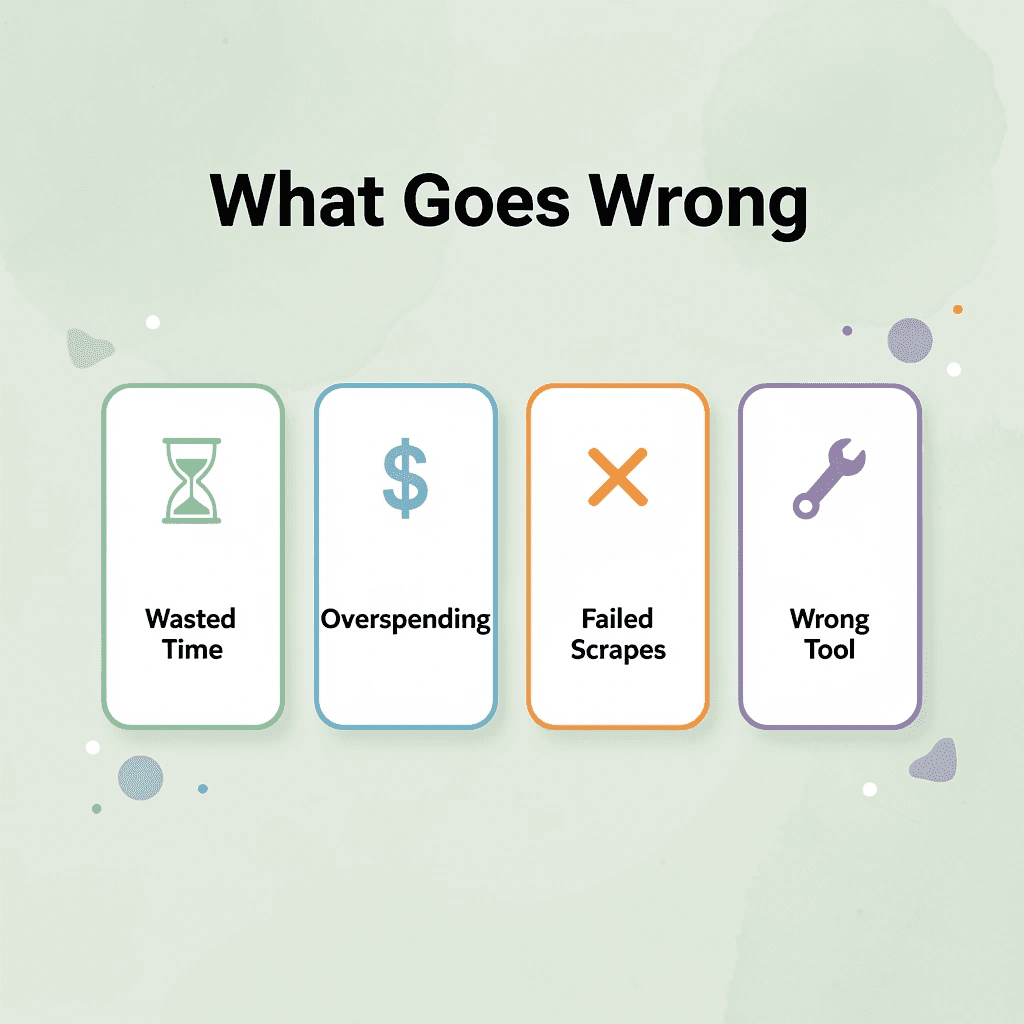
Finding the right proxy or scraping tool for what you actually need matters. Seven alternatives each solve different versions of the same core problem — and choosing the wrong one can cost you time, money, and failed scrapes.
"The best scraping tool isn't the most expensive one — it's the one precisely matched to your use case, scale, and budget." — Web Scraping Best Practices
💡 Tip: Before evaluating any Bright Data alternative, define your must-have features first — whether that's residential proxies, JavaScript rendering, or built-in CAPTCHA bypass.
What You Need | Best Alternative Type |
|---|---|
Large-scale residential proxies | Proxy network provider |
No-code scraping | Managed scraping platform |
Custom scraper control | Open-source scraping framework |
Budget-friendly option | Lightweight proxy service |
⚠️ Warning: Never commit to a long-term scraping contract without testing the tool against your specific target sites — most blocking issues only surface in real-world conditions.
1. Decodo

According to the Octoparse Blog's 2026 comparison of Bright Data alternatives, Decodo charges around $1.50/GB for residential proxies, 4 to 7 times less than Bright Data's pricing. This difference determines whether a mid-market team can fit the cost within budget or faces an unnecessary enterprise commitment. Decodo bundles a Web Scraping API with an AI parser in a single dashboard, eliminating the need for separate product lines. For teams spending more time managing infrastructure than using data, this combination removes significant friction.
2. NetNut

The failure point for many mid-volume teams is not the proxy itself, but the onboarding wall in front of it. NetNut removes that wall with a 7-day free trial and competitive pricing: residential at $1.59/GB, datacenter at $0.45/GB, and static residential at $3.82/GB. Teams can check performance against their actual target sites before committing funds. That validation step matters because a proxy network performing well on generic benchmarks but struggling on your specific targets becomes a delayed disappointment, not a savings.
3. Oxylabs
Not every team has a cost problem; some have a support and transparency problem. Oxylabs sits at a comparable enterprise price tier to Bright Data but receives stronger reviews on service quality and pricing clarity. It's the right choice when your volume justifies enterprise infrastructure, and you need a partner who communicates clearly about what you're getting. Switching to Oxylabs won't reduce your bill, but it solves the problem if reliability and account support are your friction points.
4. ScraperAPI

Most developer teams handle proxy rotation, CAPTCHA solving, and browser rendering as separate concerns, each requiring its own configuration, monitoring, and failure handling. This separation creates compounding maintenance overhead that absorbs engineering hours as target complexity grows.
ScraperAPI collapses those three concerns into a single endpoint. You send a URL and receive rendered HTML, with retries, rotation, and rendering handled behind the scenes. Your engineering time stays focused on parsing and analysis rather than infrastructure management. A free tier lets you confirm it handles your targets before committing.
5. Apify

Web scraping projects typically slow down due to selector maintenance, site-specific logic updates, and re-engineering when target sites change their structure—not proxy problems. Apify's actor marketplace solves this by offering prebuilt scrapers for hundreds of common targets, maintained by a developer community rather than your internal team. For non-standard or proprietary targets, custom work remains necessary. However, for common scraping use cases, Apify shifts the burden from your engineering backlog to a shared, maintained library.
6. Octoparse

Constraint-based thinking applies here: if your team lacks dedicated engineering resources, raw proxy infrastructure becomes a project rather than a tool. Octoparse's point-and-click visual builder and template library make structured extraction accessible to analysts, marketers, and researchers without requiring selector writing or rotation logic management. The pricing reflects that positioning, sitting well below Bright Data's minimums. For non-technical teams, the real cost of Bright Data was the engineering dependency required to use it.
7. When Bright Data Is Still the Right Answer

Each alternative above trades some of Bright Data's size or flexibility for lower cost, easier setup, or less engineering work. That tradeoff suits most mid-market teams, but not those whose targets require the depth of a network that, as Firecrawl's 2026 analysis of Bright Data alternatives notes, covers over 72 million IPs worldwide. If your use case involves highly sensitive targets, large-scale residential collection, or pre-collected datasets with no alternatives, Bright Data's premium reflects infrastructure that is difficult to replicate. Switching away to save costs means trading the specific reliability that justified the choice.
The Part Most Teams Skip
After finding the right proxy or scraping tool, most teams export CSVs and process them by hand, converting a solved problem into a new one at the analysis stage. Teams that run structured data through AI classification, categorization, or summarization at scale often find that the sourcing tool was the simpler half of the workflow. Numerous addresses the processing side directly, letting teams run AI tasks in bulk across spreadsheet rows using a simple =AI function in Google Sheets or Excel, with no API keys or technical setup required.
Matching Beats Ranking
The old approach defaulted to Bright Data by reputation or switched to a different option without verifying it would work for your needs, skipping the critical step of testing whether the switch actually functions. The new approach: figure out how much data you use each month, identify whether your problem is cost, getting started, engineering work, or support quality, and match it to the option built for that specific issue. Only one of the seven options above fits your situation. But knowing which one fits is only half the answer. The real test happens before you commit, not after.
The 30-Minute Workflow to Choose a Bright Data Alternative
Picking the right platform before you commit decides whether your workflow grows or fails. Test it in the thirty minutes before you sign, not the thirty days after.
"The decision you make before signing a contract is worth more than any trial period after the fact — thirty minutes of focused evaluation beats thirty days of costly regret." — Procurement Best Practice
Evaluation Stage | Time Required | Key Action |
|---|---|---|
Define your core use case | 5 minutes | List your must-have features |
Compare top alternatives | 10 minutes | Check pricing, limits, and support |
Run a live test | 10 minutes | Validate speed and data quality |
Make your final decision | 5 minutes | Confirm scalability and fit |
💡 Tip: Spend your first five minutes defining your exact use case — geo-targeting needs, request volume, and budget ceiling — before you even open a vendor's website. This single step eliminates most bad choices instantly.
⚠️ Warning: Committing to a long-term contract without a pre-signup test is one of the most costly mistakes in proxy and data platform procurement. Your thirty-minute window is your only risk-free leverage.

Minute 0–5: Define What You Are Actually Collecting
Start with the source, not the tool. Write down every website you need data from, how often that data changes, and what format your downstream team expects to receive it in. Competitor pricing pages update daily. Product catalogs refresh weekly. SEO ranking data moves in real time. Each schedule demands different scraping infrastructure, and mixing them up wastes money on residential proxy bandwidth for static HTML pages.
Why does data volume matter more than most expect?
Volume matters more than most people expect. According to the Octoparse Blog's 2026 comparison of Bright Data alternatives, Bright Data residential proxies cost between $5.88 and $10.50 per GB with a $499 monthly minimum. At 15 GB per month, that pricing becomes expensive. Determine your GB requirements before evaluating options.
Minutes 5–10: Compare Platforms Against Your Specific Constraints
The failure point is usually a mismatch between what a platform advertises and what it delivers at your volume. A proxy network with 50 million IPs sounds impressive until you discover your target websites require rotating residential IPs with session persistence, yet the provider only supports datacenter IPs at that price tier.
Which four dimensions should you compare platforms on?
Compare platforms on four dimensions: proxy type availability at your volume, scraping API support for dynamic JavaScript-heavy pages, export format compatibility with your reporting stack, and pricing transparency at realistic usage levels. Octoparse's 2026 analysis notes that Decodo charges approximately $1.50 per GB for residential proxies, making it four to seven times cheaper than Bright Data at equivalent bandwidth. For a team running 100 GB per month, this represents the difference between a $150 line item and a $1,050 one.
Minutes 10–15: Run One Real Extraction Before You Commit
Pick one target website—preferably your most technically demanding one—and run a live test against a real page with real anti-bot defenses. This reveals whether the platform handles CAPTCHAs, JavaScript rendering, and session rotation as documented. Review five things from that test: data accuracy against the live page, extraction speed under normal load, how the platform handles failed requests, what the exported file looks like, and setup time without engineering support. If a 15-minute test scrape requires a developer, that extra work compounds at scale. The platforms worth keeping let non-engineers set up basic jobs independently.
Minutes 15–20: Validate Before You Trust the Output
Most teams skip validation and pay for it later. A dataset with 8% duplicate records or 12% missing values quietly corrupts the report built on top of it, surfacing errors weeks later when numbers don't match the source. Spot-check your extracted dataset against the original website on three dimensions: record count, field completeness, and value accuracy on five randomly selected rows. If the platform pulled 847 records and the website shows 860 listings, that gap needs explanation before data moves downstream. Validation determines whether your setup work was worthwhile.
Minute 20–25: Organize the Dataset for Actual Use
After validation, remove duplicates, standardize column naming conventions, and group related fields so the dataset connects cleanly to your reporting tool. Manual cleanup works for one-time projects but breaks down with weekly scrapes. Teams that recognize this bottleneck often turn to Numerous, an AI-powered spreadsheet add-on for Google Sheets and Excel that runs bulk classification, reformatting, and enrichment tasks using a simple =AI() function without API keys or developer involvement. When your scraped dataset lands in a spreadsheet, the gap between raw output and analysis-ready data closes in minutes rather than hours.
Minute 25–30: Build the Workflow So It Runs Without You
A scraping setup you must rebuild each time it runs is a recurring project, not a workflow. The final five minutes belong to automation: schedule recurring jobs, document configuration for team maintenance, and connect cleaned outputs directly to dashboards or reporting pipelines. Platforms worth long-term support offer scheduled runs, webhook outputs, and structured export formats without engineering intervention per iteration. If your alternative lacks these three capabilities, cost savings on per-GB pricing will be absorbed by manual labor required to maintain the system.
Before vs. After What Actually Changes
Before this workflow, most teams evaluated scraping platforms by reading feature lists and pricing pages, then guessing. Feature lists describe what a platform can do at its best, not how it performs daily with your specific data volume and target websites.
What do you actually have after running this process?
After running this thirty-minute process, you have real test data, a checked dataset, and a documented workflow. The platform decision becomes an observation rather than an opinion, based on what happened when you ran your real job against your real target, not what a sales page claims.
The time savings come from eliminating the three to four weeks most teams spend discovering, after committing, that their chosen platform doesn't support their actual use case. But choosing the right platform and cleaning your first dataset is only the beginning of what becomes possible once your data is organized and ready to act on.
Analyze Your Extracted Data Faster With Numerous
Once your matched provider is confirmed and the first export lands in a spreadsheet, most teams shift into manual review mode — scanning rows for duplicates, inconsistencies, or pricing gaps. Open Numerous in the same Google Sheet your extraction data already lives in, type a plain-language question like "flag duplicate entries" or "summarize pricing differences across these rows," and the work that used to take 20 minutes compresses to under one. No API keys, no new tools, no context-switching.
💡 Tip: You don't need to leave your spreadsheet or learn a new platform — Numerous works directly inside the Google Sheet where your data already lives, making adoption effortless for any team.
"The work that used to take 20 minutes compresses to under one — with no API keys, no new tools, and no context-switching." — Numerous
Old Workflow | With Numerous |
|---|---|
Manual row-by-row scanning | Plain-language queries in seconds |
20+ minutes of review time | Under 1 minute per task |
Multiple tools & context-switching | Single Google Sheet environment |
Requires technical setup | No API keys needed |

The teams that get the most value from a provider switch pair better residential proxy pricing or a scraping API with a faster way to process results. A $1 seven-day trial lets you test Numerous against your own exported data before committing, applying the same low-risk validation logic to this decision.
🎯 Key Point: The competitive advantage isn't finding better proxy pricing alone — it's combining that with a faster analysis workflow, so your team acts on data immediately rather than hours later.
⚠️ Warning: Don't invest in a new data provider without solving the downstream bottleneck. Faster extraction means nothing if manual review still consumes your team's time.