
Picture this: you're staring at rows of raw data, knowing you need a polished financial report by tomorrow morning. Whether you're tracking monthly expenses, building income statements, or creating balance sheets for stakeholders, Excel remains the go-to tool for financial reporting. Even as we explore the best AI for financial modeling, mastering the fundamentals of Excel-based financial reports gives you control over your numbers and the flexibility to customize every detail. This article will show you exactly how to create financial reports in Excel in 30 minutes, walking you through formulas, formatting, and practical templates that turn scattered data into clear insights.
What if you could speed up this entire process without sacrificing accuracy? Numerous's spreadsheet AI tool brings intelligent automation to your Excel workflow, helping you generate formulas, clean up messy datasets, and structure your financial reports faster than manual methods allow. Instead of spending hours troubleshooting formula errors or reformatting cells, you can focus on analyzing the story your numbers tell and making better decisions for your business.
Table of Contents
Why Businesses Struggle to Create Financial Reports in Excel
The Hidden Cost of Building Financial Reports Without a Clear System
The 30-Minute Workflow to Build Financial Reports Faster in Excel
Summary
Manual financial reporting expands workload through constant repetition rather than technical complexity. Most teams rebuild spreadsheets from scratch every reporting cycle, reimporting data, rewriting formulas, and reformatting layouts without establishing reusable systems. This approach transforms what should be a 30-minute update into hours of repeated setup work that compounds across every monthly close.
Context switching between data cleaning, formula building, verification, and formatting quietly drains efficiency during financial reporting. Research shows that 88% of spreadsheets contain errors, turning minor corrections into hours of verification work when those fixes repeat across multiple reporting stages. The bottleneck becomes operational rather than financial, as teams spend energy switching between task types instead of completing one phase before moving to the next.
Finance teams lose significant time to manual data reconciliation that never appears on productivity reports. According to research, 23% of finance teams spend over 20 hours per week on manual data reconciliation, representing half a workweek spent verifying numbers rather than analyzing their meaning.
Structured workflows compress reporting timelines by separating data preparation from analysis, calculations from formatting, and raw inputs from final outputs. The 30-minute financial reporting workflow succeeds because it removes context-switching friction points entirely by batching similar tasks together, keeping teams in one mental mode longer.
Reusable report templates eliminate the monthly rebuild cycle that stretches reporting timelines across days. When you save your report structure as a template, the second month becomes faster because you're importing new data into designated sheets while all calculations update automatically.
Teams using AI-assisted spreadsheet tools report cutting their monthly close timelines by 40% through automation of data organization and calculation setup. Spreadsheet AI tool addresses this by handling transaction categorization, formula generation, and summary structures directly within Excel through simple prompts, allowing analysts to focus on variance analysis and decision support rather than spreadsheet maintenance.
Why Businesses Struggle to Create Financial Reports in Excel
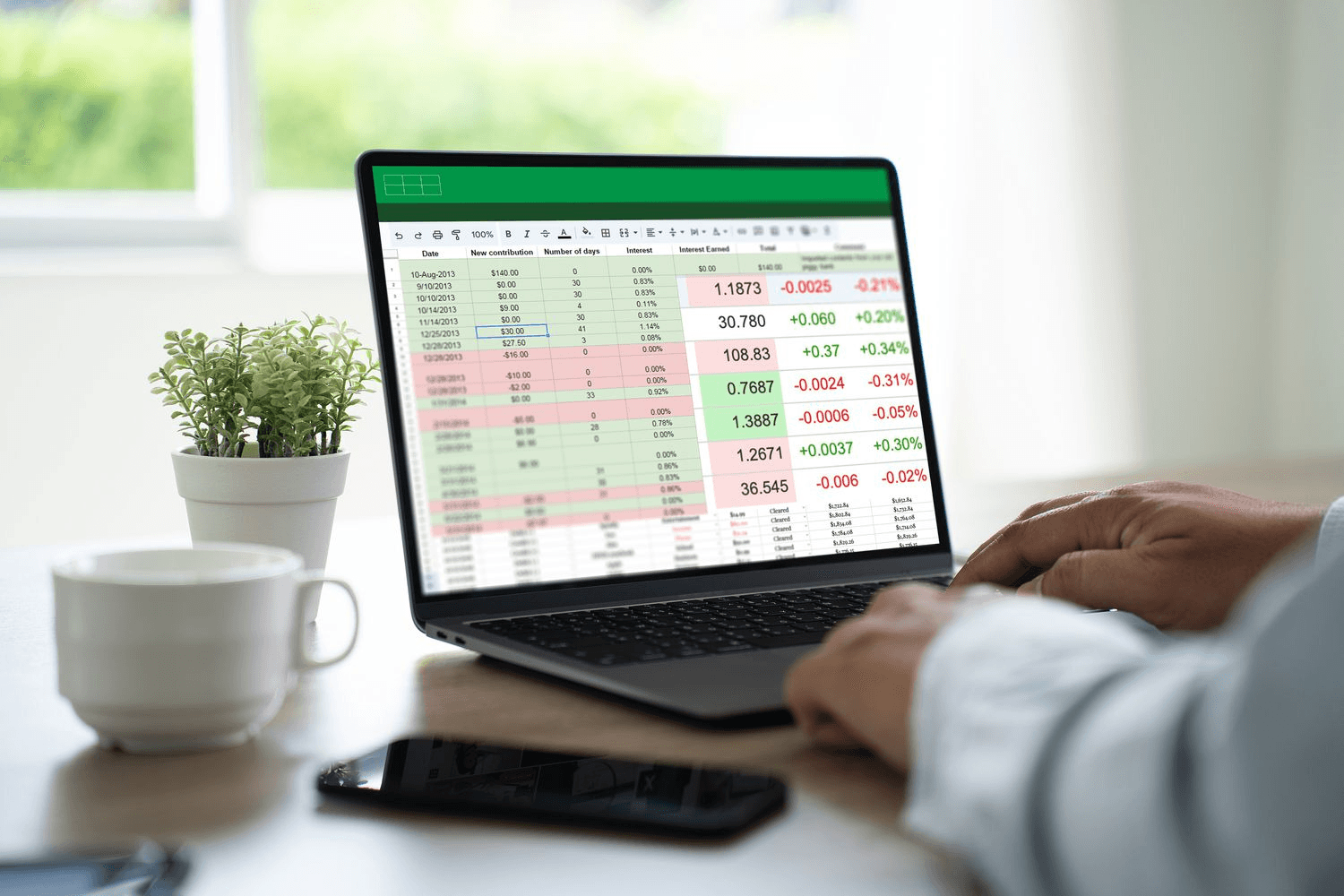
Most businesses struggle to create financial reports in Excel consistently because too many reporting and spreadsheet tasks are handled manually. The problem is not Excel. It's workflow overload. When businesses collect financial data, clean spreadsheets, update formulas, organize transactions, build summaries, and verify calculations within a single continuous workflow, financial reporting time increases.
Businesses Rebuild Financial Reports Every Reporting Cycle
What's happening: Most businesses start every financial report from zero. So they:
Reimport spreadsheet data
Rewrite formulas repeatedly
Reorganize financial tables
Rebuild reporting layouts manually
There is no repeatable reporting system. Only repeated setup work. That repetition quietly expands the workload.
Financial Reporting Creates Constant Context Switching
While building financial reports, users continuously switch between data cleaning, spreadsheet formatting, formula building, financial verification, summary creation, and report reviewing. That is context switching. Context switching reduces efficiency because the brain repeatedly reloads tasks.
Result:
Slower reporting
Spreadsheet fatigue
Formula inconsistencies
Longer reporting cycles
The bottleneck becomes operational, not financial.
Manual Spreadsheet Workflows Quietly Multiply Time
Small, repetitive tasks like fixing broken formulas, cleaning inconsistent entries, adjusting spreadsheet structures, rechecking calculations, and rebuilding summaries may seem minor individually. But repeated across multiple reporting stages, they compound. Xledger reports that 88% of spreadsheets contain errors, turning what should be quick corrections into hours of verification work. One repeated correction across several spreadsheet workflows becomes hours of extra reporting work. The expansion happens through repetition.
Platforms like Numerous's spreadsheet AI tool help teams streamline this repetitive work by automating data cleaning, categorizing transactions, and generating summaries directly in Excel using simple AI functions. Instead of manually rebuilding formulas and structures each cycle, AI handles the grunt work while users focus on analyzing what the numbers mean. Results caching prevents duplicate queries, keeping the process both fast and cost-effective.
Manual Financial Reporting Makes Consistency Difficult
When financial reporting depends entirely on manual effort, reporting becomes energy-dependent. That creates delayed reports, unfinished financial summaries, inconsistent spreadsheet structures, and reporting fatigue. The workflow becomes difficult to maintain consistently, especially with weekly or monthly reporting demands. But what happens when these inefficiencies compound over time, and nobody calculates the real cost?
Related Reading
The Hidden Cost of Building Financial Reports Without a Clear System

These inefficiencies don't just slow individual reports. They multiply across every reporting cycle, creating compounding friction that most teams never measure. When you rebuild formulas, reclean data, and manually verify calculations every week or month, the time loss becomes structural. What looks like a 30-minute reporting task becomes hours of repeated effort, and that pattern repeats across every financial close.
The Spreadsheet Fatigue Nobody Tracks
According to research published on Dev.to, 23% of finance teams spend over 20 hours per week on manual data reconciliation. That's half a workweek spent verifying numbers instead of analyzing what they mean. The real cost isn't the time itself. It's what doesn't happen during those 20 hours:
Strategic planning
Variance analysis
Forecasting improvements
Proactive decision support
The Cognitive Cost of Manual Reporting
When financial reporting becomes energy-dependent rather than system-dependent, teams experience what feels like reporting fatigue. Each cycle demands the same cognitive effort:
Remembering which formulas to update
Which data sources to refresh
Which formatting to reapply
The mental load doesn't decrease with experience because the workflow never stabilizes. You're not getting faster at a repeatable process. You're just getting tired of rebuilding the same report over and over.
The Delayed Decision Problem
Manual reporting creates a secondary cost that's harder to see but easier to feel. When reports take longer to produce, financial visibility arrives later. Leadership either makes decisions based on outdated numbers or waits for updated reports before acting. The delay between financial activity and financial insight widens, reducing responsiveness. If your monthly close takes three days longer than necessary due to manual reconciliation, every strategic conversation is delayed by three days.
Budget adjustments lag.
Variance explanations arrive after the issue compounds.
Forecasts reflect stale assumptions.
The cost isn't just slower reporting. It's slower organizational learning.
Why Rebuilding Feels Safer Than Systemizing
Most teams resist automating financial workflows because manual control feels more accurate. If you personally verify every formula, clean every dataset, and check every calculation, the report feels trustworthy. That belief makes sense in low-volume scenarios. But it breaks down when reporting frequency increases or data complexity grows.
Platforms like Numerous shift that dynamic by embedding AI directly into spreadsheets, allowing teams to clean, categorize, and summarize financial data through simple formulas without rebuilding workflows each cycle. The system handles repetitive grunt work while maintaining full transparency over what's being processed. Teams move from manual verification to structured validation, where the process itself becomes the control mechanism.
From Checking Harder to Designing Systems
The core reframe: scalable financial reporting doesn't come from checking harder. It comes from building systems that reduce the need to check repeatedly. When your workflow is structured, repeatable, and automated where possible, accuracy improves because the number of points for human error decreases. You're not blindly trusting the machine. You're trusting a process you designed once and refined over time. But what happens when you apply that same structured thinking to the actual report-building process itself?
How to Create Financial Reports in Excel in 30 Minutes

The structured workflow separates data preparation from analysis, calculations from formatting, and raw inputs from final outputs.
You organize financial data first
Build calculations second
Format reports third
Review last
This separation eliminates the constant back-and-forth that consumes hours when everything happens simultaneously. Most reporting delays stem from mixing tasks that should never be combined. When you clean data while building formulas, while formatting cells, while checking accuracy, you're forcing your brain to context-switch every few minutes. Each switch costs time and introduces errors. The 30-minute workflow works because it removes those friction points entirely.
Prepare Data Before Building Anything
Raw financial data arrives messy. Transaction dates appear in different formats. Category labels vary across months. Revenue entries mix with expense entries. Before you calculate anything or format any cell, you need structured, consistent data. Import your financial spreadsheet and standardize formatting first.
Convert all dates to a single format.
Align category labels.
Separate revenue from expenses into distinct columns.
This cleanup step takes 5 to 8 minutes, but it prevents formula errors later.
The Power of Consistent Data Structure
When your data structure is consistent, formulas work the first time. You're not debugging SUMIF errors caused by mismatched category names. You're not fixing broken XLOOKUP references because date formats changed halfway through the dataset. Clean data eliminates the rework that stretches 30-minute tasks into three-hour marathons.
Separate Raw Data From Calculated Metrics
The most common spreadsheet mistake is mixing raw transaction data with summary calculations. You enter January expenses in cells A1 through A50, then add a SUM formula in A51, and then insert February data starting at A52, which breaks the formula you just wrote.
Keep raw financial data on one sheet. Build all calculations on a separate sheet that references the raw data. When new transactions arrive next month, you add them to the raw data sheet without touching any formulas. Your calculations update automatically because they're pulling from a stable range.
This separation also makes auditing faster. When a number looks wrong, you check the raw data first, then the formula logic. You're not hunting through mixed cells trying to figure out which ones are inputs and which are calculations.
Build Calculations in Layers
Start with basic aggregations.
Sum total revenue.
Sum total expenses.
Calculate the difference for net profit.
These foundational metrics take 3 to 4 minutes to set up. Next, build category-level summaries. Use SUMIF to calculate revenue by product line, expenses by department, or cash flow by month. These intermediate calculations give you the breakdowns that leadership actually cares about.
Building a Cascade of Dependent Metrics
Finally, create ratio metrics.
Profit margins.
Expense-to-revenue ratios.
Month-over-month growth percentages.
These derived metrics sit at the top of your calculation hierarchy, pulling from the summaries below them. When you structure calculations this way, one change to raw data cascades through every dependent metric without manual updates.
Automate Repetitive Formula Work
Writing the same SUMIF formula 15 times for 15 expense categories wastes time. Instead, write one formula with absolute and relative references, then copy it down. Excel automatically adjusts cell references while keeping your category range locked. Use XLOOKUP for dynamic references instead of manually typing cell addresses. When your data structure changes, XLOOKUP adapts. Manual references break and require fixes. Named ranges make formulas readable. Instead of SUM(B2:B150), use SUM(Revenue_Data). Six months from now, when you revisit this spreadsheet, you'll understand what the formula does without decoding cell addresses.
Natural Language Formula Generation
Solutions like a spreadsheet AI tool let you describe what you need in plain language instead of writing formulas manually. You can ask to "calculate monthly profit margins by product category" and get structured results without debugging SUMIF syntax. This approach reduces formula setup time from 15 minutes to 3 minutes, especially when you're working with complex financial categorizations or multi-level summaries.
Focus on Decision-Relevant Metrics Only
Most financial reports include too much information. You calculate 40 different metrics because you're not sure which ones leadership will ask about. Then the report becomes unreadable, and the important numbers get buried. Identify the 5 to 7 metrics that actually drive decisions. For most businesses, that's revenue, expenses, net profit, cash flow, and maybe two category-specific breakdowns. Everything else is noise. Build your report structure around those core metrics. Put them at the top. Make them visually prominent. If someone asks for additional detail later, you can provide it. But the default report should answer the critical questions immediately without forcing readers to hunt through rows of data.
Create Reusable Report Templates
The first time you build a financial report, it takes longer. You're figuring out which metrics matter, how to structure calculations, and what format works best. But the second month should be faster, and the third month faster still. Save your report structure as a template. Next month, you import new raw data into the designated sheet, and all calculations update automatically. You're not rebuilding formulas or reformatting cells. You're just refreshing the data source. Reusable templates also reduce errors. When you rebuild a report from scratch every month, you might forget a calculation or mistype a formula. Templates eliminate that risk because the logic is locked in place.
Batch Similar Tasks Together
Don't clean one row of data, then calculate a metric, then format a cell, then clean another row. Batch all data cleaning together. Then batch all calculations. Then batch all formatting. Task switching is expensive. Every time you shift from cleaning mode to calculation mode, your brain needs a moment to reorient. Those moments add up. When you batch similar tasks, you stay in one mental mode longer, which means you work faster and make fewer mistakes.
Task Sequencing for Cognitive Focus
This is why the 30-minute workflow deliberately sequences tasks.
Data preparation comes first because it requires one type of thinking.
Calculations come second because they require different logic.
Formatting comes last because it's purely visual work.
You're not asking your brain to toggle between analytical and aesthetic judgments every 60 seconds.
Review After Building, Not During
The instinct is to check every formula as you write it. You enter a SUM, then verify the result, then move to the next cell, then verify again. This constant verification feels careful, but it actually slows you down without improving accuracy. Build all your calculations first. Then review them systematically. Check that revenue totals match expected ranges. Verify that expense categories sum correctly. Test that month-over-month calculations produce logical results.
Efficiency via Batched Review
Batched review is faster because you're not context-switching. It's also more effective because you can spot patterns. If three different profit margin calculations all seem too high, you probably have a formula error affecting all of them. When you review one calculation at a time, you might miss that pattern. But structured workflows only get you halfway to 30 minutes. The other half depends on how you organize the reporting process itself
Related Reading
The 30-Minute Workflow to Build Financial Reports Faster in Excel
That separation creates the foundation. Now you need the actual workflow that applies it. The 30-minute timeline works because each phase has a specific job. You're not multitasking. You're sequencing. When you know exactly what to do in each five-minute block, you stop second-guessing yourself and start moving.
Minute 0–5: Define the Financial Report Goal First
Before touching Excel, write down three things.
What financial metrics matter most this month?
What decisions will this report support?
Who needs to act on this information?
If you can't answer those questions in 30 seconds, your report will wander. Undefined reports create unnecessary spreadsheet work because you build everything, hoping something will be useful. That's how monthly revenue summaries turn into 12-tab workbooks with pivot tables nobody reads.
Actionable Data Over Noise
The goal isn't to track everything. It's to track what changes behavior.
Revenue trends matter if they inform pricing decisions.
Expense summaries matter if they reveal cost overruns.
Cash flow matters if it dictates hiring timelines.
Everything else is noise.
Minutes 5–10: Clean and Structure the Financial Data First
Raw financial data arrives messy.
Transaction labels vary.
Dates appear in three different formats.
Vendor names include typos.
If you build calculations on top of that mess, your formulas inherit the chaos. Start by removing duplicates. Fix inconsistent entries. Organize spreadsheet columns so every transaction has a date, category, vendor, and amount in the same order. Standardize transaction labels so "Office Supplies" and "office supplies" don't split into separate categories.
Streamlining Prep With AI Automation
Shortcut's 2025 financial automation research found that teams spend 10+ hours weekly on manual data reconciliation. Most of that time disappears when you clean data before building summaries instead of fixing errors after formulas break. You can also use tools like a spreadsheet AI tool to handle the grunt work. Ask it to "Clean this financial spreadsheet" or "Organize this data for reporting," and it processes bulk operations without requiring API keys or technical setup. The AI categorizes transactions, standardizes labels, and structures columns so your calculations start with clean data rather than inherited mistakes. Structured data before reporting reduces spreadsheet friction. You're not debugging formulas later because a single misplaced decimal broke your profit margin calculation.
Minute 10–15: Build Financial Calculations Before Formatting Reports
Now focus only on the math.
Revenue calculations.
Expense totals.
Profit summaries.
Cash flow metrics.
Financial formulas that convert raw transactions into meaningful numbers.
Isolating Calculations for Accuracy
Do not format charts immediately.
Do not build visuals first.
Do not manually recalculate metrics repeatedly.
Those tasks belong in different phases. Right now, you're proving the numbers work.
Logic Separation and Formula Simplicity
Repeated spreadsheet rebuilding creates slower reporting because you're context-switching between calculation logic and visual design. Your brain can't hold both tasks simultaneously. When you separate them, calculations finish faster because you're not distracted by font sizes and color schemes.
Keep your formulas simple.
SUM for totals.
SUMIF for category-specific calculations.
Avoid nested IF statements that require a flowchart to debug.
The goal is repeatable accuracy, not formula complexity.
Minutes 15–20: Create the Financial Report Layout
Convert calculations into financial summaries, tables, charts, performance reports, and monthly overviews. This is where the numbers become visible. Financial reports are designed for visibility, not raw spreadsheet complexity. A well-designed layout answers the reader's question in three seconds.
Revenue up or down?
Expenses under control?
Cash flow positive or negative?
Clarity Through Tab Separation
Clean layouts improve financial decision-making because people act on information they can understand quickly.
If your CFO needs five minutes to interpret a profit summary, the layout failed.
If they glance at a chart and immediately know whether to approve the next hire, the layout succeeded.
Separate your summary view from your raw transaction data. Summaries live on one tab. Transactions live on another. That way, when someone asks for details, you don't have to scroll through 500 rows of calculations to find the source data.
Minute 20–25: Verify Critical Financial Metrics
Do not recheck the entire spreadsheet. You already cleaned the data. You already built the formulas. Full verification at this stage is unnecessary; spreadsheet rework is.
Instead, verify only the high-value outputs.
Important formulas.
High-value transactions.
Financial totals.
Critical reporting outputs.
If your revenue total seems too high, trace it back to the source. If your profit margin looks wrong, check the expense calculation feeding it.
Selective Verification for High-Impact Accuracy
Selective verification prevents unnecessary spreadsheet rework because you're not rechecking work you already validated in earlier phases. You're confirming the final outputs make sense before anyone else sees them. When you verify everything, you find errors that don't matter. A $12 transaction miscategorized as office supplies instead of software subscriptions won't change your monthly expense trend. A $12,000 transaction miscategorized absolutely will. Prioritize accordingly.
Minute 25–30: Save the Reporting System
Save the formulas that worked.
Save the report structure.
Save the spreadsheet workflow.
Save the financial layout.
That way, the next report updates faster. You're not rebuilding from scratch. You're updating data and refreshing calculations. The structure already exists.
Building Repeatable Systems
The goal is not one fast financial report. It is a repeatable reporting speed. Every month, the workflow tightens as you refine a system rather than reinvent one. Store your templates in a shared location. Document which formulas calculate which metrics. Write a two-sentence note explaining what each tab does. Future you will appreciate the clarity when you're updating the report six months later and can't remember why you structured cash flow calculations that way.
Before vs After Snapshot
Before this workflow: Teams rebuild spreadsheets repeatedly. They manually correct formulas. They work with overloaded financial sheets that combine raw data, calculations, and summaries into a single chaotic tab. Reporting cycles stretch across days.
After this workflow: Teams follow structured reporting workflows. They produce clean financial summaries. They organize spreadsheets faster. They build repeatable reporting systems that compress monthly close timelines.
Efficiency Through Phase Separation
The time reduction does not come from rushing through Excel. It comes from reducing overlap inside the reporting workflow. When you separate cleaning from calculations, calculations from formatting, and formatting from verification, each phase finishes faster because you're not switching contexts mid-task. But even the tightest workflow still requires execution. And execution gets easier when you're not doing it alone.
Build Financial Reports Faster With Numerous
Execution gets easier when you stop rebuilding the same reporting infrastructure every cycle. The difference between teams that close books in days versus those that do in weeks is not due to skill or effort. It's whether they've removed the manual repetition from the workflow entirely. Most teams still clean transaction data manually, rebuild formulas each reporting period, and reformat summaries from scratch because that's how Excel has always worked. The familiar approach feels safe because it requires no new tools or learning curve. But as reporting complexity grows (more accounts, more subsidiaries, more stakeholders with different views), that manual approach adds hours of repetitive work every month.
AI-Assisted Efficiency and Workflow Optimization
Tools like the spreadsheet AI tool let you prompt directly in Excel to clean transaction categories, generate summary formulas, and structure reporting layouts without manually rebuilding the workflow. Teams using AI-assisted spreadsheet tools report cutting monthly close timelines by 40% because the system handles data organization and calculation setup, leaving analysts to focus on variance analysis and decision support instead of spreadsheet maintenance.
Focus on Insight, Not Manual Tasks
Fast financial reporting is not about working longer inside Excel. It's about removing the tasks that don't require judgment from your workflow entirely. When you stop manually cleaning data, rewriting formulas, and reformatting tables every cycle, you compress reporting timelines without rushing through verification or sacrificing accuracy. Open your reporting spreadsheet, prompt the system to organize your data and generate calculations, then review the output for business insights instead of formula errors. That's the workflow.
No rebuilding.
No repetitive cleanup.
Just structured financial data ready for analysis in under 30 minutes.
Related Reading
Best Excel Functions For Finance
How To Forecast Sales In Excel
How To Calculate Total Revenue In Excel
How To Make A Financial Report In Excel
How To Create An Expense Tracker In Excel
Cube Alternative
How To Categorize Expenses In Excel