Notion AI has become a go-to productivity assistant for many, but it's not the only player in the game. As more professionals search for the best AI alternatives to ChatGPT to streamline their note-taking, project management, and knowledge organization, the options have become remarkably diverse. Whether you're looking for better pricing, specialized features for team collaboration, or more powerful writing assistance, exploring alternatives might reveal tools that better align with your workflow and help you manage notes more effectively in just 30 days.
That's where a spreadsheet AI tool like numerous.ai comes into play. While you're evaluating different AI note-taking platforms and productivity apps, you'll likely need to compare features, track your testing progress, and organize your findings efficiently. Numerous works directly inside your spreadsheets to help you categorize information, extract key insights from your research, and make data-driven decisions about which Notion alternative truly fits your needs.
Summary
Knowledge workers lose 8.2 hours per week searching for information they already captured, according to APQC Research. The problem isn't poor note-taking skills. It's that capture happens during intense moments when speed matters more than structure, creating a growing backlog of unsorted information that becomes harder to retrieve over time.
Scattered storage across multiple apps creates invisible friction that requires remembering not just what you captured, but where you put it. Zapier found that 73% of workers spend 1-3 hours daily just trying to find information or documents. When class notes live in one app, work notes in another, and ideas sit in messaging threads, you've built a system that demands two layers of recall instead of one.
Manual note management carries hidden costs beyond search time. Professionals spend 200 hours per year on manual note-taking tasks that could be streamlined, according to Quick Therapy Notes. That's five full work weeks spent managing information instead of using it. The real expense is the repeated cognitive overhead of deciding what to do with notes afterward, multiplied across every topic, every week, for months.
Review habits determine whether organized notes become useful knowledge. Most notes are captured once and left alone, with review happening randomly if at all. Companies using workflow automation save an average of 30% of their time on repetitive tasks, and the same principle applies to note compression.
The connection between notes prevents isolated information from staying buried. When a lecture note never connects to another, a meeting note never links to the project plan, and a research note never ties to the final output, retrieval weakens because you're treating each note as a standalone rather than as part of a larger knowledge system.
Spreadsheet AI tool addresses this by letting you categorize, tag, and extract key points across hundreds of notes simultaneously, rather than opening each document individually, turning scattered captures into patterns you can filter and review without hunting through unstructured text.
Table of Contents
Why Students and Knowledge Workers Struggle to Manage Notes Effectively
The Hidden Cost of Managing Notes the Manual Way
7 Notion AI Alternatives to Manage Notes Better in 30 Days
The 30-Day Note Management Workflow
Manage Notes Better in 30 Days With Numerous AI
Why Students and Knowledge Workers Struggle to Manage Notes Effectively
The problem isn't that students and knowledge workers take bad notes. It's that they capture information faster than they organize it, creating a growing pile of useful content that becomes increasingly difficult to retrieve when it actually matters. According to APQC Research, knowledge workers spend 8.2 hours per week searching for, recreating, and duplicating information they already captured. That's an entire workday lost to hunting for notes that exist somewhere in the system.
Capture Happens in Bursts; the Organization Doesn't
Most people collect notes during intense moments:
Lectures
Meetings
Research sessions
Conversations
The priority in those moments is speed, not structure. You're trying to keep pace with someone speaking, or grab a thought before it disappears. So notes get dumped into whatever tool is open at that moment. The intention to organize later feels reasonable, but "later" competes with new information arriving tomorrow. The backlog grows faster than cleanup can keep up, and eventually the system becomes a search problem rather than a retrieval system.
Scattered Storage Creates Invisible Friction
When your class notes live in one app, work notes in another, screenshots in your camera roll, and ideas in a messaging thread you sent yourself, you've built a system that requires you to remember not just what you captured but where you put it. That's two layers of recall instead of one. The Zapier Report found that 73% of workers spend 1-3 hours daily just trying to find information or documents. The information exists. The problem is knowing which of six places to look first.
Storage Isn't the Same as Understanding
Highlighting a passage or saving a link creates the feeling of progress. You did something with the information, so it feels secure. But saving isn't processing. A note sitting untouched in a document doesn't become knowledge until you've reviewed it, connected it to related ideas, or used it to answer a question. Most people collect far more than they process, which is why they can have pages of notes on a topic and still struggle to explain it clearly a week later. The gap between capture and comprehension is where most notes lose their value.
Bulk Processing and Information Structure
When you're testing different note-taking approaches or comparing features across tools, spreadsheets offer something document-based systems don't: the ability to process information in bulk. Tools like Numerous AI let you categorize hundreds of notes at once, extract key themes across multiple entries, or generate summaries row by row without manually opening each document. That structured approach turns scattered information into patterns you can actually use, especially when you're managing research across multiple sources or organizing findings from dozens of meetings.
The System Determines Whether Notes Become Useful
It's not about taking more notes or writing better summaries. It's about having a clear process for sorting what matters, revisiting it with purpose, and refining notes beyond their first rough form. Without that system, even diligent note-takers end up recreating work they've already done because finding the original is harder than starting over. The difference between note overload and note usefulness is structure, and structure requires intentional design, not just good intentions. But lost time searching for notes is only part of the cost, and it's not even the most expensive part.
Related Reading
The Hidden Cost of Managing Notes the Manual Way
The real expense isn't the time spent taking notes. It's the repeated cognitive overhead of deciding what to do with them afterward, multiplied across every topic and every week for months. When notes pile up without a clear system for processing them, each review session starts with the same friction: figuring out what matters, where it belongs, and whether you already captured this idea somewhere else. That mental tax compounds faster than most people realize.
The Decision Fatigue Loop
Every unprocessed note creates a small decision you'll have to make later.
Should this remain a standalone entry or be merged with something else?
Does it need a tag?
If so, which one?
Is it worth keeping at all?
These aren't hard questions individually, but when you're staring at 50 unsorted notes from the past two weeks, the cumulative weight of those micro-decisions becomes its own barrier. You start avoiding the cleanup entirely because the thought of sorting through everything feels more exhausting than just starting fresh next time. According to Quick Therapy Notes, professionals spend 200 hours per year on manual note-taking tasks that could be streamlined. That's five full work weeks spent managing information instead of using it.
Repeated Retrieval Work Replaces Actual Thinking
When your notes aren't organized for reuse, you end up doing the same preparatory work multiple times. A student writing an essay revisits lecture notes, highlights, and saved articles, then spends 30 minutes reconstructing the argument before writing a single sentence. A product manager preparing for a strategy meeting scrolls through weeks of meeting notes to find the three key customer pain points they already documented. The work isn't creating new understanding. It's recreating context that should have been preserved the first time. That's where manual systems quietly bleed value, not through catastrophic failure, but through low-grade inefficiency that never feels urgent enough to fix.
The Illusion of Completeness
A full notebook or a folder packed with saved documents creates the feeling of preparedness. You captured the information, so you have it. But having notes and being able to use them under time pressure are different things. When a deadline hits, and you need to pull insights from scattered sources, the system's weaknesses surface fast. You know the information exists somewhere, but locating it, understanding it again, and connecting it to related ideas all happen in real time, under stress. The gap between "I saved this" and "I can find and use this" is where most manual note systems fail their users.
Structured Data and Bulk Note Processing
When you're managing notes across dozens of sources or testing different organizational approaches, spreadsheets let you process information in bulk rather than one document at a time. Numerous AI allow you to categorize hundreds of notes simultaneously, extract themes across entries, or generate summaries row by row without opening each file individually. That structured method turns scattered captures into patterns you can analyze, especially when organizing research findings or consolidating insights from multiple projects.
The Compounding Cost of Inconsistency
Manual systems depend on you applying the same organizational logic every time. But your tagging habits shift. Your folder structure evolves. What felt like a clear category three months ago now overlaps with two others. Without enforcement or review, the system drifts toward chaos slowly enough that you don't notice until you're hunting for something important and realize your past self used three different naming conventions. The cost isn't just the search time. It's the erosion of trust in your own system, which makes you less likely to rely on it and more likely to start over each time.
7 Notion AI Alternatives to Manage Notes Better in 30 Days
1. Numerous AI

Numerous AI tools in Google Sheets and Excel are built specifically to generate, categorize, extract, clean, and organize text at scale. Students and researchers use it to clean, summarize, and categorize data in spreadsheets. The problem it solves isn't capture. Most people already have notes. The real issue is that those notes sit unsorted, making them impossible to reuse.
You can turn messy notes into a system with columns like:
Source
Topic
Summary
Action point
Keyword
Follow-up question
Review date
Better note management isn't just about capture. It's about turning raw notes into organized information you can scan, filter, and review later without having to hunt through pages of unstructured text.
Streamlined Note Organization and Review
Over 30 days, Numerous AI is strong for people who want to stop losing useful ideas inside long pages of notes. It helps turn scattered notes into structured summaries, categorized insights, and review-ready sheets that are easier to revisit. When you're processing dozens or hundreds of notes from lectures, meetings, or research sessions, spreadsheets let you apply the same organizational logic across all of them at once instead of manually opening each document.
2. NotebookLM
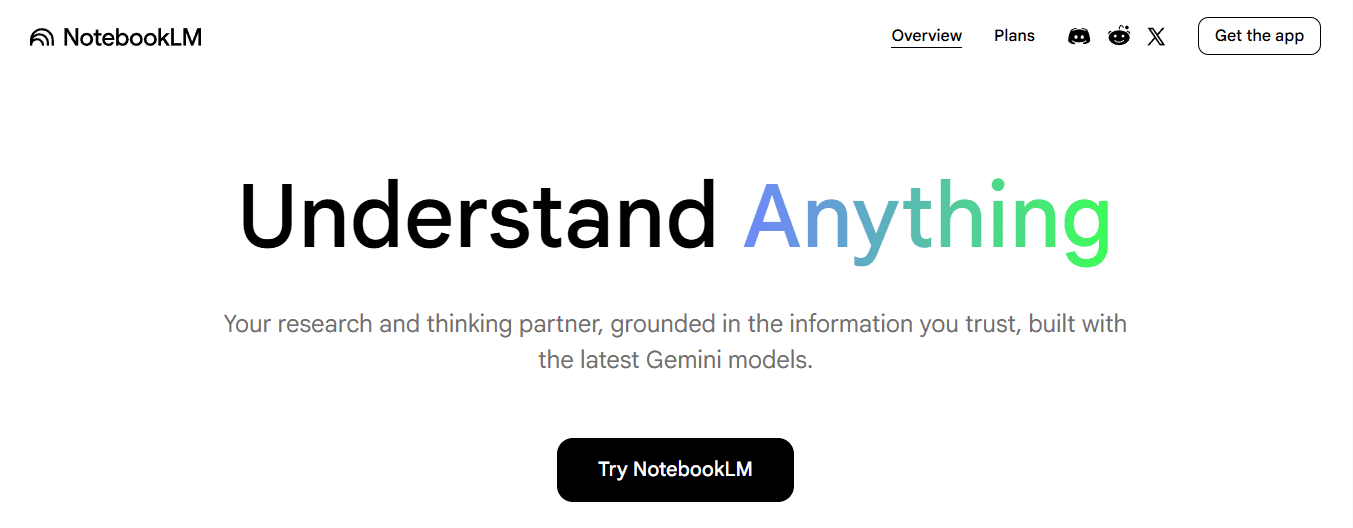
NotebookLM is Google's AI research and note-taking tool that analyzes your sources and helps turn complex materials into clearer outputs. Google describes it as an AI research tool and thinking partner, with support pages highlighting source-grounded study guides, briefings, and other summaries built from your materials.
Consolidating and Summarizing Source Material
NotebookLM is useful when your note-taking problem stems from an excess of source material. Instead of leaving information buried across PDFs, articles, and web pages, it helps you:
Extract key points
Summarize large source sets
Ask questions across your materials
Generate cleaner notes from original documents
Many note systems fail before the notes are even written well because the input is already too messy. Over 30 days, NotebookLM helps people reduce note overload. It's especially useful for students, researchers, and knowledge workers who need to turn large collections of sources into notes they can actually review and use.
3. Evernote
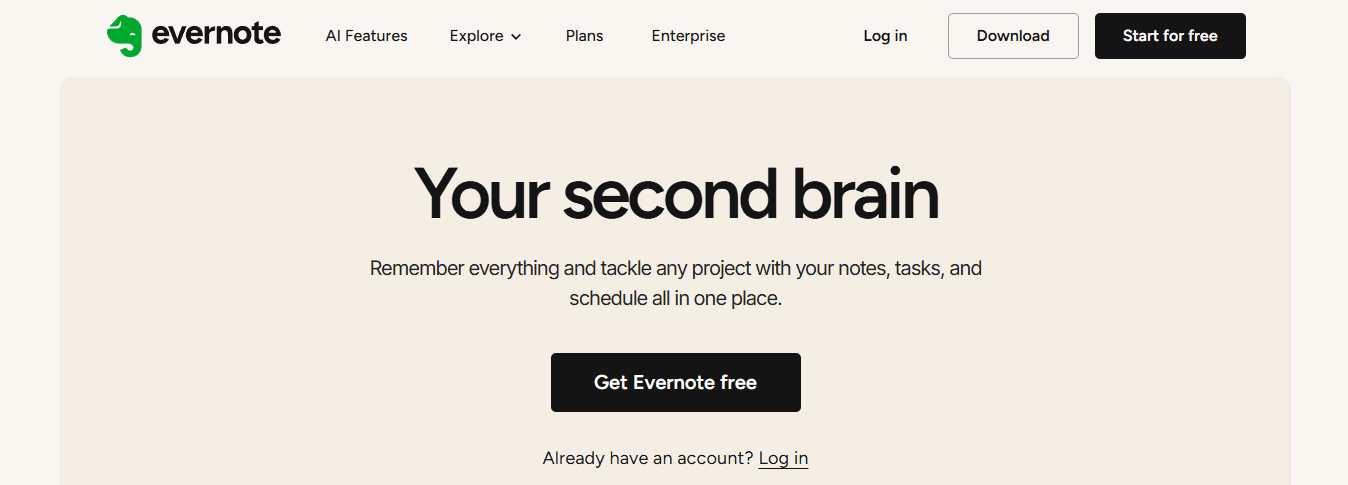
Evernote combines note-taking with:
AI features
AI rewrite
AI meeting note tools
Advanced search
Scanning
Organization
Its official features page positions it as a note-taking app for capturing ideas, projects, and to-dos, so nothing gets lost.
Centralized Capture and Search Efficiency
Evernote is useful because note problems are often not just about writing. They're also about capturing information from different formats, finding it later, keeping related materials together, and quickly searching across a large archive. Evernote helps with that by combining note capture with search and AI-supported cleanup tools. Over 30 days, Evernote can help people manage notes better by giving them one place to collect written notes, clipped web pages, scanned documents, and meeting information, then improve or search those notes later with AI features.
4. Mem

Mem describes itself as an AI thought partner and note app that helps users dump information quickly and find it later. Its official site highlights note capture from meetings, voice, the web, and quick messages.
Reducing Friction in Real-Time Capture
Mem is useful for people whose note-taking problem is friction. They have ideas, meeting notes, reminders, and research inputs coming in constantly, but the capture process is too slow or too fragmented. Mem helps by making quick capture easier across different contexts. A note system only works if people actually use it in the moment information appears. In a 30-day workflow, Mem helps people manage notes better by reducing the gap between idea capture and later retrieval. It's especially helpful for users who need one place for brain dumps, meeting notes, saved links, and quick reminders.
5. Obsidian
Obsidian is widely used for connected note-taking and knowledge management, and current comparison sources still position it as a major alternative in the note-taking space. Recent note-taking comparisons continue to include Obsidian among the leading apps for structured note-taking and linked knowledge work. Obsidian is useful when the real problem is not storage but connection.
A lot of notes stay isolated.
One lecture note never connects to another.
One meeting note never connects to the project plan.
One research note never connects to the final output.
Obsidian is strong for people who want notes to behave like a network instead of a pile. Over 30 days, Obsidian helps people manage notes more effectively by making it easier to build relationships between ideas, rather than leaving everything as separate documents. That makes retrieval and reuse much stronger over time.
6. Reflect
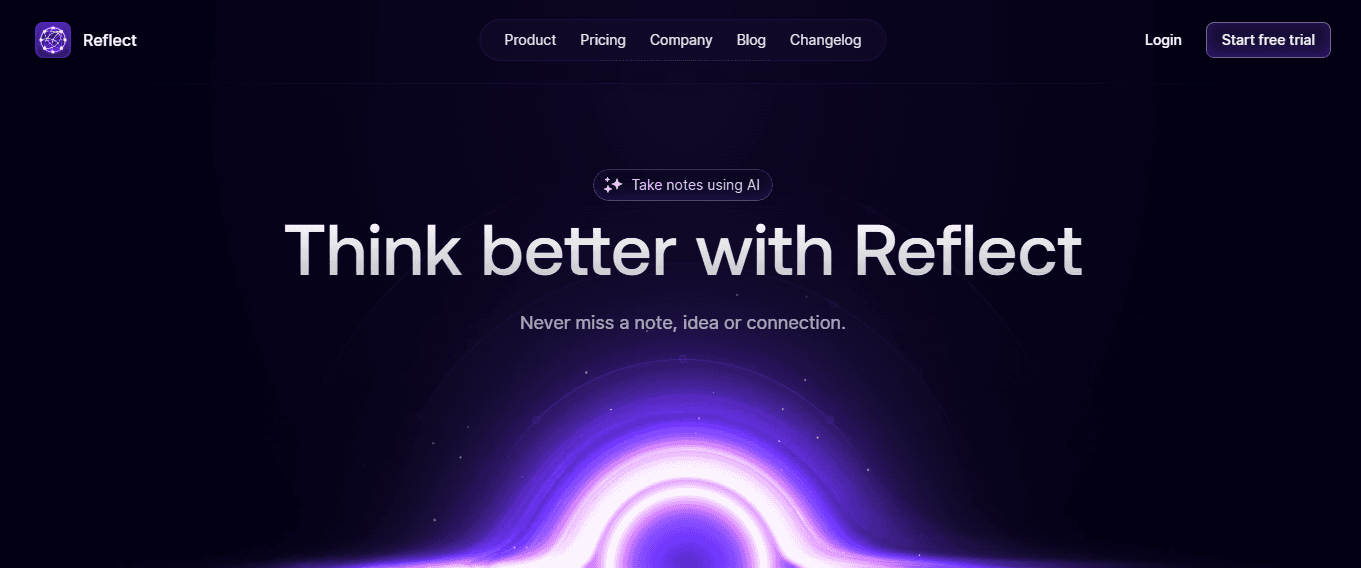
Reflect is positioned as a notes app with AI features and is regularly included in current note-app comparisons alongside other major AI note tools. The app is also referenced in current app listings and comparisons as a note-taking tool with AI support.
Streamlining Connected Knowledge Systems
Reflect is useful for users who want note management to feel lighter and more connected. Some note systems become so heavy that people stop reviewing their notes at all. Reflect fits users who want simpler note-taking, cleaner organization, connected ideas, and a more streamlined knowledge system, rather than a bulky workspace. Over a 30-day period, Reflect can help people manage notes more effectively by reducing friction and making them easier to revisit as part of a daily system, rather than as a neglected archive.
7. Capacities
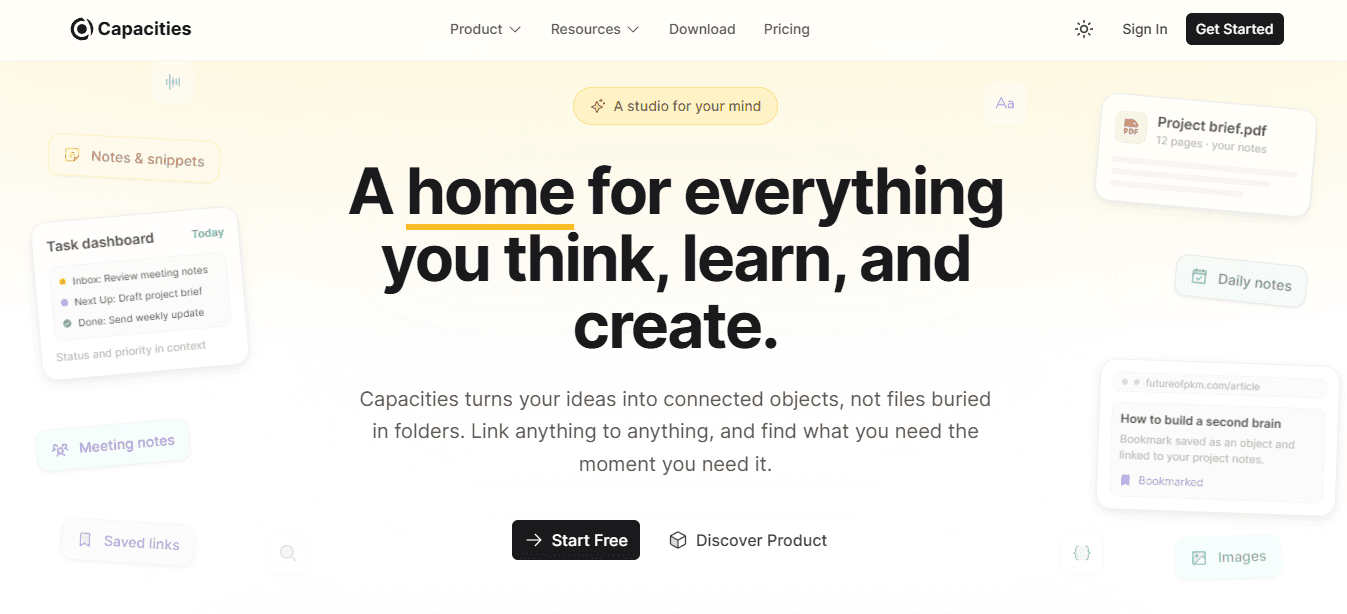
Capacities is currently listed among modern PKM and note tools in the current app and comparison ecosystems, where it appears alongside other major note-management apps. Capacities are useful for people who struggle because their notes all look the same.
A quote
A meeting action
A lecture summary
A project note is often stored in a single flat format
That creates clutter. Capacities are helpful when people want to think of notes as distinct objects rather than as a single long page after another. Over 30 days, Capacities can help people manage notes more effectively by making their information feel more structured and easier to browse, thereby improving both retrieval and reuse.
Why These Tools Work Better Than Managing Notes Manually
Each tool fixes a different note-management problem. Numerous AI helps sort and structure messy notes. NotebookLM helps reduce source overload. Evernote helps capture and search across formats. Mem helps lower capture friction. Obsidian helps connect related ideas. Reflect helps keep notes light and reviewable. Capacities help structure notes more clearly. People do not manage notes better just by saving more information. They manage notes better when note-taking becomes capture, organization, retrieval, connection, and reuse. The shift happens when you stop treating notes as storage and start treating them as a system that needs maintenance, structure, and regular review.
The 30-Day Note Management Workflow
Most note systems don't fail because people take bad notes. They fail because there's no process for turning captured information into a retrievable, reusable format.
Managing notes better in 30 days means building a repeatable workflow where:
Capture leads to sorting
Sorting leads to summarization
Summarization leads to a connection
Connection leads to review
The goal isn't perfection. It's momentum that compounds over time.
Days 1-5: Consolidate Scattered Notes Into One Visible System
The first problem to solve isn't better capturing new notes. It's seeing what you already have. Most people store notes across documents, apps, screenshots, browser tabs, meeting tools, and random drafts. When information is scattered across six different places, retrieval becomes a memory test. You're not just trying to remember what you captured. You're trying to remember where you put it. Pick one main system and move your most-used notes there. This doesn't mean migrating everything perfectly.
It means gathering the notes you actually reference:
Active project materials
Recent meeting summaries
Study resources you'll need this month
Research you're currently using
Leave the archive alone for now. Focus on making your working set visible.
Creating Scannable Tracking Structures
Once notes are in one place, create a simple tracking structure. Add columns for note source, topic, brief summary, action point, follow-up question, and review date. This isn't about making notes prettier. It's about making them scannable. When you can see 50 notes in a structured list instead of opening 50 separate documents, you've reduced the friction between having information and using it.
For people managing dozens of notes from lectures, meetings, or research sessions, spreadsheets make bulk organization faster than document-based systems. Numerous AI let you categorize, tag, and extract key points across hundreds of rows simultaneously, rather than opening each note individually. That structured approach turns scattered captures into patterns you can filter, sort, and review without hunting through pages of unstructured text.
Days 6-10: Sort Notes by Purpose, Not Chronology
Most note systems fail because everything gets stored the same way. Lecture notes, meeting notes, research notes, ideas, and action items all end up mixed together. That creates clutter. When every note looks identical in structure, retrieval becomes harder because you're scanning through noise to find the signal. This stage is about sorting by function. Group notes into categories:
Ideas
Research
Meetings
Study notes
Tasks
References
Categorization and Information Consolidation
Each category serves a different purpose. Ideas need space to develop. Research needs a connection to sources. Meetings need action items extracted. Tasks need deadlines. References need a quick lookup. Use tags or folders to separate these types. Remove duplicates. Merge notes that cover the same topic but were captured at different times. If you wrote three separate notes about the same concept from different lectures or meetings, combine them into one consolidated entry. Repetition across notes wastes retrieval time. Better note management starts when notes don't all look the same. Sorting makes later retrieval much easier because you're narrowing the search space before you even start looking.
Days 11-15: Compress Long Notes Into Summaries and Key Points
By this point, your system is cleaner. But many notes are still too long. If every note is a wall of text, it's still hard to reuse. A 1,500-word meeting transcript or a 3,000-word lecture note requires re-reading the entire thing to extract value. That's not retrieval. That's re-processing. This stage is about compression. Turn long notes into short summaries, bullet takeaways, action items, and follow-up questions. Keep only what you would realistically want to review again. If you captured everything someone said in a meeting, extract the three decisions made and the two action items assigned. If you transcribed an entire lecture, pull out the five core concepts and the examples that explain them.
Note Compression and Retrieval Efficiency
For notes captured quickly during fast-paced sessions, clean them up into clearer forms. Raw captures are useful in the moment, but they're rarely review-ready. A note is more useful when you can understand it again quickly without needing to remember the original context. Companies using workflow automation save an average of 30% of their time on repetitive tasks. That same principle applies to note compression. Summarizing once saves retrieval time every time you revisit that note later. This stage turns saved information into usable information.
Days 16-20: Link Related Ideas so Notes Stop Living Alone
A lot of notes stay isolated. One note from a meeting never connects to the project note. One lecture note never connects to the revision page. One article summary does not connect to the final report. That weakens reuse because you're treating each note as a standalone piece rather than as part of a larger knowledge system. This stage is about connection. Add links between topic and source, meeting and task, lecture and revision page, idea and project. Build simple clusters around repeated themes. If you have five notes about the same concept from different sources, connect them. If a meeting note mentions a decision that affects a project you're tracking, link the two.
Knowledge Management and Relationship Linking
Connection makes notes easier to retrieve because you're not just searching by keyword. You're following relationships. When you open one note, related notes become visible without additional searching. That's how note storage starts becoming knowledge management. In spreadsheet-based systems, you can use shared identifiers or tags to group related entries. When notes share a project code, topic tag, or theme label, filtering by that attribute surfaces everything connected at once. That structured linking works especially well when managing research across multiple sources or organizing findings from dozens of meetings.
Days 21-25: Build a Review Habit Around Your Best Notes
Most notes fail because they're never revisited with purpose. They're captured once and left alone. Review happens randomly, if at all. That's where even well-organized systems lose value. An organization without review is just prettier storage.
This stage fixes that.
Pick your most important notes from the last three weeks.
Create a review list with key concept, why it matters, next use, and next review date.
Keep review sessions short and focused.
Prioritize notes tied to exams, active projects, writing tasks, or upcoming meetings.
Systematizing Active Note Review
Generate short review prompts from your notes. Turn a summary into a question. Turn a concept into a test. Turn an action item into a reminder. The goal isn't to memorize everything. It's to keep useful information active instead of letting it go stale. 65% of businesses report that workflow automation has improved their operational efficiency. Review automation works the same way. When review becomes part of the system rather than an afterthought, notes become valuable. This stage makes review part of the system, not something you do when you panic before a deadline.
Days 26-30: Turn Your Note System Into a Repeatable Process
The final stage isn't about creating more notes. It's about making the system sustainable. A lot of people improve their note setup once, then slowly fall back into clutter. The system drifts because there's no maintenance routine in place. This stage prevents that. Build a repeatable weekly process:
Capture
Sort
Summarize
Connect
Review
Track notes added, notes reviewed, notes still uncategorized, and topics that need follow-up. Keep a simple checklist:
Did I summarize this note?
Did I tag it correctly?
Did I link it to anything related?
Will I need this again?
When should I review it?
Consistency and Structural Sustainability
Better note management doesn't come from one cleanup session. It comes from a process you can repeat. The checklist isn't about perfection. It's about consistency. When you apply the same organizational logic consistently, the system stays usable rather than drifting toward chaos. A sustainable system doesn't depend on motivation. It depends on the structure that makes the right actions easier than the wrong ones.
Before and After
Before this workflow, notes are scattered, useful information gets buried, retrieval is slow, review rarely happens, and ideas stay disconnected. After 30 days, notes are easier to find, key ideas are summarized, related notes are connected, review becomes easier, and information is more reusable. The difference isn't the tool. It's the workflow. But knowing the workflow is only half the process.
Related Reading
Manage Notes Better in 30 Days With Numerous AI
If your notes are piling up but still hard to use, the problem isn't the notes. It's the process. Instead of saving notes in different places, losing useful ideas in long pages, searching through messy notes again and again, forgetting what needs review, and starting from scratch every time you need information, you need a structured system that turns scattered captures into organized, reusable knowledge. Put your notes into Numerous AI. Turn long notes into clear summaries. Organize them by topic, source, and priority. Track follow-up questions and review dates in one sheet. Use that system to find and reuse the right information faster.
Optimizing Retrieval and Note Management
That's it. No more scattered notes. No more buried ideas. No more wasting time searching for information you already saved. In 30 days, you'll have cleaner note organization, faster retrieval, better review habits, and a note system you can actually use. Open Numerous AI, turn your notes into a structured system, and start managing your information better today. Better note management doesn't come from saving more. It comes from organizing what you already have. Numerous give you that process.
Related Reading
Otter.ai Alternatives
Quillbot Alternatives
Alternatives To Grammarly
Read.ai Vs Otter.ai
Best Apps For Essay Writing
Notion Ai Alternatives