
ZenRows is a capable web scraping tool, but it is not the right fit for every use case. Depending on the scale, budget, or bypass requirements, there are several ZenRows alternatives worth considering that may deliver better results with less friction.
Choosing between platforms becomes much easier when the comparison is structured and clear. Evaluating factors like proxy support, pricing, and ease of integration side by side saves time and reduces guesswork. For anyone working through that process, a Spreadsheet AI Tool from Numerous can help organize and analyze the options efficiently.
Table of Contents
Why Teams Look for Alternatives to ZenRows
The Hidden Cost of the Hidden Credit Multiplier
7 Best ZenRows Alternatives for Web Scraping in 30 Minutes
The 30-Minute Workflow to Choose a ZenRows Alternative
Analyze Your Extracted Data Faster With Numerous
Summary
ZenRows' advertised pricing rarely reflects the actual cost for teams scraping protected sites. The platform charges 5 to 25 API credits per request depending on the features triggered, meaning JavaScript-rendered or Cloudflare-protected pages can consume credits up to 25 times faster than basic requests. A plan advertised as 250,000 credits per month can collapse to roughly 10,000 usable requests when every target triggers the maximum multiplier.
Reliability at scale is a separate problem from pricing, and confusing the two leads to bad platform decisions. Independent benchmarking found that ZenRows achieved a 31.76% success rate on protected sites at 10 requests per second, compared to Scrapfly's 98% and Zyte's 93.14% under comparable conditions. Teams diagnosing a cost problem may actually be dealing with a reliability problem, and switching platforms without identifying which issue applies will likely reproduce the same outcome under a different provider's name.
The hidden cost of the credit multiplier extends beyond the invoice. According to Gartner, dirty data costs businesses an average of $12.9 million per year, and misaligned assumptions about data collection costs are a quiet contributor because they distort every downstream budget decision built on top of them. A team that architectures a scraping pipeline around advertised request counts, without accounting for the multiplier, is building on a baseline that may not reflect real-world usage at all.
Matching alternatives to specific gaps produces better outcomes than evaluating by general reputation. Flat-rate tools like Scrape.do (approximately $0.80 per 1,000 requests, 98.19% success rate, 4.7 second average response time) address cost unpredictability directly. High-reliability tools like Scrapfly and Zyte address the at-scale success rate gap. ScraperAPI addresses both by offering roughly 20% more successful requests per dollar alongside built-in cost visibility before budgets are exhausted.
A structured 30-minute workflow can confirm which specific failure mode applies before migrating a live pipeline. The process involves testing actual targets for credit multiplier behavior, comparing request frequency against benchmark data, matching to one or two candidates built for the confirmed gap, and running a direct head-to-head test on the same task. This sequence forces diagnosis before selection, which means the migration only happens once the fix is verified against real targets rather than assumed based on reputation.
Post-scrape data handling is often the next bottleneck once a better scraping platform is in place. As exported datasets grow past a few hundred rows, manual review for gaps, anomalies, or misclassified entries becomes its own time sink. Most teams handle this by scrolling through rows individually, a process that scales poorly as scraping volume increases.
Numerous Spreadsheet AI Tool addresses this by letting teams run bulk classification, summarization, and anomaly detection directly inside Google Sheets or Excel using a simple =AI() function, without setting up a separate API connection or leaving the environment where the data already lives.
Why Teams Look for Alternatives to ZenRows
ZenRows works. Its anti-bot technology is real, documentation is clean, and developers can build working scrapers in an afternoon. The problem emerges when the monthly bill arrives: the actual cost doesn't match the advertised plan.
"The problem shows up when the monthly bill arrives: the actual cost doesn't match the advertised plan." — A pattern reported consistently across ZenRows user reviews
💡 Tip: Before committing to any scraping platform, map your actual feature usage against the pricing model. Advertised rates and real-world costs rarely align.

A credit multiplier grows with required features. According to the Thunderbit Blog's ZenRows Review 2026, ZenRows charges 5 to 25 API credits per request depending on features used — JavaScript-rendered pages use credits up to 25 times faster than basic requests. Static, unprotected pages stay within base pricing. Cloudflare-protected or similarly defended sites don't.
Page Type | Credit Cost Per Request | Relative Speed of Credit Burn |
|---|---|---|
Static, unprotected pages | 5 credits | Baseline |
JavaScript-rendered pages | Up to 25 credits | Up to 25× faster |
Cloudflare-protected sites | 25 credits | Significantly elevated |
⚠️ Warning: If your scraping targets Cloudflare-protected or heavily defended sites, your effective cost per request can be 25× higher than the base plan suggests — a budget-breaking surprise for high-volume teams.
🔑 Takeaway: The 5–25 credit range isn't a minor footnote — it's the core reason teams begin searching for ZenRows alternatives. Your real monthly cost depends entirely on which sites you scrape, not just how many requests you make.
When the advertised price isn't the real price
A team plans a scraping sprint, sets aside a monthly budget based on anticipated request volume, then watches that money run out in hours because protected websites consume far more credits than regular requests. The Thunderbit Blog's ZenRows Review 2026 notes that ZenRows starts at $69 per month for 250,000 API credits, with costs escalating quickly since different request types consume varying amounts of credits. For teams scraping protected websites at real-world speeds, that 250,000 figure remains largely theoretical.
Why does cost unpredictability make budget planning feel like gambling?
Most teams build a budget buffer and estimate high, hoping overages stay manageable. As scraping targets diversify and request frequency grows, that buffer becomes a guess layered on another guess. The real friction isn't cost itself but unpredictability, which makes planning feel like gambling. Our Spreadsheet AI Tool helps address this: once scraped data lands in a spreadsheet, teams can classify, segment, and prioritize target URLs by protection level before committing credits, converting reactive cost problems into structured decisions.
What does the reliability data actually show?
Cost unpredictability and reliability at scale are separate problems. Independent benchmarking found that at 10 requests per second, ZenRows scored a 31.76% success rate on protected sites, compared to Scrapfly's 99% and Zyte's 93.14% on comparable tests. ZenRows works adequately for low-frequency scraping on unprotected targets, but the success rate gap becomes critical for high-frequency scraping against protected sites.
Are teams solving the wrong problem when they switch providers?
Teams experiencing budget overruns often assume a pricing problem and switch providers without checking how alternatives perform on protected sites, only to encounter similar multipliers under a different name. Teams experiencing dropped requests at scale assume a technical problem and optimize code, when the issue is the provider's success rate under load. Solving this requires identifying which problem you have before comparing options. The credit multiplier isn't the most expensive part of this equation.
Related Reading
The Hidden Cost of the Hidden Credit Multiplier
The credit multiplier's damage isn't the invoice surprise — it's the compounding effect on every decision that preceded it: the platform choice, the plan size, the scraping architecture, the timeline. One afternoon of protected-site scraping drains a monthly budget and invalidates the assumptions the entire project was built on.
"One afternoon of protected-site scraping doesn't drain a monthly budget — it invalidates the assumptions the entire project was built on."
⚠️ Warning: The credit multiplier doesn't announce itself. By the time you see the damage on your invoice, every upstream decision about platform, plan size, and timeline has been compromised.
🔑 Takeaway: The true cost of the hidden credit multiplier is not a single overage charge — it's the cascading invalidation of your project's foundational assumptions, making it one of the most dangerous hidden risks in any scraping operation.

How do misaligned cost assumptions distort downstream budget decisions?
Teams build scraping pipelines around the advertised request count and design their jobs accordingly. Then a single Cloudflare-protected target triggers JavaScript rendering and premium proxies simultaneously, reducing the effective request ceiling to a fraction of what the plan page showed. According to Gartner, dirty data costs businesses an average of $12.9 million per year, and misaligned cost assumptions about the data collection layer contribute to that figure by distorting every downstream budget decision built on them.
What the multiplier actually changes
The problem worsens when teams discover their scraping volume estimates used the wrong unit. A team planning for 200,000 requests per month for competitor price monitoring isn't budgeting for 200,000 requests; they're budgeting for 200,000 standard, non-premium, non-JavaScript requests against unprotected targets. If their actual targets trigger the 25-credit multiplier, that same monthly plan supports closer to 10,000 real-world requests. That's a project that cannot deliver what it promised.
How do teams catch and fix volume gaps at scale?
Teams that find this gap often export scraped data into spreadsheets for manual checking, which becomes impractical at scale. Our Spreadsheet AI Tool solves this by letting teams use simple =AI functions in Google Sheets or Excel to sort, flag, and summarise data quality issues in bulk without leaving their existing workflow.
Why the success-rate gap matters more than it looks
The reliability dimension adds a separate layer of cost that budget models rarely capture. A 31.76% success rate at 10 requests per second on protected sites means that for every 100 requests consuming credits, roughly 68 return nothing usable. Teams scraping at scale pay full credit cost for failed attempts, making the real cost-per-successful-scrape dramatically higher than any plan comparison suggests. Choosing a web scraping API, proxy service, or data extraction platform based on its anti-bot bypass marketing without checking load-tested success rates is equivalent to buying a car based on its top speed without asking about fuel consumption.
The question most teams skip before committing to a scraping platform isn't "what does this plan cost?" It's "what does this plan deliver for my specific targets at my specific request frequency?" The gap between their answers is where unplanned spend lives.
Related Reading
7 Best ZenRows Alternatives for Web Scraping in 30 Minutes
Match alternatives to specific gaps, not "which tool is best." The right choice depends entirely on your bottleneck: reliability on protected targets, unpredictable per-request costs, or maximizing successful requests per dollar.
"The right tool depends on your bottleneck — whether that's reliability on protected targets, cost predictability, or maximizing successful requests per dollar." — Core Selection Principle
Bottleneck | What to Prioritize | Key Factor |
|---|---|---|
Protected targets | Reliability & bypass capability | Success rate on anti-bot pages |
Unpredictable costs | Fixed or transparent pricing | Cost per request model |
Request efficiency | Successful requests per dollar | ROI on scraping spend |
💡 Tip: Before evaluating any alternative, identify your single biggest bottleneck first — choosing a tool without knowing your constraint is the most common and most costly mistake scrapers make.
🎯 Key Point: There is no universally "best" ZenRows alternative — only the right tool for your specific use case, your target sites, and your budget constraints.

1. Scrapfly

Reliability on protected sites at high request frequency is where ZenRows' documented gap is largest. Scrapfly is built for that constraint, achieving a 98% success rate on protected targets according to the Scrapfly ZenRows Alternative page. For teams running high-frequency requests against JavaScript-heavy or Cloudflare-protected pages, this reliability gap compounds across every job.
2. Zyte

Zyte scored 93.14% success in comparable independent benchmarking, offering a strong alternative to Scrapfly. Its strength lies in deep anti-bot bypass experience built through years of work on protected-site infrastructure. If Scrapfly's pricing doesn't suit your volume, Zyte provides a verified alternative without the at-scale weakness documented in ZenRows.
3. Scrape.do

Scrape.do's pricing model directly addresses the credit-multiplier problem. At approximately $0.80 per 1,000 requests with 98.19% success rates and 4.7-second average response times (versus ZenRows' 10.0 seconds), it eliminates unpredictable cost spikes by charging per request rather than for variable anti-bot features each target requires.
4. ScraperAPI

ScraperAPI's built-in cost calculator makes credit consumption visible before budget exhaustion occurs. At roughly 20% more successful requests than ZenRows at the same price point, it delivers more output per dollar while providing real-time visibility into budget allocation. Once scraped data lands in a spreadsheet, the next bottleneck is classification, deduplication, and content generation. Our Spreadsheet AI Tool helps teams run bulk AI tasks—categorizing product types, summarizing descriptions, or flagging anomalies—using a simple =AI function in Google Sheets or Excel.
5. ScrapingBee

ScrapingBee's differentiator is its AI-powered extraction engine, which takes plain-English instructions like "extract product names and prices." This eliminates the need to write and maintain custom CSS selectors for every target, compressing parsing and structuring into a single step.
6. Bright Data

Bright Data works well for teams needing large-scale proxy and data infrastructure who prioritize predictable costs over maximum success rates. Independent reviewers rank it as one of the strongest ZenRows alternatives for large business operations. The tradeoff: higher starting costs suit high-volume operations but not teams testing at moderate scale.
7. When ZenRows is still the right call
Switching platforms only makes sense if you're hitting documented gaps. For teams scraping unprotected or lightly protected sites at moderate request frequencies, ZenRows' developer documentation and ease of integration remain strong. If your real-world credit consumption isn't triggering the multiplier at scale, you're not solving a problem you have.
Dave's Corner's comparison of the top 11 ZenRows alternatives for web scraping in 2025 reinforces this: the right alternative depends on which failure mode applies to your pipeline, not on generic ranking. A tool optimized for protected-site reliability may be overkill for a team scraping public product listings twice daily. Matching beats ranking.
Why the match matters more than the list
The old approach was to find "the best ZenRows alternative," switch, and discover the same cost or reliability issue persists under a different name. The new approach is to identify which specific gap—credit-multiplier cost, reliability at scale, or budget fit—maps to your use case and pick the tool built for that gap. Confirming ZenRows itself remains the right fit is also a valid outcome. Knowing which tool fits your gap is one thing. Verifying that fit before you migrate a live pipeline is where the real risk lies.
The 30-Minute Workflow to Choose a ZenRows Alternative
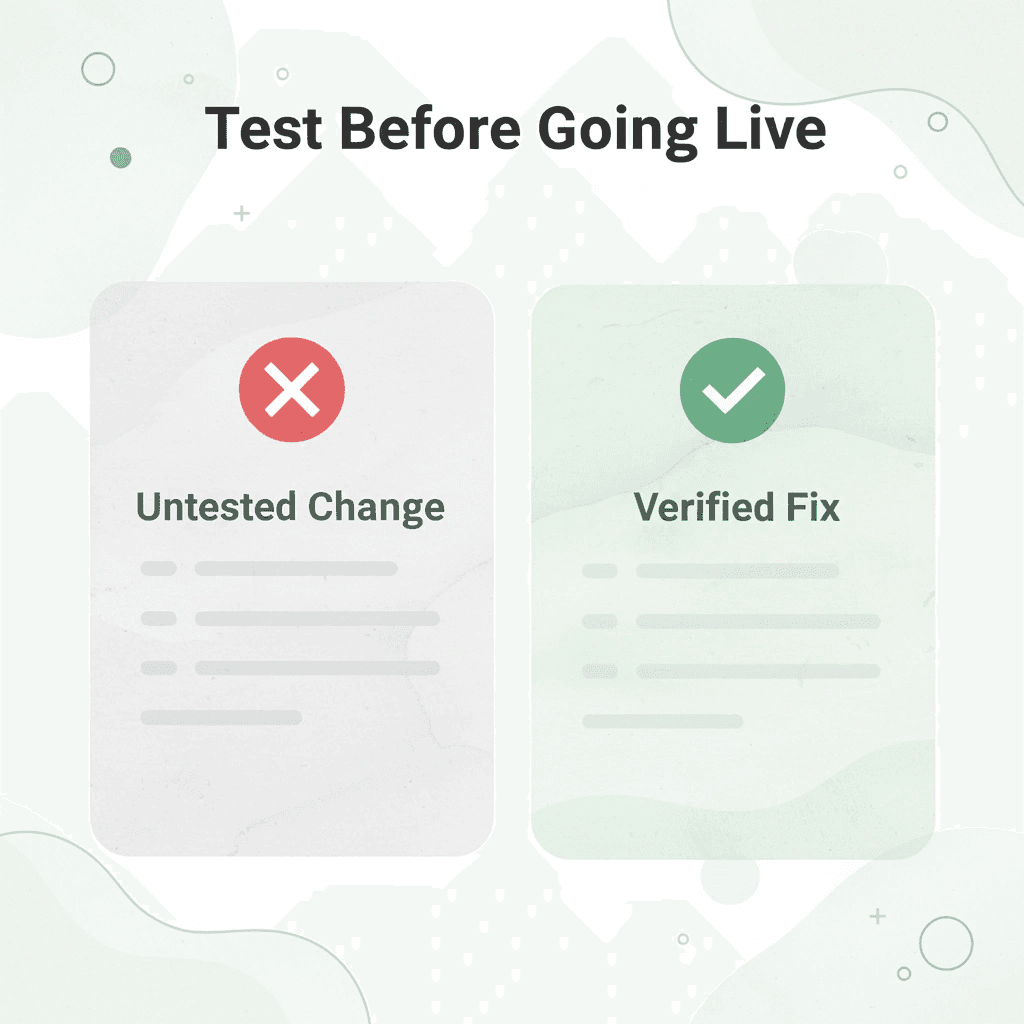
Checking which alternative fix works for your specific problem before making changes to a live pipeline is absolutely critical — it helps prevent expensive mistakes that most teams overlook.
"Making untested changes to a live pipeline is one of the most costly mistakes a scraping team can make — validate your alternative first, every time." — Engineering Best Practices
💡 Tip: Always test your chosen ZenRows alternative in a sandbox or staging environment before touching your live pipeline — even a quick 30-minute validation can save hours of costly downtime.
⚠️ Warning: Skipping the pre-switch validation step is the single most common mistake teams make when migrating between scraping tools — don't let pipeline disruption catch you off guard.
Step | Action | Why It Matters |
|---|---|---|
1. Audit | Identify your core pain points with ZenRows | Ensures you pick the right alternative |
2. Shortlist | Select 2–3 candidate tools | Avoids decision paralysis |
3. Test | Run candidates against a staging pipeline | Prevents live disruptions |
4. Validate | Confirm performance benchmarks are met | Guarantees a safe switch |
Minute 0–10: Test the credit multiplier on your real targets
Run a small, representative scrape against your actual target sites through ZenRows. Check whether JavaScript rendering or premium proxies get triggered, and count how many credits each request uses. This reveals whether the credit multiplier is a real constraint for your pipeline. Teams often assume their targets will use credits at the advertised rate, then discover that heavy JavaScript or Cloudflare protection triggers the 10x or 25x multiplier on nearly every request. That assumption breaks the budget before the project grows.
Minutes 10–15: Check your request frequency against benchmark data
Figure out your typical requests-per-second rate and compare it against independent benchmark data. ZenRows' success rate performs differently at low versus high frequencies, so this check reveals whether reliability at scale is your constraint. Teams often confuse average performance with performance under their specific load. The gap between them is where pipelines break.
Minutes 15–20: Match to the alternative built for your specific gap
Use the comparison from the earlier section to identify one or two candidates that match your confirmed gap. If cost predictability is the issue, match to flat-rate pricing tools. If reliability under load is the issue, match to tools with documented high success rates on protected targets. Matching to a specific, documented strength makes a switch a fix rather than a shuffle. According to Dave's Corner's comparison of top ZenRows alternatives for web scraping in 2025, at least eleven distinct tools merit evaluation, each offering different positioning across pricing, anti-bot bypass, and JavaScript rendering capability. Identifying your confirmed gap first narrows the list to one or two serious candidates.
Minutes 20–30: Run a head-to-head test on the same real task
Run the same representative scraping task from Minute 0–10 through your matched alternative's free tier or trial. Compare cost per successful request and success rate directly against your ZenRows results. This direct comparison—same targets, same task, same volume—confirms whether the alternative solves your identified gap. WebParsers' breakdown of alternatives to ZenRows for web scraping in 2025 shows that alternatives vary significantly in how they handle specific target types. A tool that outperforms ZenRows on one site category can underperform on another.
What does this workflow actually protect against?
The problem was never a shortage of web scraping APIs, proxy rotation services, or anti-bot bypass tools—it was picking by reputation instead of confirmed fit. This workflow forces diagnosis before selection, ensuring migration only happens once the actual problem is confirmed and the fix is verified against real targets.
How does the post-scrape phase become a bottleneck?
Most teams handle post-scraping data by manually sorting, cleaning, or summarizing raw data one row at a time. As datasets grow, this manual step becomes the bottleneck. Teams using Numerous run a simple =AI() function directly inside Google Sheets or Excel to sort, summarize, and generate content from large amounts of scraped data, reducing hours of manual review to minutes.
Before vs. after: what changes
Before this workflow, teams judged different choices based on general reputation, moved a live pipeline, and discovered the same credit-multiplier or reliability problem under a different name. After using this workflow, your targets get tested for the multiplier, your request frequency gets checked against benchmarks, a matched alternative gets tested head-to-head, and the original gap gets confirmed as resolved before full migration.
Why does confirming the specific limitation matter before switching?
The improvement comes from confirming which specific, documented limitation applies to your targets and usage pattern before you switch anything. Collecting cleaner data faster is only half the equation; what you do with that data once it lands in your spreadsheet is where the real leverage lies.
Analyze Your Extracted Data Faster With Numerous
Once your confirmed alternative exports cleaner data into a spreadsheet, most teams manually scroll through rows looking for gaps or anomalies before trusting the output. This review step fails when you have more than a few hundred rows: the process becomes slow, error-prone, and inefficient at scale.
"Manual row-by-row review breaks down fast — what takes under a minute with the right tool can consume twenty minutes or more of your team's time on every single export."
⚠️ Warning: Relying on manual scrolling to catch data gaps in large exports is one of the most common and costly mistakes teams make. At scale, critical anomalies get missed every time.

Teams that move faster open Numerous in the same sheet and ask plain-language questions like "flag any rows that look incomplete" or "summarize what changed since the last export." You do not need new formulas, API keys, or separate tools — answers appear directly inside the spreadsheet, turning a raw export into something you can review in under a minute instead of twenty.
💡 Tip: Using plain-language prompts inside your spreadsheet means anyone on your team — not just analysts — can audit exported data instantly, with zero technical setup required.
Traditional Review Method | With Numerous AI |
|---|---|
Manual row-by-row scrolling | Plain-language queries in-sheet |
Requires formulas or API keys | No technical setup needed |
20+ minutes per export review | Under a minute to insights |
Easy to miss gaps and anomalies | Flags incomplete rows automatically |
Separate tools required | Works inside your existing spreadsheet |
Your scraping platform delivers cleaner data, and our Spreadsheet AI Tool gets you to decisions faster once it arrives. A $1 seven-day trial lets you test it directly against your own exported data with zero commitment required.
🎯 Key Point: The gap between raw exported data and actionable decisions once cost teams hours of manual review. With Numerous, that gap closes in seconds right inside the spreadsheet you're already using.
✅ Best Practice: Run your next data export through Numerous and ask it to flag anomalies and summarise changes before your team touches a single row. You'll never return to manual review.
