Pulling data from websites at scale sounds straightforward until the process starts breaking down. Octoparse is a well-known option among web scraping tools, but it does not suit every use case, whether the friction comes from pricing, a steep learning curve, or limited flexibility. Seven strong alternatives exist that can match different workflows, budgets, and technical skill levels.
Knowing which tool fits a specific need saves time and prevents costly trial and error. Some options prioritize no-code simplicity, while others offer deeper customization for technical users. For those who want to collect and analyze data without jumping between platforms, Numerous brings that process into a familiar spreadsheet environment, and getting started with it as a Spreadsheet AI Tool is a practical first step.
Table of Contents
Summary
Octoparse holds a 3.8 out of 5 rating on Capterra, with poor performance cited as a recurring complaint. That number points to a specific pattern: no-code interfaces remove visible barriers, but the scraping engine underneath still has hard limits. JavaScript-rendered single-page applications expose that gap quickly, returning empty results even when the visual template is configured correctly.
Pricing structure creates friction that often goes unnoticed until a team is already committed. Starting plans run roughly $83 to $119 per month, but accessing API automation requires jumping to a Professional tier at $209 per month. That gap is not a gradual upgrade path. It functions more like a pricing cliff hidden behind a feature label, and it typically surfaces after a workflow has already been built around the lower tier.
Platform compatibility is a quieter but equally real constraint. Octoparse's desktop visual builder requires Windows, which cuts off Mac and Linux users entirely. That limitation rarely appears in initial evaluations and tends to surface only after someone has already invested time learning the platform, making it a costly discovery rather than an easy filter.
The right alternative depends on which specific constraint is actually blocking a team's workflow. ParseHub handles JavaScript rendering and works across Mac, Windows, and Linux. Apify offers API access from the entry level, including $5 in free compute credits per month for testing. Browse AI is built around change detection and monitoring rather than bulk extraction, which fits a different use case entirely.
Data validation is the step most teams skip, and it is where errors quietly compound. Cross-referencing a sample of exported rows against the live source page before building any reporting pipeline on top of the data catches structural drift early. A scraping tool that looks accurate during setup can return incomplete results after a source site updates its HTML, and that shift rarely triggers an obvious error message.
Numerous Spreadsheet AI Tool addresses the post-scraping bottleneck directly, letting teams run categorization, summarization, and data cleansing inside Google Sheets or Excel using a simple =AI() function rather than switching platforms or handling large datasets manually.
Why Teams Look for Alternatives to Octoparse
Octoparse is effective at extracting stable product listings and structured directories: no code required, data in a spreadsheet by lunch. This capability explains its initial appeal.
"No-code scraping tools like Octoparse made structured data collection accessible to teams without engineering resources, but every tool has its ceiling."
💡 Tip: If your use case extends beyond static product listings or simple directories, you may already be hitting Octoparse's limits—the reason teams explore alternatives.
⚠️ Warning: Don't confuse ease of setup with long-term scalability. A tool that delivers data by lunch on day one may become a bottleneck as your scraping needs grow.

] Alt: Magnifying glass examining a web page representing tool evaluation
Use Case | Octoparse Fit |
|---|---|
Stable product listings | ✅ Strong |
Structured directories | ✅ Strong |
Dynamic or JavaScript-heavy pages | ⚠️ Limited |
Large-scale or complex pipelines | ❌ Weak |
🔑 Takeaway: Octoparse earns its reputation for simple, no-code data extraction — but understanding where it excels is the first step to knowing when it's time to look elsewhere.
Where does Octoparse fall short in practice?
Problems emerge with JavaScript-rendered single-page applications and Mac compatibility. According to the Firecrawl Blog's roundup of Octoparse alternatives, Octoparse receives a 3.8 out of 5 rating on Capterra, with poor performance cited as a common complaint. This gap between "no-code" promises and real-world performance at the platform's edges drives teams away.
Hidden costs worsen the problem. Trustpilot reviews cited by Firecrawl show pricing concerns arise frequently. A team on the Standard plan ($83–$119/month) discovers that API automation requires upgrading to the Professional tier at $209/month, a jump that functions as a feature gate.
Octoparse's Windows-only desktop builder excludes developers and analysts on Mac or Linux, a limitation that becomes apparent only after users invest time learning the platform.
How do teams handle data after scraping it?
Most teams manually sort, label, and clean scraped data in spreadsheets. Our Spreadsheet AI Tool lets users run categorization, summarization, and data cleansing directly inside Google Sheets or Excel using a simple =AI function, processing data at scale without switching platforms. Learn more about Numerous
Why does diagnosing the right problem matter before switching tools?
Each limitation points toward a different solution category. JavaScript handling, API access, cost, and operating system problems require distinct fixes. Teams that evaluate replacements without diagnosing which specific limit blocks them often adopt a new tool with a different gap.
The assumption that "no-code" means "no limits" costs teams more than expected.
Related Reading
The Hidden Cost of Assuming No-Code Means No Limits
"No-code" describes how you interact with a tool, not what its engine can reach. A point-and-click builder on top of a limited scraping engine is still a limited scraping engine. Teams discover this problem mid-project, staring at incomplete data from a website they were sure the tool could handle. The friendly interface masks the invisible limits until they cause real problems.
"A point-and-click builder on top of a limited scraping engine is still a limited scraping engine — the interface changes nothing about what the engine can reach."
⚠️ Warning: Don't confuse ease of use with depth of capability. A polished UI is not a guarantee of robust data access — the two are separate concerns.
🔑 Takeaway: The real cost of assuming no-code means no limits emerges mid-project, when incomplete data derails timelines and forces teams to scramble for alternatives.

Where the assumption breaks down fastest
The failure point is usually site architecture, not user error. Modern single-page applications load content through JavaScript after the initial page request, so a scraping engine reading static HTML returns an empty shell. You can set up the template perfectly and still get incomplete data because the mismatch exists below the interface level.
Platform requirements create invisible walls. A Mac-based analyst discovers the desktop builder requires Windows only after spending time on evaluation—a hard stop no template adjustment fixes, appearing after the budget decision, not before it.
What happens after the data lands
Most teams export scraped data to a spreadsheet, then manually sort, filter, and organize rows. This works with small datasets, but hundreds or thousands of rows make manual work impractical. Tools like Numerous solve this by letting teams run AI functions inside Google Sheets or Excel to organize, summarize, and clean bulk data without writing formulas, compressing hours of work into minutes.
The cost that compounds quietly
The API access cliff worsens this problem. A team planning to use the Standard plan at $83–$119/month faces a jump to $209/month for Professional when they need automation—a choice that should have been made at the start. Pricing pages focus on entry-level access rather than showing where important features actually are. The real cost isn't losing an hour here or there; it's discovering each limit only after you've spent time, money, or designed your workflow around a tool that won't work for you.
Once you know which limits matter for your goals, picking the right tool becomes more specific than most comparison lists suggest.
7 Best Octoparse Alternatives
The next critical question is whether the match actually works when you look closely at what each tool offers — and more importantly, what it costs to get there.
"The real test of any alternative isn't just feature parity — it's whether the value-to-cost ratio holds up under scrutiny." — Industry Best Practice
💡 Tip: Before committing to any Octoparse alternative, always evaluate both feature depth and total cost of ownership side by side — the surface-level pitch rarely tells the full story.
⚠️ Warning: Never assume a tool is the right fit based on features alone — pricing tiers, data limits, and hidden costs can make or break the real-world value of any platform.
Evaluation Factor | Why It Matters |
|---|---|
Feature Set | Determines if the tool actually meets your scraping needs |
Pricing Structure | Reveals the true cost beyond the free tier |
Scalability | Shows whether the tool grows with your demands |
Ease of Use | Impacts time-to-value and overall productivity |

1. ParseHub

ParseHub handles JavaScript-rendered pages and single-page applications with documented reliability, running natively on Mac, Windows, and Linux. The visual, point-and-click builder minimizes the learning curve for teams switching from Octoparse. According to the Octoparse Blog's roundup of top free web scrapers, free plans are restricted to 200 pages per run and 5 projects, making the free tier better suited for testing than production workflows.
ParseHub's cloud runs are slower than local ones, which matters at scale. If your team needs speed alongside JavaScript handling, factor that into your evaluation.
2. WebScraper.io

WebScraper.io runs as a Chrome extension, builds sitemaps visually, and offers cloud execution starting around $49 per month: well below Octoparse's Standard tier. For teams running occasional, structured extractions from predictable pages, it eliminates platform dependency and cost premiums without sacrificing familiar workflows.
It breaks down at volume and complexity. WebScraper.io isn't built for large-scale, recurring data pipelines. Teams with simple, infrequent needs will find it sufficient, but growing teams will outgrow it quickly.
3. Apify

Apify is built for teams who need programmatic access by default, not as a paid upgrade. Its marketplace of prebuilt "actors" covers hundreds of common scraping targets, with the full API available from the entry level. According to the Octoparse Blog's comparison of Browse AI alternatives, Apify offers $5 in free compute credits per month, sufficient for meaningful testing before any financial commitment. This addresses the pricing cliff Octoparse creates by gating API access behind its Professional tier.
What are the tradeoffs for non-technical teams?
The tradeoff is that Apify rewards technical users. Non-developers can use prebuilt actors without writing code, but customizing or building new ones requires JavaScript. Without developer capacity, Apify's ceiling is lower than its feature list suggests.
4. Browse AI
Browse AI combines no-code scraping with AI-assisted detection and automated alerts when a monitored page changes. This workflow—watching competitor pricing, tracking job listings, or flagging product availability shifts—differs from Octoparse's template-based bulk extraction model.
Browse AI is built around the recurring, change-detection use case, so its interface, pricing model, and alert logic reflect that. Teams often discover mid-project they need monitoring rather than a one-time scrape, making Browse AI's design more efficient than retrofitting a bulk extraction tool.
5. Bardeen

Most teams export scraped data to CSV, then manually move it through spreadsheets to downstream systems. This works until volume increases and the manual handoff becomes a bottleneck. Bardeen connects scraping directly to downstream actions: pushing data into a CRM, enriching records, or triggering follow-up steps without human intervention.
Bardeen's scraping capability is intentionally secondary to its automation layer. Teams needing high-volume extraction will find it underpowered compared to dedicated scrapers, though teams needing workflow integration will find it solves a problem the other tools on this list don't address.
6. What Happens After the Scrape
The five tools above stop at collecting data. Categorizing hundreds of product descriptions, summarizing competitor pages, and cleaning inconsistent location fields still requires a separate process. Most teams default to manual spreadsheet work, creating a second bottleneck that scraping tools don't address.
Tools like Numerous address that next step directly. Our spreadsheet AI tool lets teams use a simple =AI() function to run ChatGPT prompts across entire columns, classify scraped data by category, generate summaries at scale, or flag anomalies without leaving Google Sheets or Excel. No API keys, no code, no separate platform to manage.
7. PhantomBuster

General-purpose scrapers fail on social platforms because they ignore platform-specific structure, rate limits, and authentication. PhantomBuster is purpose-built for LinkedIn and similar platforms, with automations designed around these constraints. General-purpose tools treat LinkedIn like any other page, causing extraction to break more often and return less structured output.
If social platform data matters to your use case, purpose-built coverage justifies the narrower scope. PhantomBuster's focus on specific platforms makes it more reliable where it operates.
When Octoparse Is Still the Right Call
Switching tools has real costs: rebuilding templates, retraining teams, and accepting reduced output during setup. This cost is justified only if the limitation affects your workflow. For non-technical teams extracting from stable, structured pages like e-commerce listings, job boards, or business directories, Octoparse's 460-plus template library and no-code builder remain effective.
Octoparse is a strong tool for a specific, common use case. The alternatives aren't universally better—they're better for specific constraints. If none of those constraints apply to your situation, switching solves a problem you don't have.
Knowing which tool fits which constraint is straightforward. What's harder is the diagnostic step that precedes the decision.
Related Reading
The 20-Minute Workflow to Choose an Octoparse Alternative
Picking the right web scraping platform takes far less time than most people think when you follow a clear, structured plan. The 5 stages below separate the decision into 20 focused minutes, each one building on the last so your final choice is based on facts — not just gut feeling.
"A structured decision framework reduces tool-selection time by eliminating guesswork and focusing only on criteria that directly impact your workflow." — Web Automation Best Practices
Stage | Focus | Time |
|---|---|---|
Stage 1 | Define your scraping requirements | 4 minutes |
Stage 2 | Shortlist platforms by feature fit | 4 minutes |
Stage 3 | Compare pricing and scalability | 4 minutes |
Stage 4 | Test usability and learning curve | 4 minutes |
Stage 5 | Make your final, fact-based decision | 4 minutes |
💡 Tip: Don't skip Stage 1 — defining your exact requirements upfront is the single most important step that prevents costly tool-switching later.
⚠️ Warning: Choosing a platform based on gut feeling alone — without running through each stage — is the most common mistake teams make, often leading to wasted budget and lost scraping time.
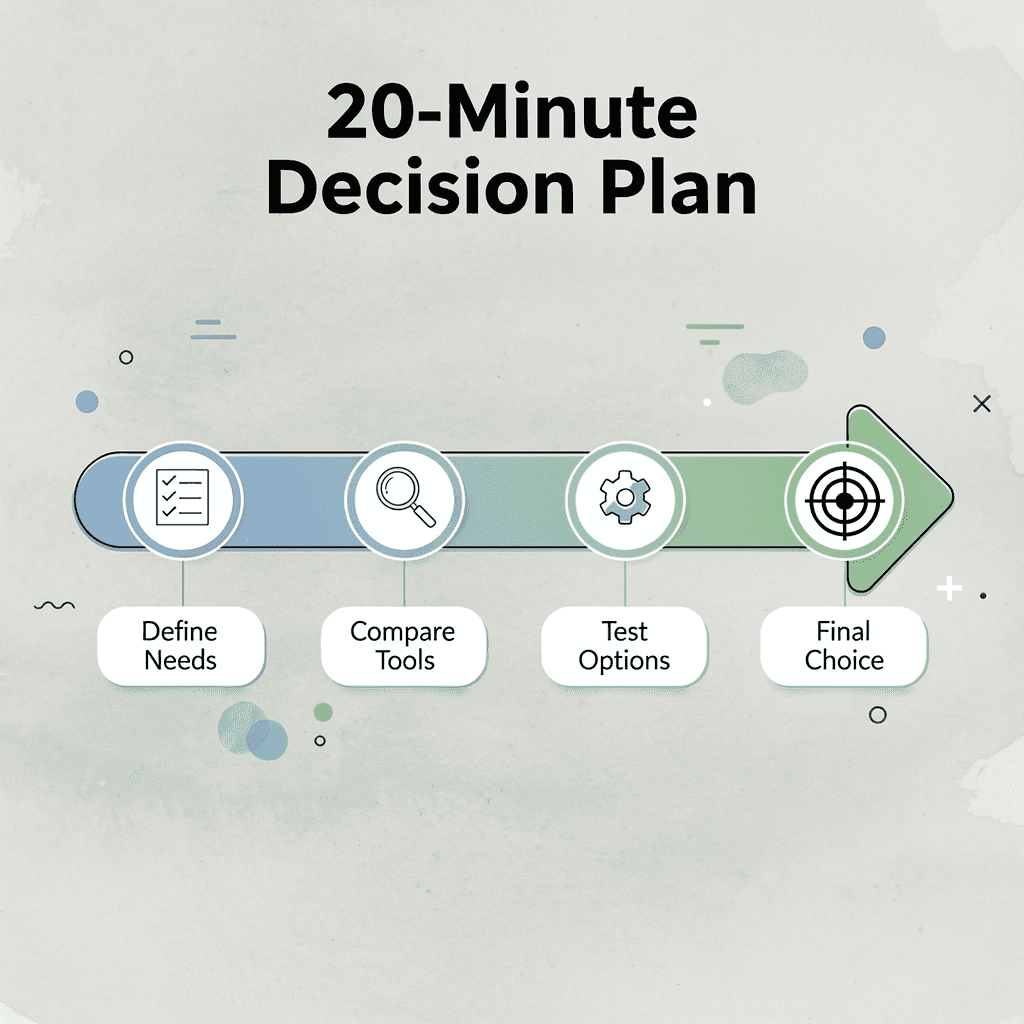
Minute 0–5: Define What You're Actually Collecting
Start with the data source, not the tool. Write down the specific websites you need to scrape, whether pages load content dynamically through JavaScript, and how frequently data changes. A competitor pricing page updating hourly demands different infrastructure than a static product catalog pulled once monthly.
Teams often skip this step and jump to platform demos before answering: what does success look like for this extraction? Without that anchor, every tool appears equally capable, and you choose based on interface aesthetics rather than technical fit.
Minutes 5–10: Compare Platforms Against Your Constraints
Once you've decided on your data sources, test each platform option using five evaluation criteria: dynamic content handling, pricing transparency, API-first architecture, scalability, and integration with modern development tools. According to the Firecrawl Blog, these criteria reveal gaps that marketing pages conceal.
How do real constraints shorten your platform list fast?
Constraint-based comparison changes how you read pricing pages. If your workflow requires API access, you immediately rule out tools that lock it behind premium tiers. If your team works across Mac and Windows, platform compatibility becomes a hard requirement. The list shrinks quickly when you apply real constraints instead of comparing every feature.
What do free tiers reveal before you spend a dollar?
Free tiers show more than paid plans do. According to the Octoparse Blog, Apify offers $5 in free compute credits per month while ParseHub provides 5 free projects with 200 pages per run. These limits reveal how each platform allocates resources before you commit financially.
Minutes 10–15: Run a Real Extraction Test
Pick one URL from your target list and run a live test on your real data source under real conditions. Review data accuracy, pagination handling, dynamic element rendering, and extraction speed from trigger to export.
A five-minute test surfaces problems no comparison guide will mention. If the platform misses nested data structures or fails on JavaScript-rendered tables, you know before committing. A tool taking 45 minutes to extract 300 rows introduces a bottleneck that compounds at scale.
Minutes 15–18: Validate the Output Before Trusting It
Open your exported dataset and cross-reference a sample of rows against the live webpage. Look for missing records, duplicate entries, malformed values, and inconsistent formatting. These issues are cheap to fix at 300 rows and expensive to discover after you've built a reporting pipeline on corrupted data.
Why does validation matter when the source site changes?
The same problem appears in SEO monitoring and lead generation workflows: a scraping tool that looks correct during setup can drift silently when the source site changes its HTML structure. Validation catches that drift early.
How can you speed up post-scraping cleanup at scale?
Most teams handle post-scraping cleanup by manually sorting, relabeling, and categorizing rows in a spreadsheet, a process that becomes the bottleneck once datasets hit a few thousand records. Our Numerous spreadsheet AI tool lets you apply AI-powered categorization, summarization, and data cleaning directly inside Google Sheets using a simple =AI function, compressing hours of manual formatting into seconds per column.
Minutes: 18–20 Build the Repeatable Workflow
Set up a recurring run schedule, name your export files with consistent rules, and map where the cleaned data flows next—whether to a dashboard, CRM, or shared spreadsheet. Document the workflow while it's fresh to eliminate guesswork when team members change or the source site updates. A repeatable workflow removes you as the single point of failure.
A repeatable web scraping workflow is not about automation for its own sake: it's about building a system you can schedule, document, and hand off.
The Before and After That Actually Matters
Before this workflow, most teams evaluate scraping tools by watching demo videos and reading feature lists, then select the platform with the most impressive user interface. They hit a wall when their target site uses JavaScript rendering and restart the evaluation two weeks later.
What does a grounded evaluation actually look like?
After the workflow, the decision is based on a real extraction test against your actual data source, validated output you've personally reviewed, and a documented process that scales without constant intervention. The time savings come from the structure, not from the tool's power.
The right Octoparse alternative clears your specific technical constraints, passes your real-world extraction test, and fits into a workflow your team can maintain without constant intervention.
Once the data is clean, organized, and flowing into your spreadsheet, the next question proves harder than the scraping itself.
Analyze Your Extracted Data Faster With Numerous
Getting the data out is step one. What you do next determines whether that export becomes a decision or another forgotten tab.
"The sheet becomes the workspace where raw extraction turns into actionable business input." — Numerous
💡 Tip: Don't let exported data sit idle. Every minute spent manually scanning rows is a minute your competitors are already acting on insights.

Most teams paste scraped results into a sheet and manually scan rows for 20 minutes before trusting the data enough to act. Numerous works inside the same Google Sheet your scraper exports to. Ask our spreadsheet AI tool a plain-language question like "flag duplicate entries" or "summarize pricing differences across these rows," and it returns a usable answer without formulas, API keys, or a separate tool. The sheet becomes the workspace where raw extraction turns into actionable business input.
Traditional Workflow | With Numerous |
|---|---|
Manually scan rows for 20+ minutes | Get answers instantly in plain language |
Requires formulas or API keys | No technical setup needed |
Switch between multiple tools | Stay inside one Google Sheet |
Raw data sits unanalyzed | Extraction becomes action immediately |
🎯 Key Point: Numerous eliminates the gap between data extraction and data decision — no extra tools, no extra steps.
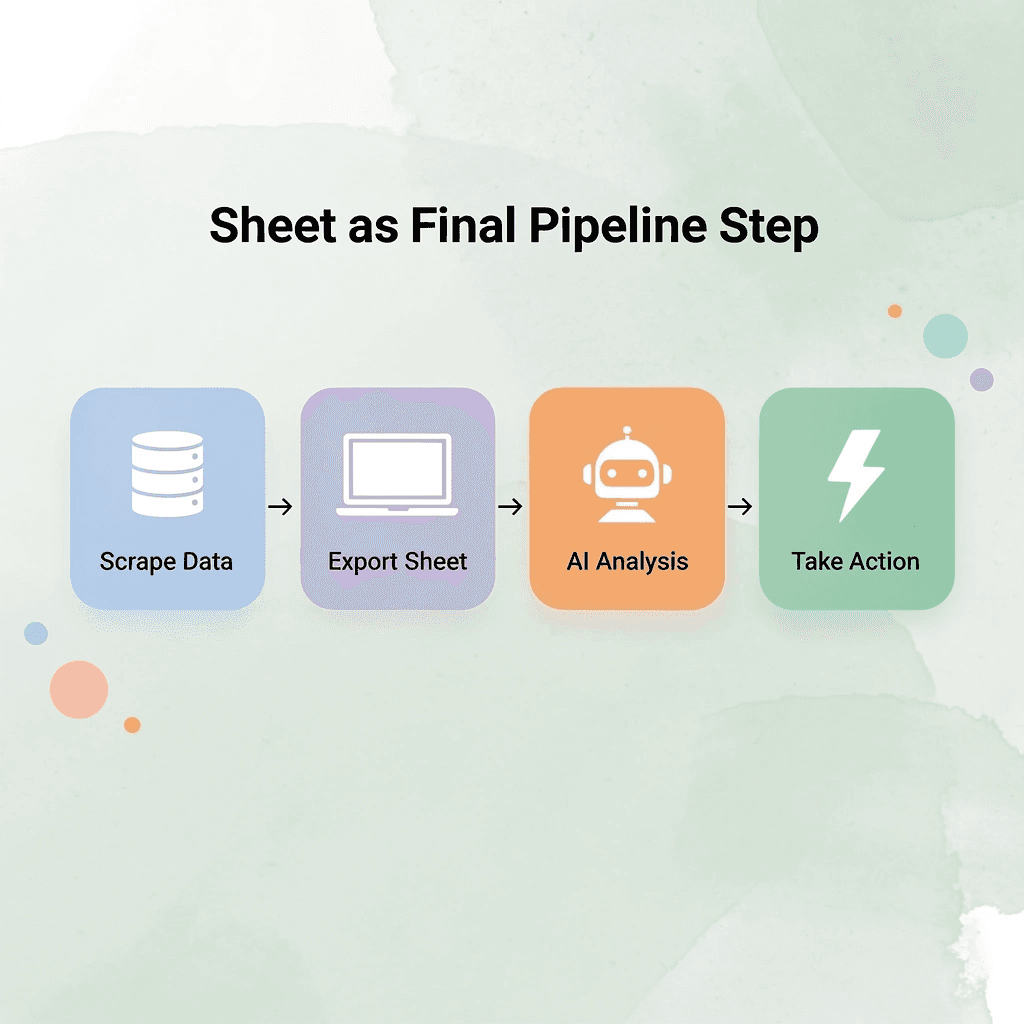
The teams that close the gap fastest treat the sheet itself as the final step in the pipeline, not a waiting room for analysis that happens elsewhere.
⚠️ Warning: If your team treats the spreadsheet as a staging area rather than a decision-making workspace, you're adding unnecessary delay to every insight cycle.
🔑 Takeaway: The fastest path from raw scraped data to real business action runs directly through your spreadsheet: make it the endpoint, not a pit stop.