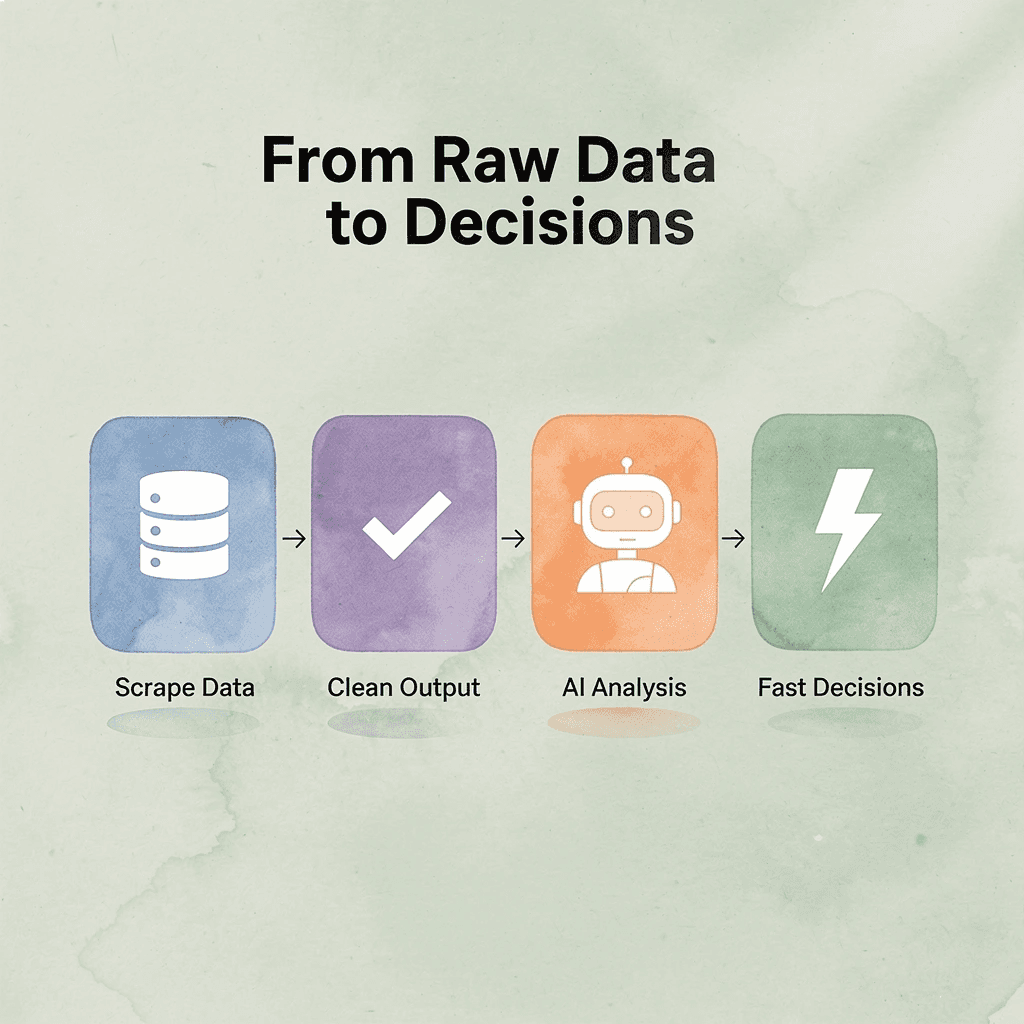
When Firecrawl stops meeting the mark, whether due to speed limitations, inconsistent data extraction, or restricted crawling flexibility, finding a reliable replacement becomes a priority. Seven strong alternatives cover the range from open-source scrapers to AI-powered crawlers and no-code tools, each evaluated so teams can make a confident switch in under 30 minutes.
Collecting the data is only half the work. Turning raw scraped output into something actionable often requires just as much effort, which is where a purpose-built solution makes a real difference. Numerous helps users run AI-driven analysis directly inside their spreadsheets, cutting the time spent cleaning and categorizing web data, and its Spreadsheet AI Tool connects that gap between scraping and decision-making.
Table of Contents
Why Teams Look for Alternatives to Firecrawl
The Hidden Cost of Assuming Clean Output Means Reliable Access
7 Best Firecrawl Alternatives for Web Scraping in 30 Minutes
The 30-Minute Workflow to Choose a Firecrawl Alternative
Analyze Your Extracted Data Faster With Numerous
Summary
Web scraping reliability and output quality are not the same measurement. Independent benchmarks show that Firecrawl completes just 33.69% of requests on protected sites at standard load, meaning teams seeing clean, well-formatted output may only be receiving roughly one-third of the data they actually needed. Trusting visible results without auditing the access process that produced them is how gaps compound into flawed decisions.
Credit consumption unpredictability is a distinct problem from access reliability, and teams often conflate the two. Firecrawl's agent endpoint can consume anywhere from 100 to 1,500+ credits per query with no advance estimate, and lower-tier plans cap crawls at 50 pages, meaning pipelines hit billing ceilings faster than expected. A partially completed agent query can return structurally complete output while covering only a fraction of the intended scope.
Licensing terms matter as much as feature lists when evaluating open-source scraping tools. Firecrawl's self-hosted version carries AGPL terms, which impose specific conditions on derivative works, while alternatives like Crawl4AI use Apache 2.0 licensing. For teams building internal tools or proprietary pipelines, that distinction can affect deployment timelines and legal review more than any individual feature comparison.
Performance differences between scraping tools narrow significantly on unprotected, accessible sites. The Gumloop Blog's analysis of eight Firecrawl alternatives found this pattern consistently, which means teams migrating platforms because of reputation concerns rather than confirmed performance gaps often encounter the same constraints under a different name. Confirming which specific, benchmarked limitation applies to a pipeline before switching is what separates a fix from a lateral move.
Poor data quality costs organizations an average of $12.9 million per year according to IBM Think Insights, and a significant share of that loss traces back to trusting collection output without validating the process behind it. Only 3% of enterprise data meets basic quality standards according to Satori Cyber's analysis, a figure that reflects how often the scraping layer gets treated as reliable without independent verification against actual target sites.
Numerous Spreadsheet AI Tool addresses the gap between raw scraped output and actionable decisions by letting teams run AI-driven classification, validation, and summarization directly inside Google Sheets or Excel using a single formula, without requiring separate API connections or additional platforms.
Why Teams Look for Alternatives to Firecrawl
Firecrawl does what it promises: it converts URLs into clean, structured markdown for language models. The 150,000+ companies using it aren't wrong. The problem emerges when teams assume clean output means reliable access and build production pipelines on that assumption.
"The problem emerges when teams assume clean output means reliable access and build production pipelines on that assumption." — Key Insight
🎯 Key Point: Firecrawl's core strength is converting URLs into structured markdown, but clean output and consistent access are two different guarantees.
⚠️ Warning: Building mission-critical pipelines on the assumption that clean formatting equals reliable, uninterrupted access is one of the most costly mistakes teams make at scale.

What is the core mismatch between Firecrawl and production pipeline demands?
The failure point is a mismatch between what Firecrawl was optimized for and what the pipeline demands. Firecrawl was built to convert accessible pages into LLM-ready content, not as a dedicated anti-bot bypass engine. When teams point it at competitor pricing pages, protected data sources, or rate-limited endpoints, they're asking a formatting specialist to do an access specialist's job.
How does Firecrawl's pricing structure create forecasting problems?
According to the Skyvern Blog's analysis of Firecrawl reviews and alternatives, AI extraction features start at $89 per month for tokens: a high cost before confirming the tool can reliably reach your target sites. The Skyvern Blog also notes a dual pricing structure combining tokens and scraping credits, making costs harder to predict than a flat-rate model, particularly for high-volume work or agent-based operations.
Credit consumption adds uncertainty. The /agent endpoint uses anywhere from 100 to 1,500 or more credits per query with no way to know ahead of time how many credits a crawl will consume. Most teams discover this only when their credit balance drops faster than expected.
How can teams act on scraped data without adding technical overhead?
Most teams that work with scraped data still process it by hand using spreadsheets. Numerous Spreadsheet AI Tool lets teams run AI-driven analysis directly inside Google Sheets or Excel using a single =AI function, making it faster to turn raw output into actionable decisions without requiring additional technical support.
Why does picking a Firecrawl alternative without diagnosing the failure mode reproduce the same friction?
Teams rarely identify which specific gap slows them down. Protected-site reliability, credit unpredictability, and self-hosting limitations are distinct problems requiring different solutions. Picking a Firecrawl alternative by reputation without matching it to the documented failure mode often reproduces the same friction under a different name. What clean, well-formatted output obscures about your access reliability matters more than most teams realize.
Related Reading
The Hidden Cost of Assuming Clean Output Means Reliable Access
Clean output and reliable access are not the same thing. Teams that treat them as the same build pipelines on a foundation that looks solid until it quietly isn't. According to IBM Think Insights, poor data quality costs organizations an average of $12.9 million per year, much of it from assuming visible results reflect reliable underlying processes.
"Poor data quality costs organisations an average of $12.9 million per year — much of it from assuming visible results reflect reliable underlying processes." — IBM Think Insights
⚠️ Warning: Clean-looking output is not proof of a healthy pipeline. A process can appear to work while silently degrading. By the time the failure is visible, the cost is already compounding.
🔑 Takeaway: The $12.9 million annual price tag of poor data quality is a trust problem, not just a budget one. When teams conflate surface-level cleanliness with structural reliability, they lose the ability to catch failures before they become catastrophic.

Why output quality becomes a false proxy
The failure point is usually about thinking, not technology. When a tool returns nicely organized markdown, your brain assumes it worked and stops asking questions. But formatting happens after information retrieval, so every clean page you receive only confirms those specific requests succeeded. Failed requests never appear in your output for review. You're judging the tool solely on requests it won. Proxyway's independent benchmark found Firecrawl completing just 33.69% of requests on protected sites at standard load, meaning a team seeing clean output could be looking at roughly one-third of what they actually needed.
The compounding problem with structured data pipelines
When scraping feeds into a structured workflow—such as a spreadsheet tracking competitor pricing, a research database, or a content audit—incomplete access means downstream output carries gaps that resemble data, not errors. Most teams spot-check a few rows manually, catching obvious failures but missing systematic ones. Numerous changes this: our AI-powered spreadsheet tool lets teams run bulk classification or validation across scraped data with a single =AI function, surfacing patterns that signal incomplete coverage before gaps compound into decisions. The tool works where researchers and marketers already operate, eliminating the need for a separate QA pipeline.
The self-hosting assumption that compounds the gap
The same pattern repeats with self-hosted web scraping setups. Developers assume open-source feature parity, deploy to production, and discover specific gaps only after embedding them in live workflows. According to Satori Cyber's analysis of data costs, only 3% of enterprise data meets basic quality standards—reflecting how often the collection layer gets trusted without verification. Self-hosting trades infrastructure control for documented reliability gaps that remain invisible until a production crawl returns incomplete results.
Credit consumption as a hidden reliability signal
Unpredictable credit consumption reveals how well a team understands the tool's access mechanics. When agent-based operations use 100 to 1,500+ credits per query without advance estimates, teams cannot distinguish between "this crawl succeeded" and "this crawl ran out of budget partway through." Partially completed agent queries appear structurally complete while covering only a fraction of the intended scope—a reliability gap masked by clean formatting.
Matching the tool to the actual failure mode
Check independent success-rate benchmarks for your target site's protection level before committing to a pipeline. The right tool for a lightly protected blog differs from one for a login-gated database or JavaScript-heavy e-commerce site. Alternatives to Firecrawl—API-based scrapers, headless browser solutions, rotating proxy networks, or AI-powered data extraction platforms—benchmark differently against different protection types. Choosing by general reputation rather than documented success rate against your specific target causes teams to solve the same problem twice. The decision comes down to knowing which alternative fits your target site and evaluating each one efficiently.
7 Best Firecrawl Alternatives for Web Scraping in 30 Minutes
Matching the right tool to the right gap is the whole game. Generic "best alternatives" lists skip that critical step, which is how teams end up moving to a new platform only to hit the same problem.
"The biggest mistake teams make isn't choosing the wrong tool — it's choosing a tool without first identifying the gap they're actually trying to fill." — Web Scraping Best Practices
💡 Tip: Before evaluating any alternative, define your exact bottleneck first — whether it's speed, cost, JavaScript rendering, or anti-bot handling. A tool that solves the wrong problem is no solution at all.
⚠️ Warning: Generic comparison lists are built for clicks, not clarity. They routinely skip the use-case matching step that determines whether a tool will actually work for your specific scraping needs.
What You Need | What to Look For |
|---|---|
JavaScript-heavy sites | Headless browser support |
Large-scale scraping | High concurrency & rate limits |
Budget constraints | Free tier or pay-as-you-go pricing |
Structured data output | Built-in parsing & formatting |
Anti-bot bypass | Rotating proxies & CAPTCHA handling |

1. Zyte

Zyte solves one specific problem: protected sites that reject most scrapers. In the Proxyway benchmark, Zyte achieved 93.14% completion on protected targets versus Firecrawl's 33.69%. If your pipeline depends on sites with active anti-bot defenses, this gap is the deciding factor.
2. ScrapeGraphAI

ScrapeGraphAI fills a specific need: teams want organized, AI-ready output with predictable costs. It changes URLs directly into structured data for LLM pipelines while charging in simpler ways than Firecrawl's dual token-plus-credit model. Independent testing across seven areas shows it works meaningfully better than Firecrawl on comparable extraction tasks, making it a trustworthy single-platform choice.
3. Crawl4AI

The failure point in most self-hosted scraping setups is the second month, when edge cases emerge and documentation runs out. Crawl4AI is Apache 2.0 licensed, runs entirely on your own infrastructure, and produces LLM-ready markdown output with adaptive crawling built in. There are no per-page billing surprises, no credit expiry timers, and none of the status-check or header-passing issues documented in Firecrawl's self-hosted behavior.
Why does the license matter more than the feature list?
Most teams comparing open-source scrapers focus on feature lists. The more useful comparison is license obligations: Firecrawl's self-hosted version carries AGPL terms, which impose conditions on derivative works, while Crawl4AI's Apache 2.0 license does not. For teams building internal tools or proprietary pipelines, that distinction matters more than individual features.
4. Spider

Spider's bandwidth-based pricing at roughly $0.75 per 1,000 pages offers predictable costs without surprise charges. For scraping text-heavy websites with moderate data volumes from easily accessible pages, this straightforward pricing model works well.
5. Jina Reader

If your use case is single-URL text extraction for LLM context without full crawl organization, Jina Reader avoids Firecrawl's API overhead. It offers 20 requests per minute without an API key and 500 per minute with a free key, covering meaningful real-world extraction workloads at no cost.
Extracted data often moves into spreadsheets for review, categorization, or downstream processing. When content needs AI-assisted classification or summarization, Numerous removes friction by letting teams apply a single =AI() function across hundreds of rows to classify, reformat, or summarize extracted content without leaving the spreadsheet or setting up an additional API connection.
6. Apify

According to the Nimbleway Blog's comparison of 7 Firecrawl alternatives by use case, Apify consistently emerges as the best choice for teams needing to extract data beyond clean markdown conversion into structured fields, SERP data, or site-specific templates. Its actor marketplace lets you deploy pre-built scrapers instead of writing them from scratch. For mixed pipelines, Apify often complements Firecrawl rather than replacing it.
7. ParseHub

ParseHub is a good fit for users who need a visual, no-code scraper that can handle JavaScript-heavy websites. Its point-and-click interface makes it accessible for non-developers, while support for scheduled runs and API access helps automate recurring scraping tasks. For teams that prioritize ease of use over extensive customization, ParseHub offers a practical alternative to Firecrawl.
When Firecrawl Is Still the Right Call
Switching tools has real costs: new documentation, error patterns, and billing logic to learn. For teams scraping accessible, non-protected pages and feeding output into LLM pipelines or tools like Claude Code and Cursor, Firecrawl's core strength is genuine. The documented gaps matter only when your specific targets or usage patterns hit them.
Why Matching Beats Ranking
A ranked list of alternatives assumes every team has the same bottleneck. They do not. One team's primary constraint is a 33% success rate on a protected competitor's pricing page; another team's constraint is a $400 monthly bill that was supposed to be $90; a third team's constraint is an AGPL license that legal flagged before deployment. The same tool cannot be the right answer to all three.
Why should you name the gap before choosing a tool?
The better approach is to name the specific gap first, then match the tool built for that gap. Firecrawl's own blog comparing 9 best tools for dynamic web scraping in 2026 reinforces why a single ranked list is the wrong frame: different tools perform differently across different scraping contexts.
How do the six alternatives map to distinct failure modes?
The six alternatives above cover three distinct failure modes: protected-site reliability (Zyte, ScrapeGraphAI), credit unpredictability (Spider, Jina Reader), and self-hosting maturity (Crawl4AI). Apify sits apart as a platform play for broader extraction needs. Identifying which category your problem falls into narrows a confusing market to two or three credible candidates. The other half of the work is testing fast enough that you discover problems before moving a production pipeline.
Related Reading
The 30-Minute Workflow to Choose a Firecrawl Alternative
Testing fast enough to find out before you've moved a production pipeline is the right instinct. The workflow below separates diagnosis from testing so you only switch when you've confirmed a real problem exists.
"The fastest way to choose the wrong tool is to skip diagnosis entirely — switching before you've confirmed the problem wastes more time than the original issue." — SRE Best Practices
Phase | Goal | Outcome |
|---|---|---|
Diagnosis | Identify the real problem | Confirmed issue before acting |
Testing | Validate the alternative | Proven fit for your pipeline |
Switching | Migrate with confidence | Zero wasted production moves |
💡 Tip: Always run diagnosis first — jumping straight to testing a new tool without confirming the problem is the most common time-wasting mistake teams make.
⚠️ Warning: Moving a production pipeline before completing both phases is a critical risk — confirm the problem is real, and the alternative is proven before you commit.

Minute 0-10: Check Your Target Sites Against Independent Benchmarks
The first question isn't "which alternative is better?" It's "does my specific scraping target expose Firecrawl's documented weakness?" Review whether your targets fall into the protected-site category and compare Firecrawl's 33.69% completion rate against your acceptable failure threshold. If your targets are mostly accessible pages, reliability may not be your constraint, and switching tools won't improve your outcomes.
This check eliminates the most common migration mistake: moving platforms because of reputation concerns rather than confirmed performance gaps. The Gumloop Blog tested 8 Firecrawl alternatives and found performance differences narrow significantly on unprotected, accessible sites. Knowing where your targets sit takes ten minutes and saves weeks.
Minutes 10-15: Audit Your Actual Credit Consumption Pattern
Pull your Firecrawl billing history and check the ratio of agent-based or crawl operations to simple page scrapes. Credit unpredictability stems from multi-step agent queries or deep crawls, not straightforward single-page extractions. If your usage is mostly flat and predictable, credit volatility remains theoretical rather than operational. Teams typically audit their bill after a spike rather than before migration. According to the Skyvern Blog's review of Firecrawl pricing and alternatives, lower-tier plans cap crawls at 50 pages, so moderate crawl depths hit billing ceilings faster than expected. Check this ceiling against your actual job sizes before assuming cost is your primary problem.
Minutes 15-20: Match to the Alternative Built for Your Specific Gap
If your audit finds a real gap, match it to one or two candidates based on your specific category: protected-site reliability, credit predictability, or self-hosting maturity. Specificity converts a switch into a fix rather than a lateral move. Teams often evaluate alternatives by general reputation instead of documented, benchmarked strengths. A tool with strong AI extraction features solves nothing if your actual constraint is anti-bot bypass rate. Specificity isn't a detail: it's the whole point.
Minutes 20-30: Test Against a Real Task, Not a Demo
Run your highest-risk or highest-cost scraping task through your matched alternative's free tier or trial. Compare success rate and cost directly against your current Firecrawl results on the same target. A direct test on a real task is the only way to confirm whether the alternative addresses your identified gap. Most teams compare scraped outputs, flag failures, and track cost-per-page in spreadsheets, work that slows as data volume grows. Numerous lets teams run structured AI analysis directly inside Google Sheets using a single =AI() function, keeping evaluation where data already lives.
Why This Sequence Works
The problem wasn't a shortage of web scraping tools: it was picking tools in general instead of confirming which specific, tested limitation applied to your pipeline. This workflow forces that confirmation before migration begins. Constraint-based thinking applies here: if your targets are accessible, test for cost. If your targets are protected, test for bypass rate. If your team needs to self-host, test for licensing and deployment maturity. Each step narrows the decision to the one variable that matters for your situation.
What changes when you apply this workflow?
Before this workflow, teams would evaluate options based on general reputation, migrate their pipeline, and encounter the same reliability or credit-unpredictability problem under a new platform name. After this workflow, target sites are checked against independent benchmarks, credit use is audited against billing data, a matched alternative is tested on a live task, and the original gap is confirmed resolved before full migration begins. The improvement comes from confirming which specific, documented limitation applies before switching.
Why does confirming the right tool only solve half the problem?
But confirming the right tool is only half the equation; what you do with the data once it arrives is where most pipelines lose their edge.
Analyze Your Extracted Data Faster With Numerous
Once your confirmed alternative is exporting clean data, the next failure point is the same: someone opens the sheet and reads row by row. That manual review step—checking for missing values, incomplete records, or structural inconsistencies—takes longer than the scrape itself and introduces human error before any decision gets made.
"The manual review step takes longer than the scrape itself and introduces human error before any decision gets made."
⚠️ Warning: Reviewing data row by row is not a quality control strategy. It's a bottleneck that compounds errors and kills decision-making speed.

Teams that use Numerous in the same Google Sheet skip that bottleneck entirely. Type a plain-language question like "flag any rows that look incomplete," and the AI function returns a structured answer in under a minute. No API keys, no new platform to learn—just an =AI function working exactly where your data lives.
💡 Tip: With Numerous, you don't need to leave your Google Sheet or learn a new tool—a single plain-language prompt replaces hours of manual review.
The scraping platform switch gets you more reliable data in. Numerous gets you faster, cleaner decisions out. Both steps matter.
Step | Tool | Outcome |
|---|---|---|
Data extraction | Confirmed scraping alternative | Reliable, clean data input |
Data analysis | Structured decisions in under a minute | |
Combined workflow | Both tools together | End-to-end accuracy with zero bottlenecks |
🎯 Key Point: A faster scraper means nothing if your review process is still manual—pairing clean data in with Numerous analysis out is the complete solution.