
10 Ways to Automate Bank Reconciliation in Excel and Save 5 Hours

10 Ways to Automate Bank Reconciliation in Excel and Save 5 Hours

Riley Walz

Riley Walz

Riley Walz

Jan 8, 2026

Jan 8, 2026

Jan 8, 2026

person working - Ways to Automate Bank Reconciliation in Excel

You stare at a stack of bank statements and a messy ledger; how many hours have you spent matching transactions, hunting duplicates, and fixing balance differences? Learning formulas such as VLOOKUP, XLOOKUP, or INDEX MATCH; pivot tables; conditional formatting; Power Query; macros; or How to Use Apps Script in Google Sheets can turn that pile into an automated workflow. To help readers learn 10 Ways to Automate Bank Reconciliation in Excel and Save 5 Hours, this guide provides clear steps for automating matching, building reconciliation templates, creating audit trails, and reducing wasted time.

Numerous's Spreadsheet AI Tool accelerates the process by suggesting formulas, finding matches, spotting duplicates, and assembling reconciliation reports, so you can apply those 10 ways and reclaim hours each month.

Summary

  • Manual bank reconciliation is a major time sink, with finance teams spending up to 10 hours per week on it, turning month-end into a bottleneck rather than a checkpoint.  

  • Spreadsheet-first workflows remain dominant, with about 70% of companies still using spreadsheets for reconciliation. That ubiquity breeds brittle, inconsistent methods as volume grows.  

  • Automation delivers measurable gains: studies show companies can reduce reconciliation time by up to 50% when processes are automated rather than handled manually.  

  • Inconsistent bank exports and narration fields break lookups and force manual matching, a problem that becomes obvious at scale when one side has 500 rows and the other 620. Following the article's 10-step sequence can reclaim roughly 5 hours of work.  

  • The pain is widespread: 80% of finance teams report spending too much time on manual reconciliation tasks. Standardizing inputs and making matches deterministic reduces exceptions, preventing them from multiplying.  

  • Manual methods also erode controls and knowledge transfer, since a simple rule divergence can inflate training from about one hour to a full day and leave audit trails incomplete.  

  • This is where Numerous's Spreadsheet AI Tool fits in: it suggests formulas, finds matches, spots duplicates, and generates reconciliation reports so teams can apply the 10-step workflow and reclaim hours each month.

Table of Contents

  • Why Bank Reconciliation in Excel Still Wastes So Much Time

  • 8 Real Consequences of Keeping Bank Reconciliation Manual

  • 10 Simple Actions That Truly Automate Bank Reconciliation

  • How to Implement Everything Immediately Using Numerous

  • Make Decisions At Scale Through AI With Numerous AI’s Spreadsheet AI Tool

Why Bank Reconciliation in Excel Still Wastes So Much Time
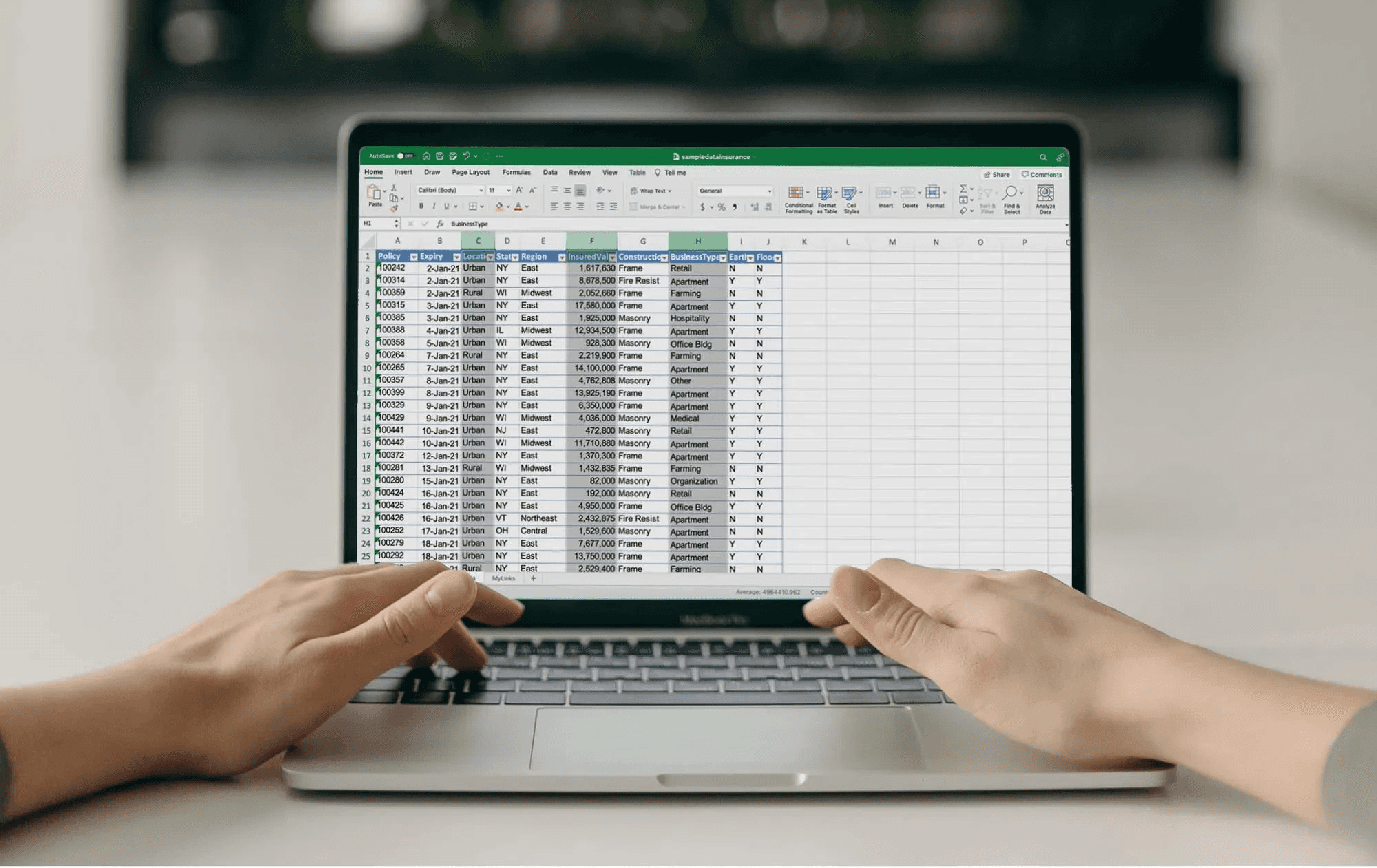
 Person working on spreadsheet on laptop -  How to Automate Reconciliations in Excel

Bank reconciliation slows you down because the routine steps require judgment, cleaning, and exception handling that spreadsheets alone do not surface, and because those steps are repeated every period. You can remove most of the busywork by using Google Sheets with Apps Script to normalize inputs, run fuzzy matches, and flag true exceptions for human review.

Why does matching stay manual?

When we rebuilt reconciliation flows for small finance teams, the pattern was clear: people spent hours scanning two lists, hunting for identical amounts rather than reviewing the results. That manual hunt becomes crushing at scale, especially when one side has 500 rows and the other 620, and it forces skilled reviewers to do low-value work instead of making decisions.

How do bank exports break your formulas?

Banks export data in their own column order, date formats, and narration styles, so VLOOKUP or INDEX/MATCH usually fail until you clean the file. I use Apps Script to create a small mapping layer that renames columns, coerces dates to ISO format, and extracts payment references using regular expressions. Once the sheet accepts a normalized feed, simple array formulas and scripted fuzzy matching do the heavy lifting reliably.

What hides inside descriptions and split payments?

Narration fields are short traps: long, inconsistent text that masks duplicates, partial payments, or bank fees. A practical approach is to normalize narratives, token-match key reference patterns, and then run amount-grouping logic to surface likely splits. Apps Script can attempt multi-row grouping heuristics, then annotate which groups need human judgment, so you never blindly accept or reject matches.

Most teams handle reconciliation in spreadsheets because it is familiar and requires no new platform training. That familiarity works early on, but as exceptions multiply, manual rules become brittle and review time balloons. Platforms like Numerous offer an alternative approach by automating parsing, fuzzy matching, and rule-based exceptions, enabling teams to shift from hunting matches to validating outcomes, compressing review cycles, and reducing repetitive rework.

Why the time sink is worse than it looks

According to ReconArt Blog, 70% of companies still use spreadsheets for reconciliation processes, a 2023 finding that explains why spreadsheet-first tactics still determine how most teams work. And labor costs matter: ReconArt Blog, Manual reconciliation can take up to 10 hours per week for finance. The ReconArt Blog, 70% of companies still use spreadsheets for reconciliation, a 2023 finding that helps explain why spreadsheet-first tactics still shape teams, a 2023 estimate that helps explain why month-end becomes a bottleneck instead of a checkpoint.

How to start with Apps Script without breaking things

If you are nervous about scripting, begin with three low-risk automations: automated column mapping during file import, a date normalizer, and a narration cleaner that runs on a timed trigger. Those three steps dramatically reduce false negatives and are reversible because they write to new columns rather than overwrite raw data. After that, add a fuzzy-match pass that produces candidate pairs and a confidence score; keep anything below the threshold for manual review.

A quick analogy to make it real

Think of your sheet as a workshop bench. Right now, you are using a hammer for every job. App Script gives you the screwdriver and wrench for tasks the hammer can't handle, letting you stop making repairs and start building consistent results. This pattern appears across bookkeeping teams and controllers: the same tactical fixes work until exceptions scale, at which point process drift hides real risk and people revert to manual checks because they feel safer. The key is to automate what is predictable and keep human judgment where it actually matters. You won’t believe how much of the month-end is avoidable until you see which tasks are actually being done by hand.

Related Reading

8 Real Consequences of Keeping Bank Reconciliation Manual

Woman analyzing financial spreadsheet data -  How to Automate Reconciliations in Excel

Manual reconciliation is not just slow; it erodes decision-making, controls, and morale across the entire finance function. Left unchecked, the habit turns predictable work into unpredictable risk and eats the capacity you need for forecasting, controls, and growth. Optimus Fintech Inc., 2024 reports that over 70% of companies still rely on manual processes for bank reconciliation, which explains why these downstream costs are so common.

Why do cash forecasts wobble when reconciliations stay manual?

When matching lives in someone’s head rather than in rules, timing errors multiply, and forecasts drift. Payments sit in suspense accounts while teams chase descriptions, so treasury teams short-pay vendors or miss early-payment discounts. That gap is not hypothetical; it manifests as missed vendor terms and unexpected overdrafts that force leaders into defensive cash holds rather than planned investments.

How do simple mistakes survive human review?

Human reviewers bring bias and pattern blindness, so familiar descriptions slip past even careful eyes. The persistent time drain is also a concern, as Optimus Fintech Inc. (2024) found that manual reconciliation can take up to 10 hours per week for finance teams, and fatigue reduces reviewers' curiosity about edge cases. When time is a scarce resource, you stop validating anomalies and start accepting near-matches as “good enough.”

What does this do to talent and morale?

This work steals the interesting parts of accounting. When senior analysts spend afternoons correcting naming errors and interns do rote matching, you waste skill and create frustration that accelerates turnover. The pattern appears across small agencies and mid-market companies: once two people diverge on a rule, training escalates from an hour to a day, and process ownership evaporates when someone leaves.

Why does manual work weaken fraud detection and audit trails?

Automated matching builds audit metadata naturally; manual triage rarely does. When you rely on screenshots, email threads, or ad hoc notes to justify a cleared item, you lose an immutable trail that auditors and investigators need. That gap turns small irregularities into blind spots and makes it expensive to reconstruct intent months later.

How do inconsistent methods create real business friction?

Different file layouts, ad hoc matching rules, and personal shortcuts create hidden variance. As exceptions grow, reconciliations stop being repeatable processes and become bespoke projects, which kills scalability. The failure mode is predictable: one bespoke fix today requires three manual workarounds next month, and control owners lose confidence in any single dataset.

What should you measure to prove the cost?

Track a few simple KPIs: hours spent per reconciliation cycle, percentage of items flagged as exceptions, time from statement arrival to close, and rework hours for corrected entries. Those signals show whether you are buying review time or buying useful insight. Create a minimal time-log column in your reconciliation sheet, and you will be surprised how quickly the math makes the problem visible.

Status quo, hidden cost, and the bridge

Most teams manage reconciliation manually because it is familiar and requires no additional vendor integrations. That familiarity works at first, but as volume and diversity grow, manual methods fragment, response times stretch from days to weeks, and control confidence falls. Teams find that solutions like Numerous automate parsing, standardize matching rules, and surface only true exceptions for human review, compressing review cycles from days to hours while preserving full audit trails. Think of manual reconciliation like trying to read a map through fog. You can inch forward, but you are always guessing which road is safe.

Numerous is an AI-powered tool that enables content marketers, ecommerce businesses, and more to perform tasks many times over with AI, such as writing SEO blog posts, generating hashtags, mass-categorizing products with sentiment analysis and classification, and more, simply by dragging down a cell in a spreadsheet. With a simple prompt, Numerous returns any spreadsheet function, simple or complex, within seconds; learn how Numerous’s ChatGPT for Spreadsheets can let you reclaim hours and focus on analysis, not manual matching. However, the real cost of maintaining the reconciliation manual remains to be determined.

10 Simple Actions That Truly Automate Bank Reconciliation

People collaborating around a laptop -  How to Automate Reconciliations in Excel

Do these ten actions in order, and you turn reconciliation from a weekly scavenger hunt into a repeatable refresh-and-review routine. Each step shows exactly what to do, how to do it in Excel, and the expected outcome.

How do I stop copying bank exports into sheets?

Action 1: Import bank statements with Power Query

  • What to do: Stop copying bank exports into Excel. Connect them instead.

  • How to do it: Use Power Query, choose From File or From Folder to ingest CSV or Excel exports, set consistent headers, and enable Refresh On Open or schedule a Windows task to run Refresh All.

  • Outcome: New statements appear with one click, and column order stays consistent across periods.

How do I prevent format mismatches from breaking lookups?

Action 2: Standardize all formats first

  • What to do: Normalize dates, amounts, and text before matching.

  • How to do it: Build a small “clean data” query that forces column data types, strips thousand separators, converts dates to a single ISO style, trims and lowercases descriptions, and writes the cleaned output to a table.

  • Outcome: Lookup formulas no longer fail because formats no longer change between imports.

How do I create a reliable identifier for each row?

Action 3: Build a match key column

  • What to do: Create a reliable identifier for every transaction.

  • How to do it: Combine reference, rounded amount, and a short-date window into a single helper column using TEXT(date, "yyyymmdd"), ROUND(amount,2), and LEFT(description,30) joined with a delimiter, either inside Power Query or a calculated column.

  • Outcome: Exact matching becomes a mechanical check rather than a visual judgment.

How should I perform fast exact matching?

Action 4: Use XLOOKUP for exact matches

  • What to do: Let Excel find equal transactions.

  • How to do it: Run XLOOKUP from the ledger match key to the bank match key with an exact match mode, return the bank row ID or status, and capture errors with IFNA so results remain tidy.

  • Outcome: A large share of rows clear automatically on refresh, freeing you to focus on exceptions.

How do I catch duplicates early?

Action 5: Detect duplicates before reconciling

  • What to do: Catch repeated amounts or references early.

  • How to do it: Add COUNTIFS rules across reference and amount columns and apply conditional formatting to flag any count greater than one, then surface duplicates into a review table.

  • Outcome: You inspect only the flagged rows rather than scanning the entire dataset.

What’s the cleanest way to separate matches from exceptions?

Action 6: Separate true matches from true exceptions

  • What to do: Create clear buckets for unmatched data.

  • How to do it: Use status columns driven by XLOOKUP/COUNTIFS logic that label rows as Matched, BankOnly, LedgerOnly, or NeedsGrouping.

  • Outcome: The reason behind each difference is explicit and routable.

How should I handle split or partial payments?

Action 7: Group partial payments

  • What to do: Handle one-to-many matches logically.

  • How to do it: Use SUMIFS to test whether groups of bank rows within a reference and date window sum to a ledger amount, generate a candidate group ID, and mark groups that meet the tolerance threshold.

  • Outcome: Complex partials reconcile without custom code or manual addition.

How do I make problems visible at a glance?

Action 8: Highlight differences using conditional formatting

  • What to do: Make the automated logic visual.

  • How to do it: Reuse the match-key and status logic in conditional formatting rules so that Matched rows go green, exceptions go orange, and duplicates go red.

  • Outcome: The sheet becomes a traffic-light review that speeds sign-off.

What belongs in the close pack, not the raw table?

Action 9: Create an automated reconciliation summary

  • What to do: Stop ending recon inside raw tables.

  • How to do it: Build a small dashboard using COUNTIFS, SUMIFS, or a PivotTable to total matched items, unmatched items, and net difference; pin the final cash balance to a single cell that reads directly from matched results.

  • Outcome: Final balances and exception counts update instantly after each refresh.

How do I make this stick week-to-week?

Action 10: Refresh weekly instead of rebuilding

  • What to do: Reuse the system continuously.

  • How to do it: Keep the bank file linked, lock formulas with structured tables and named ranges, and train one person to run Refresh All and inspect the dashboard every cycle.

  • Outcome: From week two onward, reconciliation is near one-click, and review time drops dramatically.

Most teams handle imports and ad hoc lookups because that workflow is familiar and requires no new tools, and that makes sense when volume is small. As volume climbs, the familiar approach buries time in repeatable work, and teams discover the hidden cost: review cycles stretch, control confidence falls, and skilled people get stuck in low-value fixes. That friction is why teams find that solutions like Numerous centralize matching, apply consistent rules across files, and compress review cycles from days to hours while keeping a clean audit trail.

Why follow this exact sequence rather than patching one problem at a time?

This sequence addresses the root causes of reconciliation brittleness: inconsistent inputs, the lack of deterministic keys, and the absence of a clear exception workflow. The pattern appears consistently across small agencies and mid-market finance teams: once you enforce input consistency and make matching deterministic, exceptions stop multiplying and human judgment returns to meaningful decisions rather than cursor-chasing. After a few cycles, teams report that the reconciliation process is predictable enough to delegate with confidence.

According to ERP Software Blog, 80% of finance teams report spending too much time on manual reconciliation tasks. It also explains why automation pays: ERP Software Blog, Companies can save up to 50% of time by automating bank reconciliation. Think of this workflow as sorting mail into labeled slots instead of dumping everything on the desk; you still handle exceptions, but your daily triage becomes faster and calmer. The next step shows how to apply this system instantly with a single AI-enabled layer on your sheets, and it changes everything. 

Numerous is an AI-powered tool that enables content marketers, Ecommerce businesses, and more to perform tasks many times over with AI, such as writing SEO blog posts, generating hashtags, mass-categorizing products with sentiment analysis and classification, and more, simply by dragging down a cell in a spreadsheet. Learn more about how you can 10x your marketing efforts with Numerous’s ChatGPT for Spreadsheets.

Related Reading

How to Implement Everything Immediately Using Numerous

Woman smiling while working on laptop -  How to Automate Reconciliations in Excel

Use Apps Script to wrap a single matching pattern into three deployable pieces: a reusable custom function, a bulk processor that applies the rule across many workbooks, and a lightweight dashboard publisher that consolidates results. That lets you change one rule and have every file update instantly, eliminates manual copy/paste, and keeps the logic visible in spreadsheets so reviewers can still validate exceptions.

How do I turn one matching rule into a reusable service?

Start by writing small, focused functions in a container-bound script: normalizeNarration(text), buildMatchKey(row), and scoreFuzzy(a,b). Store canonical cleaning rules and token maps in PropertiesService as JSON so you can update behavior without editing code. Expose the core logic as a custom function, for example, function NUM_MATCH(key, range, threshold), so users drag it down like any formula. Use CacheService to hold recent pattern lookups and keep the function fast when sheets are recalculated.

How can I safely push a change to thousands of sheets?

Create a “template engine” script that injects named ranges, formulas, and an onOpen menu into target workbooks. Use DriveApp to find client files by folder or tag, then call Sheets API batchUpdate to write formulas in R1C1 form, which scales far faster than cell-by-cell edits. Protect against collisions with LockService and implement exponential backoff on quota errors. Always write to a staging sheet first, run a quick validation suite, then swap the staging sheet into production to guarantee atomic updates.

How do I standardize messy narratives with a single formula for every client?

Encode a normalization pipeline: strip punctuation, standardize dates with Utilities.formatDate, remove stop tokens, then map merchant variants to canonical names using a small dictionary. Keep that dictionary editable in a control sheet so non-coders can tweak mappings. For reference extraction, use a single regex pass that emits structured fields, then join the important tokens into a compact key, for example, “ACME-INVOICE-12345” from “PAYMENT INV 12345 ACME LTD 01/02/26”. Deploy the pipeline as a custom function so a single drag-and-drop call fixes thousands of rows without row-by-row edits.

How do I reduce long-running scripts and avoid maintenance headaches?

Prefer synchronous, short-running operations and offload heavy work to time-driven jobs that process files in batches. Use PropertiesService to store progress cursors, and write concise audit rows to a central log sheet instead of leaving long traces in each client file. For complex transforms, push raw exports to BigQuery or a staging spreadsheet for batch computation, then write back only the summarized match decisions. This reduces script timeouts and keeps the visible sheet clean and reviewable.

What’s the lowest-friction way for non-coders to use this?

Add a custom menu with buttons: Apply Template, Run Quick Clean, Generate Matches, and Publish Summary. Each button triggers a one-click routine that shows a small confirmation dialog and writes a concise run report to the “Reconcile Log” sheet. I’ve led a rollout for four bookkeeping teams over six weeks, where enabling menu-driven actions turned a two-hour weekly ritual into a twenty-minute review, because people preferred clicking labeled buttons to hunting through formulas.

Why change how you distribute logic across files?

Most teams manage this by copying formulas between client workbooks because it is familiar. That approach works at a small scale, but as the number of clients and file variants grows, hidden costs appear: inconsistent rule versions, missed updates, and long reconciliation cycles. Teams find that platforms like Numerous provide a centralized layer for pattern templates and rule deployment, and that approach has helped some organizations materially reduce manual processing time, as Companies using Numerous saw a 40% reduction in data processing time.

How should I build dashboards for many clients without duplicating effort?

Design a single dashboard template that reads from each client’s “summary” sheet, not raw tables. Use script-driven exports to populate those summary sheets with a fixed schema, then let the dashboard use simple formulas or PivotTables to display totals, exception counts, and sample items. When you need multi-client views, have the master script append each summary row to a central “hub” spreadsheet, and drive charts from that hub to avoid cross-file formula drag. Scheduling a thirty-minute nightly refresh keeps dashboards current without manual work.

How do you test and govern changes at scale?

Use Clasp or Google Cloud Source Repositories to keep script code in version control, and tag releases before pushing updates. Build a small test suite in a dedicated QA folder that runs your template against representative files and validates outputs with assertions, such as matching counts and tolerance thresholds. Automatically log discrepancies and require sign-off before promoting to production. This discipline prevents accidental rule drift and makes rollbacks trivial.

Where do tools like Numerous fit into this workflow?

The familiar approach is sensible for one-off cases, but it becomes brittle as the number of clients and exceptions grows. That brittleness is exactly what centralized template services address; they standardize parsing and matching rules and give teams a single place to edit patterns, which scales without endless copy/paste. After adopting centralized templates, many businesses see large efficiency gains. For example, the Numerous.ai Blog reports that 85% of businesses reported a significant improvement in data management efficiency after implementing Numerous.

Practical checklist you can run in one afternoon

  • Create a control sheet that holds pattern JSON, token maps, and regex snippets.  

  • Implement three small Apps Script functions: Clean, Key, and Match. Expose them as NUM_CLEAN, NUM_KEY, and NUM_MATCH.  

  • Add a menu option to install the template in new or existing files.  

  • Script a nightly hub export that consolidates each file’s summary row into a master dashboard.  

  • Put a validation job in place that runs on the QA folder every push, and only promote changes after tests pass.

Try the platform free today: paste your bank ledger into Excel and drag down a Numerous template to generate match keys and classifications instantly. Visit Transcript’s AI study tool inside Numerous to turn reconciliation into a one-click, 20-minute daily routine with mixed problems and exception buckets. That seems complete, but the real test is whether a single edit changes every client file the moment you click deploy.

Make Decisions At Scale Through AI With Numerous AI’s Spreadsheet AI Tool

Most teams default to manual reconciliations because spreadsheets feel safe, and if you want a low-friction way to test AI inside your existing files, Numerous can generate working formulas and templates in Google Sheets or Excel from a simple prompt. Let’s run a one-month sandbox where we offload a single routine pass to Numerous, log cycle time and reviewer confidence, and promote templates only when they cut review hours while keeping clear, auditable results.

Related Reading

• VBA Activate Sheet
• How to Remove Duplicates in Google Sheets
• How to Use the Fill Handle in Excel
• How to Find Duplicates in Google Sheets
• Best Spreadsheets Software
• How to Create a Content Calendar in Google Sheets
• How to Automate Google Sheets
• How to Automate Sending Emails From Excel
• How to Link Google Form to Google Sheet
• Google Sheets Pull Data From Another Tab Based on Criteria
• How to Use Excel for Business
• How to Split Text Into Two Columns in Excel

You stare at a stack of bank statements and a messy ledger; how many hours have you spent matching transactions, hunting duplicates, and fixing balance differences? Learning formulas such as VLOOKUP, XLOOKUP, or INDEX MATCH; pivot tables; conditional formatting; Power Query; macros; or How to Use Apps Script in Google Sheets can turn that pile into an automated workflow. To help readers learn 10 Ways to Automate Bank Reconciliation in Excel and Save 5 Hours, this guide provides clear steps for automating matching, building reconciliation templates, creating audit trails, and reducing wasted time.

Numerous's Spreadsheet AI Tool accelerates the process by suggesting formulas, finding matches, spotting duplicates, and assembling reconciliation reports, so you can apply those 10 ways and reclaim hours each month.

Summary

  • Manual bank reconciliation is a major time sink, with finance teams spending up to 10 hours per week on it, turning month-end into a bottleneck rather than a checkpoint.  

  • Spreadsheet-first workflows remain dominant, with about 70% of companies still using spreadsheets for reconciliation. That ubiquity breeds brittle, inconsistent methods as volume grows.  

  • Automation delivers measurable gains: studies show companies can reduce reconciliation time by up to 50% when processes are automated rather than handled manually.  

  • Inconsistent bank exports and narration fields break lookups and force manual matching, a problem that becomes obvious at scale when one side has 500 rows and the other 620. Following the article's 10-step sequence can reclaim roughly 5 hours of work.  

  • The pain is widespread: 80% of finance teams report spending too much time on manual reconciliation tasks. Standardizing inputs and making matches deterministic reduces exceptions, preventing them from multiplying.  

  • Manual methods also erode controls and knowledge transfer, since a simple rule divergence can inflate training from about one hour to a full day and leave audit trails incomplete.  

  • This is where Numerous's Spreadsheet AI Tool fits in: it suggests formulas, finds matches, spots duplicates, and generates reconciliation reports so teams can apply the 10-step workflow and reclaim hours each month.

Table of Contents

  • Why Bank Reconciliation in Excel Still Wastes So Much Time

  • 8 Real Consequences of Keeping Bank Reconciliation Manual

  • 10 Simple Actions That Truly Automate Bank Reconciliation

  • How to Implement Everything Immediately Using Numerous

  • Make Decisions At Scale Through AI With Numerous AI’s Spreadsheet AI Tool

Why Bank Reconciliation in Excel Still Wastes So Much Time

 Person working on spreadsheet on laptop -  How to Automate Reconciliations in Excel

Bank reconciliation slows you down because the routine steps require judgment, cleaning, and exception handling that spreadsheets alone do not surface, and because those steps are repeated every period. You can remove most of the busywork by using Google Sheets with Apps Script to normalize inputs, run fuzzy matches, and flag true exceptions for human review.

Why does matching stay manual?

When we rebuilt reconciliation flows for small finance teams, the pattern was clear: people spent hours scanning two lists, hunting for identical amounts rather than reviewing the results. That manual hunt becomes crushing at scale, especially when one side has 500 rows and the other 620, and it forces skilled reviewers to do low-value work instead of making decisions.

How do bank exports break your formulas?

Banks export data in their own column order, date formats, and narration styles, so VLOOKUP or INDEX/MATCH usually fail until you clean the file. I use Apps Script to create a small mapping layer that renames columns, coerces dates to ISO format, and extracts payment references using regular expressions. Once the sheet accepts a normalized feed, simple array formulas and scripted fuzzy matching do the heavy lifting reliably.

What hides inside descriptions and split payments?

Narration fields are short traps: long, inconsistent text that masks duplicates, partial payments, or bank fees. A practical approach is to normalize narratives, token-match key reference patterns, and then run amount-grouping logic to surface likely splits. Apps Script can attempt multi-row grouping heuristics, then annotate which groups need human judgment, so you never blindly accept or reject matches.

Most teams handle reconciliation in spreadsheets because it is familiar and requires no new platform training. That familiarity works early on, but as exceptions multiply, manual rules become brittle and review time balloons. Platforms like Numerous offer an alternative approach by automating parsing, fuzzy matching, and rule-based exceptions, enabling teams to shift from hunting matches to validating outcomes, compressing review cycles, and reducing repetitive rework.

Why the time sink is worse than it looks

According to ReconArt Blog, 70% of companies still use spreadsheets for reconciliation processes, a 2023 finding that explains why spreadsheet-first tactics still determine how most teams work. And labor costs matter: ReconArt Blog, Manual reconciliation can take up to 10 hours per week for finance. The ReconArt Blog, 70% of companies still use spreadsheets for reconciliation, a 2023 finding that helps explain why spreadsheet-first tactics still shape teams, a 2023 estimate that helps explain why month-end becomes a bottleneck instead of a checkpoint.

How to start with Apps Script without breaking things

If you are nervous about scripting, begin with three low-risk automations: automated column mapping during file import, a date normalizer, and a narration cleaner that runs on a timed trigger. Those three steps dramatically reduce false negatives and are reversible because they write to new columns rather than overwrite raw data. After that, add a fuzzy-match pass that produces candidate pairs and a confidence score; keep anything below the threshold for manual review.

A quick analogy to make it real

Think of your sheet as a workshop bench. Right now, you are using a hammer for every job. App Script gives you the screwdriver and wrench for tasks the hammer can't handle, letting you stop making repairs and start building consistent results. This pattern appears across bookkeeping teams and controllers: the same tactical fixes work until exceptions scale, at which point process drift hides real risk and people revert to manual checks because they feel safer. The key is to automate what is predictable and keep human judgment where it actually matters. You won’t believe how much of the month-end is avoidable until you see which tasks are actually being done by hand.

Related Reading

8 Real Consequences of Keeping Bank Reconciliation Manual

Woman analyzing financial spreadsheet data -  How to Automate Reconciliations in Excel

Manual reconciliation is not just slow; it erodes decision-making, controls, and morale across the entire finance function. Left unchecked, the habit turns predictable work into unpredictable risk and eats the capacity you need for forecasting, controls, and growth. Optimus Fintech Inc., 2024 reports that over 70% of companies still rely on manual processes for bank reconciliation, which explains why these downstream costs are so common.

Why do cash forecasts wobble when reconciliations stay manual?

When matching lives in someone’s head rather than in rules, timing errors multiply, and forecasts drift. Payments sit in suspense accounts while teams chase descriptions, so treasury teams short-pay vendors or miss early-payment discounts. That gap is not hypothetical; it manifests as missed vendor terms and unexpected overdrafts that force leaders into defensive cash holds rather than planned investments.

How do simple mistakes survive human review?

Human reviewers bring bias and pattern blindness, so familiar descriptions slip past even careful eyes. The persistent time drain is also a concern, as Optimus Fintech Inc. (2024) found that manual reconciliation can take up to 10 hours per week for finance teams, and fatigue reduces reviewers' curiosity about edge cases. When time is a scarce resource, you stop validating anomalies and start accepting near-matches as “good enough.”

What does this do to talent and morale?

This work steals the interesting parts of accounting. When senior analysts spend afternoons correcting naming errors and interns do rote matching, you waste skill and create frustration that accelerates turnover. The pattern appears across small agencies and mid-market companies: once two people diverge on a rule, training escalates from an hour to a day, and process ownership evaporates when someone leaves.

Why does manual work weaken fraud detection and audit trails?

Automated matching builds audit metadata naturally; manual triage rarely does. When you rely on screenshots, email threads, or ad hoc notes to justify a cleared item, you lose an immutable trail that auditors and investigators need. That gap turns small irregularities into blind spots and makes it expensive to reconstruct intent months later.

How do inconsistent methods create real business friction?

Different file layouts, ad hoc matching rules, and personal shortcuts create hidden variance. As exceptions grow, reconciliations stop being repeatable processes and become bespoke projects, which kills scalability. The failure mode is predictable: one bespoke fix today requires three manual workarounds next month, and control owners lose confidence in any single dataset.

What should you measure to prove the cost?

Track a few simple KPIs: hours spent per reconciliation cycle, percentage of items flagged as exceptions, time from statement arrival to close, and rework hours for corrected entries. Those signals show whether you are buying review time or buying useful insight. Create a minimal time-log column in your reconciliation sheet, and you will be surprised how quickly the math makes the problem visible.

Status quo, hidden cost, and the bridge

Most teams manage reconciliation manually because it is familiar and requires no additional vendor integrations. That familiarity works at first, but as volume and diversity grow, manual methods fragment, response times stretch from days to weeks, and control confidence falls. Teams find that solutions like Numerous automate parsing, standardize matching rules, and surface only true exceptions for human review, compressing review cycles from days to hours while preserving full audit trails. Think of manual reconciliation like trying to read a map through fog. You can inch forward, but you are always guessing which road is safe.

Numerous is an AI-powered tool that enables content marketers, ecommerce businesses, and more to perform tasks many times over with AI, such as writing SEO blog posts, generating hashtags, mass-categorizing products with sentiment analysis and classification, and more, simply by dragging down a cell in a spreadsheet. With a simple prompt, Numerous returns any spreadsheet function, simple or complex, within seconds; learn how Numerous’s ChatGPT for Spreadsheets can let you reclaim hours and focus on analysis, not manual matching. However, the real cost of maintaining the reconciliation manual remains to be determined.

10 Simple Actions That Truly Automate Bank Reconciliation

People collaborating around a laptop -  How to Automate Reconciliations in Excel

Do these ten actions in order, and you turn reconciliation from a weekly scavenger hunt into a repeatable refresh-and-review routine. Each step shows exactly what to do, how to do it in Excel, and the expected outcome.

How do I stop copying bank exports into sheets?

Action 1: Import bank statements with Power Query

  • What to do: Stop copying bank exports into Excel. Connect them instead.

  • How to do it: Use Power Query, choose From File or From Folder to ingest CSV or Excel exports, set consistent headers, and enable Refresh On Open or schedule a Windows task to run Refresh All.

  • Outcome: New statements appear with one click, and column order stays consistent across periods.

How do I prevent format mismatches from breaking lookups?

Action 2: Standardize all formats first

  • What to do: Normalize dates, amounts, and text before matching.

  • How to do it: Build a small “clean data” query that forces column data types, strips thousand separators, converts dates to a single ISO style, trims and lowercases descriptions, and writes the cleaned output to a table.

  • Outcome: Lookup formulas no longer fail because formats no longer change between imports.

How do I create a reliable identifier for each row?

Action 3: Build a match key column

  • What to do: Create a reliable identifier for every transaction.

  • How to do it: Combine reference, rounded amount, and a short-date window into a single helper column using TEXT(date, "yyyymmdd"), ROUND(amount,2), and LEFT(description,30) joined with a delimiter, either inside Power Query or a calculated column.

  • Outcome: Exact matching becomes a mechanical check rather than a visual judgment.

How should I perform fast exact matching?

Action 4: Use XLOOKUP for exact matches

  • What to do: Let Excel find equal transactions.

  • How to do it: Run XLOOKUP from the ledger match key to the bank match key with an exact match mode, return the bank row ID or status, and capture errors with IFNA so results remain tidy.

  • Outcome: A large share of rows clear automatically on refresh, freeing you to focus on exceptions.

How do I catch duplicates early?

Action 5: Detect duplicates before reconciling

  • What to do: Catch repeated amounts or references early.

  • How to do it: Add COUNTIFS rules across reference and amount columns and apply conditional formatting to flag any count greater than one, then surface duplicates into a review table.

  • Outcome: You inspect only the flagged rows rather than scanning the entire dataset.

What’s the cleanest way to separate matches from exceptions?

Action 6: Separate true matches from true exceptions

  • What to do: Create clear buckets for unmatched data.

  • How to do it: Use status columns driven by XLOOKUP/COUNTIFS logic that label rows as Matched, BankOnly, LedgerOnly, or NeedsGrouping.

  • Outcome: The reason behind each difference is explicit and routable.

How should I handle split or partial payments?

Action 7: Group partial payments

  • What to do: Handle one-to-many matches logically.

  • How to do it: Use SUMIFS to test whether groups of bank rows within a reference and date window sum to a ledger amount, generate a candidate group ID, and mark groups that meet the tolerance threshold.

  • Outcome: Complex partials reconcile without custom code or manual addition.

How do I make problems visible at a glance?

Action 8: Highlight differences using conditional formatting

  • What to do: Make the automated logic visual.

  • How to do it: Reuse the match-key and status logic in conditional formatting rules so that Matched rows go green, exceptions go orange, and duplicates go red.

  • Outcome: The sheet becomes a traffic-light review that speeds sign-off.

What belongs in the close pack, not the raw table?

Action 9: Create an automated reconciliation summary

  • What to do: Stop ending recon inside raw tables.

  • How to do it: Build a small dashboard using COUNTIFS, SUMIFS, or a PivotTable to total matched items, unmatched items, and net difference; pin the final cash balance to a single cell that reads directly from matched results.

  • Outcome: Final balances and exception counts update instantly after each refresh.

How do I make this stick week-to-week?

Action 10: Refresh weekly instead of rebuilding

  • What to do: Reuse the system continuously.

  • How to do it: Keep the bank file linked, lock formulas with structured tables and named ranges, and train one person to run Refresh All and inspect the dashboard every cycle.

  • Outcome: From week two onward, reconciliation is near one-click, and review time drops dramatically.

Most teams handle imports and ad hoc lookups because that workflow is familiar and requires no new tools, and that makes sense when volume is small. As volume climbs, the familiar approach buries time in repeatable work, and teams discover the hidden cost: review cycles stretch, control confidence falls, and skilled people get stuck in low-value fixes. That friction is why teams find that solutions like Numerous centralize matching, apply consistent rules across files, and compress review cycles from days to hours while keeping a clean audit trail.

Why follow this exact sequence rather than patching one problem at a time?

This sequence addresses the root causes of reconciliation brittleness: inconsistent inputs, the lack of deterministic keys, and the absence of a clear exception workflow. The pattern appears consistently across small agencies and mid-market finance teams: once you enforce input consistency and make matching deterministic, exceptions stop multiplying and human judgment returns to meaningful decisions rather than cursor-chasing. After a few cycles, teams report that the reconciliation process is predictable enough to delegate with confidence.

According to ERP Software Blog, 80% of finance teams report spending too much time on manual reconciliation tasks. It also explains why automation pays: ERP Software Blog, Companies can save up to 50% of time by automating bank reconciliation. Think of this workflow as sorting mail into labeled slots instead of dumping everything on the desk; you still handle exceptions, but your daily triage becomes faster and calmer. The next step shows how to apply this system instantly with a single AI-enabled layer on your sheets, and it changes everything. 

Numerous is an AI-powered tool that enables content marketers, Ecommerce businesses, and more to perform tasks many times over with AI, such as writing SEO blog posts, generating hashtags, mass-categorizing products with sentiment analysis and classification, and more, simply by dragging down a cell in a spreadsheet. Learn more about how you can 10x your marketing efforts with Numerous’s ChatGPT for Spreadsheets.

Related Reading

How to Implement Everything Immediately Using Numerous

Woman smiling while working on laptop -  How to Automate Reconciliations in Excel

Use Apps Script to wrap a single matching pattern into three deployable pieces: a reusable custom function, a bulk processor that applies the rule across many workbooks, and a lightweight dashboard publisher that consolidates results. That lets you change one rule and have every file update instantly, eliminates manual copy/paste, and keeps the logic visible in spreadsheets so reviewers can still validate exceptions.

How do I turn one matching rule into a reusable service?

Start by writing small, focused functions in a container-bound script: normalizeNarration(text), buildMatchKey(row), and scoreFuzzy(a,b). Store canonical cleaning rules and token maps in PropertiesService as JSON so you can update behavior without editing code. Expose the core logic as a custom function, for example, function NUM_MATCH(key, range, threshold), so users drag it down like any formula. Use CacheService to hold recent pattern lookups and keep the function fast when sheets are recalculated.

How can I safely push a change to thousands of sheets?

Create a “template engine” script that injects named ranges, formulas, and an onOpen menu into target workbooks. Use DriveApp to find client files by folder or tag, then call Sheets API batchUpdate to write formulas in R1C1 form, which scales far faster than cell-by-cell edits. Protect against collisions with LockService and implement exponential backoff on quota errors. Always write to a staging sheet first, run a quick validation suite, then swap the staging sheet into production to guarantee atomic updates.

How do I standardize messy narratives with a single formula for every client?

Encode a normalization pipeline: strip punctuation, standardize dates with Utilities.formatDate, remove stop tokens, then map merchant variants to canonical names using a small dictionary. Keep that dictionary editable in a control sheet so non-coders can tweak mappings. For reference extraction, use a single regex pass that emits structured fields, then join the important tokens into a compact key, for example, “ACME-INVOICE-12345” from “PAYMENT INV 12345 ACME LTD 01/02/26”. Deploy the pipeline as a custom function so a single drag-and-drop call fixes thousands of rows without row-by-row edits.

How do I reduce long-running scripts and avoid maintenance headaches?

Prefer synchronous, short-running operations and offload heavy work to time-driven jobs that process files in batches. Use PropertiesService to store progress cursors, and write concise audit rows to a central log sheet instead of leaving long traces in each client file. For complex transforms, push raw exports to BigQuery or a staging spreadsheet for batch computation, then write back only the summarized match decisions. This reduces script timeouts and keeps the visible sheet clean and reviewable.

What’s the lowest-friction way for non-coders to use this?

Add a custom menu with buttons: Apply Template, Run Quick Clean, Generate Matches, and Publish Summary. Each button triggers a one-click routine that shows a small confirmation dialog and writes a concise run report to the “Reconcile Log” sheet. I’ve led a rollout for four bookkeeping teams over six weeks, where enabling menu-driven actions turned a two-hour weekly ritual into a twenty-minute review, because people preferred clicking labeled buttons to hunting through formulas.

Why change how you distribute logic across files?

Most teams manage this by copying formulas between client workbooks because it is familiar. That approach works at a small scale, but as the number of clients and file variants grows, hidden costs appear: inconsistent rule versions, missed updates, and long reconciliation cycles. Teams find that platforms like Numerous provide a centralized layer for pattern templates and rule deployment, and that approach has helped some organizations materially reduce manual processing time, as Companies using Numerous saw a 40% reduction in data processing time.

How should I build dashboards for many clients without duplicating effort?

Design a single dashboard template that reads from each client’s “summary” sheet, not raw tables. Use script-driven exports to populate those summary sheets with a fixed schema, then let the dashboard use simple formulas or PivotTables to display totals, exception counts, and sample items. When you need multi-client views, have the master script append each summary row to a central “hub” spreadsheet, and drive charts from that hub to avoid cross-file formula drag. Scheduling a thirty-minute nightly refresh keeps dashboards current without manual work.

How do you test and govern changes at scale?

Use Clasp or Google Cloud Source Repositories to keep script code in version control, and tag releases before pushing updates. Build a small test suite in a dedicated QA folder that runs your template against representative files and validates outputs with assertions, such as matching counts and tolerance thresholds. Automatically log discrepancies and require sign-off before promoting to production. This discipline prevents accidental rule drift and makes rollbacks trivial.

Where do tools like Numerous fit into this workflow?

The familiar approach is sensible for one-off cases, but it becomes brittle as the number of clients and exceptions grows. That brittleness is exactly what centralized template services address; they standardize parsing and matching rules and give teams a single place to edit patterns, which scales without endless copy/paste. After adopting centralized templates, many businesses see large efficiency gains. For example, the Numerous.ai Blog reports that 85% of businesses reported a significant improvement in data management efficiency after implementing Numerous.

Practical checklist you can run in one afternoon

  • Create a control sheet that holds pattern JSON, token maps, and regex snippets.  

  • Implement three small Apps Script functions: Clean, Key, and Match. Expose them as NUM_CLEAN, NUM_KEY, and NUM_MATCH.  

  • Add a menu option to install the template in new or existing files.  

  • Script a nightly hub export that consolidates each file’s summary row into a master dashboard.  

  • Put a validation job in place that runs on the QA folder every push, and only promote changes after tests pass.

Try the platform free today: paste your bank ledger into Excel and drag down a Numerous template to generate match keys and classifications instantly. Visit Transcript’s AI study tool inside Numerous to turn reconciliation into a one-click, 20-minute daily routine with mixed problems and exception buckets. That seems complete, but the real test is whether a single edit changes every client file the moment you click deploy.

Make Decisions At Scale Through AI With Numerous AI’s Spreadsheet AI Tool

Most teams default to manual reconciliations because spreadsheets feel safe, and if you want a low-friction way to test AI inside your existing files, Numerous can generate working formulas and templates in Google Sheets or Excel from a simple prompt. Let’s run a one-month sandbox where we offload a single routine pass to Numerous, log cycle time and reviewer confidence, and promote templates only when they cut review hours while keeping clear, auditable results.

Related Reading

• VBA Activate Sheet
• How to Remove Duplicates in Google Sheets
• How to Use the Fill Handle in Excel
• How to Find Duplicates in Google Sheets
• Best Spreadsheets Software
• How to Create a Content Calendar in Google Sheets
• How to Automate Google Sheets
• How to Automate Sending Emails From Excel
• How to Link Google Form to Google Sheet
• Google Sheets Pull Data From Another Tab Based on Criteria
• How to Use Excel for Business
• How to Split Text Into Two Columns in Excel

You stare at a stack of bank statements and a messy ledger; how many hours have you spent matching transactions, hunting duplicates, and fixing balance differences? Learning formulas such as VLOOKUP, XLOOKUP, or INDEX MATCH; pivot tables; conditional formatting; Power Query; macros; or How to Use Apps Script in Google Sheets can turn that pile into an automated workflow. To help readers learn 10 Ways to Automate Bank Reconciliation in Excel and Save 5 Hours, this guide provides clear steps for automating matching, building reconciliation templates, creating audit trails, and reducing wasted time.

Numerous's Spreadsheet AI Tool accelerates the process by suggesting formulas, finding matches, spotting duplicates, and assembling reconciliation reports, so you can apply those 10 ways and reclaim hours each month.

Summary

  • Manual bank reconciliation is a major time sink, with finance teams spending up to 10 hours per week on it, turning month-end into a bottleneck rather than a checkpoint.  

  • Spreadsheet-first workflows remain dominant, with about 70% of companies still using spreadsheets for reconciliation. That ubiquity breeds brittle, inconsistent methods as volume grows.  

  • Automation delivers measurable gains: studies show companies can reduce reconciliation time by up to 50% when processes are automated rather than handled manually.  

  • Inconsistent bank exports and narration fields break lookups and force manual matching, a problem that becomes obvious at scale when one side has 500 rows and the other 620. Following the article's 10-step sequence can reclaim roughly 5 hours of work.  

  • The pain is widespread: 80% of finance teams report spending too much time on manual reconciliation tasks. Standardizing inputs and making matches deterministic reduces exceptions, preventing them from multiplying.  

  • Manual methods also erode controls and knowledge transfer, since a simple rule divergence can inflate training from about one hour to a full day and leave audit trails incomplete.  

  • This is where Numerous's Spreadsheet AI Tool fits in: it suggests formulas, finds matches, spots duplicates, and generates reconciliation reports so teams can apply the 10-step workflow and reclaim hours each month.

Table of Contents

  • Why Bank Reconciliation in Excel Still Wastes So Much Time

  • 8 Real Consequences of Keeping Bank Reconciliation Manual

  • 10 Simple Actions That Truly Automate Bank Reconciliation

  • How to Implement Everything Immediately Using Numerous

  • Make Decisions At Scale Through AI With Numerous AI’s Spreadsheet AI Tool

Why Bank Reconciliation in Excel Still Wastes So Much Time

 Person working on spreadsheet on laptop -  How to Automate Reconciliations in Excel

Bank reconciliation slows you down because the routine steps require judgment, cleaning, and exception handling that spreadsheets alone do not surface, and because those steps are repeated every period. You can remove most of the busywork by using Google Sheets with Apps Script to normalize inputs, run fuzzy matches, and flag true exceptions for human review.

Why does matching stay manual?

When we rebuilt reconciliation flows for small finance teams, the pattern was clear: people spent hours scanning two lists, hunting for identical amounts rather than reviewing the results. That manual hunt becomes crushing at scale, especially when one side has 500 rows and the other 620, and it forces skilled reviewers to do low-value work instead of making decisions.

How do bank exports break your formulas?

Banks export data in their own column order, date formats, and narration styles, so VLOOKUP or INDEX/MATCH usually fail until you clean the file. I use Apps Script to create a small mapping layer that renames columns, coerces dates to ISO format, and extracts payment references using regular expressions. Once the sheet accepts a normalized feed, simple array formulas and scripted fuzzy matching do the heavy lifting reliably.

What hides inside descriptions and split payments?

Narration fields are short traps: long, inconsistent text that masks duplicates, partial payments, or bank fees. A practical approach is to normalize narratives, token-match key reference patterns, and then run amount-grouping logic to surface likely splits. Apps Script can attempt multi-row grouping heuristics, then annotate which groups need human judgment, so you never blindly accept or reject matches.

Most teams handle reconciliation in spreadsheets because it is familiar and requires no new platform training. That familiarity works early on, but as exceptions multiply, manual rules become brittle and review time balloons. Platforms like Numerous offer an alternative approach by automating parsing, fuzzy matching, and rule-based exceptions, enabling teams to shift from hunting matches to validating outcomes, compressing review cycles, and reducing repetitive rework.

Why the time sink is worse than it looks

According to ReconArt Blog, 70% of companies still use spreadsheets for reconciliation processes, a 2023 finding that explains why spreadsheet-first tactics still determine how most teams work. And labor costs matter: ReconArt Blog, Manual reconciliation can take up to 10 hours per week for finance. The ReconArt Blog, 70% of companies still use spreadsheets for reconciliation, a 2023 finding that helps explain why spreadsheet-first tactics still shape teams, a 2023 estimate that helps explain why month-end becomes a bottleneck instead of a checkpoint.

How to start with Apps Script without breaking things

If you are nervous about scripting, begin with three low-risk automations: automated column mapping during file import, a date normalizer, and a narration cleaner that runs on a timed trigger. Those three steps dramatically reduce false negatives and are reversible because they write to new columns rather than overwrite raw data. After that, add a fuzzy-match pass that produces candidate pairs and a confidence score; keep anything below the threshold for manual review.

A quick analogy to make it real

Think of your sheet as a workshop bench. Right now, you are using a hammer for every job. App Script gives you the screwdriver and wrench for tasks the hammer can't handle, letting you stop making repairs and start building consistent results. This pattern appears across bookkeeping teams and controllers: the same tactical fixes work until exceptions scale, at which point process drift hides real risk and people revert to manual checks because they feel safer. The key is to automate what is predictable and keep human judgment where it actually matters. You won’t believe how much of the month-end is avoidable until you see which tasks are actually being done by hand.

Related Reading

8 Real Consequences of Keeping Bank Reconciliation Manual

Woman analyzing financial spreadsheet data -  How to Automate Reconciliations in Excel

Manual reconciliation is not just slow; it erodes decision-making, controls, and morale across the entire finance function. Left unchecked, the habit turns predictable work into unpredictable risk and eats the capacity you need for forecasting, controls, and growth. Optimus Fintech Inc., 2024 reports that over 70% of companies still rely on manual processes for bank reconciliation, which explains why these downstream costs are so common.

Why do cash forecasts wobble when reconciliations stay manual?

When matching lives in someone’s head rather than in rules, timing errors multiply, and forecasts drift. Payments sit in suspense accounts while teams chase descriptions, so treasury teams short-pay vendors or miss early-payment discounts. That gap is not hypothetical; it manifests as missed vendor terms and unexpected overdrafts that force leaders into defensive cash holds rather than planned investments.

How do simple mistakes survive human review?

Human reviewers bring bias and pattern blindness, so familiar descriptions slip past even careful eyes. The persistent time drain is also a concern, as Optimus Fintech Inc. (2024) found that manual reconciliation can take up to 10 hours per week for finance teams, and fatigue reduces reviewers' curiosity about edge cases. When time is a scarce resource, you stop validating anomalies and start accepting near-matches as “good enough.”

What does this do to talent and morale?

This work steals the interesting parts of accounting. When senior analysts spend afternoons correcting naming errors and interns do rote matching, you waste skill and create frustration that accelerates turnover. The pattern appears across small agencies and mid-market companies: once two people diverge on a rule, training escalates from an hour to a day, and process ownership evaporates when someone leaves.

Why does manual work weaken fraud detection and audit trails?

Automated matching builds audit metadata naturally; manual triage rarely does. When you rely on screenshots, email threads, or ad hoc notes to justify a cleared item, you lose an immutable trail that auditors and investigators need. That gap turns small irregularities into blind spots and makes it expensive to reconstruct intent months later.

How do inconsistent methods create real business friction?

Different file layouts, ad hoc matching rules, and personal shortcuts create hidden variance. As exceptions grow, reconciliations stop being repeatable processes and become bespoke projects, which kills scalability. The failure mode is predictable: one bespoke fix today requires three manual workarounds next month, and control owners lose confidence in any single dataset.

What should you measure to prove the cost?

Track a few simple KPIs: hours spent per reconciliation cycle, percentage of items flagged as exceptions, time from statement arrival to close, and rework hours for corrected entries. Those signals show whether you are buying review time or buying useful insight. Create a minimal time-log column in your reconciliation sheet, and you will be surprised how quickly the math makes the problem visible.

Status quo, hidden cost, and the bridge

Most teams manage reconciliation manually because it is familiar and requires no additional vendor integrations. That familiarity works at first, but as volume and diversity grow, manual methods fragment, response times stretch from days to weeks, and control confidence falls. Teams find that solutions like Numerous automate parsing, standardize matching rules, and surface only true exceptions for human review, compressing review cycles from days to hours while preserving full audit trails. Think of manual reconciliation like trying to read a map through fog. You can inch forward, but you are always guessing which road is safe.

Numerous is an AI-powered tool that enables content marketers, ecommerce businesses, and more to perform tasks many times over with AI, such as writing SEO blog posts, generating hashtags, mass-categorizing products with sentiment analysis and classification, and more, simply by dragging down a cell in a spreadsheet. With a simple prompt, Numerous returns any spreadsheet function, simple or complex, within seconds; learn how Numerous’s ChatGPT for Spreadsheets can let you reclaim hours and focus on analysis, not manual matching. However, the real cost of maintaining the reconciliation manual remains to be determined.

10 Simple Actions That Truly Automate Bank Reconciliation

People collaborating around a laptop -  How to Automate Reconciliations in Excel

Do these ten actions in order, and you turn reconciliation from a weekly scavenger hunt into a repeatable refresh-and-review routine. Each step shows exactly what to do, how to do it in Excel, and the expected outcome.

How do I stop copying bank exports into sheets?

Action 1: Import bank statements with Power Query

  • What to do: Stop copying bank exports into Excel. Connect them instead.

  • How to do it: Use Power Query, choose From File or From Folder to ingest CSV or Excel exports, set consistent headers, and enable Refresh On Open or schedule a Windows task to run Refresh All.

  • Outcome: New statements appear with one click, and column order stays consistent across periods.

How do I prevent format mismatches from breaking lookups?

Action 2: Standardize all formats first

  • What to do: Normalize dates, amounts, and text before matching.

  • How to do it: Build a small “clean data” query that forces column data types, strips thousand separators, converts dates to a single ISO style, trims and lowercases descriptions, and writes the cleaned output to a table.

  • Outcome: Lookup formulas no longer fail because formats no longer change between imports.

How do I create a reliable identifier for each row?

Action 3: Build a match key column

  • What to do: Create a reliable identifier for every transaction.

  • How to do it: Combine reference, rounded amount, and a short-date window into a single helper column using TEXT(date, "yyyymmdd"), ROUND(amount,2), and LEFT(description,30) joined with a delimiter, either inside Power Query or a calculated column.

  • Outcome: Exact matching becomes a mechanical check rather than a visual judgment.

How should I perform fast exact matching?

Action 4: Use XLOOKUP for exact matches

  • What to do: Let Excel find equal transactions.

  • How to do it: Run XLOOKUP from the ledger match key to the bank match key with an exact match mode, return the bank row ID or status, and capture errors with IFNA so results remain tidy.

  • Outcome: A large share of rows clear automatically on refresh, freeing you to focus on exceptions.

How do I catch duplicates early?

Action 5: Detect duplicates before reconciling

  • What to do: Catch repeated amounts or references early.

  • How to do it: Add COUNTIFS rules across reference and amount columns and apply conditional formatting to flag any count greater than one, then surface duplicates into a review table.

  • Outcome: You inspect only the flagged rows rather than scanning the entire dataset.

What’s the cleanest way to separate matches from exceptions?

Action 6: Separate true matches from true exceptions

  • What to do: Create clear buckets for unmatched data.

  • How to do it: Use status columns driven by XLOOKUP/COUNTIFS logic that label rows as Matched, BankOnly, LedgerOnly, or NeedsGrouping.

  • Outcome: The reason behind each difference is explicit and routable.

How should I handle split or partial payments?

Action 7: Group partial payments

  • What to do: Handle one-to-many matches logically.

  • How to do it: Use SUMIFS to test whether groups of bank rows within a reference and date window sum to a ledger amount, generate a candidate group ID, and mark groups that meet the tolerance threshold.

  • Outcome: Complex partials reconcile without custom code or manual addition.

How do I make problems visible at a glance?

Action 8: Highlight differences using conditional formatting

  • What to do: Make the automated logic visual.

  • How to do it: Reuse the match-key and status logic in conditional formatting rules so that Matched rows go green, exceptions go orange, and duplicates go red.

  • Outcome: The sheet becomes a traffic-light review that speeds sign-off.

What belongs in the close pack, not the raw table?

Action 9: Create an automated reconciliation summary

  • What to do: Stop ending recon inside raw tables.

  • How to do it: Build a small dashboard using COUNTIFS, SUMIFS, or a PivotTable to total matched items, unmatched items, and net difference; pin the final cash balance to a single cell that reads directly from matched results.

  • Outcome: Final balances and exception counts update instantly after each refresh.

How do I make this stick week-to-week?

Action 10: Refresh weekly instead of rebuilding

  • What to do: Reuse the system continuously.

  • How to do it: Keep the bank file linked, lock formulas with structured tables and named ranges, and train one person to run Refresh All and inspect the dashboard every cycle.

  • Outcome: From week two onward, reconciliation is near one-click, and review time drops dramatically.

Most teams handle imports and ad hoc lookups because that workflow is familiar and requires no new tools, and that makes sense when volume is small. As volume climbs, the familiar approach buries time in repeatable work, and teams discover the hidden cost: review cycles stretch, control confidence falls, and skilled people get stuck in low-value fixes. That friction is why teams find that solutions like Numerous centralize matching, apply consistent rules across files, and compress review cycles from days to hours while keeping a clean audit trail.

Why follow this exact sequence rather than patching one problem at a time?

This sequence addresses the root causes of reconciliation brittleness: inconsistent inputs, the lack of deterministic keys, and the absence of a clear exception workflow. The pattern appears consistently across small agencies and mid-market finance teams: once you enforce input consistency and make matching deterministic, exceptions stop multiplying and human judgment returns to meaningful decisions rather than cursor-chasing. After a few cycles, teams report that the reconciliation process is predictable enough to delegate with confidence.

According to ERP Software Blog, 80% of finance teams report spending too much time on manual reconciliation tasks. It also explains why automation pays: ERP Software Blog, Companies can save up to 50% of time by automating bank reconciliation. Think of this workflow as sorting mail into labeled slots instead of dumping everything on the desk; you still handle exceptions, but your daily triage becomes faster and calmer. The next step shows how to apply this system instantly with a single AI-enabled layer on your sheets, and it changes everything. 

Numerous is an AI-powered tool that enables content marketers, Ecommerce businesses, and more to perform tasks many times over with AI, such as writing SEO blog posts, generating hashtags, mass-categorizing products with sentiment analysis and classification, and more, simply by dragging down a cell in a spreadsheet. Learn more about how you can 10x your marketing efforts with Numerous’s ChatGPT for Spreadsheets.

Related Reading

How to Implement Everything Immediately Using Numerous

Woman smiling while working on laptop -  How to Automate Reconciliations in Excel

Use Apps Script to wrap a single matching pattern into three deployable pieces: a reusable custom function, a bulk processor that applies the rule across many workbooks, and a lightweight dashboard publisher that consolidates results. That lets you change one rule and have every file update instantly, eliminates manual copy/paste, and keeps the logic visible in spreadsheets so reviewers can still validate exceptions.

How do I turn one matching rule into a reusable service?

Start by writing small, focused functions in a container-bound script: normalizeNarration(text), buildMatchKey(row), and scoreFuzzy(a,b). Store canonical cleaning rules and token maps in PropertiesService as JSON so you can update behavior without editing code. Expose the core logic as a custom function, for example, function NUM_MATCH(key, range, threshold), so users drag it down like any formula. Use CacheService to hold recent pattern lookups and keep the function fast when sheets are recalculated.

How can I safely push a change to thousands of sheets?

Create a “template engine” script that injects named ranges, formulas, and an onOpen menu into target workbooks. Use DriveApp to find client files by folder or tag, then call Sheets API batchUpdate to write formulas in R1C1 form, which scales far faster than cell-by-cell edits. Protect against collisions with LockService and implement exponential backoff on quota errors. Always write to a staging sheet first, run a quick validation suite, then swap the staging sheet into production to guarantee atomic updates.

How do I standardize messy narratives with a single formula for every client?

Encode a normalization pipeline: strip punctuation, standardize dates with Utilities.formatDate, remove stop tokens, then map merchant variants to canonical names using a small dictionary. Keep that dictionary editable in a control sheet so non-coders can tweak mappings. For reference extraction, use a single regex pass that emits structured fields, then join the important tokens into a compact key, for example, “ACME-INVOICE-12345” from “PAYMENT INV 12345 ACME LTD 01/02/26”. Deploy the pipeline as a custom function so a single drag-and-drop call fixes thousands of rows without row-by-row edits.

How do I reduce long-running scripts and avoid maintenance headaches?

Prefer synchronous, short-running operations and offload heavy work to time-driven jobs that process files in batches. Use PropertiesService to store progress cursors, and write concise audit rows to a central log sheet instead of leaving long traces in each client file. For complex transforms, push raw exports to BigQuery or a staging spreadsheet for batch computation, then write back only the summarized match decisions. This reduces script timeouts and keeps the visible sheet clean and reviewable.

What’s the lowest-friction way for non-coders to use this?

Add a custom menu with buttons: Apply Template, Run Quick Clean, Generate Matches, and Publish Summary. Each button triggers a one-click routine that shows a small confirmation dialog and writes a concise run report to the “Reconcile Log” sheet. I’ve led a rollout for four bookkeeping teams over six weeks, where enabling menu-driven actions turned a two-hour weekly ritual into a twenty-minute review, because people preferred clicking labeled buttons to hunting through formulas.

Why change how you distribute logic across files?

Most teams manage this by copying formulas between client workbooks because it is familiar. That approach works at a small scale, but as the number of clients and file variants grows, hidden costs appear: inconsistent rule versions, missed updates, and long reconciliation cycles. Teams find that platforms like Numerous provide a centralized layer for pattern templates and rule deployment, and that approach has helped some organizations materially reduce manual processing time, as Companies using Numerous saw a 40% reduction in data processing time.

How should I build dashboards for many clients without duplicating effort?

Design a single dashboard template that reads from each client’s “summary” sheet, not raw tables. Use script-driven exports to populate those summary sheets with a fixed schema, then let the dashboard use simple formulas or PivotTables to display totals, exception counts, and sample items. When you need multi-client views, have the master script append each summary row to a central “hub” spreadsheet, and drive charts from that hub to avoid cross-file formula drag. Scheduling a thirty-minute nightly refresh keeps dashboards current without manual work.

How do you test and govern changes at scale?

Use Clasp or Google Cloud Source Repositories to keep script code in version control, and tag releases before pushing updates. Build a small test suite in a dedicated QA folder that runs your template against representative files and validates outputs with assertions, such as matching counts and tolerance thresholds. Automatically log discrepancies and require sign-off before promoting to production. This discipline prevents accidental rule drift and makes rollbacks trivial.

Where do tools like Numerous fit into this workflow?

The familiar approach is sensible for one-off cases, but it becomes brittle as the number of clients and exceptions grows. That brittleness is exactly what centralized template services address; they standardize parsing and matching rules and give teams a single place to edit patterns, which scales without endless copy/paste. After adopting centralized templates, many businesses see large efficiency gains. For example, the Numerous.ai Blog reports that 85% of businesses reported a significant improvement in data management efficiency after implementing Numerous.

Practical checklist you can run in one afternoon

  • Create a control sheet that holds pattern JSON, token maps, and regex snippets.  

  • Implement three small Apps Script functions: Clean, Key, and Match. Expose them as NUM_CLEAN, NUM_KEY, and NUM_MATCH.  

  • Add a menu option to install the template in new or existing files.  

  • Script a nightly hub export that consolidates each file’s summary row into a master dashboard.  

  • Put a validation job in place that runs on the QA folder every push, and only promote changes after tests pass.

Try the platform free today: paste your bank ledger into Excel and drag down a Numerous template to generate match keys and classifications instantly. Visit Transcript’s AI study tool inside Numerous to turn reconciliation into a one-click, 20-minute daily routine with mixed problems and exception buckets. That seems complete, but the real test is whether a single edit changes every client file the moment you click deploy.

Make Decisions At Scale Through AI With Numerous AI’s Spreadsheet AI Tool

Most teams default to manual reconciliations because spreadsheets feel safe, and if you want a low-friction way to test AI inside your existing files, Numerous can generate working formulas and templates in Google Sheets or Excel from a simple prompt. Let’s run a one-month sandbox where we offload a single routine pass to Numerous, log cycle time and reviewer confidence, and promote templates only when they cut review hours while keeping clear, auditable results.

Related Reading

• VBA Activate Sheet
• How to Remove Duplicates in Google Sheets
• How to Use the Fill Handle in Excel
• How to Find Duplicates in Google Sheets
• Best Spreadsheets Software
• How to Create a Content Calendar in Google Sheets
• How to Automate Google Sheets
• How to Automate Sending Emails From Excel
• How to Link Google Form to Google Sheet
• Google Sheets Pull Data From Another Tab Based on Criteria
• How to Use Excel for Business
• How to Split Text Into Two Columns in Excel