
What Are Spreadsheets Used For?

What Are Spreadsheets Used For?

Riley Walz

Riley Walz

Riley Walz

Dec 8, 2025

Dec 8, 2025

Dec 8, 2025

Man managing finances - What Are Spreadsheets Used For

Spreadsheets serve a range of purposes that extend well beyond basic data organization. Managing invoices, budgets, and task lists can quickly become repetitive, so learning to how to use Apps Script in Google Sheets can automate updates, generate reports, and create dynamic dashboards. Advanced applications such as forecasting, inventory tracking, and team collaboration transform routine data into actionable insights.

Automated processes not only simplify data management but also enhance reporting and analysis. Numerous's solution, Spreadsheet AI Tool, delivers intuitive templates, formula generation, and clear summaries to help users focus on interpreting results rather than formatting cells.

Table of Contents

Summary

  • Spreadsheets act as programmable live workbenches where cell formulas form dependency graphs that update results instantly, and Google Sheets has over 2 billion monthly active users (TechTarget, 2023).

  • Because 90% of businesses use spreadsheets for budgeting and financial planning, mastering addressing, functions, and governance is essential to avoid fragile models and costly reconciliation work.

  • Collaboration fails most often when permissions, duplicate queries, and inconsistent inputs multiply errors; for example, a retail team with hundreds of SKUs found maintenance consumed a day each week during seasonal peaks.

  • Spreadsheets are ideal for rapid prototyping and data cleaning, with over 750 million people using spreadsheet software worldwide in 2025, which explains why analysts iterate in sheets before moving transforms into scripts or databases.

  • Designing automation for idempotency and error handling keeps workflows reliable at scale, especially given that 70% of small businesses use spreadsheets for financial tracking, which means mistakes have a real operational impact.

  • Manual bulk tasks create hidden costs as rows and frequency grow. With 90% of businesses using spreadsheets for data analysis, caching, duplicate query avoidance, and in-sheet automation, these controls are high-value ways to save hours each week.

  • This is where Numerous's 'Spreadsheet AI Tool' fits in, enabling in-sheet prompts, formula generation, and caching to reduce duplicate queries and repetitive manual work.

What Are Spreadsheets and How Do They Work?
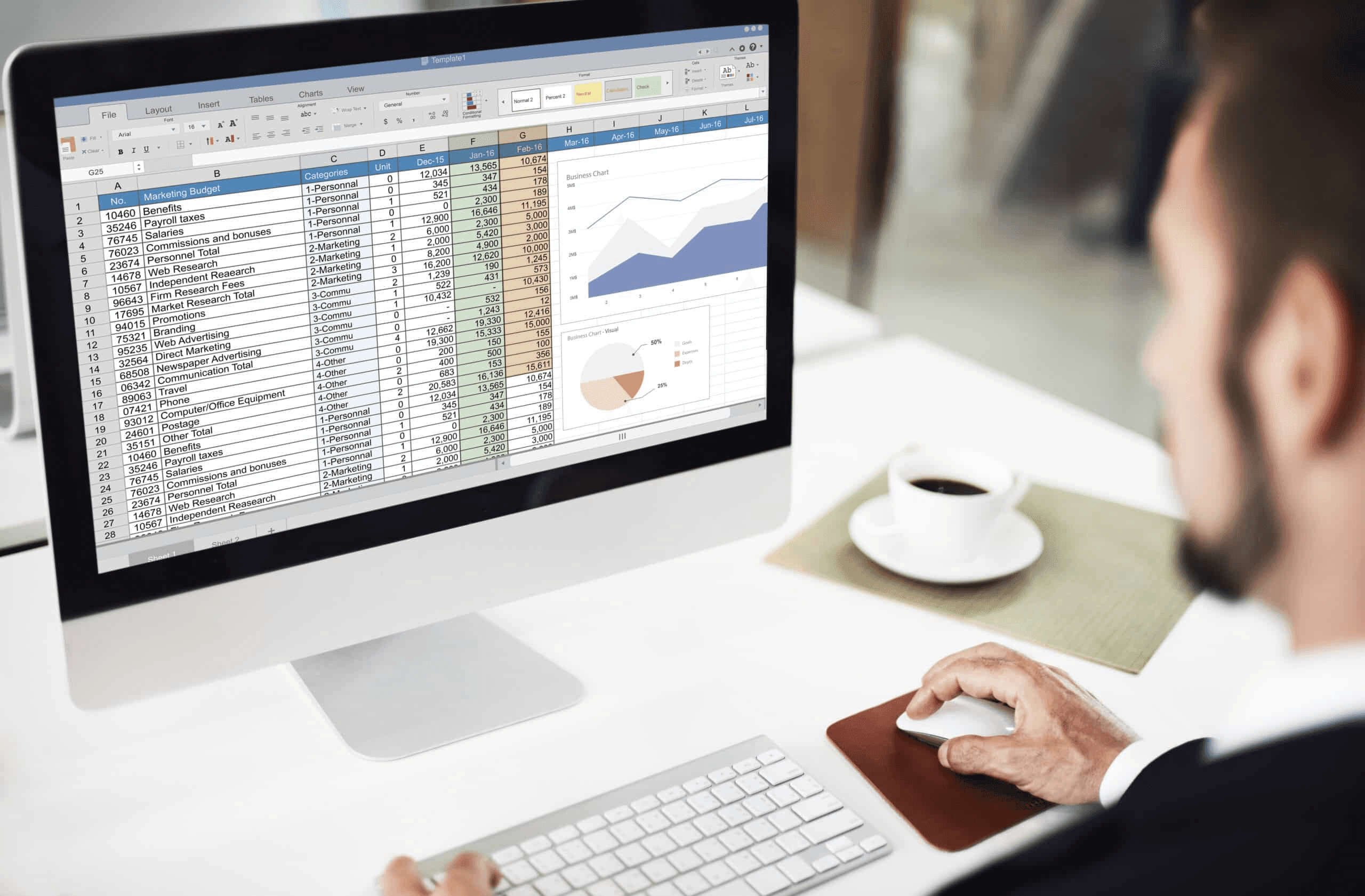
Person on Excel - What Are Spreadsheets Used For

A spreadsheet is a programmable table that keeps data in addressable cells and uses formulas and functions to calculate, change, and summarize that data in real time. Think of it as a live workbench: each cell acts as both a piece of information and a tiny program that can send data to other cells. As a result, a single change affects the entire file immediately.

How does a spreadsheet locate and organize every piece of information? 

Spreadsheets use a simple naming system with column letters and row numbers, so every cell has a unique address, such as A1 or C12. This addressing system helps users point to specific cells, link calculations across rows and columns, and pull data from other sheets without guessing. Moreover, this approach makes automation more reliable, allowing teams to create repeatable workflows within a single file rather than switching between documents. Our spreadsheet AI tool enhances this process by automating repetitive tasks, thus improving efficiency.

How do formulas actually keep values up to date?

Formulas are reactive instructions. When you enter =SUM(B2:B10), the sheet notes the relationship between the result cell and the cells it talks about. When any of those values change, the spreadsheet recalculates only what needs recalculation and updates the visible results right away. This process involves handling dependency graphs, evaluation orders, and caching. Together, these methods prevent extra computations and keep larger workbooks working smoothly. To manage these complex calculations, our spreadsheet AI tool can help optimize performance and ensure accuracy.

Why Do Functions Matter More Than Raw Math?

Functions are modular operations that make tasks easier by hiding complexity behind a single name. This allows users to do more with less effort. Instead of writing long math expressions, you can use functions like SUM, AVERAGE, IF, or lookup functions to show what you want to do clearly. This method makes spreadsheets easier to read, reduces the risk of errors, and speeds up teamwork. Team members can quickly understand a formula and reuse it without recreating it. Our spreadsheet AI tool helps with managing complex functions effortlessly.

What happens when spreadsheets grow beyond simple tables?

As more sheets, linked ranges, and conditional logic are added, a spreadsheet becomes a complex system. Data validation helps keep inputs clean, while pivot tables summarize tens of thousands of rows, and conditional formatting automatically highlights exceptions. As the scale grows, the challenges change from simple calculations to governance issues. This includes ensuring the right people have access to the right cells and avoiding duplicate work when multiple users edit the same file. Tools like Numerous can streamline this process, ensuring efficient collaboration and control.

Why do teams struggle with shared spreadsheets?

This pattern is clear across teams and roles. Both marketing and finance create detailed sheets that work well for individual users, but they often fail when shared with others. The failure points are easy to spot: permissions, duplicated queries, and inconsistent prompts, which cause more mistakes as more people use the file. As things get more complicated, the usual method of copying tabs or emailing CSVs splits data and creates extra work to reconcile it, taking up hours each week.

How can automation improve efficiency in spreadsheets?

Most teams handle repetitive tasks manually, such as creating content, summarizing information, or cleaning data. This method is familiar and doesn’t need any extra infrastructure. However, as the number of rows or the frequency of tasks increases, the hidden costs become clear, especially in terms of time and inconsistent results. Solutions like Numerous.ai help teams keep the spreadsheet as the single source of truth while automating large tasks. With features such as a single AI function, long-term caching, and query duplication avoidance, they can reduce redundancy and manage costs.

Why does understanding the mechanics reduce errors and frustration?

The emotional part of onboarding is essential. When changing onboarding for teams that often break formulas, a clear pattern emerges: people usually avoid learning about addressing and functions because they think immediate tasks are more urgent than spending time on training. This shortcut leads to user frustration: the annoying feeling that the sheet is not helping when formulas do not work, or results seem wrong. By recognizing this pattern and teaching the dependency model rather than just isolated tricks, teams can make fewer mistakes. This method turns a spreadsheet from a fragile file into a dependable tool, and utilizing Numerous can further streamline this process.

How widespread and practical is this approach?

Spreadsheets are everywhere in business today; it's not just a theory. According to TechTarget, Google Sheets has over 2 billion monthly active users, and many teams treat spreadsheets as essential tools for their operations. This is why The Analytics Doctor: 90% of businesses use spreadsheets for budgeting and financial planning. It shows that understanding how spreadsheets work is essential for creating trustworthy budgets, forecasts, and campaign plans. Our spreadsheet AI tool helps streamline this process, making it more efficient and accurate.

What is a concrete analogy for understanding spreadsheet mechanics?

A concrete analogy that illustrates how things work is to picture a spreadsheet like an electrical grid. In this analogy, each cell represents a node, and formulas act as the wires that carry current. If a node is miswired, the problem shows up later. Learning to read a wiring diagram, instead of just flipping breakers, sets a fragile sheet apart from a strong system.

How does understanding improve task execution?

Curiosity drives a good cycle of understanding. This makes the mechanics clearer, but the real potential lies in how these mechanics translate into the actual tasks teams depend on. To streamline these tasks, consider how our spreadsheet AI tool can optimize your workflow.

Related Reading

  • What Is the Most Widely Used Spreadsheet Software Today

  • Excel Conditional Formatting Highlight Row

  • What Is Apps Script In Google Sheets

  • Do Pivot Tables Update Automatically

  • What Is a Fill Handle in Excel

  • Excel Data Validation List From Table

  • Google Apps Script Best Practices

  • How to Find Standard Deviation in Google Sheets

  • Automate Email Conversion to Google Sheets

  • What Is Data Validation in Excel

  • Google Sheets Highlight Row Based on Cell

What Are Spreadsheets Used For? (20 Powerful Real-World Use Cases)

Use Cases - What Are Spreadsheets Used For

Spreadsheets are a valuable tool for many tasks that people face every day. These tasks can include tracking a household budget or running live KPI dashboards for teams. Each use is chosen because it changes complex tasks into predictable, repeatable work that can be easily automated or handed off to others. For tasks like these, our spreadsheet AI tool enhances efficiency and decision-making.

What are personal and student uses for spreadsheets?

Personal and student uses often include budgeting and expense tracking, savings and goal planning, grade and GPA tracking, and assignment and study planners. Additionally, they are effective for daily to-do lists or habit trackers. Our spreadsheet AI tool can streamline these tasks, helping you manage your time and resources more efficiently. When redesigning a student’s semester planner over four months, the new sheet made deadlines and grade weights visible. This visibility changed how time was prioritized, significantly reducing last-minute cramming by focusing effort where it mattered most.

What are business and office uses for spreadsheets?

Business and office uses for spreadsheets include payroll, sales reporting, inventory control, client contact lists, and staff scheduling. These tasks remain key office activities. Many people like to keep these records in a spreadsheet because it is flexible and easy to access. In fact, 90% of businesses rely on spreadsheets for financial planning, according to a Strategy at Risk study. Our spreadsheet AI tool helps streamline these processes, showing that, as of 2025, spreadsheets remain the leading choice for budgeting and forecasting across companies of all sizes.

What are the finance and accounting uses for spreadsheets?

Finance and accounting uses include profit and loss statements, cash flow management, tax records, and investment tracking. These tasks are handled efficiently in Sheets because formulas and built-in functions make month-end reconciliation easy to understand. As these uses grow, governance can become a challenge. Clear naming, validation, and access rules are essential to prevent minor errors from becoming major problems during reconciliations.

What are marketing and operations uses for spreadsheets?

Marketing and operations use campaign performance tracking, lead and CRM tracking, pricing analysis, and operations dashboards that are built into marketing and ops teams' sheets. These tools combine raw metrics with text fields for better understanding. Over 750 million people worldwide use spreadsheet software. In 2025, spreadsheets serve as the common layer that teams use to turn scattered data into decisions. Our spreadsheet AI tool enhances this process by automating data analysis, allowing teams to focus on strategic insights.

What are data, research, and tech uses for spreadsheets?

Data, research, and technology uses for spreadsheets include survey analysis, research statistics, and dashboarding. These tasks require quick changes, sudden pivots, and storytelling charts in reports. Researchers and analysts like using spreadsheets because they help test ideas quickly, in minutes instead of days. This speed is why spreadsheets remain the testing ground for more complex data systems. Our spreadsheet AI tool can enhance this experience by optimizing data processing and analysis.

What are the hidden costs of the status quo?

Most teams handle bulk text cleaning, summarization, or content generation by copying and pasting through a series of manual steps, as it seems easy at first. However, as more rows are added and the frequency grows, this habit causes expensive problems. Teams can spend hours each week on repeated prompts, inconsistent outputs, and unnecessary API calls. Platforms like Numerous.ai connect directly to Sheets and Excel with a single =AI function, long-term caching, and duplicate-query avoidance. This method turns repetitive content tasks from hourly busywork into a single action that can grow without increasing costs.

What practical tradeoffs exist with spreadsheets?

Practical tradeoffs and failure modes arise with spreadsheet use. If full auditability and strict multi-user controls are needed, a spreadsheet-only approach breaks down at scale. This is because sharing links and copying tabs can create hidden forks. When speed and iteration are more important than strict access control, keeping everything in a single shared workbook is the best choice. The predictable failure point here is governance and ownership. You can address this by setting clear naming conventions, limiting areas where people can write, and automating repetitive edits, so that human attention can focus on exceptions. A tool like Numerous can streamline your workflow and enhance collaboration by leveraging spreadsheet AI.

What reality checks can be applied to workflows?

A quick reality check from workflows reveals essential insights. After working with a retail team for six weeks, a clear pattern emerged: their inventory sheet managed hundreds of SKUs until seasonal promotions began. Maintenance then consumed a full day each week. By implementing a small layer of automation to flag low-stock items and standardize supplier notes, the lead buyer saved hours and prevented avoidable stockouts. This improvement was achieved by transforming noise into structured signals using our spreadsheet AI tool.

What is Numerous, and how can it help?

Numerous is an AI-powered tool that helps content marketers, ecommerce teams, and analysts automate spreadsheet tasks with simple prompts and drag-and-drop actions. Learn how Numerous turns prompts into easy-to-use spreadsheet functions, and check out its ChatGPT for Spreadsheets features at Numerous.ai.

What are the surprising practical decisions for spreadsheets?

While a practical list of spreadsheet tasks is helpful, the surprising part is figuring out which tasks a spreadsheet should handle and which it should pass on to others. Our spreadsheet AI tool can help identify those tasks effectively.

Related Reading

  • How to Indent Text in Google Sheets

  • How to Insert a Calendar in Google Sheets

  • How to Automate an Excel Spreadsheet

  • How to Automate Emails From Google Sheets

  • How to Do Conditional Formatting in Google Sheets

  • Google Apps Script Examples

  • How to Automate Excel Reports

  • How to Add Color to Data Validation in Excel

  • How to Use Power Automate in Excel

  • How to Use VBA in Excel

  • How to Automate Reconciliations in Excel

  • Is Google Apps Script Free

  • How To Add Apps Script To Google Sheets

What Would Spreadsheets Be Best Used For?
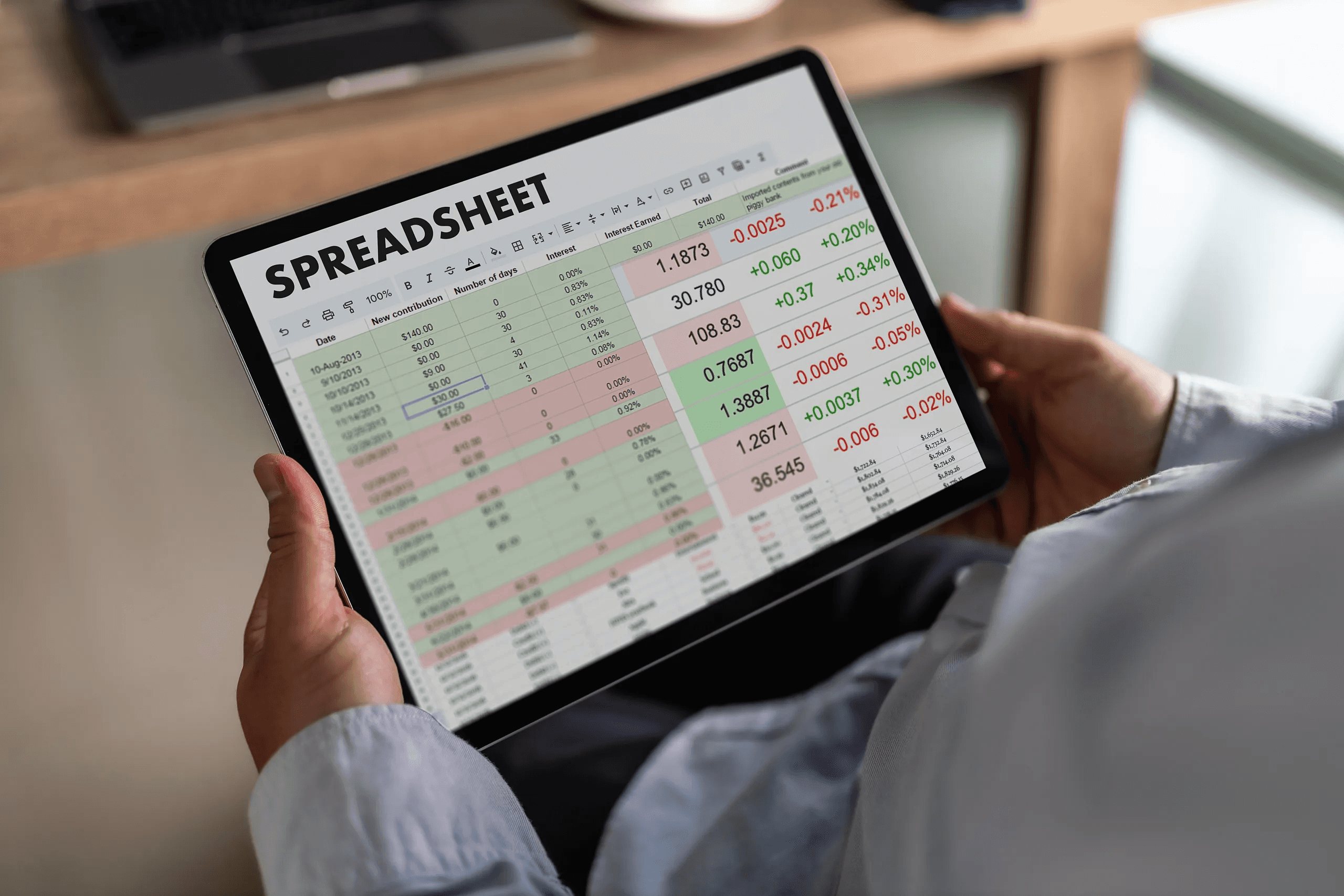
Calculating Numbers - What Are Spreadsheets Used For

Spreadsheets are great when you need a flexible structure, quick updates, and clear, auditable changes. They work particularly well for managing money, planning, and regular reporting because a single edit can quickly spread through models, timelines, and dashboards in just seconds. It's important to know that over 90% of businesses use spreadsheets for data analysis, as noted by The Analytics Doctor, 2023.

Teams should view financial tracking and forecasting as living documents, not just static reports. They should keep assumptions on a separate sheet, with every scenario labeled and historical months locked. This way, forecast formulas only pull from validated inputs. This structure makes it easier to test different scenarios; for example, if you change one assumption, profit, cash flow, and P&L update instantly.

It's essential to see the patterns here; marketing and finance teams often face the same problem: spreadsheets become weak when assumptions are mixed with raw entries. By keeping inputs, calculations, and outputs separate, teams can avoid unexpected changes. Plus, 70% of small businesses use spreadsheets for financial tracking, according to The Analytics Doctor (2023). This shows that sticking to a careful structure is a valuable habit.

How can planning and organization stay flexible without becoming chaotic?

Formulas can be used to encode rules effectively. Begin by building a column for dependency IDs. Then, compute the earliest start and finish dates using simple arithmetic and the MAX function, which automatically shifts deadlines when tasks are moved. Create personal views with FILTER so that each contributor sees only their specific rows. Incorporate data validation with explicit status lists to prevent free-text drift. After converting a campaign timeline to this pattern over four weeks, stakeholders stopped relying on memory and began to act directly from the sheet. This shift in approach reduced last-minute rewrites and lengthy email threads, making it clear how tools like Numerous can enhance collaborative efforts.

What keeps reporting and dashboards fast and trustworthy?

To keep reporting fast and reliably, avoid volatile formulas in summary layers. Instead, move complex transformations into a single query or helper sheet. Then use a simple dashboard layer that shows only visuals. It's crucial to save results in between using Apps Script or to snapshot pivot tables on a schedule. This way, live dashboards stay responsive and easy to check. A good rule is to separate the extract-transform step from the render step. This separation prevents accidental edits and makes troubleshooting easier, turning it into a single lookup rather than a scavenger hunt.

When is a spreadsheet the right tool for data cleaning and analysis?

Spreadsheets are great for immediate visual feedback when standardizing formats, removing duplicates, or testing transformations. Functions like REGEXREPLACE, SPLIT, and UNIQUE let you iterate in place, with temporary helper columns that trace each transformation back to its input. Once everything is checked, the steps should be locked to stop any further changes. This method works well until you hit scale limits or need repeatable pipelines. At this point, transformations should be compiled into scripts or a small database, and our spreadsheet AI tool simplifies this process by acting as a user-friendly front end.

Why do spreadsheets dominate daily operations for teams that move quickly?

For many teams, the familiar approach is to keep operational records in a shared file because it is both quick and straightforward. However, this convenience can lead to hidden costs as the number of rows increases. Problems such as duplicate lookups, inconsistent tag values, and slow reconciliation cycles can occur. Platforms like Numerous provide a bridge; they let teams keep the single-sheet workflow while automating bulk text tasks. By saving results to prevent duplicate queries and repeat work, operational lists can stay consistent without a separate platform.

How should you design automation and intelligent workflows so they scale?

Design for idempotency and error handling. Scripts and macros should check whether an action has already been performed and log the results instead of carelessly rewriting rows. Use trigger-based functions for small batches, and time-driven runs for nightly reconciliations. Set up clear email alerts for failures so that people only need to handle exceptions. View automation as a way to add a reliable helper instead of replacing oversight. The aim is to reduce repetitive work while keeping human review for important decisions. Our Numerous spreadsheet AI tool helps streamline workflows and enhance efficiency, allowing you to focus on critical tasks.

What makes spreadsheets useful in education and research beyond simple calculations?

Spreadsheets offer a fast prototyping environment for reproducible analysis. Users can keep raw data immutable, perform transformations in labeled steps, and include a readme sheet that documents methods and formulas. This approach makes it easy for reviewers and students to replicate the work. In a semester-long lab, students who followed this pattern produced clearer write-ups and fewer formula errors due to the straightforward, traceable logic. For those looking to enhance their analysis, our spreadsheet AI tool simplifies data management and increases efficiency.

Numerous is an AI tool that helps content marketers, e-commerce teams, and analysts automate many spreadsheet tasks. With easy prompts and drag-to-fill actions, it can perform any spreadsheet function, whether it's complex or straightforward, in just seconds. Find out how you can 10x your marketing efforts with Numerous’s ChatGPT for Spreadsheets tool at Numerous.ai.

Final thoughts?

This may seem like the end of the checklist, but a deeper problem persists. Most teams struggle to turn automated outputs into confident, repeatable decisions. This challenge presents a fascinating chance for improvement.

Make Decisions At Scale Through AI With Numerous AI’s Spreadsheet AI Tool

After two sprints building Apps Script automations for Google Sheets, I noticed that quick prototypes can quickly become a hassle to maintain. Expired tokens, different versions of prompts, and fragile connectors waste developer time and slow down progress. Consider Numerous, the spreadsheet AI tool teams use to prototype and run ChatGPT-style prompts in Sheets. This means you don’t have to create API connections, allowing you to use the sheet for both automation and analysis. As a result, you can reduce ongoing maintenance efforts and effectively scale bulk text work.

Related Reading

  • How to Find Duplicates in Google Sheets

  • Best Spreadsheets Software

  • How to Remove Duplicates in Google Sheets

  • How to Use Excel for Business

  • How to Split Text Into Two Columns in Excel

  • How to Automate Google Sheets

  • VBA Activate Sheet

  • How to Link a Google Form to a Google Sheet

  • Google Sheets Pull Data From Another Tab Based on Criteria

  • How to Use the Fill Handle in Excel

  • How to Create a Content Calendar in Google Sheets

  • How to Automate Sending Emails From Excel

Spreadsheets serve a range of purposes that extend well beyond basic data organization. Managing invoices, budgets, and task lists can quickly become repetitive, so learning to how to use Apps Script in Google Sheets can automate updates, generate reports, and create dynamic dashboards. Advanced applications such as forecasting, inventory tracking, and team collaboration transform routine data into actionable insights.

Automated processes not only simplify data management but also enhance reporting and analysis. Numerous's solution, Spreadsheet AI Tool, delivers intuitive templates, formula generation, and clear summaries to help users focus on interpreting results rather than formatting cells.

Table of Contents

Summary

  • Spreadsheets act as programmable live workbenches where cell formulas form dependency graphs that update results instantly, and Google Sheets has over 2 billion monthly active users (TechTarget, 2023).

  • Because 90% of businesses use spreadsheets for budgeting and financial planning, mastering addressing, functions, and governance is essential to avoid fragile models and costly reconciliation work.

  • Collaboration fails most often when permissions, duplicate queries, and inconsistent inputs multiply errors; for example, a retail team with hundreds of SKUs found maintenance consumed a day each week during seasonal peaks.

  • Spreadsheets are ideal for rapid prototyping and data cleaning, with over 750 million people using spreadsheet software worldwide in 2025, which explains why analysts iterate in sheets before moving transforms into scripts or databases.

  • Designing automation for idempotency and error handling keeps workflows reliable at scale, especially given that 70% of small businesses use spreadsheets for financial tracking, which means mistakes have a real operational impact.

  • Manual bulk tasks create hidden costs as rows and frequency grow. With 90% of businesses using spreadsheets for data analysis, caching, duplicate query avoidance, and in-sheet automation, these controls are high-value ways to save hours each week.

  • This is where Numerous's 'Spreadsheet AI Tool' fits in, enabling in-sheet prompts, formula generation, and caching to reduce duplicate queries and repetitive manual work.

What Are Spreadsheets and How Do They Work?

Person on Excel - What Are Spreadsheets Used For

A spreadsheet is a programmable table that keeps data in addressable cells and uses formulas and functions to calculate, change, and summarize that data in real time. Think of it as a live workbench: each cell acts as both a piece of information and a tiny program that can send data to other cells. As a result, a single change affects the entire file immediately.

How does a spreadsheet locate and organize every piece of information? 

Spreadsheets use a simple naming system with column letters and row numbers, so every cell has a unique address, such as A1 or C12. This addressing system helps users point to specific cells, link calculations across rows and columns, and pull data from other sheets without guessing. Moreover, this approach makes automation more reliable, allowing teams to create repeatable workflows within a single file rather than switching between documents. Our spreadsheet AI tool enhances this process by automating repetitive tasks, thus improving efficiency.

How do formulas actually keep values up to date?

Formulas are reactive instructions. When you enter =SUM(B2:B10), the sheet notes the relationship between the result cell and the cells it talks about. When any of those values change, the spreadsheet recalculates only what needs recalculation and updates the visible results right away. This process involves handling dependency graphs, evaluation orders, and caching. Together, these methods prevent extra computations and keep larger workbooks working smoothly. To manage these complex calculations, our spreadsheet AI tool can help optimize performance and ensure accuracy.

Why Do Functions Matter More Than Raw Math?

Functions are modular operations that make tasks easier by hiding complexity behind a single name. This allows users to do more with less effort. Instead of writing long math expressions, you can use functions like SUM, AVERAGE, IF, or lookup functions to show what you want to do clearly. This method makes spreadsheets easier to read, reduces the risk of errors, and speeds up teamwork. Team members can quickly understand a formula and reuse it without recreating it. Our spreadsheet AI tool helps with managing complex functions effortlessly.

What happens when spreadsheets grow beyond simple tables?

As more sheets, linked ranges, and conditional logic are added, a spreadsheet becomes a complex system. Data validation helps keep inputs clean, while pivot tables summarize tens of thousands of rows, and conditional formatting automatically highlights exceptions. As the scale grows, the challenges change from simple calculations to governance issues. This includes ensuring the right people have access to the right cells and avoiding duplicate work when multiple users edit the same file. Tools like Numerous can streamline this process, ensuring efficient collaboration and control.

Why do teams struggle with shared spreadsheets?

This pattern is clear across teams and roles. Both marketing and finance create detailed sheets that work well for individual users, but they often fail when shared with others. The failure points are easy to spot: permissions, duplicated queries, and inconsistent prompts, which cause more mistakes as more people use the file. As things get more complicated, the usual method of copying tabs or emailing CSVs splits data and creates extra work to reconcile it, taking up hours each week.

How can automation improve efficiency in spreadsheets?

Most teams handle repetitive tasks manually, such as creating content, summarizing information, or cleaning data. This method is familiar and doesn’t need any extra infrastructure. However, as the number of rows or the frequency of tasks increases, the hidden costs become clear, especially in terms of time and inconsistent results. Solutions like Numerous.ai help teams keep the spreadsheet as the single source of truth while automating large tasks. With features such as a single AI function, long-term caching, and query duplication avoidance, they can reduce redundancy and manage costs.

Why does understanding the mechanics reduce errors and frustration?

The emotional part of onboarding is essential. When changing onboarding for teams that often break formulas, a clear pattern emerges: people usually avoid learning about addressing and functions because they think immediate tasks are more urgent than spending time on training. This shortcut leads to user frustration: the annoying feeling that the sheet is not helping when formulas do not work, or results seem wrong. By recognizing this pattern and teaching the dependency model rather than just isolated tricks, teams can make fewer mistakes. This method turns a spreadsheet from a fragile file into a dependable tool, and utilizing Numerous can further streamline this process.

How widespread and practical is this approach?

Spreadsheets are everywhere in business today; it's not just a theory. According to TechTarget, Google Sheets has over 2 billion monthly active users, and many teams treat spreadsheets as essential tools for their operations. This is why The Analytics Doctor: 90% of businesses use spreadsheets for budgeting and financial planning. It shows that understanding how spreadsheets work is essential for creating trustworthy budgets, forecasts, and campaign plans. Our spreadsheet AI tool helps streamline this process, making it more efficient and accurate.

What is a concrete analogy for understanding spreadsheet mechanics?

A concrete analogy that illustrates how things work is to picture a spreadsheet like an electrical grid. In this analogy, each cell represents a node, and formulas act as the wires that carry current. If a node is miswired, the problem shows up later. Learning to read a wiring diagram, instead of just flipping breakers, sets a fragile sheet apart from a strong system.

How does understanding improve task execution?

Curiosity drives a good cycle of understanding. This makes the mechanics clearer, but the real potential lies in how these mechanics translate into the actual tasks teams depend on. To streamline these tasks, consider how our spreadsheet AI tool can optimize your workflow.

Related Reading

  • What Is the Most Widely Used Spreadsheet Software Today

  • Excel Conditional Formatting Highlight Row

  • What Is Apps Script In Google Sheets

  • Do Pivot Tables Update Automatically

  • What Is a Fill Handle in Excel

  • Excel Data Validation List From Table

  • Google Apps Script Best Practices

  • How to Find Standard Deviation in Google Sheets

  • Automate Email Conversion to Google Sheets

  • What Is Data Validation in Excel

  • Google Sheets Highlight Row Based on Cell

What Are Spreadsheets Used For? (20 Powerful Real-World Use Cases)

Use Cases - What Are Spreadsheets Used For

Spreadsheets are a valuable tool for many tasks that people face every day. These tasks can include tracking a household budget or running live KPI dashboards for teams. Each use is chosen because it changes complex tasks into predictable, repeatable work that can be easily automated or handed off to others. For tasks like these, our spreadsheet AI tool enhances efficiency and decision-making.

What are personal and student uses for spreadsheets?

Personal and student uses often include budgeting and expense tracking, savings and goal planning, grade and GPA tracking, and assignment and study planners. Additionally, they are effective for daily to-do lists or habit trackers. Our spreadsheet AI tool can streamline these tasks, helping you manage your time and resources more efficiently. When redesigning a student’s semester planner over four months, the new sheet made deadlines and grade weights visible. This visibility changed how time was prioritized, significantly reducing last-minute cramming by focusing effort where it mattered most.

What are business and office uses for spreadsheets?

Business and office uses for spreadsheets include payroll, sales reporting, inventory control, client contact lists, and staff scheduling. These tasks remain key office activities. Many people like to keep these records in a spreadsheet because it is flexible and easy to access. In fact, 90% of businesses rely on spreadsheets for financial planning, according to a Strategy at Risk study. Our spreadsheet AI tool helps streamline these processes, showing that, as of 2025, spreadsheets remain the leading choice for budgeting and forecasting across companies of all sizes.

What are the finance and accounting uses for spreadsheets?

Finance and accounting uses include profit and loss statements, cash flow management, tax records, and investment tracking. These tasks are handled efficiently in Sheets because formulas and built-in functions make month-end reconciliation easy to understand. As these uses grow, governance can become a challenge. Clear naming, validation, and access rules are essential to prevent minor errors from becoming major problems during reconciliations.

What are marketing and operations uses for spreadsheets?

Marketing and operations use campaign performance tracking, lead and CRM tracking, pricing analysis, and operations dashboards that are built into marketing and ops teams' sheets. These tools combine raw metrics with text fields for better understanding. Over 750 million people worldwide use spreadsheet software. In 2025, spreadsheets serve as the common layer that teams use to turn scattered data into decisions. Our spreadsheet AI tool enhances this process by automating data analysis, allowing teams to focus on strategic insights.

What are data, research, and tech uses for spreadsheets?

Data, research, and technology uses for spreadsheets include survey analysis, research statistics, and dashboarding. These tasks require quick changes, sudden pivots, and storytelling charts in reports. Researchers and analysts like using spreadsheets because they help test ideas quickly, in minutes instead of days. This speed is why spreadsheets remain the testing ground for more complex data systems. Our spreadsheet AI tool can enhance this experience by optimizing data processing and analysis.

What are the hidden costs of the status quo?

Most teams handle bulk text cleaning, summarization, or content generation by copying and pasting through a series of manual steps, as it seems easy at first. However, as more rows are added and the frequency grows, this habit causes expensive problems. Teams can spend hours each week on repeated prompts, inconsistent outputs, and unnecessary API calls. Platforms like Numerous.ai connect directly to Sheets and Excel with a single =AI function, long-term caching, and duplicate-query avoidance. This method turns repetitive content tasks from hourly busywork into a single action that can grow without increasing costs.

What practical tradeoffs exist with spreadsheets?

Practical tradeoffs and failure modes arise with spreadsheet use. If full auditability and strict multi-user controls are needed, a spreadsheet-only approach breaks down at scale. This is because sharing links and copying tabs can create hidden forks. When speed and iteration are more important than strict access control, keeping everything in a single shared workbook is the best choice. The predictable failure point here is governance and ownership. You can address this by setting clear naming conventions, limiting areas where people can write, and automating repetitive edits, so that human attention can focus on exceptions. A tool like Numerous can streamline your workflow and enhance collaboration by leveraging spreadsheet AI.

What reality checks can be applied to workflows?

A quick reality check from workflows reveals essential insights. After working with a retail team for six weeks, a clear pattern emerged: their inventory sheet managed hundreds of SKUs until seasonal promotions began. Maintenance then consumed a full day each week. By implementing a small layer of automation to flag low-stock items and standardize supplier notes, the lead buyer saved hours and prevented avoidable stockouts. This improvement was achieved by transforming noise into structured signals using our spreadsheet AI tool.

What is Numerous, and how can it help?

Numerous is an AI-powered tool that helps content marketers, ecommerce teams, and analysts automate spreadsheet tasks with simple prompts and drag-and-drop actions. Learn how Numerous turns prompts into easy-to-use spreadsheet functions, and check out its ChatGPT for Spreadsheets features at Numerous.ai.

What are the surprising practical decisions for spreadsheets?

While a practical list of spreadsheet tasks is helpful, the surprising part is figuring out which tasks a spreadsheet should handle and which it should pass on to others. Our spreadsheet AI tool can help identify those tasks effectively.

Related Reading

  • How to Indent Text in Google Sheets

  • How to Insert a Calendar in Google Sheets

  • How to Automate an Excel Spreadsheet

  • How to Automate Emails From Google Sheets

  • How to Do Conditional Formatting in Google Sheets

  • Google Apps Script Examples

  • How to Automate Excel Reports

  • How to Add Color to Data Validation in Excel

  • How to Use Power Automate in Excel

  • How to Use VBA in Excel

  • How to Automate Reconciliations in Excel

  • Is Google Apps Script Free

  • How To Add Apps Script To Google Sheets

What Would Spreadsheets Be Best Used For?

Calculating Numbers - What Are Spreadsheets Used For

Spreadsheets are great when you need a flexible structure, quick updates, and clear, auditable changes. They work particularly well for managing money, planning, and regular reporting because a single edit can quickly spread through models, timelines, and dashboards in just seconds. It's important to know that over 90% of businesses use spreadsheets for data analysis, as noted by The Analytics Doctor, 2023.

Teams should view financial tracking and forecasting as living documents, not just static reports. They should keep assumptions on a separate sheet, with every scenario labeled and historical months locked. This way, forecast formulas only pull from validated inputs. This structure makes it easier to test different scenarios; for example, if you change one assumption, profit, cash flow, and P&L update instantly.

It's essential to see the patterns here; marketing and finance teams often face the same problem: spreadsheets become weak when assumptions are mixed with raw entries. By keeping inputs, calculations, and outputs separate, teams can avoid unexpected changes. Plus, 70% of small businesses use spreadsheets for financial tracking, according to The Analytics Doctor (2023). This shows that sticking to a careful structure is a valuable habit.

How can planning and organization stay flexible without becoming chaotic?

Formulas can be used to encode rules effectively. Begin by building a column for dependency IDs. Then, compute the earliest start and finish dates using simple arithmetic and the MAX function, which automatically shifts deadlines when tasks are moved. Create personal views with FILTER so that each contributor sees only their specific rows. Incorporate data validation with explicit status lists to prevent free-text drift. After converting a campaign timeline to this pattern over four weeks, stakeholders stopped relying on memory and began to act directly from the sheet. This shift in approach reduced last-minute rewrites and lengthy email threads, making it clear how tools like Numerous can enhance collaborative efforts.

What keeps reporting and dashboards fast and trustworthy?

To keep reporting fast and reliably, avoid volatile formulas in summary layers. Instead, move complex transformations into a single query or helper sheet. Then use a simple dashboard layer that shows only visuals. It's crucial to save results in between using Apps Script or to snapshot pivot tables on a schedule. This way, live dashboards stay responsive and easy to check. A good rule is to separate the extract-transform step from the render step. This separation prevents accidental edits and makes troubleshooting easier, turning it into a single lookup rather than a scavenger hunt.

When is a spreadsheet the right tool for data cleaning and analysis?

Spreadsheets are great for immediate visual feedback when standardizing formats, removing duplicates, or testing transformations. Functions like REGEXREPLACE, SPLIT, and UNIQUE let you iterate in place, with temporary helper columns that trace each transformation back to its input. Once everything is checked, the steps should be locked to stop any further changes. This method works well until you hit scale limits or need repeatable pipelines. At this point, transformations should be compiled into scripts or a small database, and our spreadsheet AI tool simplifies this process by acting as a user-friendly front end.

Why do spreadsheets dominate daily operations for teams that move quickly?

For many teams, the familiar approach is to keep operational records in a shared file because it is both quick and straightforward. However, this convenience can lead to hidden costs as the number of rows increases. Problems such as duplicate lookups, inconsistent tag values, and slow reconciliation cycles can occur. Platforms like Numerous provide a bridge; they let teams keep the single-sheet workflow while automating bulk text tasks. By saving results to prevent duplicate queries and repeat work, operational lists can stay consistent without a separate platform.

How should you design automation and intelligent workflows so they scale?

Design for idempotency and error handling. Scripts and macros should check whether an action has already been performed and log the results instead of carelessly rewriting rows. Use trigger-based functions for small batches, and time-driven runs for nightly reconciliations. Set up clear email alerts for failures so that people only need to handle exceptions. View automation as a way to add a reliable helper instead of replacing oversight. The aim is to reduce repetitive work while keeping human review for important decisions. Our Numerous spreadsheet AI tool helps streamline workflows and enhance efficiency, allowing you to focus on critical tasks.

What makes spreadsheets useful in education and research beyond simple calculations?

Spreadsheets offer a fast prototyping environment for reproducible analysis. Users can keep raw data immutable, perform transformations in labeled steps, and include a readme sheet that documents methods and formulas. This approach makes it easy for reviewers and students to replicate the work. In a semester-long lab, students who followed this pattern produced clearer write-ups and fewer formula errors due to the straightforward, traceable logic. For those looking to enhance their analysis, our spreadsheet AI tool simplifies data management and increases efficiency.

Numerous is an AI tool that helps content marketers, e-commerce teams, and analysts automate many spreadsheet tasks. With easy prompts and drag-to-fill actions, it can perform any spreadsheet function, whether it's complex or straightforward, in just seconds. Find out how you can 10x your marketing efforts with Numerous’s ChatGPT for Spreadsheets tool at Numerous.ai.

Final thoughts?

This may seem like the end of the checklist, but a deeper problem persists. Most teams struggle to turn automated outputs into confident, repeatable decisions. This challenge presents a fascinating chance for improvement.

Make Decisions At Scale Through AI With Numerous AI’s Spreadsheet AI Tool

After two sprints building Apps Script automations for Google Sheets, I noticed that quick prototypes can quickly become a hassle to maintain. Expired tokens, different versions of prompts, and fragile connectors waste developer time and slow down progress. Consider Numerous, the spreadsheet AI tool teams use to prototype and run ChatGPT-style prompts in Sheets. This means you don’t have to create API connections, allowing you to use the sheet for both automation and analysis. As a result, you can reduce ongoing maintenance efforts and effectively scale bulk text work.

Related Reading

  • How to Find Duplicates in Google Sheets

  • Best Spreadsheets Software

  • How to Remove Duplicates in Google Sheets

  • How to Use Excel for Business

  • How to Split Text Into Two Columns in Excel

  • How to Automate Google Sheets

  • VBA Activate Sheet

  • How to Link a Google Form to a Google Sheet

  • Google Sheets Pull Data From Another Tab Based on Criteria

  • How to Use the Fill Handle in Excel

  • How to Create a Content Calendar in Google Sheets

  • How to Automate Sending Emails From Excel

Spreadsheets serve a range of purposes that extend well beyond basic data organization. Managing invoices, budgets, and task lists can quickly become repetitive, so learning to how to use Apps Script in Google Sheets can automate updates, generate reports, and create dynamic dashboards. Advanced applications such as forecasting, inventory tracking, and team collaboration transform routine data into actionable insights.

Automated processes not only simplify data management but also enhance reporting and analysis. Numerous's solution, Spreadsheet AI Tool, delivers intuitive templates, formula generation, and clear summaries to help users focus on interpreting results rather than formatting cells.

Table of Contents

Summary

  • Spreadsheets act as programmable live workbenches where cell formulas form dependency graphs that update results instantly, and Google Sheets has over 2 billion monthly active users (TechTarget, 2023).

  • Because 90% of businesses use spreadsheets for budgeting and financial planning, mastering addressing, functions, and governance is essential to avoid fragile models and costly reconciliation work.

  • Collaboration fails most often when permissions, duplicate queries, and inconsistent inputs multiply errors; for example, a retail team with hundreds of SKUs found maintenance consumed a day each week during seasonal peaks.

  • Spreadsheets are ideal for rapid prototyping and data cleaning, with over 750 million people using spreadsheet software worldwide in 2025, which explains why analysts iterate in sheets before moving transforms into scripts or databases.

  • Designing automation for idempotency and error handling keeps workflows reliable at scale, especially given that 70% of small businesses use spreadsheets for financial tracking, which means mistakes have a real operational impact.

  • Manual bulk tasks create hidden costs as rows and frequency grow. With 90% of businesses using spreadsheets for data analysis, caching, duplicate query avoidance, and in-sheet automation, these controls are high-value ways to save hours each week.

  • This is where Numerous's 'Spreadsheet AI Tool' fits in, enabling in-sheet prompts, formula generation, and caching to reduce duplicate queries and repetitive manual work.

What Are Spreadsheets and How Do They Work?

Person on Excel - What Are Spreadsheets Used For

A spreadsheet is a programmable table that keeps data in addressable cells and uses formulas and functions to calculate, change, and summarize that data in real time. Think of it as a live workbench: each cell acts as both a piece of information and a tiny program that can send data to other cells. As a result, a single change affects the entire file immediately.

How does a spreadsheet locate and organize every piece of information? 

Spreadsheets use a simple naming system with column letters and row numbers, so every cell has a unique address, such as A1 or C12. This addressing system helps users point to specific cells, link calculations across rows and columns, and pull data from other sheets without guessing. Moreover, this approach makes automation more reliable, allowing teams to create repeatable workflows within a single file rather than switching between documents. Our spreadsheet AI tool enhances this process by automating repetitive tasks, thus improving efficiency.

How do formulas actually keep values up to date?

Formulas are reactive instructions. When you enter =SUM(B2:B10), the sheet notes the relationship between the result cell and the cells it talks about. When any of those values change, the spreadsheet recalculates only what needs recalculation and updates the visible results right away. This process involves handling dependency graphs, evaluation orders, and caching. Together, these methods prevent extra computations and keep larger workbooks working smoothly. To manage these complex calculations, our spreadsheet AI tool can help optimize performance and ensure accuracy.

Why Do Functions Matter More Than Raw Math?

Functions are modular operations that make tasks easier by hiding complexity behind a single name. This allows users to do more with less effort. Instead of writing long math expressions, you can use functions like SUM, AVERAGE, IF, or lookup functions to show what you want to do clearly. This method makes spreadsheets easier to read, reduces the risk of errors, and speeds up teamwork. Team members can quickly understand a formula and reuse it without recreating it. Our spreadsheet AI tool helps with managing complex functions effortlessly.

What happens when spreadsheets grow beyond simple tables?

As more sheets, linked ranges, and conditional logic are added, a spreadsheet becomes a complex system. Data validation helps keep inputs clean, while pivot tables summarize tens of thousands of rows, and conditional formatting automatically highlights exceptions. As the scale grows, the challenges change from simple calculations to governance issues. This includes ensuring the right people have access to the right cells and avoiding duplicate work when multiple users edit the same file. Tools like Numerous can streamline this process, ensuring efficient collaboration and control.

Why do teams struggle with shared spreadsheets?

This pattern is clear across teams and roles. Both marketing and finance create detailed sheets that work well for individual users, but they often fail when shared with others. The failure points are easy to spot: permissions, duplicated queries, and inconsistent prompts, which cause more mistakes as more people use the file. As things get more complicated, the usual method of copying tabs or emailing CSVs splits data and creates extra work to reconcile it, taking up hours each week.

How can automation improve efficiency in spreadsheets?

Most teams handle repetitive tasks manually, such as creating content, summarizing information, or cleaning data. This method is familiar and doesn’t need any extra infrastructure. However, as the number of rows or the frequency of tasks increases, the hidden costs become clear, especially in terms of time and inconsistent results. Solutions like Numerous.ai help teams keep the spreadsheet as the single source of truth while automating large tasks. With features such as a single AI function, long-term caching, and query duplication avoidance, they can reduce redundancy and manage costs.

Why does understanding the mechanics reduce errors and frustration?

The emotional part of onboarding is essential. When changing onboarding for teams that often break formulas, a clear pattern emerges: people usually avoid learning about addressing and functions because they think immediate tasks are more urgent than spending time on training. This shortcut leads to user frustration: the annoying feeling that the sheet is not helping when formulas do not work, or results seem wrong. By recognizing this pattern and teaching the dependency model rather than just isolated tricks, teams can make fewer mistakes. This method turns a spreadsheet from a fragile file into a dependable tool, and utilizing Numerous can further streamline this process.

How widespread and practical is this approach?

Spreadsheets are everywhere in business today; it's not just a theory. According to TechTarget, Google Sheets has over 2 billion monthly active users, and many teams treat spreadsheets as essential tools for their operations. This is why The Analytics Doctor: 90% of businesses use spreadsheets for budgeting and financial planning. It shows that understanding how spreadsheets work is essential for creating trustworthy budgets, forecasts, and campaign plans. Our spreadsheet AI tool helps streamline this process, making it more efficient and accurate.

What is a concrete analogy for understanding spreadsheet mechanics?

A concrete analogy that illustrates how things work is to picture a spreadsheet like an electrical grid. In this analogy, each cell represents a node, and formulas act as the wires that carry current. If a node is miswired, the problem shows up later. Learning to read a wiring diagram, instead of just flipping breakers, sets a fragile sheet apart from a strong system.

How does understanding improve task execution?

Curiosity drives a good cycle of understanding. This makes the mechanics clearer, but the real potential lies in how these mechanics translate into the actual tasks teams depend on. To streamline these tasks, consider how our spreadsheet AI tool can optimize your workflow.

Related Reading

  • What Is the Most Widely Used Spreadsheet Software Today

  • Excel Conditional Formatting Highlight Row

  • What Is Apps Script In Google Sheets

  • Do Pivot Tables Update Automatically

  • What Is a Fill Handle in Excel

  • Excel Data Validation List From Table

  • Google Apps Script Best Practices

  • How to Find Standard Deviation in Google Sheets

  • Automate Email Conversion to Google Sheets

  • What Is Data Validation in Excel

  • Google Sheets Highlight Row Based on Cell

What Are Spreadsheets Used For? (20 Powerful Real-World Use Cases)

Use Cases - What Are Spreadsheets Used For

Spreadsheets are a valuable tool for many tasks that people face every day. These tasks can include tracking a household budget or running live KPI dashboards for teams. Each use is chosen because it changes complex tasks into predictable, repeatable work that can be easily automated or handed off to others. For tasks like these, our spreadsheet AI tool enhances efficiency and decision-making.

What are personal and student uses for spreadsheets?

Personal and student uses often include budgeting and expense tracking, savings and goal planning, grade and GPA tracking, and assignment and study planners. Additionally, they are effective for daily to-do lists or habit trackers. Our spreadsheet AI tool can streamline these tasks, helping you manage your time and resources more efficiently. When redesigning a student’s semester planner over four months, the new sheet made deadlines and grade weights visible. This visibility changed how time was prioritized, significantly reducing last-minute cramming by focusing effort where it mattered most.

What are business and office uses for spreadsheets?

Business and office uses for spreadsheets include payroll, sales reporting, inventory control, client contact lists, and staff scheduling. These tasks remain key office activities. Many people like to keep these records in a spreadsheet because it is flexible and easy to access. In fact, 90% of businesses rely on spreadsheets for financial planning, according to a Strategy at Risk study. Our spreadsheet AI tool helps streamline these processes, showing that, as of 2025, spreadsheets remain the leading choice for budgeting and forecasting across companies of all sizes.

What are the finance and accounting uses for spreadsheets?

Finance and accounting uses include profit and loss statements, cash flow management, tax records, and investment tracking. These tasks are handled efficiently in Sheets because formulas and built-in functions make month-end reconciliation easy to understand. As these uses grow, governance can become a challenge. Clear naming, validation, and access rules are essential to prevent minor errors from becoming major problems during reconciliations.

What are marketing and operations uses for spreadsheets?

Marketing and operations use campaign performance tracking, lead and CRM tracking, pricing analysis, and operations dashboards that are built into marketing and ops teams' sheets. These tools combine raw metrics with text fields for better understanding. Over 750 million people worldwide use spreadsheet software. In 2025, spreadsheets serve as the common layer that teams use to turn scattered data into decisions. Our spreadsheet AI tool enhances this process by automating data analysis, allowing teams to focus on strategic insights.

What are data, research, and tech uses for spreadsheets?

Data, research, and technology uses for spreadsheets include survey analysis, research statistics, and dashboarding. These tasks require quick changes, sudden pivots, and storytelling charts in reports. Researchers and analysts like using spreadsheets because they help test ideas quickly, in minutes instead of days. This speed is why spreadsheets remain the testing ground for more complex data systems. Our spreadsheet AI tool can enhance this experience by optimizing data processing and analysis.

What are the hidden costs of the status quo?

Most teams handle bulk text cleaning, summarization, or content generation by copying and pasting through a series of manual steps, as it seems easy at first. However, as more rows are added and the frequency grows, this habit causes expensive problems. Teams can spend hours each week on repeated prompts, inconsistent outputs, and unnecessary API calls. Platforms like Numerous.ai connect directly to Sheets and Excel with a single =AI function, long-term caching, and duplicate-query avoidance. This method turns repetitive content tasks from hourly busywork into a single action that can grow without increasing costs.

What practical tradeoffs exist with spreadsheets?

Practical tradeoffs and failure modes arise with spreadsheet use. If full auditability and strict multi-user controls are needed, a spreadsheet-only approach breaks down at scale. This is because sharing links and copying tabs can create hidden forks. When speed and iteration are more important than strict access control, keeping everything in a single shared workbook is the best choice. The predictable failure point here is governance and ownership. You can address this by setting clear naming conventions, limiting areas where people can write, and automating repetitive edits, so that human attention can focus on exceptions. A tool like Numerous can streamline your workflow and enhance collaboration by leveraging spreadsheet AI.

What reality checks can be applied to workflows?

A quick reality check from workflows reveals essential insights. After working with a retail team for six weeks, a clear pattern emerged: their inventory sheet managed hundreds of SKUs until seasonal promotions began. Maintenance then consumed a full day each week. By implementing a small layer of automation to flag low-stock items and standardize supplier notes, the lead buyer saved hours and prevented avoidable stockouts. This improvement was achieved by transforming noise into structured signals using our spreadsheet AI tool.

What is Numerous, and how can it help?

Numerous is an AI-powered tool that helps content marketers, ecommerce teams, and analysts automate spreadsheet tasks with simple prompts and drag-and-drop actions. Learn how Numerous turns prompts into easy-to-use spreadsheet functions, and check out its ChatGPT for Spreadsheets features at Numerous.ai.

What are the surprising practical decisions for spreadsheets?

While a practical list of spreadsheet tasks is helpful, the surprising part is figuring out which tasks a spreadsheet should handle and which it should pass on to others. Our spreadsheet AI tool can help identify those tasks effectively.

Related Reading

  • How to Indent Text in Google Sheets

  • How to Insert a Calendar in Google Sheets

  • How to Automate an Excel Spreadsheet

  • How to Automate Emails From Google Sheets

  • How to Do Conditional Formatting in Google Sheets

  • Google Apps Script Examples

  • How to Automate Excel Reports

  • How to Add Color to Data Validation in Excel

  • How to Use Power Automate in Excel

  • How to Use VBA in Excel

  • How to Automate Reconciliations in Excel

  • Is Google Apps Script Free

  • How To Add Apps Script To Google Sheets

What Would Spreadsheets Be Best Used For?

Calculating Numbers - What Are Spreadsheets Used For

Spreadsheets are great when you need a flexible structure, quick updates, and clear, auditable changes. They work particularly well for managing money, planning, and regular reporting because a single edit can quickly spread through models, timelines, and dashboards in just seconds. It's important to know that over 90% of businesses use spreadsheets for data analysis, as noted by The Analytics Doctor, 2023.

Teams should view financial tracking and forecasting as living documents, not just static reports. They should keep assumptions on a separate sheet, with every scenario labeled and historical months locked. This way, forecast formulas only pull from validated inputs. This structure makes it easier to test different scenarios; for example, if you change one assumption, profit, cash flow, and P&L update instantly.

It's essential to see the patterns here; marketing and finance teams often face the same problem: spreadsheets become weak when assumptions are mixed with raw entries. By keeping inputs, calculations, and outputs separate, teams can avoid unexpected changes. Plus, 70% of small businesses use spreadsheets for financial tracking, according to The Analytics Doctor (2023). This shows that sticking to a careful structure is a valuable habit.

How can planning and organization stay flexible without becoming chaotic?

Formulas can be used to encode rules effectively. Begin by building a column for dependency IDs. Then, compute the earliest start and finish dates using simple arithmetic and the MAX function, which automatically shifts deadlines when tasks are moved. Create personal views with FILTER so that each contributor sees only their specific rows. Incorporate data validation with explicit status lists to prevent free-text drift. After converting a campaign timeline to this pattern over four weeks, stakeholders stopped relying on memory and began to act directly from the sheet. This shift in approach reduced last-minute rewrites and lengthy email threads, making it clear how tools like Numerous can enhance collaborative efforts.

What keeps reporting and dashboards fast and trustworthy?

To keep reporting fast and reliably, avoid volatile formulas in summary layers. Instead, move complex transformations into a single query or helper sheet. Then use a simple dashboard layer that shows only visuals. It's crucial to save results in between using Apps Script or to snapshot pivot tables on a schedule. This way, live dashboards stay responsive and easy to check. A good rule is to separate the extract-transform step from the render step. This separation prevents accidental edits and makes troubleshooting easier, turning it into a single lookup rather than a scavenger hunt.

When is a spreadsheet the right tool for data cleaning and analysis?

Spreadsheets are great for immediate visual feedback when standardizing formats, removing duplicates, or testing transformations. Functions like REGEXREPLACE, SPLIT, and UNIQUE let you iterate in place, with temporary helper columns that trace each transformation back to its input. Once everything is checked, the steps should be locked to stop any further changes. This method works well until you hit scale limits or need repeatable pipelines. At this point, transformations should be compiled into scripts or a small database, and our spreadsheet AI tool simplifies this process by acting as a user-friendly front end.

Why do spreadsheets dominate daily operations for teams that move quickly?

For many teams, the familiar approach is to keep operational records in a shared file because it is both quick and straightforward. However, this convenience can lead to hidden costs as the number of rows increases. Problems such as duplicate lookups, inconsistent tag values, and slow reconciliation cycles can occur. Platforms like Numerous provide a bridge; they let teams keep the single-sheet workflow while automating bulk text tasks. By saving results to prevent duplicate queries and repeat work, operational lists can stay consistent without a separate platform.

How should you design automation and intelligent workflows so they scale?

Design for idempotency and error handling. Scripts and macros should check whether an action has already been performed and log the results instead of carelessly rewriting rows. Use trigger-based functions for small batches, and time-driven runs for nightly reconciliations. Set up clear email alerts for failures so that people only need to handle exceptions. View automation as a way to add a reliable helper instead of replacing oversight. The aim is to reduce repetitive work while keeping human review for important decisions. Our Numerous spreadsheet AI tool helps streamline workflows and enhance efficiency, allowing you to focus on critical tasks.

What makes spreadsheets useful in education and research beyond simple calculations?

Spreadsheets offer a fast prototyping environment for reproducible analysis. Users can keep raw data immutable, perform transformations in labeled steps, and include a readme sheet that documents methods and formulas. This approach makes it easy for reviewers and students to replicate the work. In a semester-long lab, students who followed this pattern produced clearer write-ups and fewer formula errors due to the straightforward, traceable logic. For those looking to enhance their analysis, our spreadsheet AI tool simplifies data management and increases efficiency.

Numerous is an AI tool that helps content marketers, e-commerce teams, and analysts automate many spreadsheet tasks. With easy prompts and drag-to-fill actions, it can perform any spreadsheet function, whether it's complex or straightforward, in just seconds. Find out how you can 10x your marketing efforts with Numerous’s ChatGPT for Spreadsheets tool at Numerous.ai.

Final thoughts?

This may seem like the end of the checklist, but a deeper problem persists. Most teams struggle to turn automated outputs into confident, repeatable decisions. This challenge presents a fascinating chance for improvement.

Make Decisions At Scale Through AI With Numerous AI’s Spreadsheet AI Tool

After two sprints building Apps Script automations for Google Sheets, I noticed that quick prototypes can quickly become a hassle to maintain. Expired tokens, different versions of prompts, and fragile connectors waste developer time and slow down progress. Consider Numerous, the spreadsheet AI tool teams use to prototype and run ChatGPT-style prompts in Sheets. This means you don’t have to create API connections, allowing you to use the sheet for both automation and analysis. As a result, you can reduce ongoing maintenance efforts and effectively scale bulk text work.

Related Reading

  • How to Find Duplicates in Google Sheets

  • Best Spreadsheets Software

  • How to Remove Duplicates in Google Sheets

  • How to Use Excel for Business

  • How to Split Text Into Two Columns in Excel

  • How to Automate Google Sheets

  • VBA Activate Sheet

  • How to Link a Google Form to a Google Sheet

  • Google Sheets Pull Data From Another Tab Based on Criteria

  • How to Use the Fill Handle in Excel

  • How to Create a Content Calendar in Google Sheets

  • How to Automate Sending Emails From Excel