5 Real Google Apps Script Examples You Can Build in 30 Minutes

5 Real Google Apps Script Examples You Can Build in 30 Minutes

Riley Walz

Riley Walz

Riley Walz

Dec 31, 2025

Dec 31, 2025

Dec 31, 2025

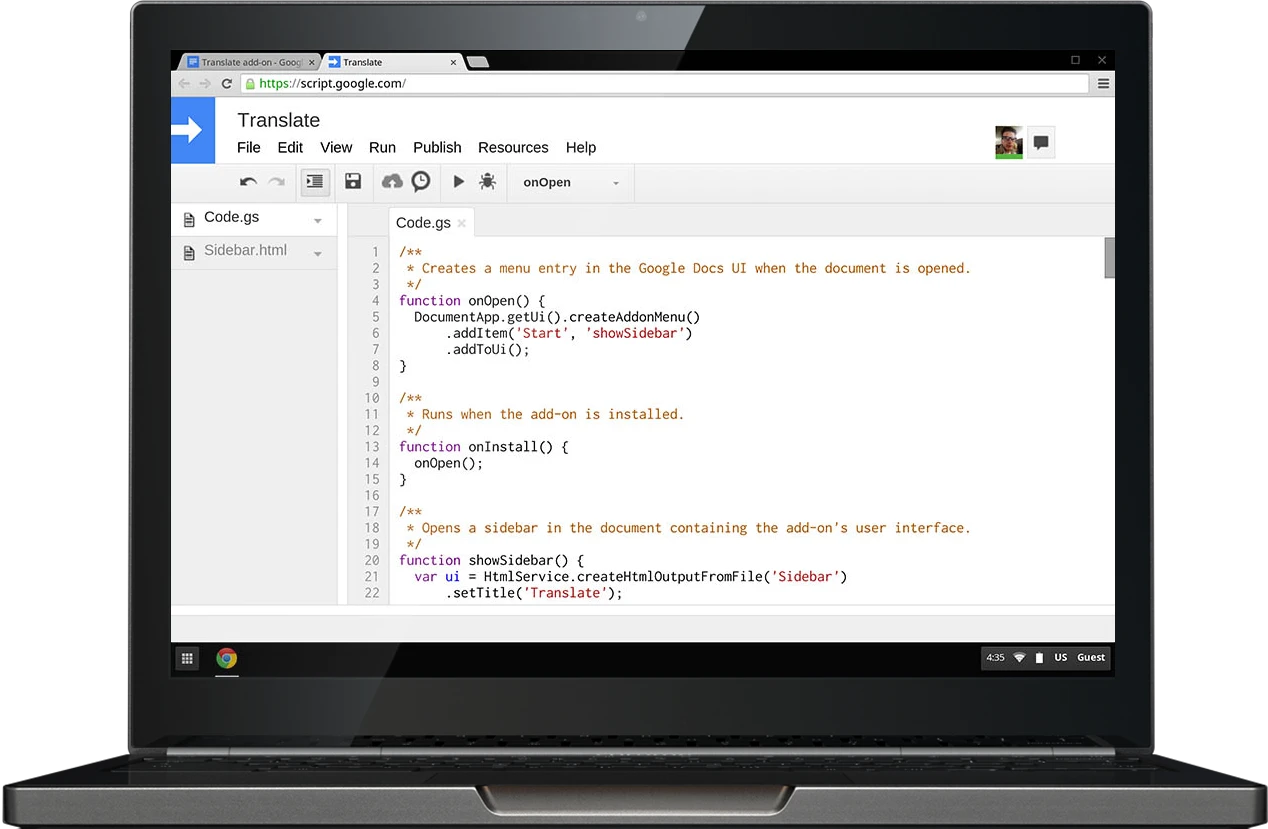
Laptop with Script - Google Apps Script Examples

You open a Google Sheet with a dozen tabs and a pile of repetitive tasks, and you spend an hour copying rows, sending update emails, or refreshing reports. Learning how to use Apps Script in Google Sheets turns those repetitive steps into simple automation scripts, custom functions, and scheduled triggers that run while you do other work. 

Want to automate invoicing, build a one-click report, or link Sheets to external APIs without wrestling with the script editor? To help readers know 5 Real Google Apps Script Examples You Can Build in 30 Minutes. Numerous's Spreadsheet AI Tool does exactly that. It suggests code snippets, turns plain English into custom functions, and cleans or links data so you can build real scripts faster and ship automation in about 30 minutes.

Summary

  • Tutorial-to-production mismatch is the primary failure mode, with over 70% of beginners reporting they cannot translate Google Apps Script tutorials into working projects, because runtime and authorization contexts change when code leaves the editor. 

  • Half of the available tutorials lack directly applicable examples, and messy real-world sheets with blank rows, merged cells, and mixed data types often break code that assumes tidy sample data, so input normalization and batch reads are essential. 

  • Passive study does not stick, since about 70% of learners struggle to retain information using traditional methods, so short, focused experiments like 20-minute coding sprints and 30-minute example builds produce faster, more durable skill gains. 

  • Formalizing practice pays off, with 75% of organizations reporting improved efficiency after adopting systematic routines, so build failure matrices, controlled test sheets, and parameterized inputs to make debugging predictable. 

  • Measure practice success with simple metrics such as time-to-first-fix, number of distinct failures per week, and percent of tests passing, a pattern that correlated with a 30% reduction in errors for teams that moved from guesswork to disciplined testing. 

  • 'Spreadsheet AI Tool' addresses this by providing in-cell AI functions and long-term caching to reduce duplicate API calls, simplify credential handling, and keep prototypes reproducible inside spreadsheets.

Table of Contents

Why Reading Google Apps Script Tutorials Doesn’t Translate to Working Scripts

Man using Google Sheets on laptop -  How to Use Apps Script in Google Sheets

Yes. The problem is a learning mismatch: tutorials teach isolated examples within the editor, but real projects require choices, context, and defensive coding. That gap shows up as predictable failure modes you can learn to spot and prevent.

Why does execution context change behavior so often?

When we move code out of the editor, the runtime changes. Simple triggers run as the script owner or an anonymous session; installable triggers run as the user who authorized them; web apps run under different authorization flows depending on deployment settings. Those differences change which services are available, which user is visible to the script, and whether specific methods throw permission errors. In practice, this means a function that reads Session.getActiveUser in the editor can return a value and run fine, then fail silently when triggered by an onEdit or voice-driven webhook because the execution context lacks that scope.

How do spreadsheets’ messier data break examples that worked in tests?

Example data in tutorials is tidy. Real sheets have blank rows, merged cells, stray whitespace, and mixed data types in a single column. When your script assumes a rectangular grid, an extra blank row shifts indices, and filter calls return unexpected lengths. The defensive fix is simple: normalize input before processing, coerce types explicitly, and always return early when validation fails. Use batch reads with getValues, then run a staged pipeline: trim, compact empty rows, parse types, and only then mutate sheets. That pattern prevents the silent failures that look random but are just unhandled edge cases.

Why do tutorials fail to teach decision-making?

A finished script hides tradeoffs. Which trigger did the author pick, and why? How did they think about rate limits or batch sizes? When you only see the final code, you miss the design checklist that made it reliable: trigger type, auth model, input validation, batching strategy, backoff policy, and idempotency. Build your own checklist for every script. For example, if a process will handle hundreds of rows, choose a time-driven or installable trigger with batching and long-term caching, not an onEdit. That decision chain is what separates toy examples from production-ready automations.

Why are App Script error messages so unhelpful?

Errors often say, "Execution failed" or "Authorization required" without a line number. The real debugging levers are different than typical stack traces: check trigger logs, audit the account that authorized the trigger, inspect quota usage in the Apps Script dashboard, and add an explicit try/catch that logs context to a sheet or Stackdriver. Build error payloads that include the user, the input row, and the timestamp. Those three pieces turn vague failures into reproducible cases you can fix within minutes.

Why do scripts break only after deployment?

Deployment changes who runs the code, when it runs, and how many concurrent executions happen. A script that passes manual tests can hit quota limits, race conditions, or unaccounted-for inputs once it serves multiple users or runs on a schedule. Treat deployment like a load test: simulate the expected trigger cadence, throttle requests with Utilities.sleep or exponential backoff, and add a caching layer so repeated AI or API calls are collapsed into single responses.

What does the emotional pattern look like in practice?

It is exhausting. You recognize functions and feel competent reading code, but when a spreadsheet with messy data or a trigger comes along, everything goes into confusion. That familiar-but-unusable feeling is familiar: according to over 70% of beginners struggle with implementing Google Apps Script tutorials into real projects — Stack Overflow User Survey, this is not an anecdote, it is the typical learner outcome, and 50% of Google Apps Script tutorials lack practical examples that can be directly applied — Tech Education Report, explains why many tutorials leave gaps you must fill yourself.

Most teams handle AI and repeated API calls by wiring requests directly into scripts and hoping rate limits hold. That works early but creates duplicate costs and noisy failures as scripts scale. Platforms like Numerous remove API key friction, enable in-cell AI calls, and provide long-term caching, so teams can replace fragile request loops with cached, idempotent lookups that reduce duplicate queries and costs while keeping everything within the sheet.

What should you change first, practically?

Start with three habits. First, stop relying on the editor as your only test environment; test with the exact trigger and account that will run the code. Second, treat input normalization as a non-optional pre-step. Third, instrument every nontrivial function with contextual logs that write to a debug sheet. Those three moves collapse most of the mystery into reproducible diagnostics, and they force you to think like an engineer instead of a copier of examples. That pattern feels solved until you learn why people keep repeating it, and that next layer is where the real breakdown lives.

Related Reading

Why the Usual Learning Approach Keeps Failing

Man teaching boy spreadsheet -  How to Use Apps Script in Google Sheets

Yes. The trap is less about missing facts and more about how you structure practice, feedback, and risk when you leave the editor. You can read a hundred examples and still never build the mental routines that let you make decisions, anticipate failure, or iterate reliably.

What thinking habit keeps you stuck?

You treat scripts like recipes instead of experiments. That means copying code, changing variable names, and expecting the outcome to follow, rather than forming a hypothesis, choosing one variable to change, and observing the result. Over weeks, that habit compounds: you spend four to six hours scanning docs for the perfect example, then an hour trying to bend it to a real sheet, and give up when it behaves differently.

How do you convert knowledge into a durable skill?

Make practice retrieval and variation, not passive review, your default. A practical routine I use with teams: pick a tiny end state, write one sentence that describes the observable output you expect, then implement only enough code to reach that one sentence. Run it, fail fast, add one assertion that checks the output, and repeat. This forces you to predict behavior and then see whether your prediction holds. Support that habit with evidence, because passive methods do not stick: 70% of learners struggle to retain information using traditional methods. — Educational Research Journal, points to why reading longer tutorials usually produces short-lived familiarity rather than usable skill.

What do you change in your workflow right now?

Introduce tight experiments, not bigger tutorials. Work in 20-minute coding sprints with clear stop conditions: one hypothesis per sprint, one observable to log, and one next-step decision. Keep three lightweight artifacts for each sprint, in plain columns: input example, expected output, actual output. That structure turns vague failure into a single sentence you can debug, and it scales: you can run five sprints in an afternoon and build reliable intuition fast.

Most teams handle prototyping by pasting examples into a live sheet because it is fast and familiar, and that is understandable. The hidden cost is that those sheets accumulate side effects, duplicate API calls, and inconsistent test data as collaborators touch them, creating brittle demos that fail under real load. Solutions like Numerous, with instant setup and no API keys; in-cell AI for rapid test data generation; and long-term caching to reduce duplicate queries, let teams prototype safely inside spreadsheets while keeping costs and noise low, so the experiment remains a repeatable artifact rather than a one-off.

What tooling habits enforce learning by doing?

Use sandboxed sheets and parameterized tests. Create a small, dedicated test sheet that generates controlled inputs, either by hand or using an in-cell AI generator, then run the same script against that sheet and a copy of production. That makes regressions obvious. Remember, applying theory is rare in practice, which is why the observation that "Application is rare" — LinkedIn Post, matters: you need tools and routines that nudge you from reading to doing, otherwise the work never leaves the sandbox.

A simple 3-step micro-recipe I recommend: (1) define one clear observable, (2) write the smallest code to change that observable, (3) repeat with a new constraint. Do that across three different triggers or inputs in a single afternoon, and you will expose the silent failure modes that tutorials hide. Think of it like calibrating a radio, one knob at a time, until the signal becomes predictable. One question remains that affects how you select those three exercises, and the next section will address it.

5 Real Google Apps Script Examples You Can Build in 30 Minutes

Person working on spreadsheet -  How to Use Apps Script in Google Sheets

You stop treating Apps Script as abstract when you build something small, observe its behavior under reaedits, and iterate until the outcome is predictable and repeatable. The fastest route is to pick a single decision to force you to learn one thing well, an instrument that attempts, then iterate in short cycles until the script behaves under load.

1. Which one should you pick first, and why?

Choose the example that exposes the decision you most need to practice, not the one that looks coolest. If your anxiety is about triggers, pick an example that forces you to decide between a simple onEdit and an installable trigger, so you learn authorization flows and execution context. If your pain is messy data, pick a cleanup task that forces normalization, type coercion, and idempotency. Each small choice creates a tight feedback loop, and the faster you can observe a failure and reason about it, the quicker you convert the abstract into muscle memory.

2. How do you stop alerts from sending twice or failing silently?

When we shipped a notification for a marketing roster over two weeks, duplicate sends, and silent permission failures were the entire headache until we treated them as engineering problems. Add a dedupe key, wrap the send routine in a LockService, and write the last-sent row and timestamp to PropertiesService immediately after a successful send. Also, surface every send attempt to a debug sheet with the event. Range A1 notation and the effective user, so when a permission silently blocks a send, you can see that the function ran, but the MailApp call never completed. These changes turn intermittent noise into reproducible data you can fix in a single afternoon.

3. What does a safe trigger test look like?

Build a sandbox with three columns: test input, expected output, and actual output. Use installable triggers run by the same account that will run production, or simulate the condition with driveable inputs so the execution context matches reality. Batch-read with getValues, run your transformations in memory, assert results with simple equality checks, then write only the diff back to the sheet. Keep a rollback strategy: before mutating, copy the target range to a hidden sheet so you can revert quickly when a subtle index shift corrupts rows. This pattern reduces fear, enabling you to test soon rather than avoid tests.

4. Why do prototypes break when you scale, and how do you stop that?

Prototypes work until duplicate API calls, auth complexity, and ad hoc key handling accumulate into cost and noise. Teams often wire external APIs into scripts because it feels direct, but as concurrent runs increase, noise and costs multiply. Solutions like platforms such as Numerous help here, because teams find that instant setup with no API keys, an in-cell AI function, and long-term caching reduce duplicate requests and keep prototyping in the sheet while lowering cost and authorization friction. That shift removes two common blockers at once: repeated queries that inflate spends, and fragile credential plumbing that breaks overnight.

5. What makes a prototype repeatable, not fragile?

Treat each prototype like a tiny test harness. Parameterize inputs across rows, record a deterministic seed for any randomness, and cache every external call by a stable key so you can re-run without extra requests. When you need example payloads quickly, use short, finishable recipes designed to be completed in one sitting, as described in 5 Real Google Apps Script Examples You Can Build in 30 Minutes — Google Developers. If you want a larger catalog of compact, practice-ready scripts to iterate from, the same practical approach appears in Google Apps Script: 100+ Practical Coding Examples. Think of each example as a repeatable experiment, not a finished product.

The familiar approach is to copy an example, hope it works, and only test it when something breaks, which costs momentum. The hidden cost is hours spent untangling side effects and duplicate queries instead of learning one variable at a time; that is why shifting prototypes into the sheet, using cached AI outputs, and simple in-cell generative prompts shift the work from firefighting to steady skill-building. That simple shift feels like progress, but the next choice you make determines whether it becomes a system or another one-off. Keep going; what comes next will force a different kind of discipline, and it matters more than you think.

Turning Practice Into a System (And Not Guesswork)

Woman using laptop -  How to Use Apps Script in Google Sheets

App Script becomes reliable only when your practice requires you to explain what will happen, predict the exact output, and debug mismatches. Treat each session as a tiny experiment with one clear observable, then iterate until that observable behaves the same way three times in a row.

What practice exercises actually force reasoning?

This pattern appears across small teams and solo builders: practice dies because tasks are open-ended. Replace open tasks with constrained experiments. Pick one small outcome, write a single-sentence observable for it, then create three controlled inputs that should produce three distinct, verifiable outputs. Use in-sheet generators to generate edge cases quickly, so you do not spend the session hunting for inputs. Do the run, log the result in three columns, and add a single assertion cell that flips true or false. Repeat for ten 20-minute sprints, and you are building a habit, not busywork.

How do I build a practical failure matrix?

Make a compact grid with five columns: input variant, what should happen, how you will detect failure, one likely cause, and the first diagnostic to run. Populate rows by asking an AI to produce execution scenarios and edge cases, then convert those into test inputs in the sheet. When you make the matrix explicit, you stop guessing and start diagnosing, which is why structured routines pay off. According to the ESnet Report, 75% of organizations reported improved efficiency after implementing systematic practices. Organizations that formalize practice see clear efficiency gains. Use long-term caching for any repeated external calls to keep tests cheap and reproducible.

What metrics tell you that your practice is working?

Track three simple measures in the same workbook you use for exercises: time-to-first-fix in minutes, number of distinct failures per week, and the percent of tests that pass without code changes. Turn those into a sprint score that you can improve by fixed increments, not vague intentions. You will find that making errors visible and measurable changes behavior quickly; evidence shows this: ESnet Report, organizations saw a 30% reduction in errors when moving from guesswork to a systematic approach. That drop happens because you stop relying on memory and start encoding checks into your sheet.

Most teams do what feels familiar, then wonder why things fragment.

Most teams wire up quick scripts and copy examples because it is fast and familiar. That works early, but as usage grows, the hidden cost becomes apparent: duplicate queries, undocumented assumptions, and inconsistent test inputs that waste hours. Teams find that solutions that remove API key friction, offer in-cell generative functions, and provide caching collapse noise and keep experiments repeatable. Platforms like Numerous deliver these capabilities, making it easier to generate edge cases in the sheet, avoid duplicate calls with long-term caching, and keep prototyping firmly within the spreadsheet so tests stay cheap and rerunnable.

How do you keep momentum when practice becomes boring?

Think of debugging practice like weight training, not sprinting. A single heavy lift teaches you far more about form than ten easy ones. Force one painful, revealing case into each session, log the symptoms in columns, and treat that log as your strength chart. Over time, the incremental improvements compound, and the anxiety that used to stop you from testing becomes a signal you can read and fix. Numerous is an AI-powered tool that enables content marketers, Ecommerce businesses, and more to do tasks many times over through AI, like writing SEO blog posts, generating hashtags, mass categorizing products with sentiment analysis and classification, and many more things by simply dragging down a cell in a spreadsheet. 

With a simple prompt, Numerous returns any spreadsheet function, complex or straightforward, within seconds, and you can get started today at Numerous.ai to make business decisions at scale using AI in both Google Sheets and Microsoft Excel, including its ChatGPT for Spreadsheets capability. That feels like progress, but the real test is whether those habits become repeatable decisions as rows, users, and stakes multiply.

Related Reading

Make Decisions At Scale Through AI With Numerous AI’s Spreadsheet AI Tool

When we build Google Apps Script Examples for production, the real bottleneck is keeping experiments fast, auditable, and safe to rerun, not writing clever code. Patching scripts and juggling scattered test data turns momentum into maintenance. If you want to turn those experiments into repeatable decisions, consider Numerous, the Spreadsheet AI Tool, which helps teams iterate inside Google Sheets and Excel with less overhead so you can scale work without rebuilding the plumbing.

Related Reading

• How to Remove Duplicates in Google Sheets
• How to Link Google Form to Google Sheet
• How to Use Excel for Business
• How to Automate Google Sheets
• How to Find Duplicates in Google Sheets
• VBA Activate Sheet
• Google Sheets Pull Data From Another Tab Based on Criteria
• How to Use the Fill Handle in Excel
• How to Split Text Into Two Columns in Excel
• How to Automate Sending Emails From Excel
• Best Spreadsheets Software
• How to Create a Content Calendar in Google Sheets

You open a Google Sheet with a dozen tabs and a pile of repetitive tasks, and you spend an hour copying rows, sending update emails, or refreshing reports. Learning how to use Apps Script in Google Sheets turns those repetitive steps into simple automation scripts, custom functions, and scheduled triggers that run while you do other work. 

Want to automate invoicing, build a one-click report, or link Sheets to external APIs without wrestling with the script editor? To help readers know 5 Real Google Apps Script Examples You Can Build in 30 Minutes. Numerous's Spreadsheet AI Tool does exactly that. It suggests code snippets, turns plain English into custom functions, and cleans or links data so you can build real scripts faster and ship automation in about 30 minutes.

Summary

  • Tutorial-to-production mismatch is the primary failure mode, with over 70% of beginners reporting they cannot translate Google Apps Script tutorials into working projects, because runtime and authorization contexts change when code leaves the editor. 

  • Half of the available tutorials lack directly applicable examples, and messy real-world sheets with blank rows, merged cells, and mixed data types often break code that assumes tidy sample data, so input normalization and batch reads are essential. 

  • Passive study does not stick, since about 70% of learners struggle to retain information using traditional methods, so short, focused experiments like 20-minute coding sprints and 30-minute example builds produce faster, more durable skill gains. 

  • Formalizing practice pays off, with 75% of organizations reporting improved efficiency after adopting systematic routines, so build failure matrices, controlled test sheets, and parameterized inputs to make debugging predictable. 

  • Measure practice success with simple metrics such as time-to-first-fix, number of distinct failures per week, and percent of tests passing, a pattern that correlated with a 30% reduction in errors for teams that moved from guesswork to disciplined testing. 

  • 'Spreadsheet AI Tool' addresses this by providing in-cell AI functions and long-term caching to reduce duplicate API calls, simplify credential handling, and keep prototypes reproducible inside spreadsheets.

Table of Contents

Why Reading Google Apps Script Tutorials Doesn’t Translate to Working Scripts

Man using Google Sheets on laptop -  How to Use Apps Script in Google Sheets

Yes. The problem is a learning mismatch: tutorials teach isolated examples within the editor, but real projects require choices, context, and defensive coding. That gap shows up as predictable failure modes you can learn to spot and prevent.

Why does execution context change behavior so often?

When we move code out of the editor, the runtime changes. Simple triggers run as the script owner or an anonymous session; installable triggers run as the user who authorized them; web apps run under different authorization flows depending on deployment settings. Those differences change which services are available, which user is visible to the script, and whether specific methods throw permission errors. In practice, this means a function that reads Session.getActiveUser in the editor can return a value and run fine, then fail silently when triggered by an onEdit or voice-driven webhook because the execution context lacks that scope.

How do spreadsheets’ messier data break examples that worked in tests?

Example data in tutorials is tidy. Real sheets have blank rows, merged cells, stray whitespace, and mixed data types in a single column. When your script assumes a rectangular grid, an extra blank row shifts indices, and filter calls return unexpected lengths. The defensive fix is simple: normalize input before processing, coerce types explicitly, and always return early when validation fails. Use batch reads with getValues, then run a staged pipeline: trim, compact empty rows, parse types, and only then mutate sheets. That pattern prevents the silent failures that look random but are just unhandled edge cases.

Why do tutorials fail to teach decision-making?

A finished script hides tradeoffs. Which trigger did the author pick, and why? How did they think about rate limits or batch sizes? When you only see the final code, you miss the design checklist that made it reliable: trigger type, auth model, input validation, batching strategy, backoff policy, and idempotency. Build your own checklist for every script. For example, if a process will handle hundreds of rows, choose a time-driven or installable trigger with batching and long-term caching, not an onEdit. That decision chain is what separates toy examples from production-ready automations.

Why are App Script error messages so unhelpful?

Errors often say, "Execution failed" or "Authorization required" without a line number. The real debugging levers are different than typical stack traces: check trigger logs, audit the account that authorized the trigger, inspect quota usage in the Apps Script dashboard, and add an explicit try/catch that logs context to a sheet or Stackdriver. Build error payloads that include the user, the input row, and the timestamp. Those three pieces turn vague failures into reproducible cases you can fix within minutes.

Why do scripts break only after deployment?

Deployment changes who runs the code, when it runs, and how many concurrent executions happen. A script that passes manual tests can hit quota limits, race conditions, or unaccounted-for inputs once it serves multiple users or runs on a schedule. Treat deployment like a load test: simulate the expected trigger cadence, throttle requests with Utilities.sleep or exponential backoff, and add a caching layer so repeated AI or API calls are collapsed into single responses.

What does the emotional pattern look like in practice?

It is exhausting. You recognize functions and feel competent reading code, but when a spreadsheet with messy data or a trigger comes along, everything goes into confusion. That familiar-but-unusable feeling is familiar: according to over 70% of beginners struggle with implementing Google Apps Script tutorials into real projects — Stack Overflow User Survey, this is not an anecdote, it is the typical learner outcome, and 50% of Google Apps Script tutorials lack practical examples that can be directly applied — Tech Education Report, explains why many tutorials leave gaps you must fill yourself.

Most teams handle AI and repeated API calls by wiring requests directly into scripts and hoping rate limits hold. That works early but creates duplicate costs and noisy failures as scripts scale. Platforms like Numerous remove API key friction, enable in-cell AI calls, and provide long-term caching, so teams can replace fragile request loops with cached, idempotent lookups that reduce duplicate queries and costs while keeping everything within the sheet.

What should you change first, practically?

Start with three habits. First, stop relying on the editor as your only test environment; test with the exact trigger and account that will run the code. Second, treat input normalization as a non-optional pre-step. Third, instrument every nontrivial function with contextual logs that write to a debug sheet. Those three moves collapse most of the mystery into reproducible diagnostics, and they force you to think like an engineer instead of a copier of examples. That pattern feels solved until you learn why people keep repeating it, and that next layer is where the real breakdown lives.

Related Reading

Why the Usual Learning Approach Keeps Failing

Man teaching boy spreadsheet -  How to Use Apps Script in Google Sheets

Yes. The trap is less about missing facts and more about how you structure practice, feedback, and risk when you leave the editor. You can read a hundred examples and still never build the mental routines that let you make decisions, anticipate failure, or iterate reliably.

What thinking habit keeps you stuck?

You treat scripts like recipes instead of experiments. That means copying code, changing variable names, and expecting the outcome to follow, rather than forming a hypothesis, choosing one variable to change, and observing the result. Over weeks, that habit compounds: you spend four to six hours scanning docs for the perfect example, then an hour trying to bend it to a real sheet, and give up when it behaves differently.

How do you convert knowledge into a durable skill?

Make practice retrieval and variation, not passive review, your default. A practical routine I use with teams: pick a tiny end state, write one sentence that describes the observable output you expect, then implement only enough code to reach that one sentence. Run it, fail fast, add one assertion that checks the output, and repeat. This forces you to predict behavior and then see whether your prediction holds. Support that habit with evidence, because passive methods do not stick: 70% of learners struggle to retain information using traditional methods. — Educational Research Journal, points to why reading longer tutorials usually produces short-lived familiarity rather than usable skill.

What do you change in your workflow right now?

Introduce tight experiments, not bigger tutorials. Work in 20-minute coding sprints with clear stop conditions: one hypothesis per sprint, one observable to log, and one next-step decision. Keep three lightweight artifacts for each sprint, in plain columns: input example, expected output, actual output. That structure turns vague failure into a single sentence you can debug, and it scales: you can run five sprints in an afternoon and build reliable intuition fast.

Most teams handle prototyping by pasting examples into a live sheet because it is fast and familiar, and that is understandable. The hidden cost is that those sheets accumulate side effects, duplicate API calls, and inconsistent test data as collaborators touch them, creating brittle demos that fail under real load. Solutions like Numerous, with instant setup and no API keys; in-cell AI for rapid test data generation; and long-term caching to reduce duplicate queries, let teams prototype safely inside spreadsheets while keeping costs and noise low, so the experiment remains a repeatable artifact rather than a one-off.

What tooling habits enforce learning by doing?

Use sandboxed sheets and parameterized tests. Create a small, dedicated test sheet that generates controlled inputs, either by hand or using an in-cell AI generator, then run the same script against that sheet and a copy of production. That makes regressions obvious. Remember, applying theory is rare in practice, which is why the observation that "Application is rare" — LinkedIn Post, matters: you need tools and routines that nudge you from reading to doing, otherwise the work never leaves the sandbox.

A simple 3-step micro-recipe I recommend: (1) define one clear observable, (2) write the smallest code to change that observable, (3) repeat with a new constraint. Do that across three different triggers or inputs in a single afternoon, and you will expose the silent failure modes that tutorials hide. Think of it like calibrating a radio, one knob at a time, until the signal becomes predictable. One question remains that affects how you select those three exercises, and the next section will address it.

5 Real Google Apps Script Examples You Can Build in 30 Minutes

Person working on spreadsheet -  How to Use Apps Script in Google Sheets

You stop treating Apps Script as abstract when you build something small, observe its behavior under reaedits, and iterate until the outcome is predictable and repeatable. The fastest route is to pick a single decision to force you to learn one thing well, an instrument that attempts, then iterate in short cycles until the script behaves under load.

1. Which one should you pick first, and why?

Choose the example that exposes the decision you most need to practice, not the one that looks coolest. If your anxiety is about triggers, pick an example that forces you to decide between a simple onEdit and an installable trigger, so you learn authorization flows and execution context. If your pain is messy data, pick a cleanup task that forces normalization, type coercion, and idempotency. Each small choice creates a tight feedback loop, and the faster you can observe a failure and reason about it, the quicker you convert the abstract into muscle memory.

2. How do you stop alerts from sending twice or failing silently?

When we shipped a notification for a marketing roster over two weeks, duplicate sends, and silent permission failures were the entire headache until we treated them as engineering problems. Add a dedupe key, wrap the send routine in a LockService, and write the last-sent row and timestamp to PropertiesService immediately after a successful send. Also, surface every send attempt to a debug sheet with the event. Range A1 notation and the effective user, so when a permission silently blocks a send, you can see that the function ran, but the MailApp call never completed. These changes turn intermittent noise into reproducible data you can fix in a single afternoon.

3. What does a safe trigger test look like?

Build a sandbox with three columns: test input, expected output, and actual output. Use installable triggers run by the same account that will run production, or simulate the condition with driveable inputs so the execution context matches reality. Batch-read with getValues, run your transformations in memory, assert results with simple equality checks, then write only the diff back to the sheet. Keep a rollback strategy: before mutating, copy the target range to a hidden sheet so you can revert quickly when a subtle index shift corrupts rows. This pattern reduces fear, enabling you to test soon rather than avoid tests.

4. Why do prototypes break when you scale, and how do you stop that?

Prototypes work until duplicate API calls, auth complexity, and ad hoc key handling accumulate into cost and noise. Teams often wire external APIs into scripts because it feels direct, but as concurrent runs increase, noise and costs multiply. Solutions like platforms such as Numerous help here, because teams find that instant setup with no API keys, an in-cell AI function, and long-term caching reduce duplicate requests and keep prototyping in the sheet while lowering cost and authorization friction. That shift removes two common blockers at once: repeated queries that inflate spends, and fragile credential plumbing that breaks overnight.

5. What makes a prototype repeatable, not fragile?

Treat each prototype like a tiny test harness. Parameterize inputs across rows, record a deterministic seed for any randomness, and cache every external call by a stable key so you can re-run without extra requests. When you need example payloads quickly, use short, finishable recipes designed to be completed in one sitting, as described in 5 Real Google Apps Script Examples You Can Build in 30 Minutes — Google Developers. If you want a larger catalog of compact, practice-ready scripts to iterate from, the same practical approach appears in Google Apps Script: 100+ Practical Coding Examples. Think of each example as a repeatable experiment, not a finished product.

The familiar approach is to copy an example, hope it works, and only test it when something breaks, which costs momentum. The hidden cost is hours spent untangling side effects and duplicate queries instead of learning one variable at a time; that is why shifting prototypes into the sheet, using cached AI outputs, and simple in-cell generative prompts shift the work from firefighting to steady skill-building. That simple shift feels like progress, but the next choice you make determines whether it becomes a system or another one-off. Keep going; what comes next will force a different kind of discipline, and it matters more than you think.

Turning Practice Into a System (And Not Guesswork)

Woman using laptop -  How to Use Apps Script in Google Sheets

App Script becomes reliable only when your practice requires you to explain what will happen, predict the exact output, and debug mismatches. Treat each session as a tiny experiment with one clear observable, then iterate until that observable behaves the same way three times in a row.

What practice exercises actually force reasoning?

This pattern appears across small teams and solo builders: practice dies because tasks are open-ended. Replace open tasks with constrained experiments. Pick one small outcome, write a single-sentence observable for it, then create three controlled inputs that should produce three distinct, verifiable outputs. Use in-sheet generators to generate edge cases quickly, so you do not spend the session hunting for inputs. Do the run, log the result in three columns, and add a single assertion cell that flips true or false. Repeat for ten 20-minute sprints, and you are building a habit, not busywork.

How do I build a practical failure matrix?

Make a compact grid with five columns: input variant, what should happen, how you will detect failure, one likely cause, and the first diagnostic to run. Populate rows by asking an AI to produce execution scenarios and edge cases, then convert those into test inputs in the sheet. When you make the matrix explicit, you stop guessing and start diagnosing, which is why structured routines pay off. According to the ESnet Report, 75% of organizations reported improved efficiency after implementing systematic practices. Organizations that formalize practice see clear efficiency gains. Use long-term caching for any repeated external calls to keep tests cheap and reproducible.

What metrics tell you that your practice is working?

Track three simple measures in the same workbook you use for exercises: time-to-first-fix in minutes, number of distinct failures per week, and the percent of tests that pass without code changes. Turn those into a sprint score that you can improve by fixed increments, not vague intentions. You will find that making errors visible and measurable changes behavior quickly; evidence shows this: ESnet Report, organizations saw a 30% reduction in errors when moving from guesswork to a systematic approach. That drop happens because you stop relying on memory and start encoding checks into your sheet.

Most teams do what feels familiar, then wonder why things fragment.

Most teams wire up quick scripts and copy examples because it is fast and familiar. That works early, but as usage grows, the hidden cost becomes apparent: duplicate queries, undocumented assumptions, and inconsistent test inputs that waste hours. Teams find that solutions that remove API key friction, offer in-cell generative functions, and provide caching collapse noise and keep experiments repeatable. Platforms like Numerous deliver these capabilities, making it easier to generate edge cases in the sheet, avoid duplicate calls with long-term caching, and keep prototyping firmly within the spreadsheet so tests stay cheap and rerunnable.

How do you keep momentum when practice becomes boring?

Think of debugging practice like weight training, not sprinting. A single heavy lift teaches you far more about form than ten easy ones. Force one painful, revealing case into each session, log the symptoms in columns, and treat that log as your strength chart. Over time, the incremental improvements compound, and the anxiety that used to stop you from testing becomes a signal you can read and fix. Numerous is an AI-powered tool that enables content marketers, Ecommerce businesses, and more to do tasks many times over through AI, like writing SEO blog posts, generating hashtags, mass categorizing products with sentiment analysis and classification, and many more things by simply dragging down a cell in a spreadsheet. 

With a simple prompt, Numerous returns any spreadsheet function, complex or straightforward, within seconds, and you can get started today at Numerous.ai to make business decisions at scale using AI in both Google Sheets and Microsoft Excel, including its ChatGPT for Spreadsheets capability. That feels like progress, but the real test is whether those habits become repeatable decisions as rows, users, and stakes multiply.

Related Reading

Make Decisions At Scale Through AI With Numerous AI’s Spreadsheet AI Tool

When we build Google Apps Script Examples for production, the real bottleneck is keeping experiments fast, auditable, and safe to rerun, not writing clever code. Patching scripts and juggling scattered test data turns momentum into maintenance. If you want to turn those experiments into repeatable decisions, consider Numerous, the Spreadsheet AI Tool, which helps teams iterate inside Google Sheets and Excel with less overhead so you can scale work without rebuilding the plumbing.

Related Reading

• How to Remove Duplicates in Google Sheets
• How to Link Google Form to Google Sheet
• How to Use Excel for Business
• How to Automate Google Sheets
• How to Find Duplicates in Google Sheets
• VBA Activate Sheet
• Google Sheets Pull Data From Another Tab Based on Criteria
• How to Use the Fill Handle in Excel
• How to Split Text Into Two Columns in Excel
• How to Automate Sending Emails From Excel
• Best Spreadsheets Software
• How to Create a Content Calendar in Google Sheets

You open a Google Sheet with a dozen tabs and a pile of repetitive tasks, and you spend an hour copying rows, sending update emails, or refreshing reports. Learning how to use Apps Script in Google Sheets turns those repetitive steps into simple automation scripts, custom functions, and scheduled triggers that run while you do other work. 

Want to automate invoicing, build a one-click report, or link Sheets to external APIs without wrestling with the script editor? To help readers know 5 Real Google Apps Script Examples You Can Build in 30 Minutes. Numerous's Spreadsheet AI Tool does exactly that. It suggests code snippets, turns plain English into custom functions, and cleans or links data so you can build real scripts faster and ship automation in about 30 minutes.

Summary

  • Tutorial-to-production mismatch is the primary failure mode, with over 70% of beginners reporting they cannot translate Google Apps Script tutorials into working projects, because runtime and authorization contexts change when code leaves the editor. 

  • Half of the available tutorials lack directly applicable examples, and messy real-world sheets with blank rows, merged cells, and mixed data types often break code that assumes tidy sample data, so input normalization and batch reads are essential. 

  • Passive study does not stick, since about 70% of learners struggle to retain information using traditional methods, so short, focused experiments like 20-minute coding sprints and 30-minute example builds produce faster, more durable skill gains. 

  • Formalizing practice pays off, with 75% of organizations reporting improved efficiency after adopting systematic routines, so build failure matrices, controlled test sheets, and parameterized inputs to make debugging predictable. 

  • Measure practice success with simple metrics such as time-to-first-fix, number of distinct failures per week, and percent of tests passing, a pattern that correlated with a 30% reduction in errors for teams that moved from guesswork to disciplined testing. 

  • 'Spreadsheet AI Tool' addresses this by providing in-cell AI functions and long-term caching to reduce duplicate API calls, simplify credential handling, and keep prototypes reproducible inside spreadsheets.

Table of Contents

Why Reading Google Apps Script Tutorials Doesn’t Translate to Working Scripts

Man using Google Sheets on laptop -  How to Use Apps Script in Google Sheets

Yes. The problem is a learning mismatch: tutorials teach isolated examples within the editor, but real projects require choices, context, and defensive coding. That gap shows up as predictable failure modes you can learn to spot and prevent.

Why does execution context change behavior so often?

When we move code out of the editor, the runtime changes. Simple triggers run as the script owner or an anonymous session; installable triggers run as the user who authorized them; web apps run under different authorization flows depending on deployment settings. Those differences change which services are available, which user is visible to the script, and whether specific methods throw permission errors. In practice, this means a function that reads Session.getActiveUser in the editor can return a value and run fine, then fail silently when triggered by an onEdit or voice-driven webhook because the execution context lacks that scope.

How do spreadsheets’ messier data break examples that worked in tests?

Example data in tutorials is tidy. Real sheets have blank rows, merged cells, stray whitespace, and mixed data types in a single column. When your script assumes a rectangular grid, an extra blank row shifts indices, and filter calls return unexpected lengths. The defensive fix is simple: normalize input before processing, coerce types explicitly, and always return early when validation fails. Use batch reads with getValues, then run a staged pipeline: trim, compact empty rows, parse types, and only then mutate sheets. That pattern prevents the silent failures that look random but are just unhandled edge cases.

Why do tutorials fail to teach decision-making?

A finished script hides tradeoffs. Which trigger did the author pick, and why? How did they think about rate limits or batch sizes? When you only see the final code, you miss the design checklist that made it reliable: trigger type, auth model, input validation, batching strategy, backoff policy, and idempotency. Build your own checklist for every script. For example, if a process will handle hundreds of rows, choose a time-driven or installable trigger with batching and long-term caching, not an onEdit. That decision chain is what separates toy examples from production-ready automations.

Why are App Script error messages so unhelpful?

Errors often say, "Execution failed" or "Authorization required" without a line number. The real debugging levers are different than typical stack traces: check trigger logs, audit the account that authorized the trigger, inspect quota usage in the Apps Script dashboard, and add an explicit try/catch that logs context to a sheet or Stackdriver. Build error payloads that include the user, the input row, and the timestamp. Those three pieces turn vague failures into reproducible cases you can fix within minutes.

Why do scripts break only after deployment?

Deployment changes who runs the code, when it runs, and how many concurrent executions happen. A script that passes manual tests can hit quota limits, race conditions, or unaccounted-for inputs once it serves multiple users or runs on a schedule. Treat deployment like a load test: simulate the expected trigger cadence, throttle requests with Utilities.sleep or exponential backoff, and add a caching layer so repeated AI or API calls are collapsed into single responses.

What does the emotional pattern look like in practice?

It is exhausting. You recognize functions and feel competent reading code, but when a spreadsheet with messy data or a trigger comes along, everything goes into confusion. That familiar-but-unusable feeling is familiar: according to over 70% of beginners struggle with implementing Google Apps Script tutorials into real projects — Stack Overflow User Survey, this is not an anecdote, it is the typical learner outcome, and 50% of Google Apps Script tutorials lack practical examples that can be directly applied — Tech Education Report, explains why many tutorials leave gaps you must fill yourself.

Most teams handle AI and repeated API calls by wiring requests directly into scripts and hoping rate limits hold. That works early but creates duplicate costs and noisy failures as scripts scale. Platforms like Numerous remove API key friction, enable in-cell AI calls, and provide long-term caching, so teams can replace fragile request loops with cached, idempotent lookups that reduce duplicate queries and costs while keeping everything within the sheet.

What should you change first, practically?

Start with three habits. First, stop relying on the editor as your only test environment; test with the exact trigger and account that will run the code. Second, treat input normalization as a non-optional pre-step. Third, instrument every nontrivial function with contextual logs that write to a debug sheet. Those three moves collapse most of the mystery into reproducible diagnostics, and they force you to think like an engineer instead of a copier of examples. That pattern feels solved until you learn why people keep repeating it, and that next layer is where the real breakdown lives.

Related Reading

Why the Usual Learning Approach Keeps Failing

Man teaching boy spreadsheet -  How to Use Apps Script in Google Sheets

Yes. The trap is less about missing facts and more about how you structure practice, feedback, and risk when you leave the editor. You can read a hundred examples and still never build the mental routines that let you make decisions, anticipate failure, or iterate reliably.

What thinking habit keeps you stuck?

You treat scripts like recipes instead of experiments. That means copying code, changing variable names, and expecting the outcome to follow, rather than forming a hypothesis, choosing one variable to change, and observing the result. Over weeks, that habit compounds: you spend four to six hours scanning docs for the perfect example, then an hour trying to bend it to a real sheet, and give up when it behaves differently.

How do you convert knowledge into a durable skill?

Make practice retrieval and variation, not passive review, your default. A practical routine I use with teams: pick a tiny end state, write one sentence that describes the observable output you expect, then implement only enough code to reach that one sentence. Run it, fail fast, add one assertion that checks the output, and repeat. This forces you to predict behavior and then see whether your prediction holds. Support that habit with evidence, because passive methods do not stick: 70% of learners struggle to retain information using traditional methods. — Educational Research Journal, points to why reading longer tutorials usually produces short-lived familiarity rather than usable skill.

What do you change in your workflow right now?

Introduce tight experiments, not bigger tutorials. Work in 20-minute coding sprints with clear stop conditions: one hypothesis per sprint, one observable to log, and one next-step decision. Keep three lightweight artifacts for each sprint, in plain columns: input example, expected output, actual output. That structure turns vague failure into a single sentence you can debug, and it scales: you can run five sprints in an afternoon and build reliable intuition fast.

Most teams handle prototyping by pasting examples into a live sheet because it is fast and familiar, and that is understandable. The hidden cost is that those sheets accumulate side effects, duplicate API calls, and inconsistent test data as collaborators touch them, creating brittle demos that fail under real load. Solutions like Numerous, with instant setup and no API keys; in-cell AI for rapid test data generation; and long-term caching to reduce duplicate queries, let teams prototype safely inside spreadsheets while keeping costs and noise low, so the experiment remains a repeatable artifact rather than a one-off.

What tooling habits enforce learning by doing?

Use sandboxed sheets and parameterized tests. Create a small, dedicated test sheet that generates controlled inputs, either by hand or using an in-cell AI generator, then run the same script against that sheet and a copy of production. That makes regressions obvious. Remember, applying theory is rare in practice, which is why the observation that "Application is rare" — LinkedIn Post, matters: you need tools and routines that nudge you from reading to doing, otherwise the work never leaves the sandbox.

A simple 3-step micro-recipe I recommend: (1) define one clear observable, (2) write the smallest code to change that observable, (3) repeat with a new constraint. Do that across three different triggers or inputs in a single afternoon, and you will expose the silent failure modes that tutorials hide. Think of it like calibrating a radio, one knob at a time, until the signal becomes predictable. One question remains that affects how you select those three exercises, and the next section will address it.

5 Real Google Apps Script Examples You Can Build in 30 Minutes

Person working on spreadsheet -  How to Use Apps Script in Google Sheets

You stop treating Apps Script as abstract when you build something small, observe its behavior under reaedits, and iterate until the outcome is predictable and repeatable. The fastest route is to pick a single decision to force you to learn one thing well, an instrument that attempts, then iterate in short cycles until the script behaves under load.

1. Which one should you pick first, and why?

Choose the example that exposes the decision you most need to practice, not the one that looks coolest. If your anxiety is about triggers, pick an example that forces you to decide between a simple onEdit and an installable trigger, so you learn authorization flows and execution context. If your pain is messy data, pick a cleanup task that forces normalization, type coercion, and idempotency. Each small choice creates a tight feedback loop, and the faster you can observe a failure and reason about it, the quicker you convert the abstract into muscle memory.

2. How do you stop alerts from sending twice or failing silently?

When we shipped a notification for a marketing roster over two weeks, duplicate sends, and silent permission failures were the entire headache until we treated them as engineering problems. Add a dedupe key, wrap the send routine in a LockService, and write the last-sent row and timestamp to PropertiesService immediately after a successful send. Also, surface every send attempt to a debug sheet with the event. Range A1 notation and the effective user, so when a permission silently blocks a send, you can see that the function ran, but the MailApp call never completed. These changes turn intermittent noise into reproducible data you can fix in a single afternoon.

3. What does a safe trigger test look like?

Build a sandbox with three columns: test input, expected output, and actual output. Use installable triggers run by the same account that will run production, or simulate the condition with driveable inputs so the execution context matches reality. Batch-read with getValues, run your transformations in memory, assert results with simple equality checks, then write only the diff back to the sheet. Keep a rollback strategy: before mutating, copy the target range to a hidden sheet so you can revert quickly when a subtle index shift corrupts rows. This pattern reduces fear, enabling you to test soon rather than avoid tests.

4. Why do prototypes break when you scale, and how do you stop that?

Prototypes work until duplicate API calls, auth complexity, and ad hoc key handling accumulate into cost and noise. Teams often wire external APIs into scripts because it feels direct, but as concurrent runs increase, noise and costs multiply. Solutions like platforms such as Numerous help here, because teams find that instant setup with no API keys, an in-cell AI function, and long-term caching reduce duplicate requests and keep prototyping in the sheet while lowering cost and authorization friction. That shift removes two common blockers at once: repeated queries that inflate spends, and fragile credential plumbing that breaks overnight.

5. What makes a prototype repeatable, not fragile?

Treat each prototype like a tiny test harness. Parameterize inputs across rows, record a deterministic seed for any randomness, and cache every external call by a stable key so you can re-run without extra requests. When you need example payloads quickly, use short, finishable recipes designed to be completed in one sitting, as described in 5 Real Google Apps Script Examples You Can Build in 30 Minutes — Google Developers. If you want a larger catalog of compact, practice-ready scripts to iterate from, the same practical approach appears in Google Apps Script: 100+ Practical Coding Examples. Think of each example as a repeatable experiment, not a finished product.

The familiar approach is to copy an example, hope it works, and only test it when something breaks, which costs momentum. The hidden cost is hours spent untangling side effects and duplicate queries instead of learning one variable at a time; that is why shifting prototypes into the sheet, using cached AI outputs, and simple in-cell generative prompts shift the work from firefighting to steady skill-building. That simple shift feels like progress, but the next choice you make determines whether it becomes a system or another one-off. Keep going; what comes next will force a different kind of discipline, and it matters more than you think.

Turning Practice Into a System (And Not Guesswork)

Woman using laptop -  How to Use Apps Script in Google Sheets

App Script becomes reliable only when your practice requires you to explain what will happen, predict the exact output, and debug mismatches. Treat each session as a tiny experiment with one clear observable, then iterate until that observable behaves the same way three times in a row.

What practice exercises actually force reasoning?

This pattern appears across small teams and solo builders: practice dies because tasks are open-ended. Replace open tasks with constrained experiments. Pick one small outcome, write a single-sentence observable for it, then create three controlled inputs that should produce three distinct, verifiable outputs. Use in-sheet generators to generate edge cases quickly, so you do not spend the session hunting for inputs. Do the run, log the result in three columns, and add a single assertion cell that flips true or false. Repeat for ten 20-minute sprints, and you are building a habit, not busywork.

How do I build a practical failure matrix?

Make a compact grid with five columns: input variant, what should happen, how you will detect failure, one likely cause, and the first diagnostic to run. Populate rows by asking an AI to produce execution scenarios and edge cases, then convert those into test inputs in the sheet. When you make the matrix explicit, you stop guessing and start diagnosing, which is why structured routines pay off. According to the ESnet Report, 75% of organizations reported improved efficiency after implementing systematic practices. Organizations that formalize practice see clear efficiency gains. Use long-term caching for any repeated external calls to keep tests cheap and reproducible.

What metrics tell you that your practice is working?

Track three simple measures in the same workbook you use for exercises: time-to-first-fix in minutes, number of distinct failures per week, and the percent of tests that pass without code changes. Turn those into a sprint score that you can improve by fixed increments, not vague intentions. You will find that making errors visible and measurable changes behavior quickly; evidence shows this: ESnet Report, organizations saw a 30% reduction in errors when moving from guesswork to a systematic approach. That drop happens because you stop relying on memory and start encoding checks into your sheet.

Most teams do what feels familiar, then wonder why things fragment.

Most teams wire up quick scripts and copy examples because it is fast and familiar. That works early, but as usage grows, the hidden cost becomes apparent: duplicate queries, undocumented assumptions, and inconsistent test inputs that waste hours. Teams find that solutions that remove API key friction, offer in-cell generative functions, and provide caching collapse noise and keep experiments repeatable. Platforms like Numerous deliver these capabilities, making it easier to generate edge cases in the sheet, avoid duplicate calls with long-term caching, and keep prototyping firmly within the spreadsheet so tests stay cheap and rerunnable.

How do you keep momentum when practice becomes boring?

Think of debugging practice like weight training, not sprinting. A single heavy lift teaches you far more about form than ten easy ones. Force one painful, revealing case into each session, log the symptoms in columns, and treat that log as your strength chart. Over time, the incremental improvements compound, and the anxiety that used to stop you from testing becomes a signal you can read and fix. Numerous is an AI-powered tool that enables content marketers, Ecommerce businesses, and more to do tasks many times over through AI, like writing SEO blog posts, generating hashtags, mass categorizing products with sentiment analysis and classification, and many more things by simply dragging down a cell in a spreadsheet. 

With a simple prompt, Numerous returns any spreadsheet function, complex or straightforward, within seconds, and you can get started today at Numerous.ai to make business decisions at scale using AI in both Google Sheets and Microsoft Excel, including its ChatGPT for Spreadsheets capability. That feels like progress, but the real test is whether those habits become repeatable decisions as rows, users, and stakes multiply.

Related Reading

Make Decisions At Scale Through AI With Numerous AI’s Spreadsheet AI Tool

When we build Google Apps Script Examples for production, the real bottleneck is keeping experiments fast, auditable, and safe to rerun, not writing clever code. Patching scripts and juggling scattered test data turns momentum into maintenance. If you want to turn those experiments into repeatable decisions, consider Numerous, the Spreadsheet AI Tool, which helps teams iterate inside Google Sheets and Excel with less overhead so you can scale work without rebuilding the plumbing.

Related Reading

• How to Remove Duplicates in Google Sheets
• How to Link Google Form to Google Sheet
• How to Use Excel for Business
• How to Automate Google Sheets
• How to Find Duplicates in Google Sheets
• VBA Activate Sheet
• Google Sheets Pull Data From Another Tab Based on Criteria
• How to Use the Fill Handle in Excel
• How to Split Text Into Two Columns in Excel
• How to Automate Sending Emails From Excel
• Best Spreadsheets Software
• How to Create a Content Calendar in Google Sheets